What the lock and shield icons mean
Every security mark Private.Ki Mail shows — on recipients while you write, on list rows and on open messages — and what each does and does not promise.
Private.Ki uses a small set of marks to answer two questions about a message: was it encrypted end to end, and do we know who wrote it. The marks are deliberately few, and each one is only drawn where the app can actually back it up.
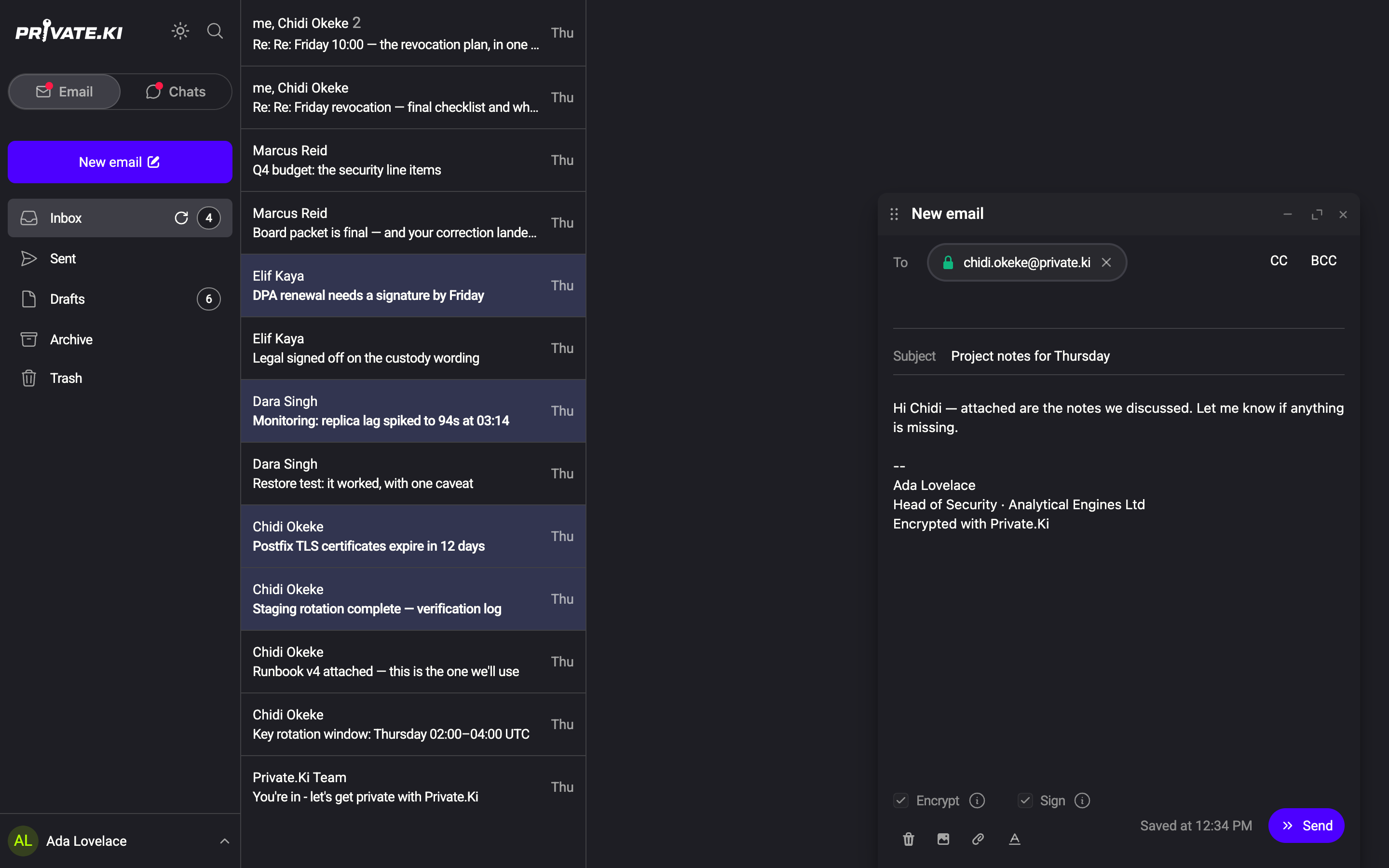
While you write: the recipient padlock
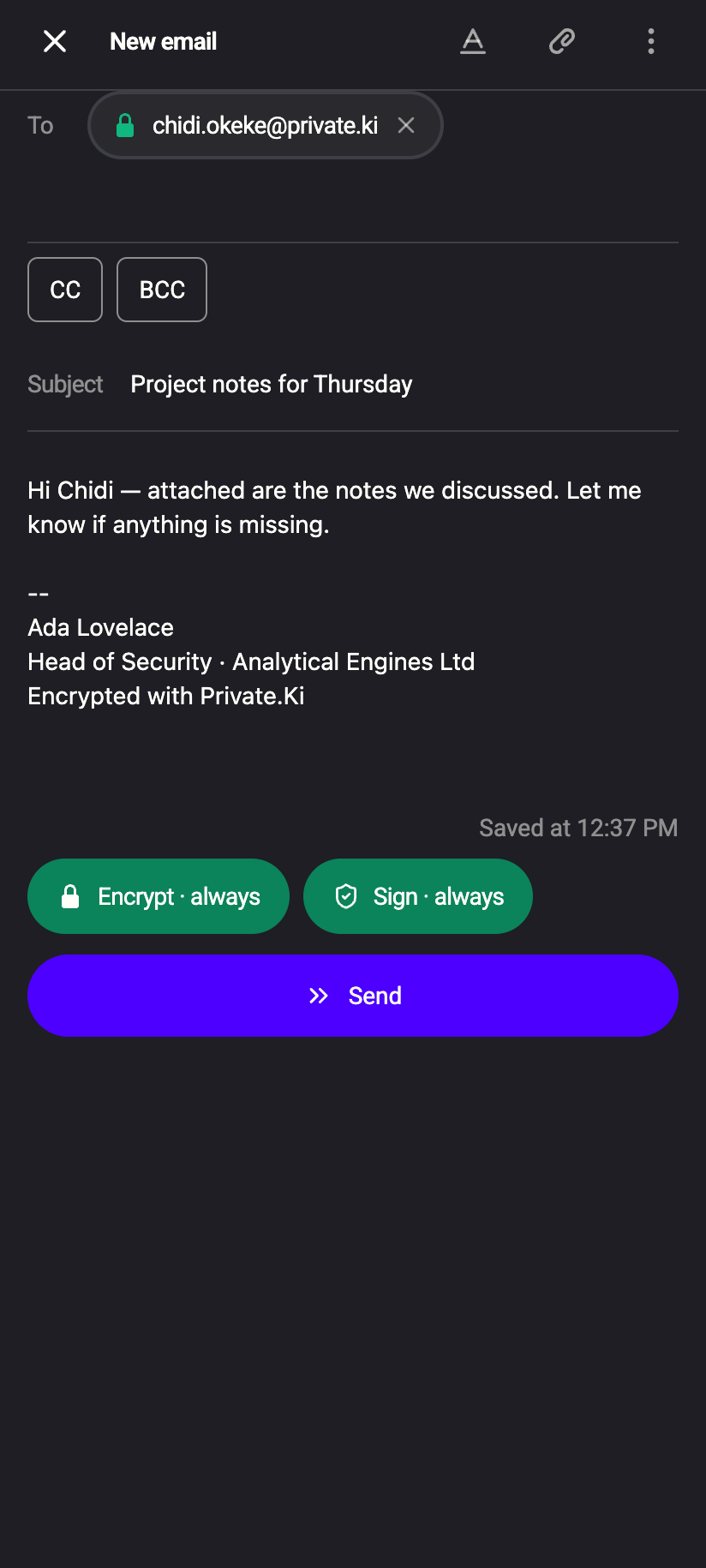
In the composer, each recipient is a chip. A green closed padlock in front of the address means Private.Ki has a public key for that person, so the message can be encrypted for them. No padlock means no key is known.
 11
11- Every Private.Ki user has a key from the moment their account is set up, so other Private.Ki users show the padlock.
- For an external address, the padlock appears once you have imported their key — for example from a message they sent you.
- If any recipient has no key, the Encrypt and Sign switches turn off automatically and the message goes out in clear to everyone. You cannot send an encrypted message to someone without a key.
In the list: what happened on the way in
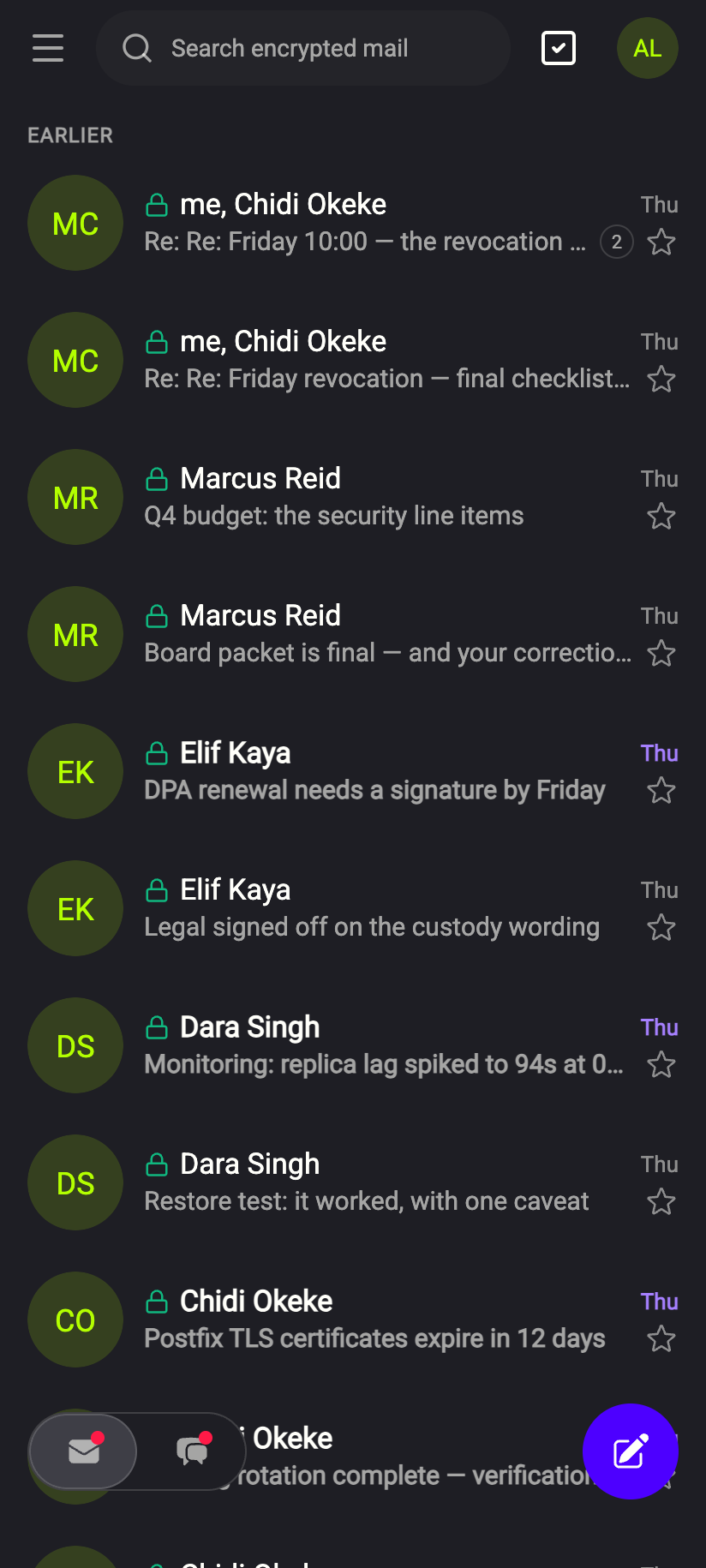
On the phone, each row in the list starts with one or two small glyphs before the sender's name. The desktop list shows no glyphs — open the message to see them.
| Glyph | Screen-reader label | Meaning |
|---|---|---|
| Green closed padlock | End-to-end encrypted | The message arrived as PGP ciphertext. Only your device could read it. |
| Amber open padlock | Not encrypted | The message arrived in clear text over the internet — typical for external mail. It is still stored encrypted in your mailbox. |
| Green key | Public key attached | The sender attached their public key. Open the message to import it. |
 11
11There is no "signed" or "verified" mark in the list, and that is deliberate. A signature can only be checked after the message is decrypted, which happens when you open it — a mark in the list would be a claim the app had not yet verified.
In an open message: encryption and signature
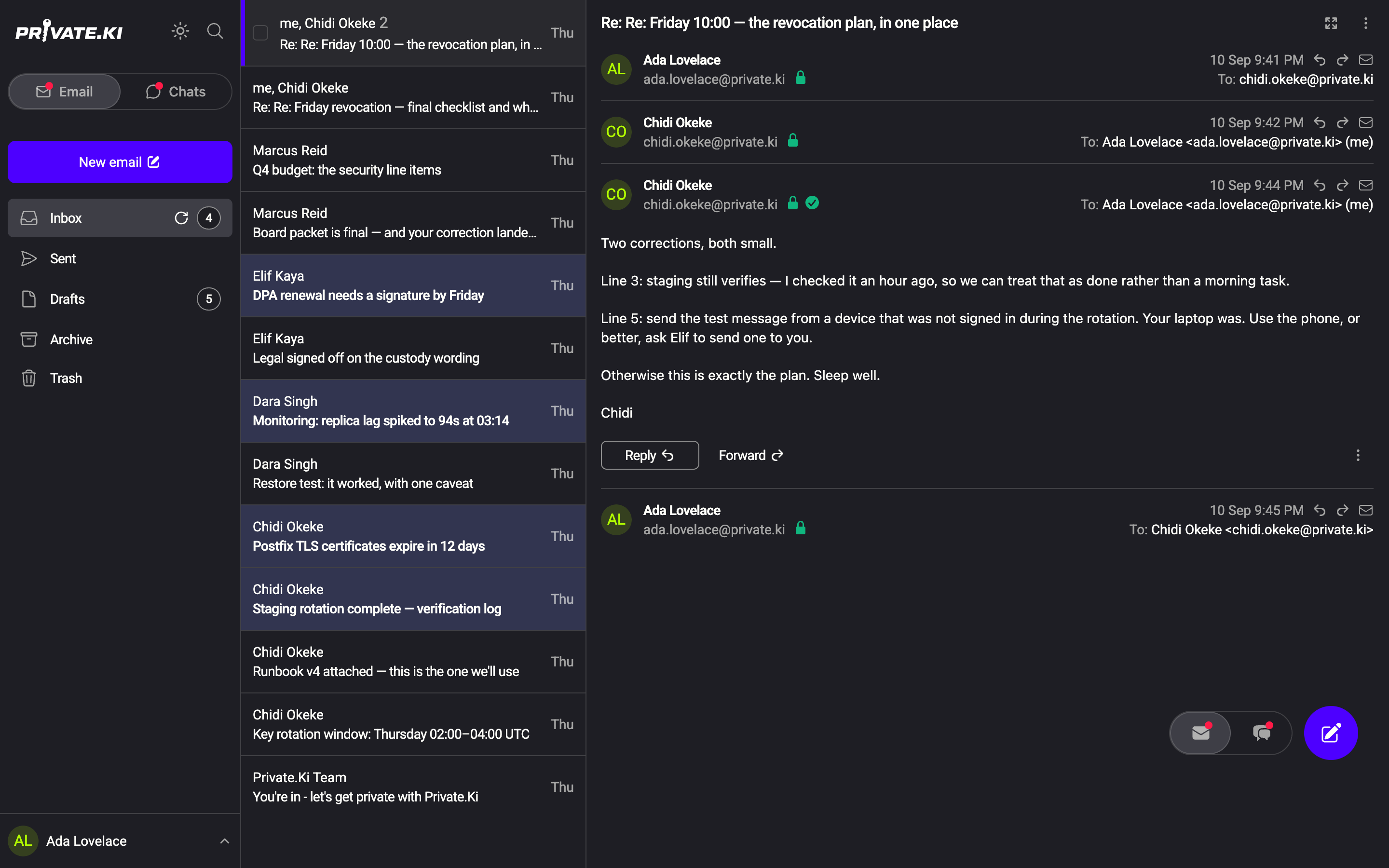
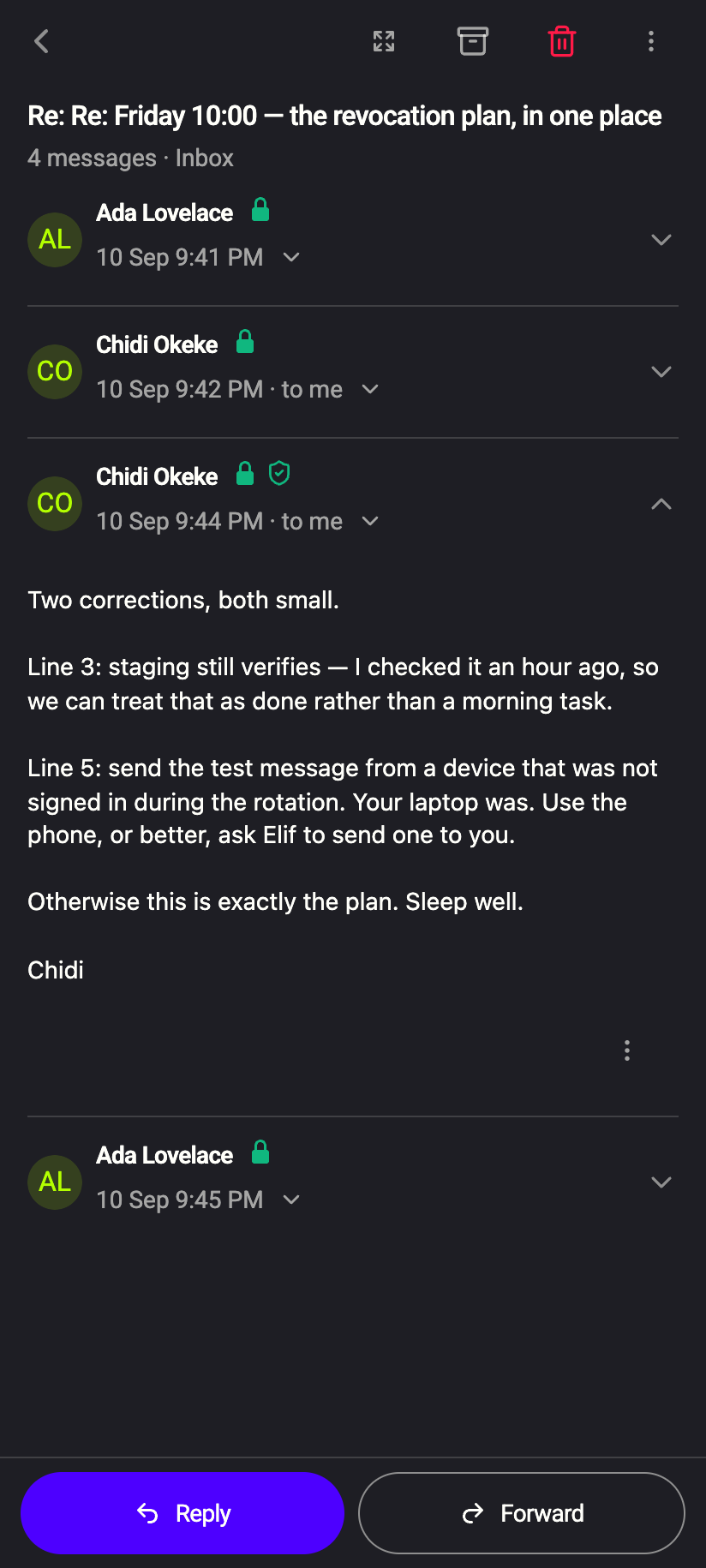
Next to the sender (beside the address on the desktop, beside the name on the phone) an open message shows a padlock and, once the message is expanded, a signature mark.
 1212
1212Padlock
| Mark | Tooltip | Meaning |
|---|---|---|
| Green closed padlock | PGP-encrypted message | The body and attachments were encrypted for you. |
| Red open padlock | Message is not encrypted | It was not. A banner above the body says the same: External message: Not end-to-end encrypted, but stored in an encrypted form. |
Signature (only while the message is expanded; a spinner shows while checking)
| Mark | Tooltip | Meaning |
|---|---|---|
| Green check-circle (desktop) / green shield (phone) | Signature verified | The message was signed, and the signature matches the sender's public key. It came from the holder of that key and was not altered. |
| Red warning triangle | Invalid signature | The message claims a signature that does not match. Treat the content with suspicion. |
| Amber warning triangle | Signature exists, but cannot check because public key of sender is missing | Import the sender's key and reopen the message to check it. |
| Grey warning triangle | Email does not contain signature | Unsigned. Normal for most external mail — it says nothing bad, only that origin cannot be verified. |
Attachments of an encrypted message carry the word decrypted after their size, to say they were decrypted on your device. Attachments of an unencrypted message do not.
When a key changes
If you send to someone whose key differs from the one your earlier messages used, the composer stops and shows the dialog Encryption key changed, with the fingerprint Previously used and the one Now offered. Choose Accept new key only after confirming the change with the person another way; Cancel keeps the old key and does not send. The same protection exists in chat — see Key changed warning.
What our server sees
Cannot see
- Whether a signature verified — verification happens on your device after decryption
Can see
- Whether a message arrived as PGP ciphertext or in clear, because the server received it either way
- That a public key was attached to an incoming message
Common questions
A message from another Private.Ki user has no signature mark
Signing is a switch in the composer. If the sender turned Sign off, the message is encrypted but unsigned and shows the grey triangle. Encryption alone still means only you could read it.
The padlock is green but the signature is red
The message was encrypted for you but the signature does not match the sender's known key. Someone may be impersonating the sender, or the sender's key changed. Do not act on the content until you have checked with them.
Why is external mail marked "not encrypted" when Private.Ki encrypts everything?
Two different things. The open padlock describes the trip across the internet: an external sender without PGP sent it in clear. Once it arrived, Private.Ki encrypted it for storage — which is what the banner means by stored in an encrypted form.