Signing and verifying messages
What the Sign switch does, how a signature is carried inside encrypted and unencrypted mail, and how to read the four signature states on a received message.
Encryption keeps a message private. A signature proves two different things: that the message was written by the holder of a particular private key, and that not one byte has changed since. Private.Ki signs with your private key on your device, and verifies incoming signatures against the sender's public key — automatically, whenever it holds that key.
Signing what you send
The Sign checkbox sits next to Encrypt at the bottom of the composer (a pill above the keyboard on the phone). Hover the ⓘ beside it and it says: Email signing adds a digital signature to prove the message really comes from you and hasn't been changed.
- To Private.Ki users: always signed; the switch is on and locked.
- To an external contact whose key you hold: on by default; you can untick it.
- To an external contact without a key: switched off automatically together with Encrypt, so a non-PGP recipient is not confused by a signature attachment. Tick it again if you want the message signed anyway.
- Chat messages: always signed.
How the signature travels depends on encryption:
| Message | Where the signature is |
|---|---|
| Encrypted (Private.Ki or external with key) | Inside the encrypted block — the recipient's software decrypts, then verifies. Nobody in between can see that the message is signed, let alone by whom |
| Unencrypted, Sign on | As a standard detached signature: the email becomes multipart/signed with an OpenPGP_signature.asc part. The text stays readable by anyone; PGP clients verify it, others show it as a small attachment |
Verifying what you receive
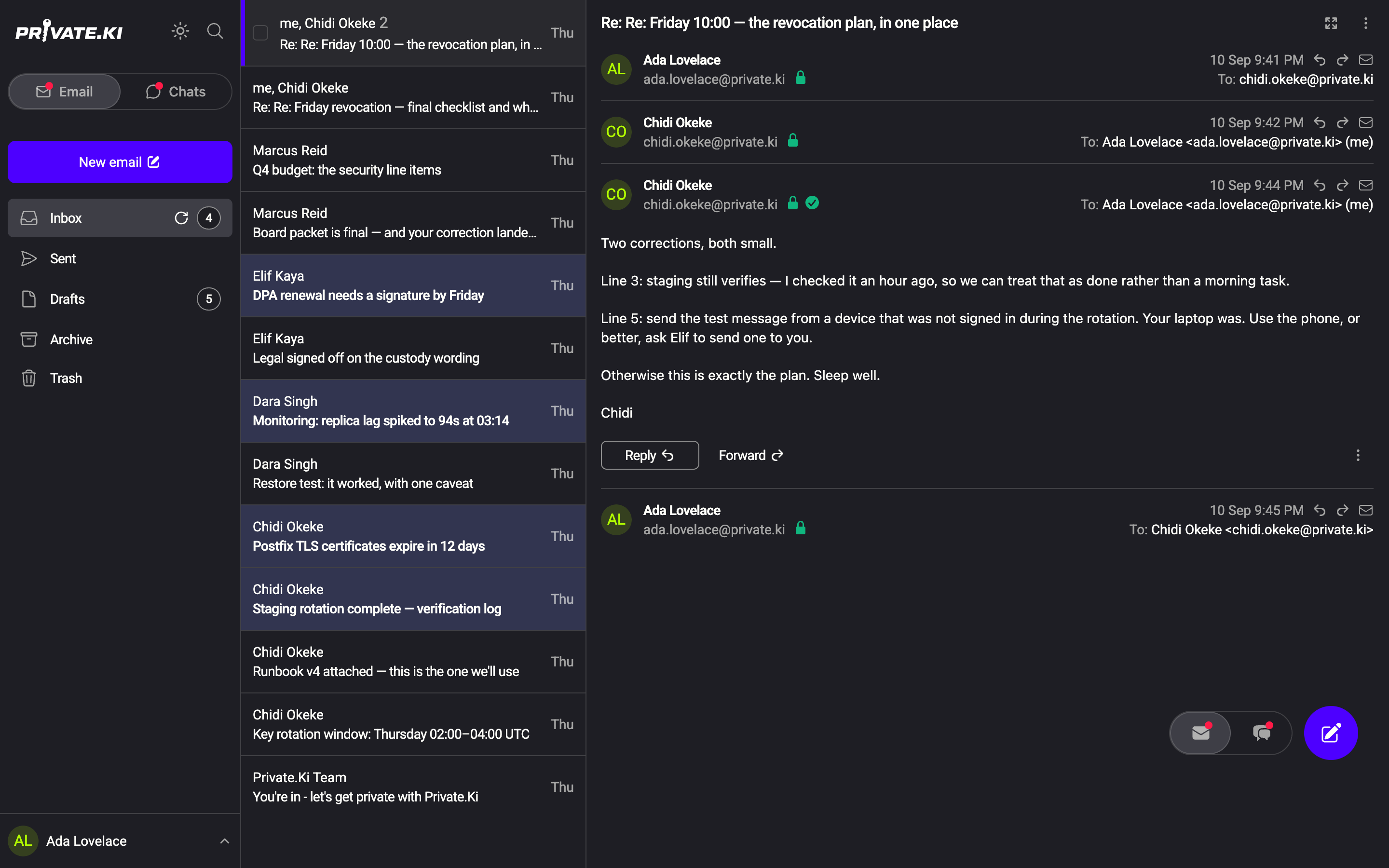
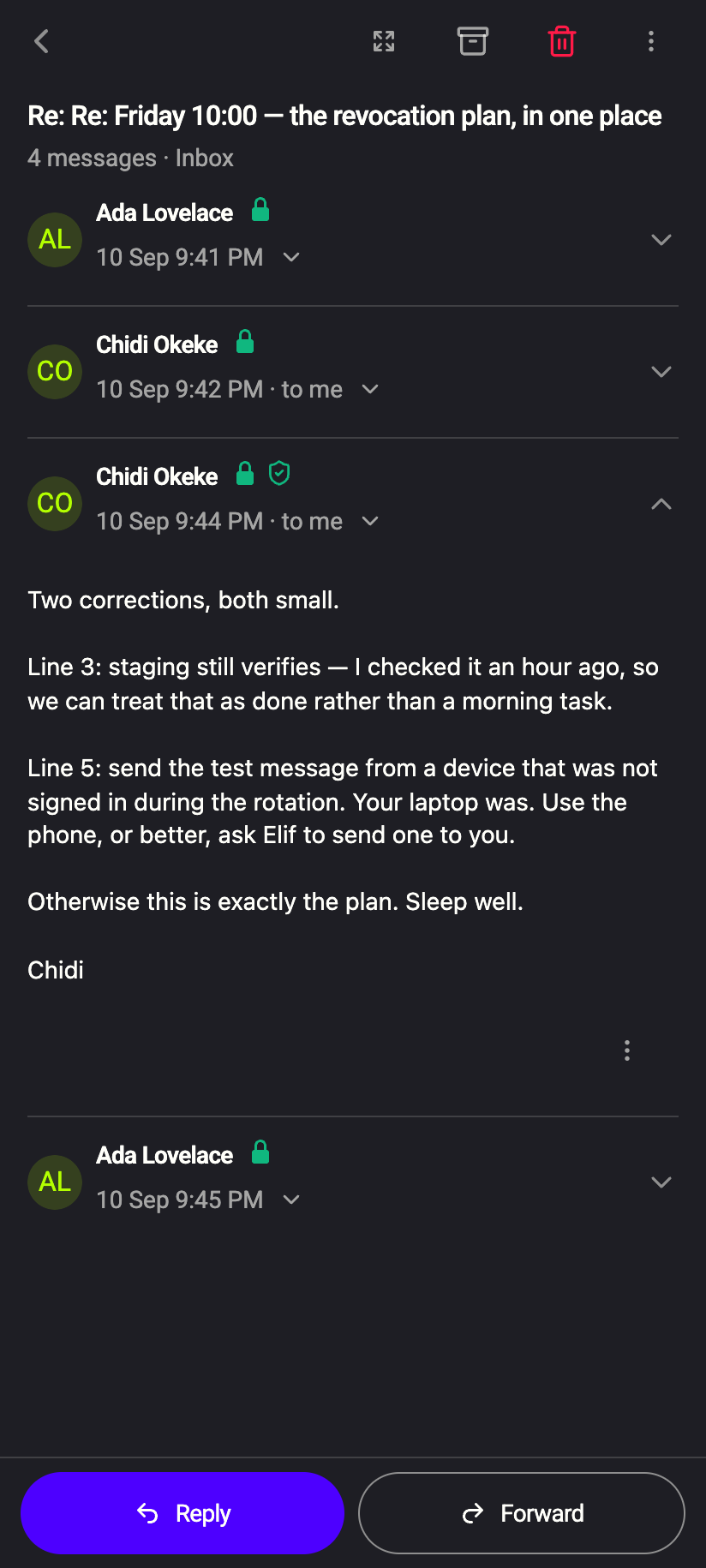
Open the message (click it in the thread so it expands). Beside the sender's address, next to the padlock, the signature state appears. While your device checks, a small spinner shows; then one of four icons:
 1212
1212| Icon | Tooltip | Meaning |
|---|---|---|
| Green check (desktop) / green shield (phone) | Signature verified | Signed by the key you hold for this sender, and unaltered |
| Yellow triangle | Signature exists, but cannot check because public key of sender is missing | The message is signed, but you have no key for the sender. Import it — Import someone's public key — and reopen the message |
| Red triangle | Invalid signature | The signature does not match the content or the key. The message was altered, or signed with a different key than the one you hold |
| Grey triangle | Email does not contain signature | Nothing to verify. Normal for mail from most non-PGP senders |
Hover for the tooltip on the web; long-press on the phone. The icons are explained alongside the padlocks in Security glyphs and Check the encryption status of a message.
Which key is used for the check:
- Private.Ki sender: their public key, fetched from the server and pinned on first contact. Mail between Private.Ki users therefore always verifies unless something is wrong.
- External sender: the key you imported for that address. No key, yellow triangle.
A green check says the message came from whoever controls the key you hold for that address. If you imported the key from the sender's own email without checking its fingerprint, it proves consistency — every message from them is signed by the same key — not identity. Compare fingerprints over another channel when it matters.
An invalid signature on mail from a Private.Ki user should not happen. Do not act on the message; contact the sender by another route. For external mail, the usual causes are a mailing list or gateway that rewrote the message, or an outdated key on your side.
The mail list shows no signature state
Only the opened message shows the signature icon. The list of messages does not, because verifying requires decrypting and checking each message. Open the message to see the result.
What our server sees
Cannot see
- Whether an encrypted message is signed, or by whom
- The result of your verification — it happens on your device
Can see
- On an unencrypted, signed external email: the signature part itself, like the rest of the message
Common questions
Can I turn signing off for Private.Ki recipients?
No. It is locked on, together with encryption. There is no situation where an unsigned message between two Private.Ki accounts would be safer.
My external contact sees a weird OpenPGP_signature.asc file
That is the detached signature on an unencrypted message. Their client does not do PGP. Untick Sign for that contact, or leave it — the attachment is harmless.
Why does a message show the yellow triangle even though I imported the key?
Reopen the message after importing; verification runs when the message is expanded. If it still fails, the message may have been signed with a different key from the one you imported — Preview the key in Key Management and compare fingerprints with the sender.
Are signatures on my own Sent copies checked?
Your own copy shows the same states; it was signed by you, so it verifies against your key.