Encrypted email with external contacts
Sending PGP-encrypted mail to Gmail, Proton, Thunderbird and others — what you need first, what the composer does without a key, and how replies come back.
Email to an address outside Private.Ki leaves our server over ordinary SMTP. Whether that email is end-to-end encrypted depends on one thing: is the recipient's PGP public key available? With the key, the message is encrypted on your device and only the recipient can open it. Without it, it is sent like any normal email — and the composer makes sure you know.
The key can get there two ways: you import it yourself, or it is found for you. When the recipient's domain publishes keys, we look the address up and the message is encrypted with nothing imported — see Automatic key discovery. Either way, what follows is the same.
Before you start
- Get the contact's public key and import it — see Import someone's public key. This is a one-time step per address.
- For the contact to reply encrypted, they need your public key — see Export or share your public key, or tick Attach public key on your first message (Attach your public key).
Sending to a contact whose key you hold
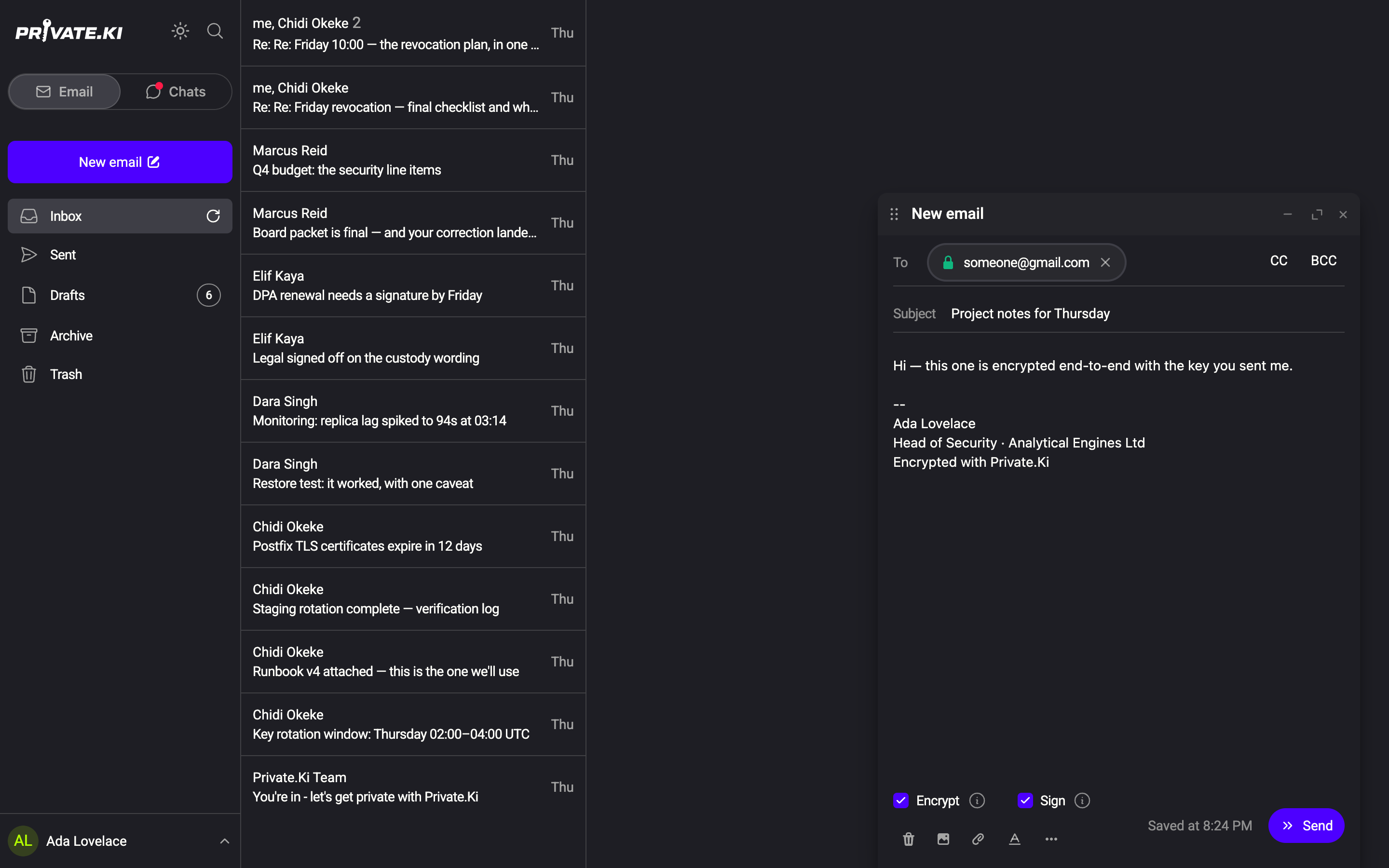
- Click New email and add the address. Because the key is in your imported list, the chip shows a green padlock.
- Check the bottom of the composer: Encrypt and Sign are on. Unlike mail between Private.Ki users, they are not locked — you may untick either.
1Padlock — their key is imported2Encrypt — on3Sign — on4⋯ More optionsWeb & desktop 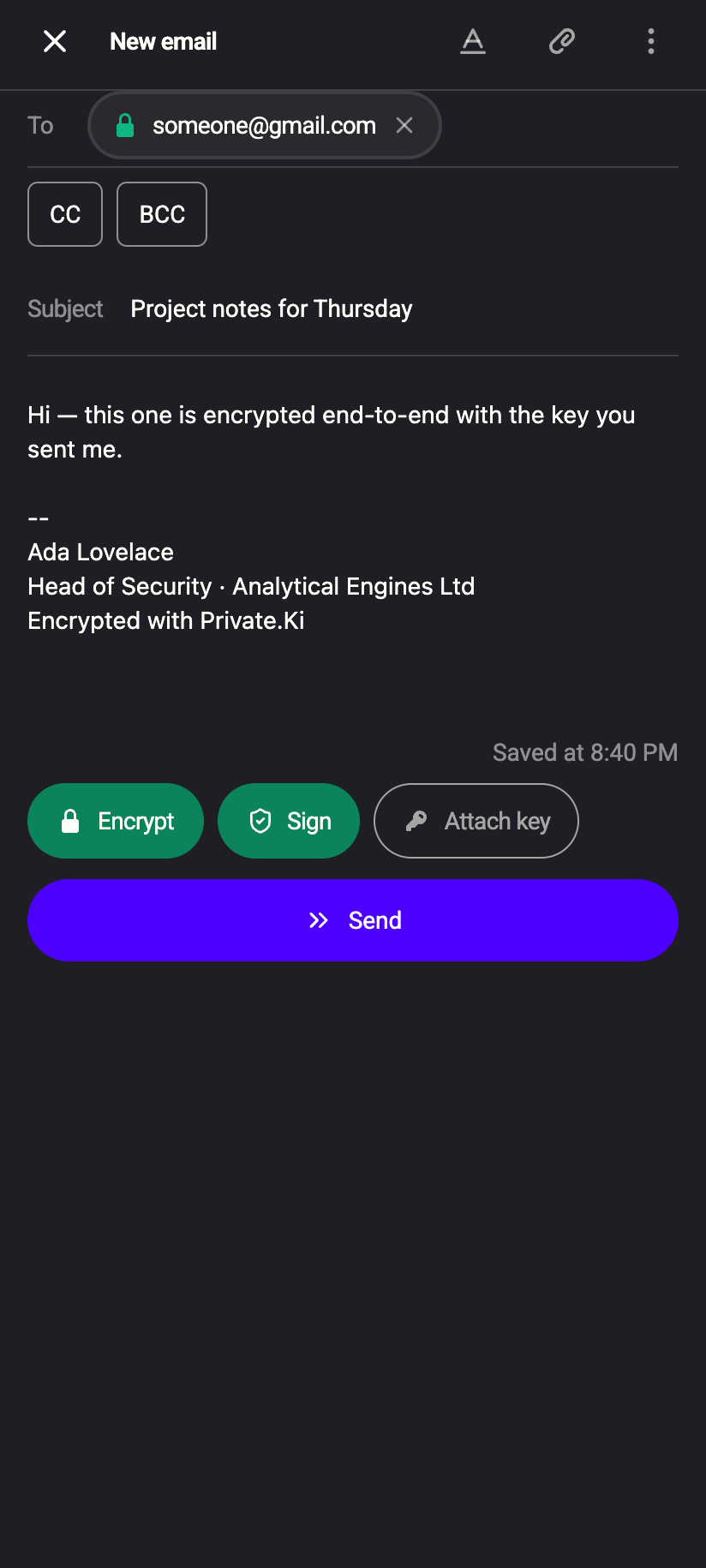 1234
12341Padlock — their key is imported2Encrypt — on3Sign — on4Attach keyiPhone 12341Padlock — their key is imported2Encrypt — on3Sign — on4Attach keyAndroid - Click Send.
Your device builds a standard PGP/MIME message (multipart/encrypted): the body, attachments and inline images are one encrypted block that the recipient's mail software decrypts. If Sign is on, your signature is inside the encrypted block, so only the recipient can see even that. Any PGP-capable client — Thunderbird, Proton Mail, GnuPG-based tools, Mailvelope — opens it.
Sending to a contact without a key
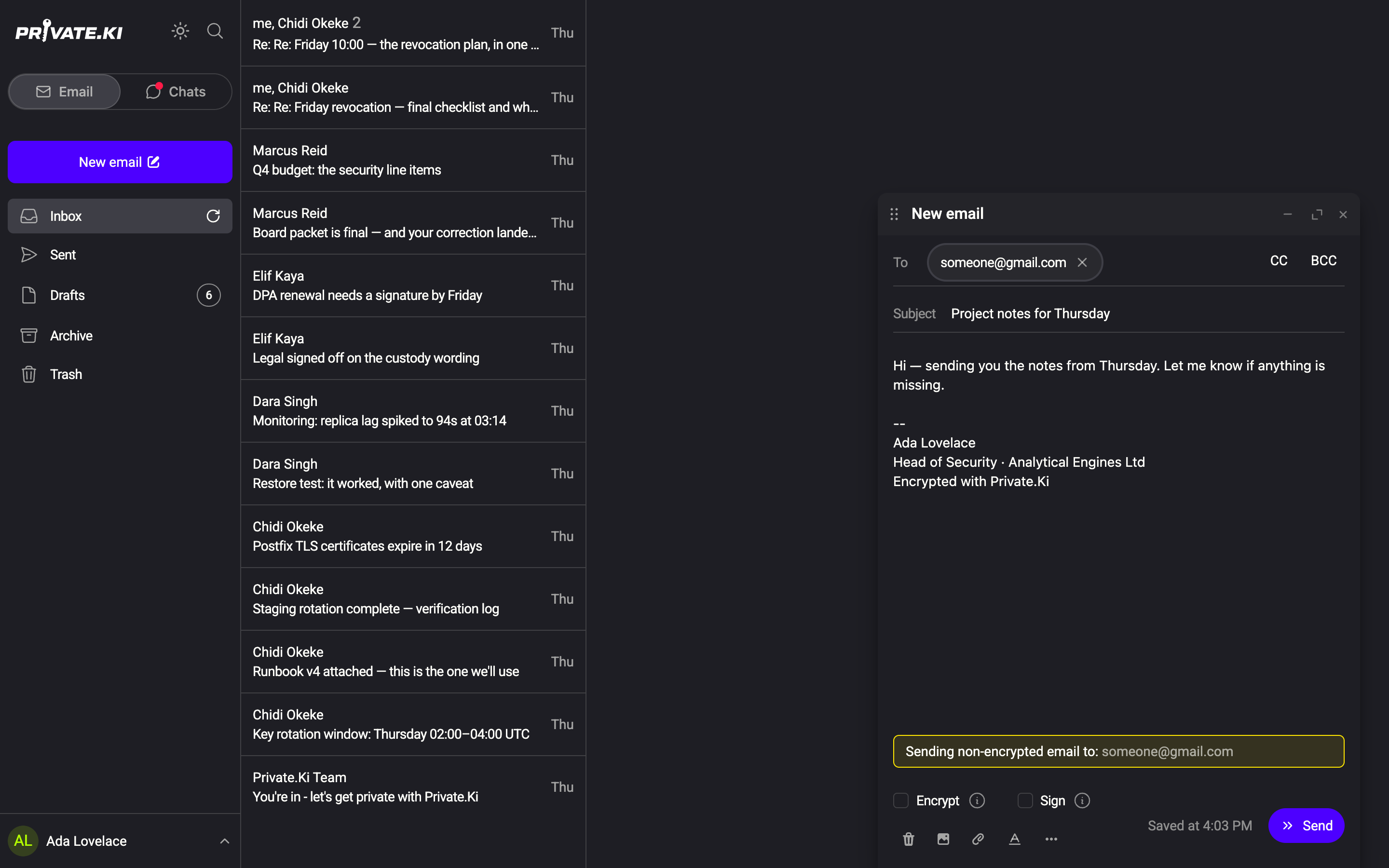
- Add the address. The chip has no padlock.
- The composer turns both Encrypt and Sign off, and a warning appears: Sending non-encrypted email to: followed by the address(es) concerned.
1No padlock — no key for this address2Encrypt — off3Sign — off4Sending non-encrypted email toWeb & desktop 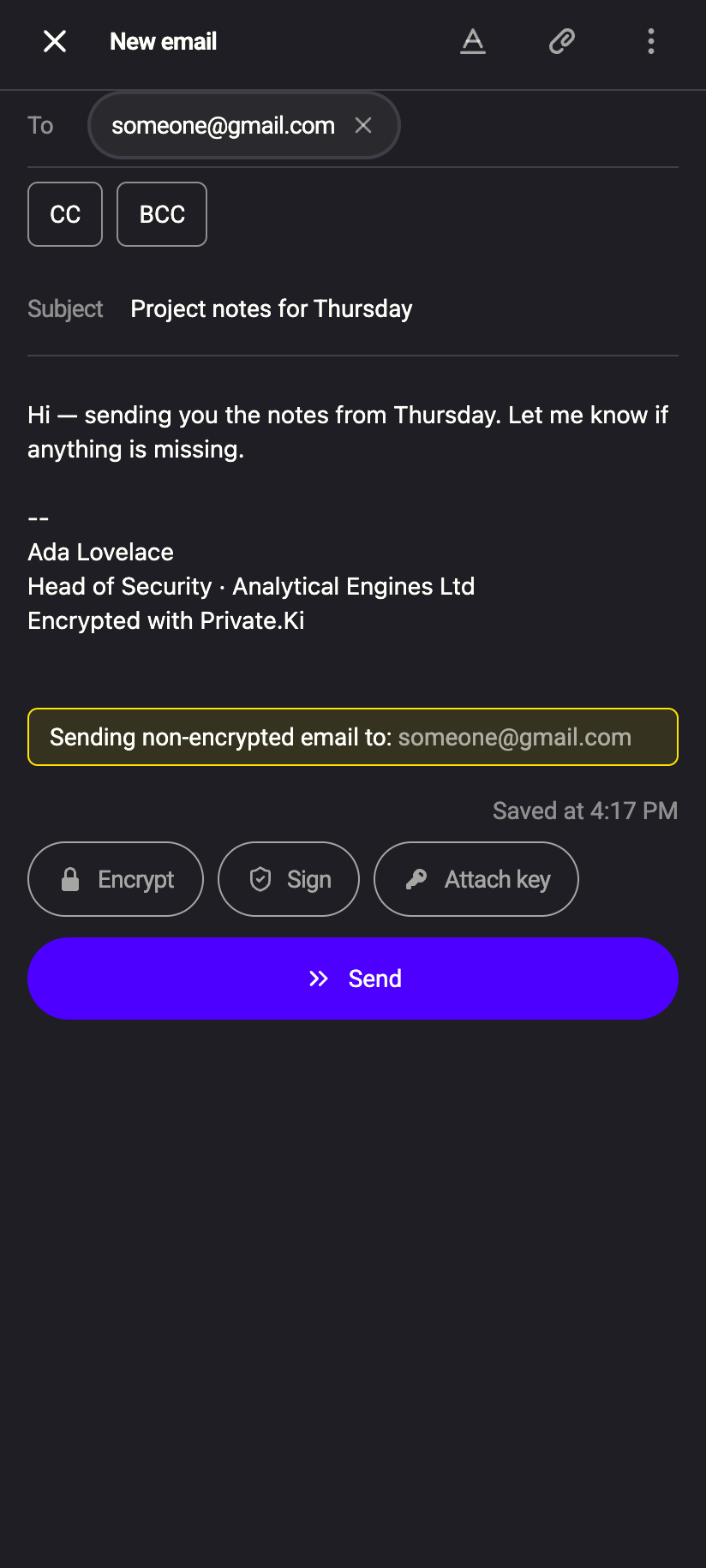 1234
12341No padlock — no key for this address2Sending non-encrypted email to3Encrypt — off4Sign — offiPhone 12341No padlock — no key for this address2Sending non-encrypted email to3Encrypt — off4Sign — offAndroid - Decide: send it in the clear, or import the key first. If you tick Encrypt again while an address has no key, Send is disabled until you untick it or remove that address.
You may tick Sign again on an unencrypted message — the recipient then gets a multipart/signed email with a detached OpenPGP_signature.asc attachment. See Signing and verifying messages.
If a message has several recipients and even one external address lacks a key, the whole SMTP copy is unencrypted, because it is one message. Copies for Private.Ki recipients in the same message are still encrypted individually. To encrypt to some external contacts and not others, send separate messages.
On the phone, Encrypt, Sign and Attach key are pills above the keyboard. The Sending non-encrypted email to warning appears above the body in the same way.
What stays visible on an encrypted external email
PGP/MIME encrypts the content, not the envelope. Even when Encrypt is on, these travel in the clear across the internet and are visible to our server and the recipient's provider:
- Subject — PGP/MIME cannot protect it. Choose subjects that give nothing away.
- From, To, Cc addresses and your display name.
- Message-ID, date, size, and the fact that the message is PGP-encrypted.
Your own Sent copy, by contrast, is stored fully encrypted, subject included.
Receiving encrypted email from outside
When an external contact sends you PGP-encrypted mail (they need your public key for that), our server wraps the entire incoming email — PGP block, headers and all — in a second encryption layer to your key before storing it. You open it like any other message; the padlock beside the sender's address is green and, if the sender signed it and you hold their key, the check is green too. Details in Double-layer encryption.
Unencrypted external mail arrives the same way, but its content was readable in transit; the padlock beside the sender's address is a red open padlock.
Reply quotes the original below your text. If the original was unencrypted but the reply will be encrypted, the quote is now protected — good. The reverse is the risk: replying unencrypted to an encrypted message would expose the quoted text. The composer's warning appears in that case; delete the quote or import the key before sending.
What our server sees
Cannot see
- The body, inline images or attachments of an encrypted external message
- The signature, when the message is encrypted
Can see
- Subject, sender and recipient addresses, date and size of every external message, encrypted or not
- The full content of any external message that was sent or received unencrypted — briefly, while it is being relayed or stored
Common questions
Why does Sign go off together with Encrypt?
So that a first, unencrypted message to a non-PGP user does not arrive with a mysterious OpenPGP_signature.asc attachment. Tick Sign again if you want the signature anyway.
The recipient's client says it cannot decrypt
Their software is missing the private key for the public key you imported — for example a key they no longer use. Ask for their current public key and import it; it replaces the old one.
Can I encrypt to a Gmail address?
Only if the Gmail user runs a PGP add-on or client (Mailvelope, FlowCrypt, Thunderbird) and gives you the public key. Gmail itself does not open PGP mail.
Does the recipient need Private.Ki?
No. Any standards-compliant PGP client works. Private.Ki-to-Private.Ki mail simply skips the key exchange.