Encrypted email between Private.Ki users
Mail between two Private.Ki addresses is always end-to-end encrypted and signed — body, attachments and subject — with no key exchange and nothing to set.
When every recipient of a message has a Private.Ki address, the message is encrypted to each recipient's public key and signed with yours before it leaves your device. There is nothing to set up and nothing to switch on: Encrypt and Sign are on and locked. Our server relays and stores ciphertext it cannot open — including the subject line.
Sending
- Click New email and add the recipients. As you add a Private.Ki address, the app fetches that person's public key from the server; the chip turns to show a green padlock once the key is found.
1Padlock: key found2Encrypt3SignWeb & desktop 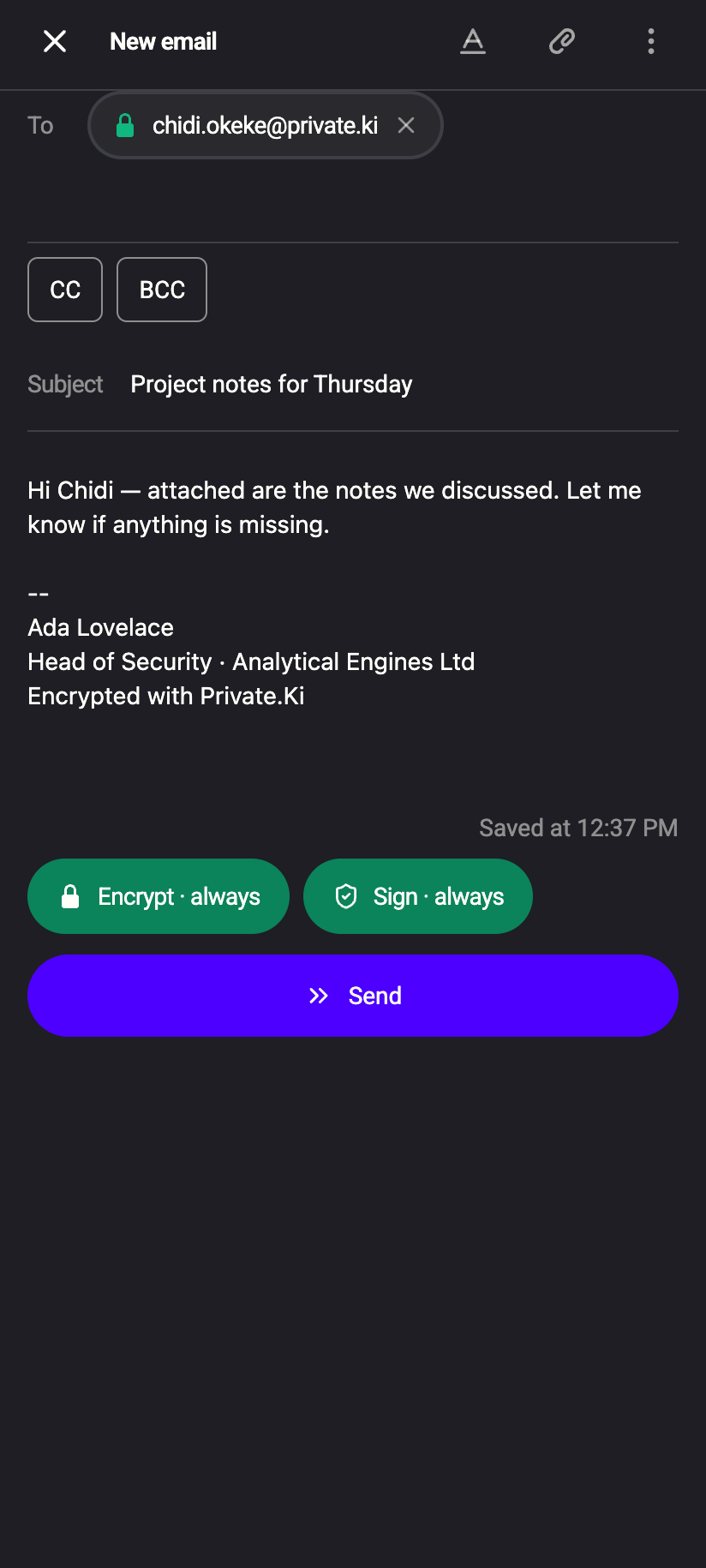 123
1231Padlock: key found2Encrypt · always3Sign · alwaysiPhone 1231Padlock: key found2Encrypt · always3Sign · alwaysAndroid - Look at the bottom of the composer: Encrypt and Sign are ticked and greyed out. Hovering the ⓘ beside Encrypt explains: Emails between Private.Ki users are always encrypted.
- Write the message, attach files if you like, and click Send. Everything else happens on your device before the request leaves it.
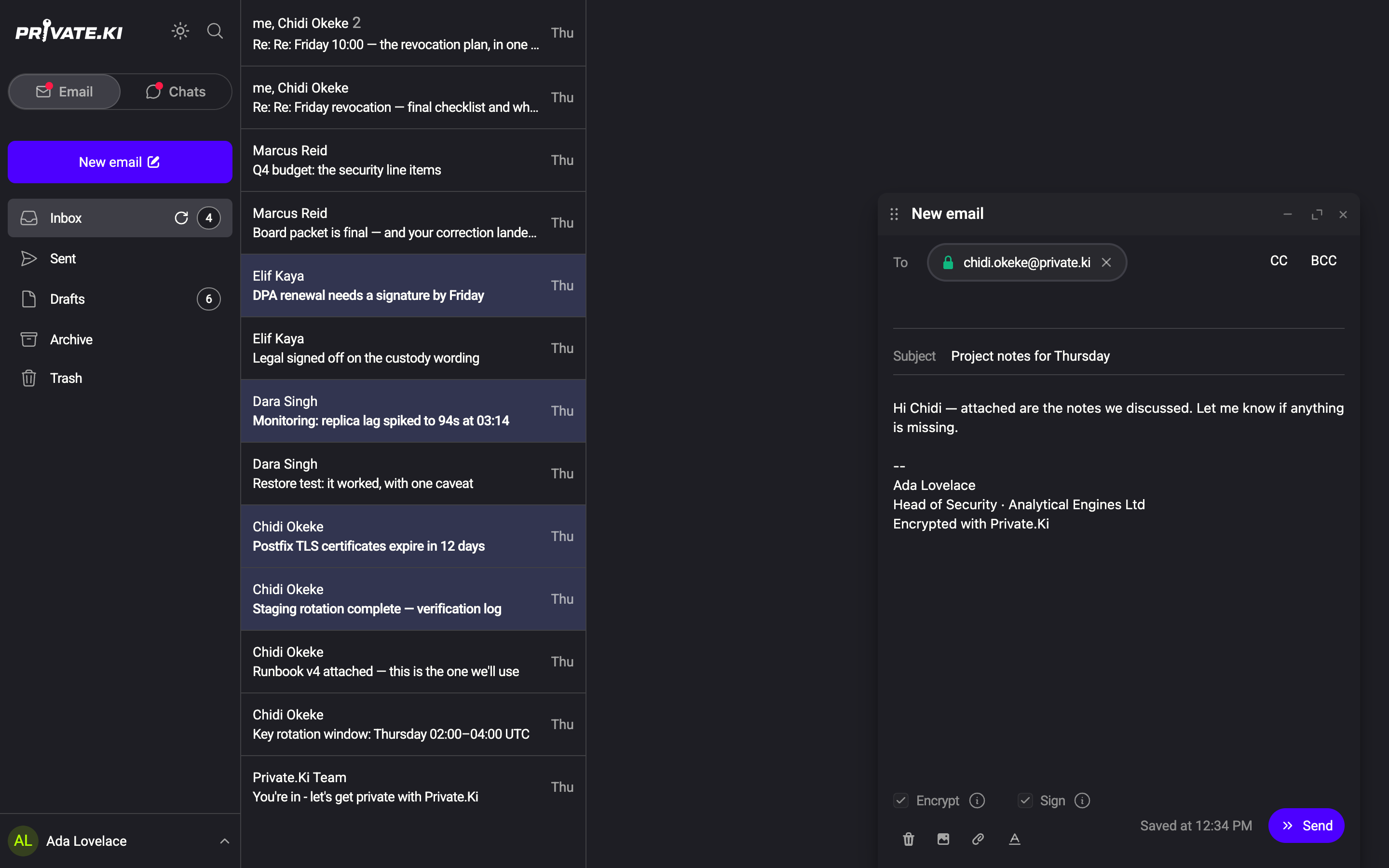
What your device does at step 3, for each recipient:
- Builds the message (body, inline images, attachments) and, because Sign is on, signs it with your private key.
- Encrypts that message to the recipient's public key — one separate copy per recipient, so each person can only open their own.
- Encrypts the header block — subject, To/Cc/Bcc, message IDs — to the same key. Your own Sent copy is encrypted to your key.
- Only if a recipient is not on Private.Ki is an SMTP copy produced; see Encrypted email with external contacts.
On the phone, Encrypt and Sign are pills above the keyboard instead of checkboxes. For an all-Private.Ki message they are active and cannot be tapped off. Long-press a pill to read its hint.
Receiving
The message arrives already encrypted to your key; the sender's device did that. When you open it:
- Your device decrypts it with your private key, checks the signature against the sender's public key, and shows the result beside the sender's address: a green closed padlock (PGP-encrypted message) and a green check (Signature verified; a shield on the phone).
1PGP-encrypted message2Signature verified3Attachments: decrypted on your deviceWeb & desktop 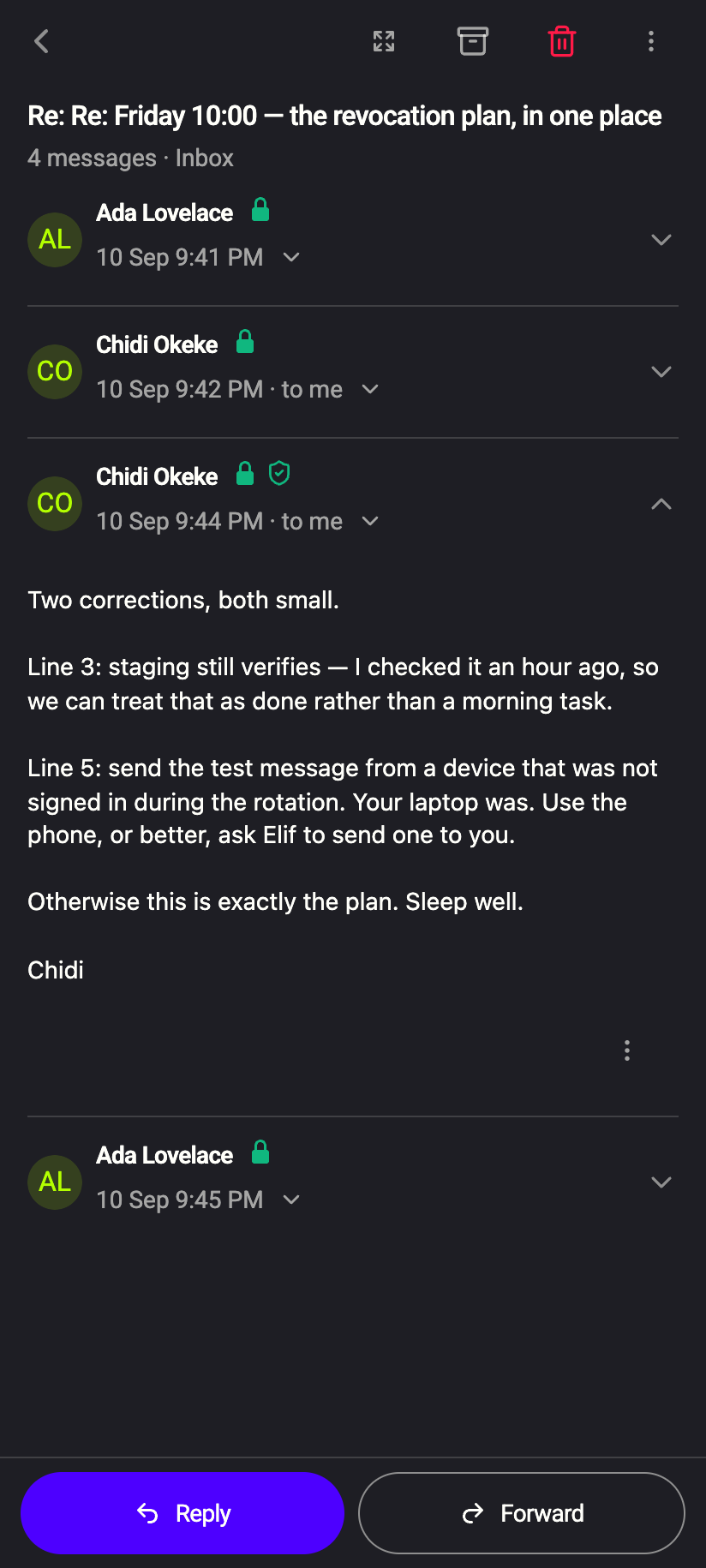 12
121Padlock: encrypted2Shield: Signature verifiediPhone 121Padlock: encrypted2Shield: Signature verifiedAndroid - Attachments are decrypted on your device when you open or download them; the attachment card shows decrypted once that has happened.
- The subject, which was inside the encrypted header block, is shown as normal — it was never readable on the server.
- After the first opening, your device stores the message again encrypted with AES under your master key, so it opens faster next time. It remains unreadable to us. See What is encrypted, and where.
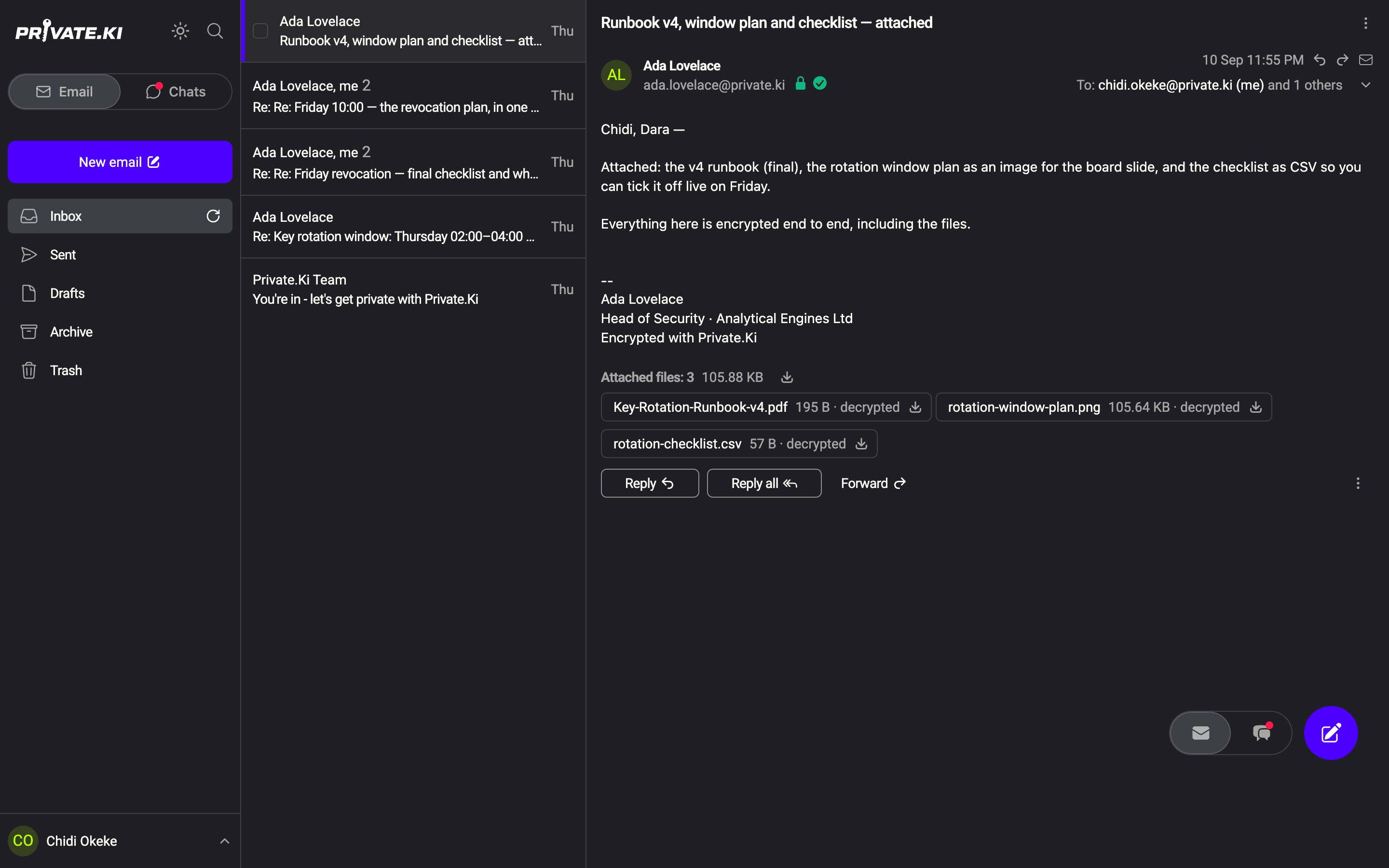
Reply with Reply or Reply all; the reply is a new message to Private.Ki addresses and follows the same rules.
What the recipient sees
Exactly what you wrote, plus the two green icons. If they hover (or long-press) the icons, the tooltips read PGP-encrypted message and Signature verified. A recipient who does not see the green check should treat the message with suspicion — see Signing and verifying messages.
What our server sees
Cannot see
- The body, attachments or inline images
- The subject line, or the To/Cc/Bcc list — they travel in the encrypted header block
- The sender's name and address on the recipient's copy — encrypted to the recipient's key
Can see
- Which account each encrypted copy is stored for, its size, and when it was sent and read
- That the copies belong to one conversation, through HMAC-derived identifiers your device computes
Common questions
Why can't I turn Encrypt or Sign off for a Private.Ki recipient?
Because there is no case in which it would help. Every Private.Ki user has a key, so encryption always works; and unsigned mail between two Private.Ki accounts would only make impersonation easier. The controls unlock only when an external address is added.
The recipient chip has no padlock
The key is still being fetched — wait a moment. If it stays without a padlock and Send is disabled with Unable to send email because the following email addresses do not exist, the address is not a Private.Ki account. Check the spelling.
Are group emails to several Private.Ki users encrypted once or per person?
Per person. Each recipient gets a copy encrypted to their own key. Up to 5 recipients (To, Cc and Bcc together) per message.
I got an "Encryption key changed" dialog
The recipient's key differs from the one your device pinned earlier. Nothing was sent. See Key changed warning.