How can we help?
Every function of Private.Ki, explained step by step — with screenshots for the device you’re using.
Everything, by topic
Start here
What Private.Ki is, how encryption works in plain words, installing the apps, and the basics.
- Getting started: your first ten minutes
- How encryption works, in plain words
- Install Private.Ki on Android, iPhone or the web
Account & sign-in
Create an account, sign in, QR sign-in, device pairing, unlock methods, two-factor, recovery, locked or suspended accounts.
- Two-step verification with an authenticator app
- Sign in on a new device with a QR code
- App lock: fingerprint, face and Hide in Recents
Compose, Encrypt and Sign switches, attachments to 25 MB, signatures, undo send, folders, search, external mail.
- What the lock and shield icons mean
- Undo send (up to 1 minute, 5 minutes with Plus)
- Search your mail (subject and people — never the body)
Chat & groups
1:1 chat, small groups, invite links and QR codes, reactions, voice messages, self-destruct timers, unsend.
- Invite someone who isn't on Private.Ki
- Self-destructing messages (30 s to 1 month, 1 year with Plus)
- Unsend or destroy a message (within 1 hour, any time with Plus)
Encryption & keys
How encryption works, your passphrase, key management, export and import public keys, signatures, OPAQUE.
15 articlesDrive
Your files, encrypted on your device before they leave it — upload, folders, preview, download, delete and restore.
5 articlesPrivate.Ki Plus
What the paid plan adds, what it costs, paying with Bitcoin or Monero, your own domain, storage, and every function it unlocks.
16 articlesPrivacy & transparency
What our server can and cannot see, warrant canary, transparency report, GDPR, the third parties we use.
- What our server can and cannot see
- Warrant canary
- Third-party services we use and what they see
- Server and transport security
Connectivity & troubleshooting
Tor, VPN, going offline and reconnecting, push notifications, web app vs native apps.
- Use Private.Ki over Tor, and the .onion address
- Offline, reconnecting and the 30-minute auto-lock
- Push notifications on Android
Your first ten minutes
Each one takes under three minutes.
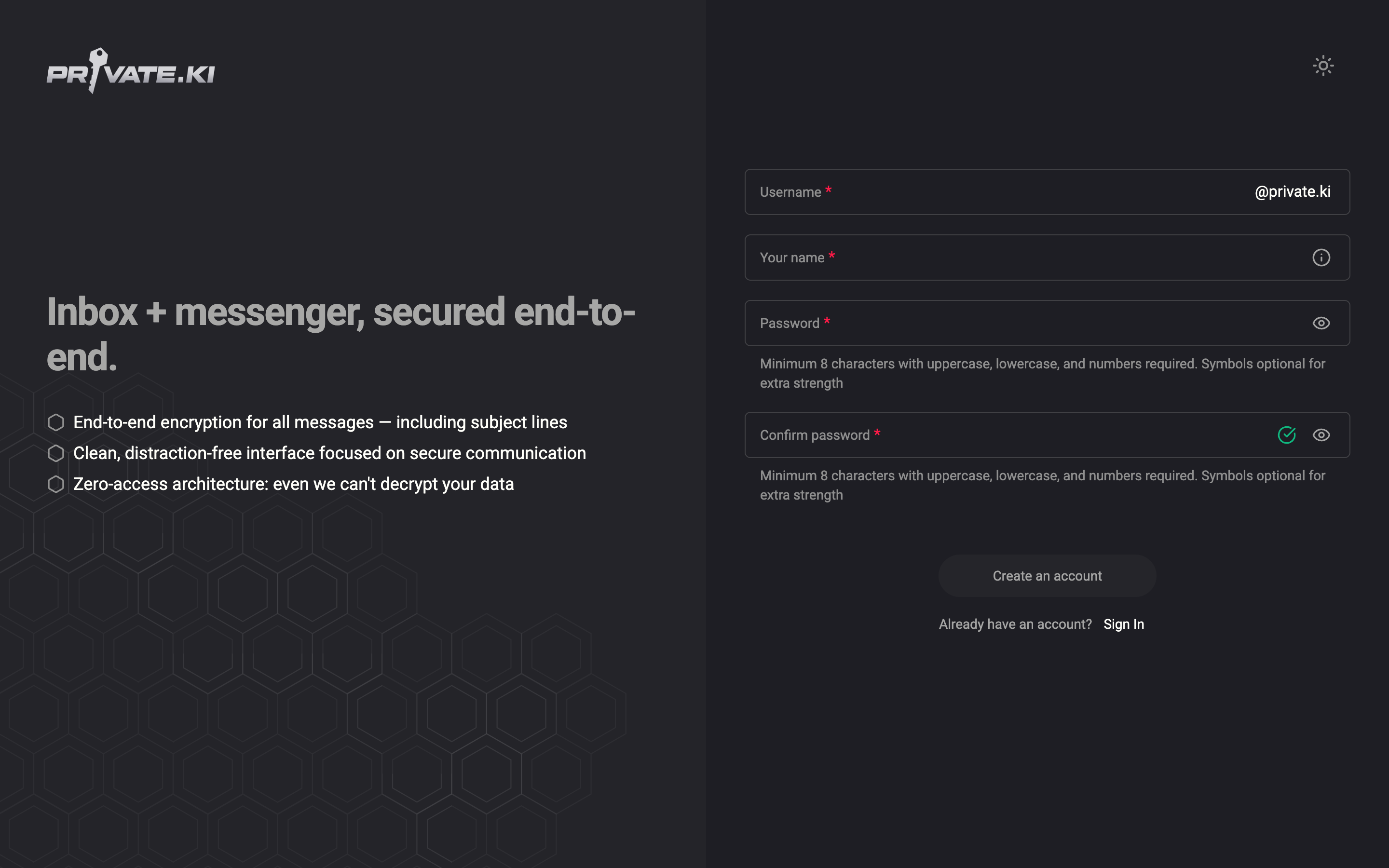
Create your account
Pick a username, a display name and a password, then choose how you unlock your mail. Your encryption keys are generated on your device — we never see them.
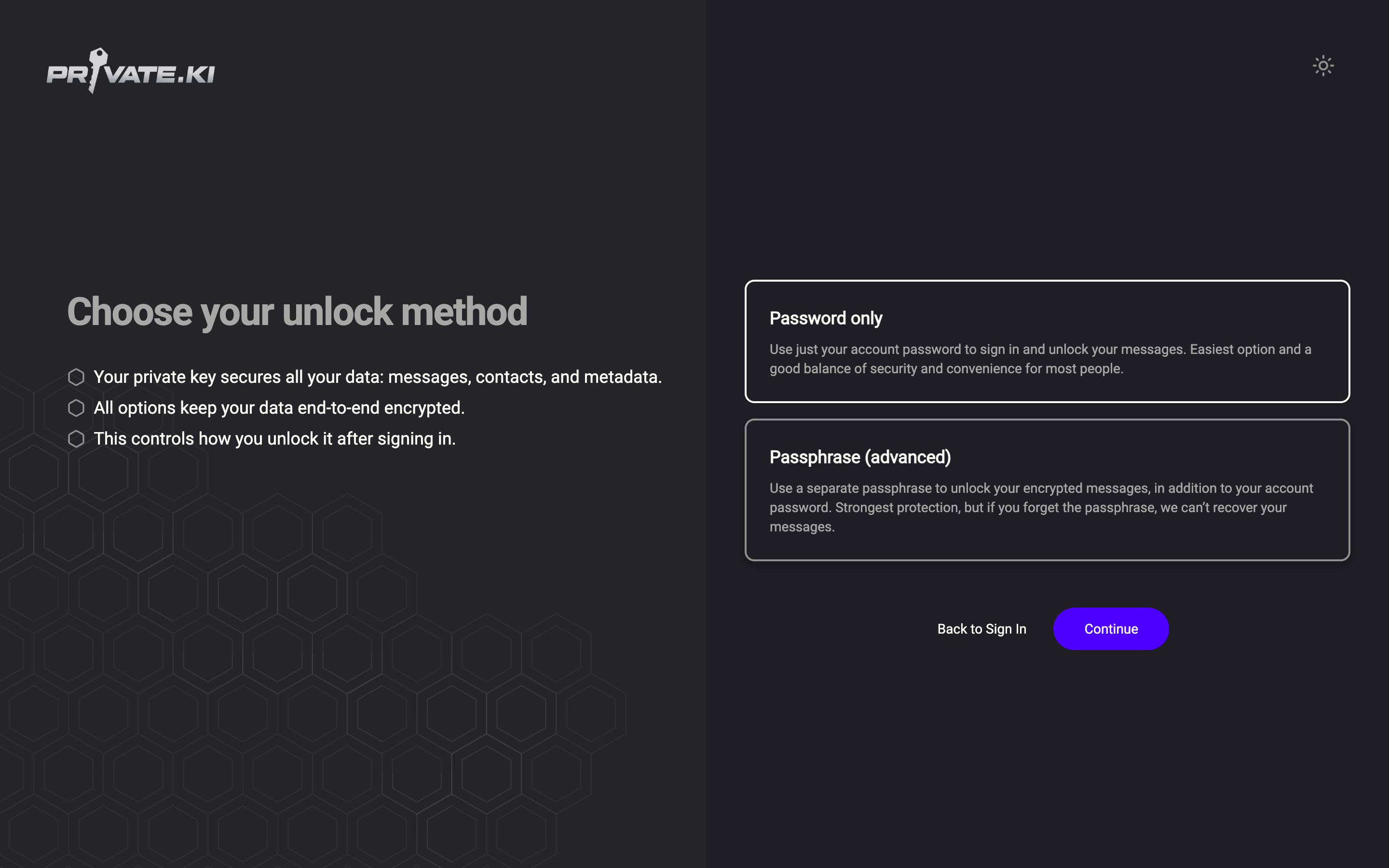
Password only or passphrase — choose how you unlock
Signing in gets you to your account; unlocking opens your keys. At sign-up you choose whether one password does both or a passphrase protects your key.
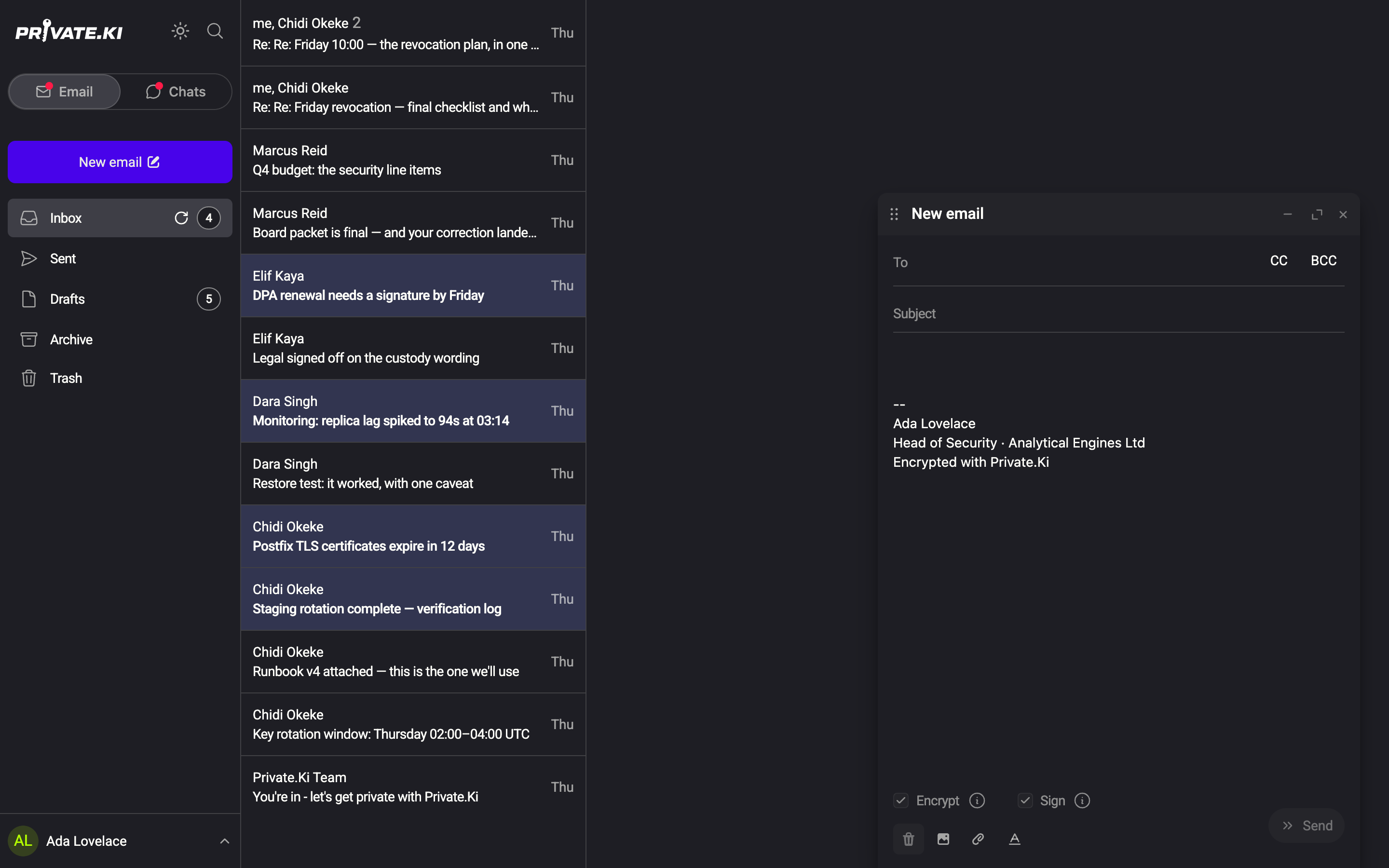
Compose and send an email
Open a new message, add up to five recipients, write and send. Mail to Private.Ki users is always encrypted; Encrypt and Sign switches cover everyone else.
Popular articles
Things we publish so you don’t have to trust us
Live status, updated on a schedule.
What our server can and cannot see
The complete list, both columns — message bodies, keys and passphrases on one side; addressing and timestamps on the other.
Reviewed regularlyWarrant canary
Signed statement that we have received no secret orders.
Updated on scheduleTransparency report
Requests for user data received, and what we could hand over: nothing readable.
Published periodicallyThird parties we use
Cloudflare, Matomo (website only), realtime blackhole lists. Why, and what each one sees.
4 disclosuresTalk to a person
Support can see your account status, whether two-factor is on, and whether a recovery address is set. Support cannot see your mail, your chats, or your passphrase.
Support cannot see
- Your emails and chats
- Your passphrase or private key
- Attachments and voice messages
Support can see
- Username and account status
- Whether 2FA / recovery are set
- Sign-in problems and rate limits