Push notifications on Android
The Android app tells you when mail or a chat arrives while it is closed, without sender, subject or text. The permission prompt, and how to turn it off.
The Private.Ki app on Android can tell you when something new arrives while the app is not open. The notification is deliberately minimal: the title is Private.Ki and the line under it is New email or New chat message. Nothing else. Who wrote, what they wrote, the subject, the group name — none of that leaves the encrypted message, so none of it can appear on your lock screen.
Push notifications come with the Android app from Google Play — see Install Private.Ki. In a browser, an open tab shows the unread count in its title. The iPhone app is coming to the App Store.
Allow them on Android
Android 13 and newer ask for permission before an app may post anything at all. Private.Ki asks once, the first time it registers this phone for notifications — which is after you have signed in and unlocked, not at install.
- Answer the prompt. Android shows Allow Private.Ki to send you notifications? Tap Allow.
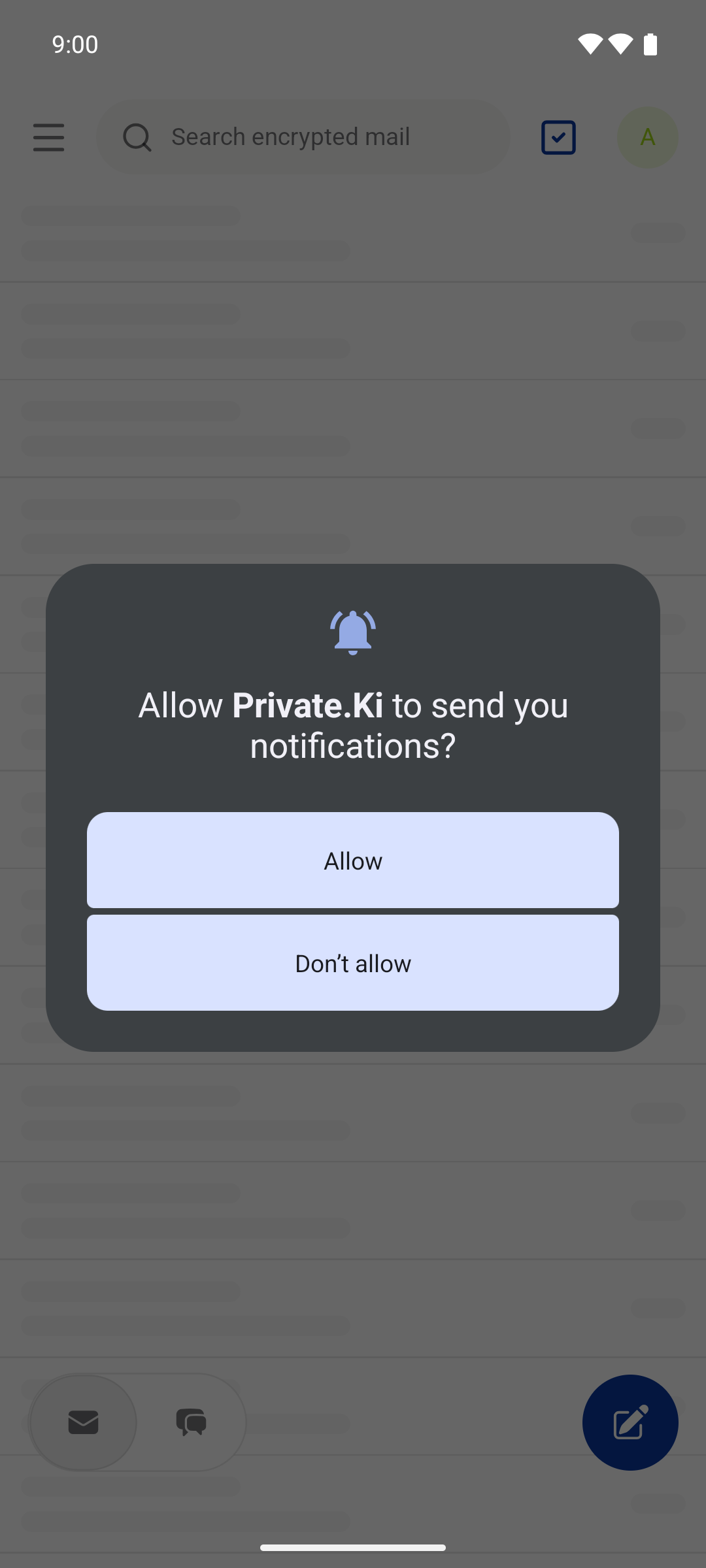
Android 13 and newer ask once whether Private.Ki may send notifications.Android - If you tap "Don't allow", the app does not ask again. Android only shows that dialog once. The app tells you so with a message — Notifications are off · Tap to open Android settings and allow notifications for Private.Ki — and tapping it takes you straight to the right settings page.
- Registration. With permission granted, the app gets a delivery token from Google (FCM) and sends it to our server together with your phone's name, so notifications for your account can reach this device.
On Android 12 and older there is no prompt; notifications are on unless you turn them off in the phone's settings.
What you see when a message arrives
A push is sent when a message arrives for you and this phone has no live connection to our server — the app is closed, in the background, or offline. If the app is open and connected on this phone, no push is sent; the message simply appears.
The notice arrives on the Default channel, at the highest importance, so it can appear as a heads-up banner, make a sound and vibrate.
Tapping it opens the app at the message: a chat notice opens that conversation, a mail notice opens your Inbox. If App lock is on, you unlock first — with your fingerprint, face or the phone's screen lock — and the app continues to the message afterwards.
What a notification contains
| Shown | Not shown |
|---|---|
| The app name, Private.Ki | The sender's name, handle or address |
| New email or New chat message | The subject or any text |
| The time it arrived | Attachments, reactions, group names |
The notification is a nudge to open the app, nothing more. That is not a limitation we could lift with a setting: our server does not have the readable message, so it cannot put any of it in a notification. Google's servers, which carry the notification, see exactly the same two words you do.
Turn notifications off or on
There is no notification setting inside Private.Ki. Use the phone's settings:
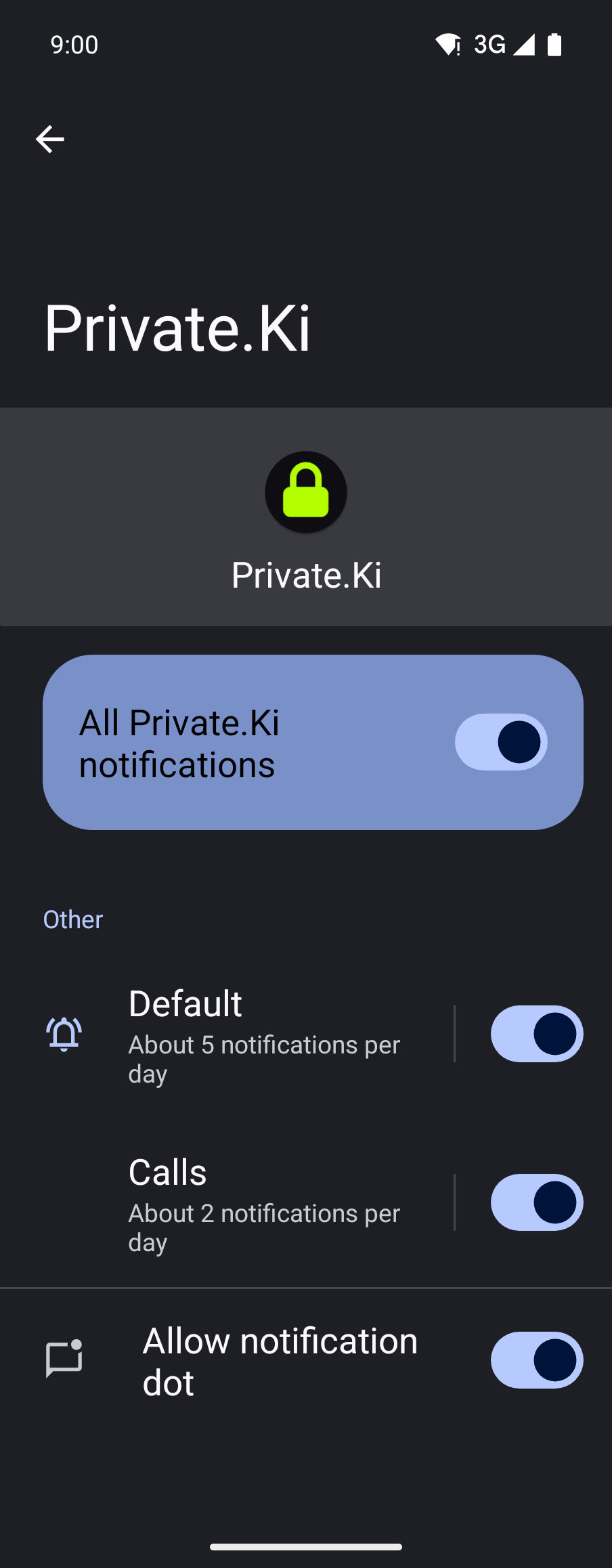
Settings → Apps → Private.Ki → Notifications. Turn the app's notifications off, or open the Default channel to change its importance, sound or vibration. Do Not Disturb applies as usual.
Logging out of the app removes that phone's notification registration from our server. If you no longer have the phone, revoke its session from another device under Settings → Security and Privacy so the app on it can no longer open your mail — see Active sessions. A revoked phone may still receive the two-word New email / New chat message nudge until its registration is cleaned up; it cannot see anything more than that.
What our server sees
Cannot see
- The content of the message the notification is about — the server is announcing an encrypted object it cannot read
Can see
- A push token for each registered phone and the phone's name (for example Ada's Pixel), so it knows where to deliver
- Whether your phone currently has a live connection, which decides whether a push is sent at all
- That a notification was handed to Google for delivery; Google sees the same two words you do
Common questions
I'm not getting notifications
In order: check Settings → Apps → Private.Ki → Notifications on the phone; check that you are signed in on that phone; and check that the app is actually closed or in the background — a phone with the app open and connected gets the message directly, without a push. Battery optimisation and Do Not Disturb can also hold notices back. Notifications do not work in an emulator without Google Play services, only on real devices.
I said "Don't allow" by mistake
Android will not ask again. Open Settings → Apps → Private.Ki → Notifications and turn them on there; the app picks it up the next time you open it.
I get a notification but there is nothing new when I open the app
The message may have been unsent or destroyed by the sender before you opened it, or a self-destruct timer ran out. See Unsend and destroy and Self-destructing messages.
Can I get a preview of the message on the lock screen?
No. The content is encrypted end to end and our server cannot read it to preview it. Even a notice for a secured chat says no more than that a message arrived.
Can I get notifications only for chat, not for email?
Notifications are on or off for the app as a whole, through the phone's settings. Individual chats can be muted inside the app.
How do I see new mail on the web or on iPhone?
The browser tab title shows the unread count — (3) Mail - Private.Ki — while the tab is open. Push notifications come with the Android app, and the iPhone app is coming to the App Store.