Skip to content
Products
Encrypted Email Messenger Group Chat For teams
Security
How encryption works What our servers can and cannot see Account security Private.Ki over Tor Private.Ki and VPNs
Company
Pricing About Careers Statement Help center Contact
Language
EnglishEN DeutschDE · soon EspañolES · soon FrançaisFR · soon
Create a free account Sign in
Encrypted Email

Email that tells you, message by message, whether to trust it

End‑to‑end encrypted mail between Private.Ki users, signed and verified on your device. The server stores ciphertext it cannot open. And the ordinary parts of email — undo send, signatures, search, attachments — stay ordinary.

Encryption first. Mail between Private.Ki users — body, subject and attachments — is encrypted on your device before it leaves. No one can read it, including us. Mail to outside providers is encrypted when the recipient has a key, and clearly flagged when it is not. What our server can and cannot see →

Verdict on every message

A padlock for encryption, a shield for a valid signature

Both are checked on your device, for each message. A missing padlock means the body was not encrypted to your key. A red shield means the signature did not verify. Neither is hidden to keep the screen tidy.
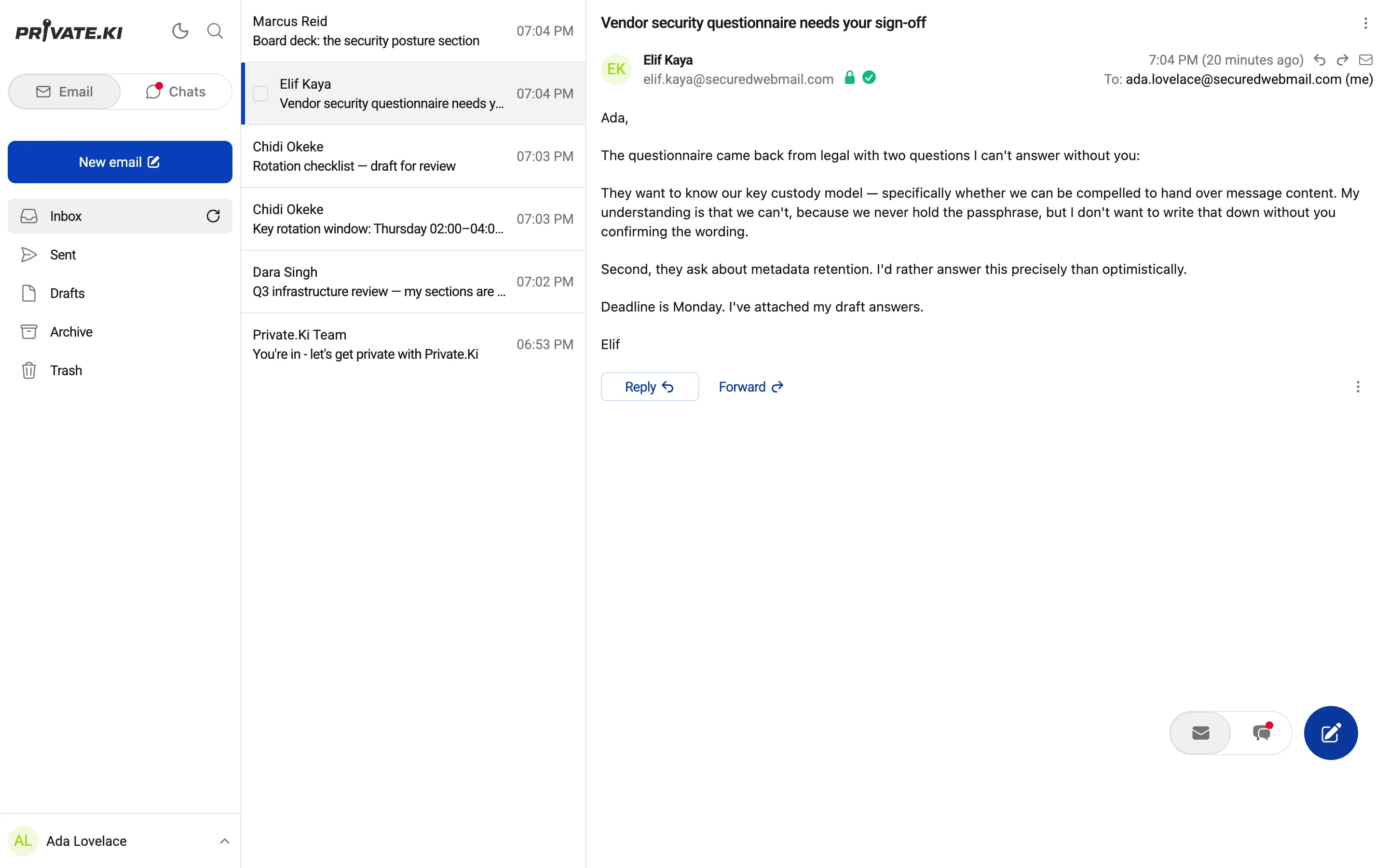
An open message showing the encryption padlock and verified-signature shield
Detail — 3×
1Encrypted to your keyDecrypted on your device with your private key. Our server only ever held the ciphertext.
2Signature verifiedChecked against the sender's public key. A failed check turns red rather than disappearing.
3Replies inherit the protectionEncrypt and Sign stay on in a reply, so a secure thread cannot quietly become an insecure one.
Composer

Encrypt and Sign are switches you can see

Both on by default, both visible under the body while you type. When a recipient has no key, the padlock next to their address goes grey before you press send.

  • Encrypted end to end — on by default, to every recipient with a key. Nobody in between can read it, including us.
  • Undo send — hold outgoing mail for 5, 10, 20 or 30 seconds, or switch the delay off.
  • Attachments to 25 MB — encrypted on your device before upload, stored as ciphertext.
  • Signatures — several, with one default, appended below the body.
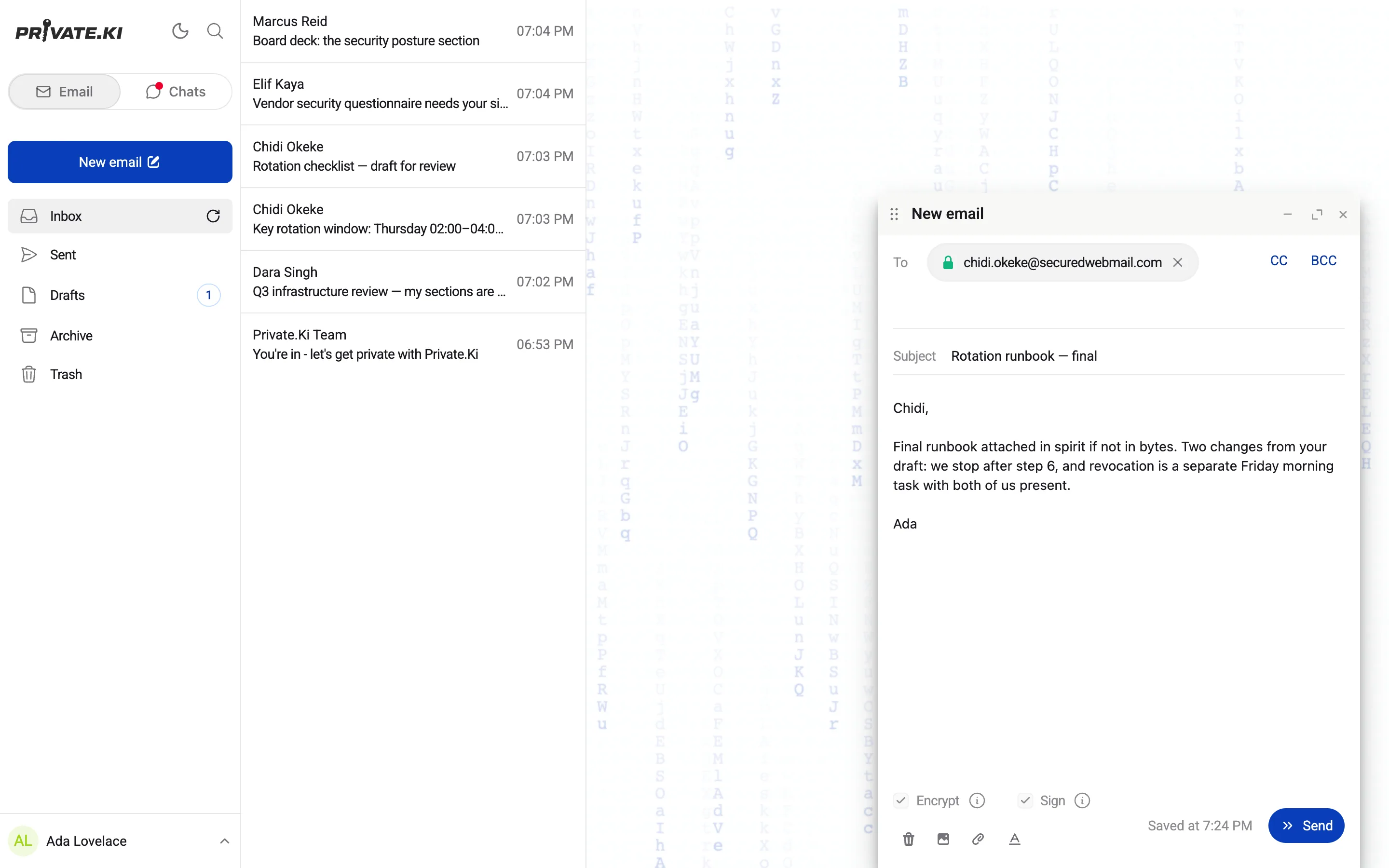
The composer with Encrypt and Sign switched on
Detail — 3.4×
Attachments

Up to 25 MB per file, encrypted before it leaves your device

Files are added to the message and encrypted with it, to each recipient's key. Our server stores ciphertext with a size and a count — not a file name it can read, not a file it can open.
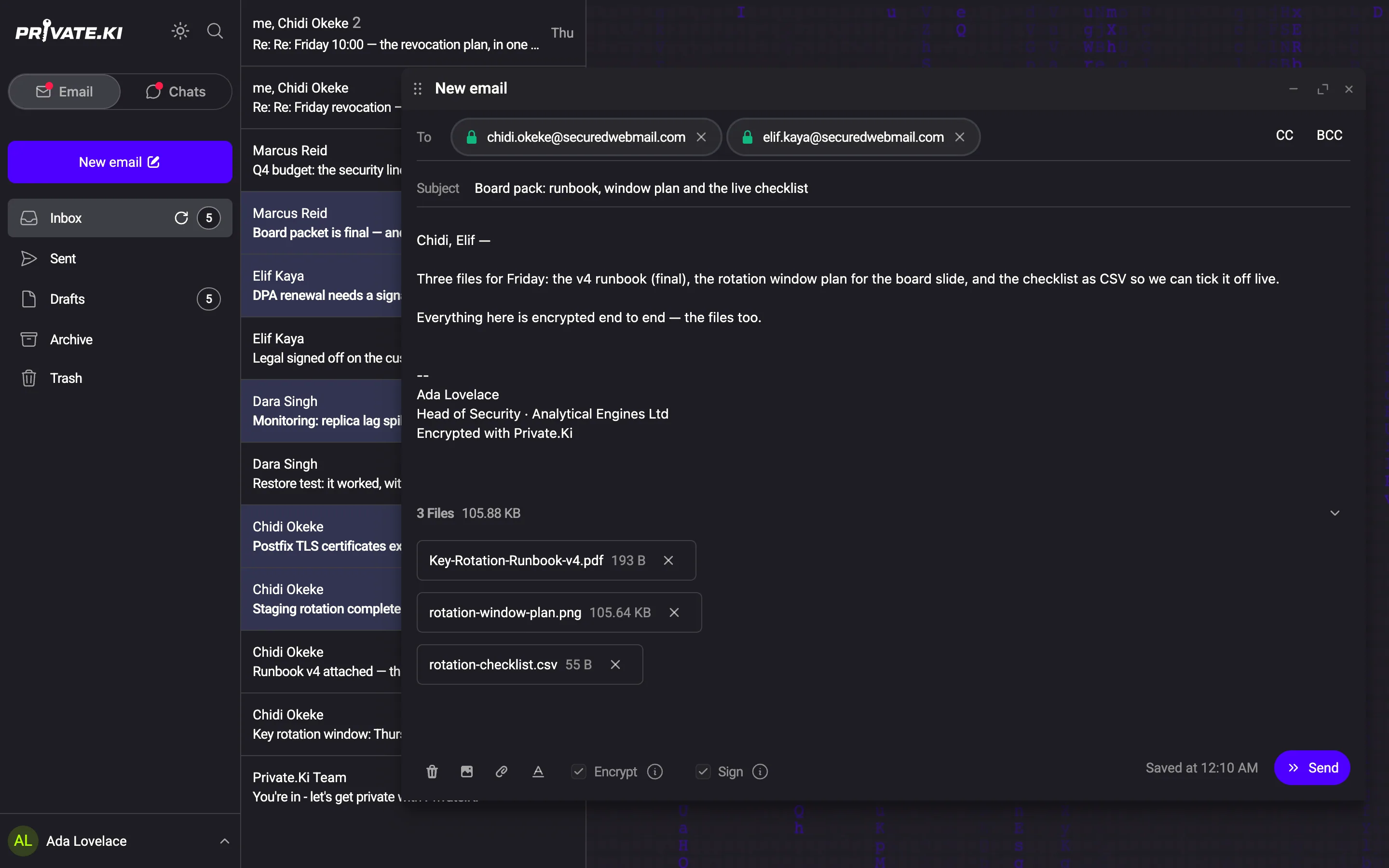
The composer with three files attached, both recipients showing padlocks, Encrypt and Sign on
Detail — 3×
1A padlock per recipientEach address shows whether a key was found for it. Both have one here, so the files will be encrypted for both.
2Files, with sizes“3 Files · 105.88 KB.” Each one can be removed before sending. The list collapses when you want the body back.
3Encrypt and Sign, still onAttachments do not change the switches. What applies to the body applies to the files.
ReceivedThe files sit under the message, decrypted on your device when you open them. The padlock and shield above them apply to the files as well.
In SentYour own copy is stored encrypted too, and opens the same way.
Undo send

Five to thirty seconds to change your mind

Outgoing mail is held on your device for the window you set. Press Undo and it comes back as a draft, unsent. Switch the delay off if you would rather it left immediately.

Choose the windowOff, 5, 10, 20 or 30 seconds, in Settings → General.
“Message sent — Undo”The toast stays for the length of your window.
Back as a draftRecipients, subject and body, as they were.
Signatures and addresses

Signatures with a default. Addresses remembered on your device.

Write as many signatures as you need and mark one as default; it is appended below the body and encrypted with it. Addresses you have written to are kept on your device and offered as you type — there is no address book on our server.

Your signaturesA list in Settings, one marked default.
The editorA name, the text, and the formatting bar from the composer.
Autocomplete in the To fieldSuggestions appear as you type.
Managed in SettingsThe remembered addresses, each removable.
External mail

Mail from outside arrives clearly marked

Anyone can email your Private.Ki address. Mail from other providers is encrypted to your key the moment it lands and stored as ciphertext — but it crossed the internet in whatever state their provider sent it, so the app says so: not end‑to‑end encrypted, and whether any signature on it was valid. Import the sender's public key and what you send back is encrypted too.
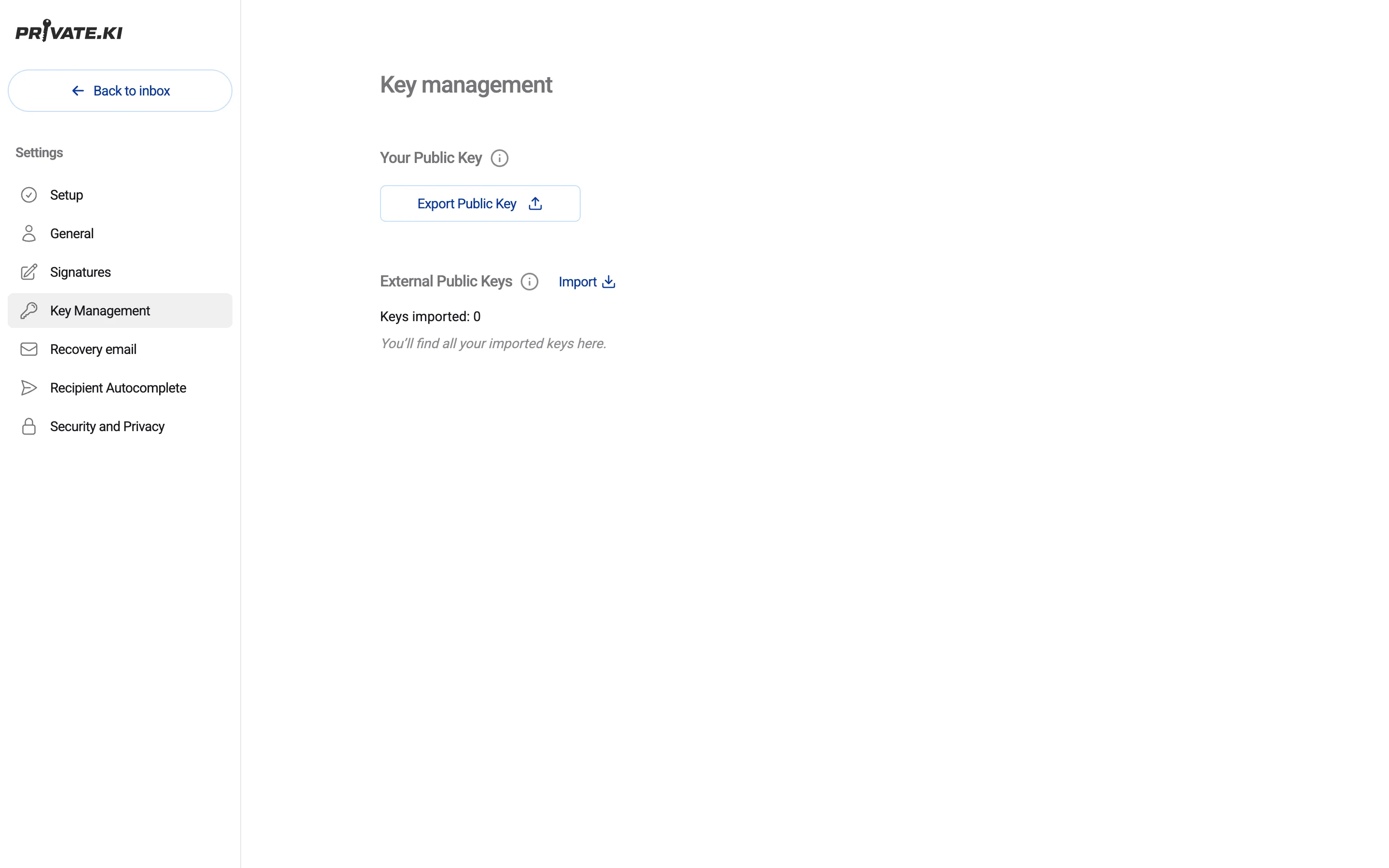
Key management: export your public key, import external keys
Export your public keyShare it with anyone, on any provider, who wants to write to you encrypted.
Import theirsAdd someone's public key and mail you send to them is encrypted as well.
!Flagged, not hiddenUnencrypted or badly signed mail is marked in red on the message itself.
Importing a keyPaste the armoured public key and save it. Nothing about it needs to reach us unencrypted — it is a public key.
ImportedThe key is listed with its address. Mail to that address is encrypted from now on.
Search

Search every folder, on your device

Senders, subjects and addresses across Inbox, Sent, Drafts — and Trash when you switch it on. The index is built on your device from data only your device can read. Message bodies are not indexed anywhere.
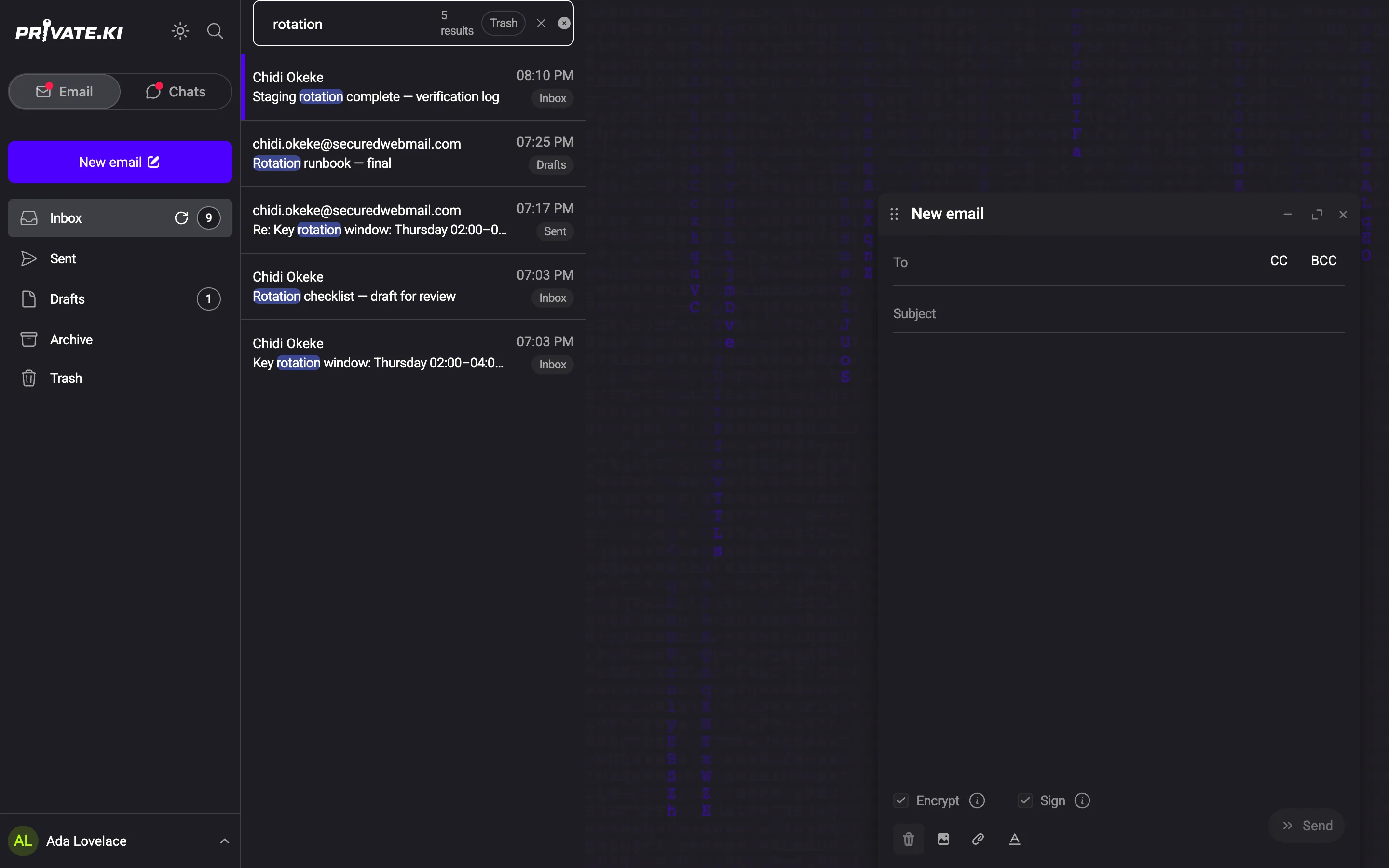
Search results highlighting the term across Inbox, Drafts and Sent
1Matches highlightedThe term is marked inside each result so you can see why it matched.
2Tagged by folderEvery hit says where it lives rather than flattening everything into one list.
Archive and TrashStandard folders. Trash is included only when you ask.
Folders

Inbox, Sent, Drafts, Archive, Trash. Nothing exotic.

Five folders, a right‑click menu on every row, and a Restore in Trash. Folder membership is something our server knows; what is in the messages is not.

ArchiveOut of the inbox, still searchable.
TrashSearched only when you ask; anything in it can be restored.
DraftsSaved as you write, encrypted to your own key.
Right‑click a rowThe common actions on a message, without opening it.
Restore from TrashThe same menu in Trash offers Restore.
Phones

The same mail, the same badges, on iOS and Android

One codebase for web, iOS and Android. Swipe a row to act on it. Unlock with a PIN or biometrics.

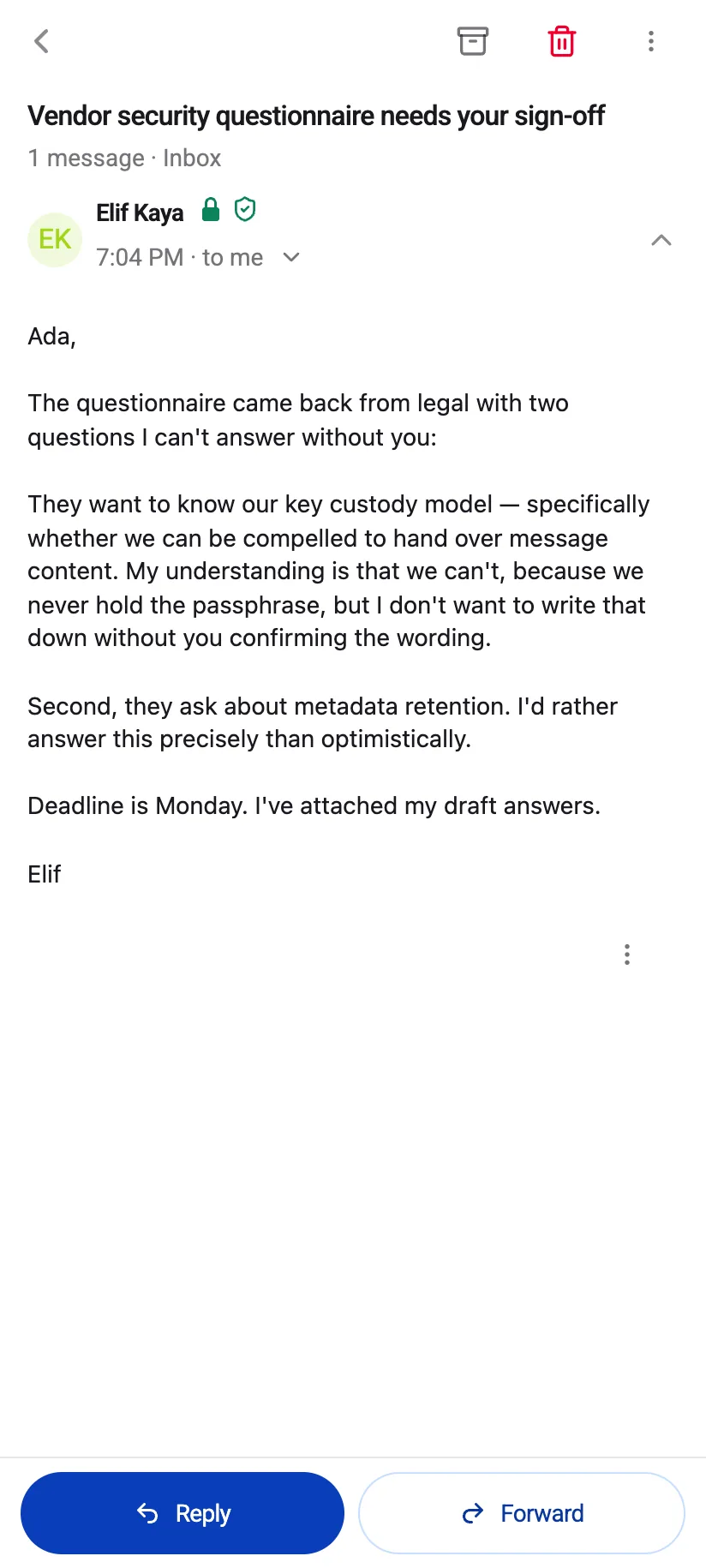
Private.Ki mail on a phone, light theme
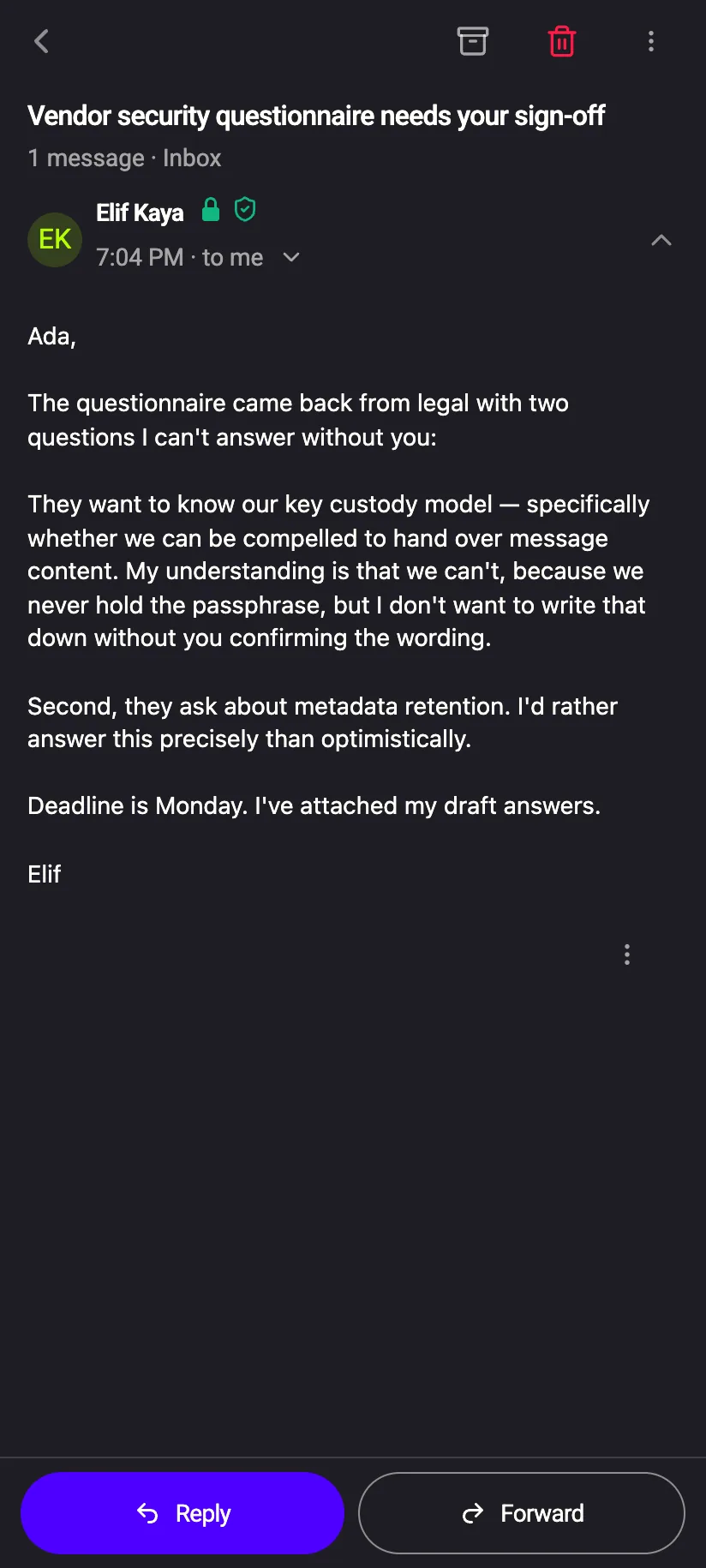
Private.Ki mail on a phone, dark theme
Phone inbox with a row swiped to reveal Archive
Swipe to archiveOne direction archives the conversation without opening it.
Phone inbox with a row swiped to reveal Trash
Swipe to trashThe other direction sends it to Trash.
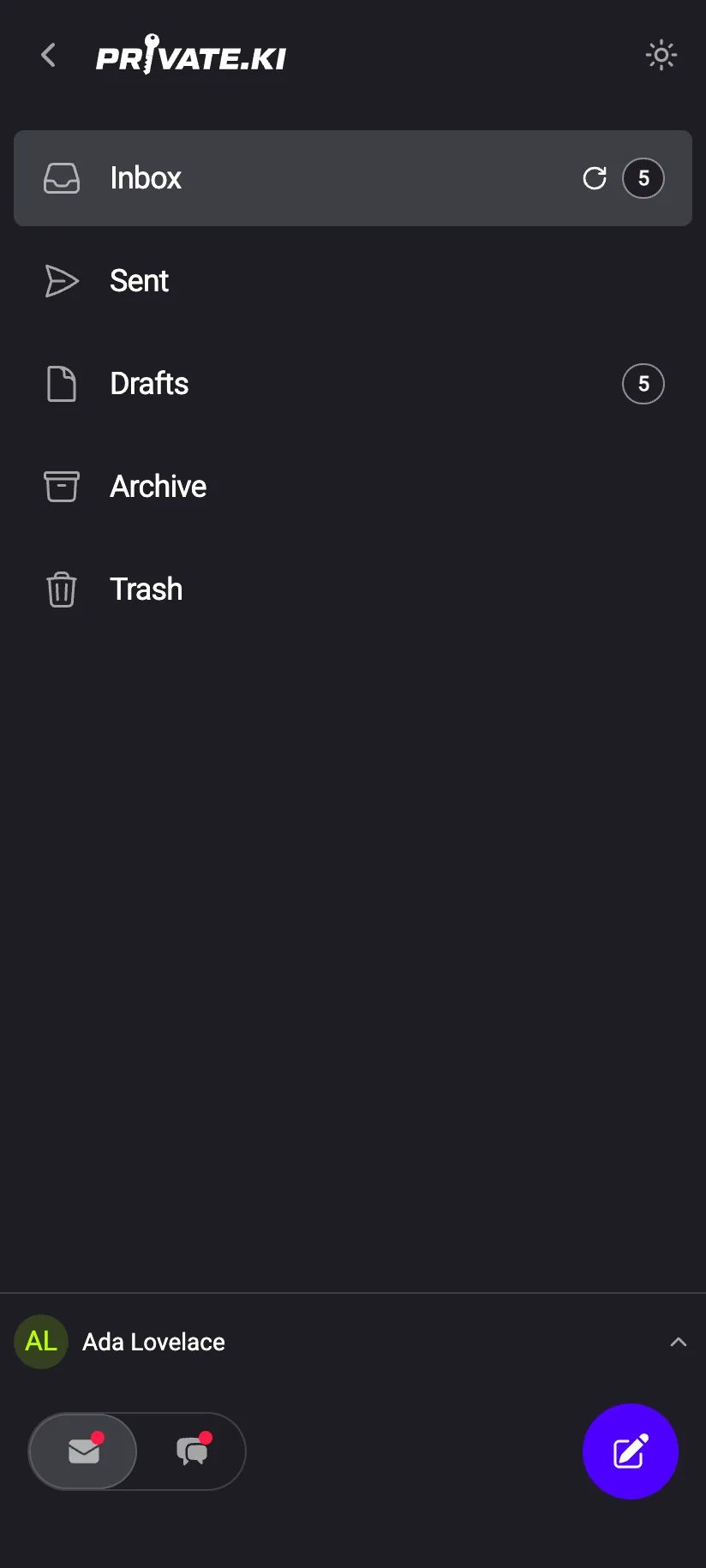
Phone navigation drawer listing the folders
Folders in a drawerThe same five folders as on the desktop.
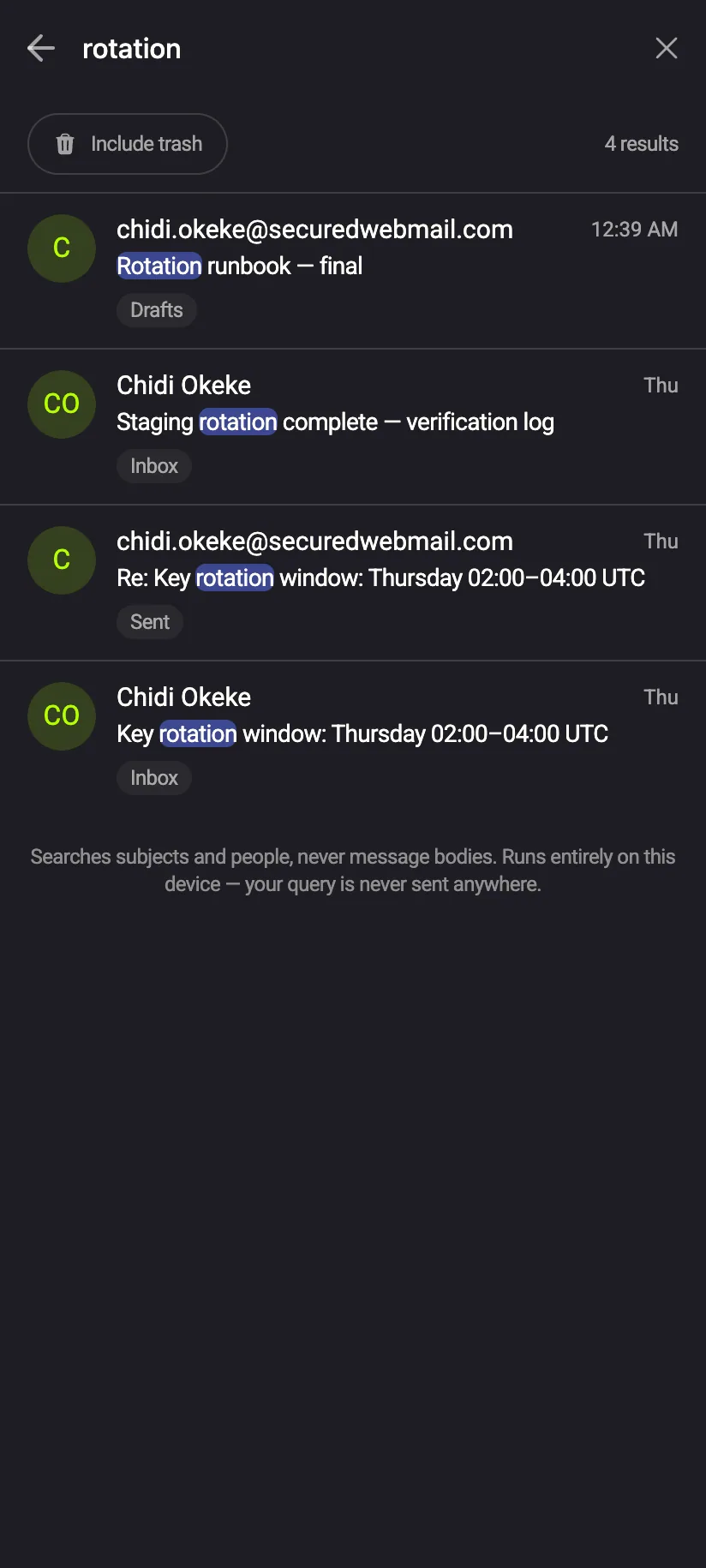
Phone search results tagged by folder
SearchSenders, subjects and addresses, on the device.