Offline, reconnecting and the 30-minute auto-lock
What happens when the connection drops — the Connection lost banner, automatic reconnection, what you can still read — and why the app locks after 30 min.
Private.Ki keeps a live connection to our server so that new mail and chat messages appear the moment they arrive. When that connection is lost, the app tells you, keeps trying to get it back, and — if it stays lost for half an hour — locks itself so that an unattended, disconnected device does not sit open.
What happens, in order
0 seconds — the connection drops. Your network goes away, a VPN reconnects, a Tor circuit changes, the laptop sleeps, or the phone moves from Wi-Fi to mobile data. The live connection closes. Nothing visible changes yet; brief blips of under three seconds are ignored entirely.
3 seconds — reconnecting starts. The app tries to re-establish the connection every few seconds, backing off gradually to at most every 30 seconds. It never gives up while the app is open.
15 seconds — the banner. If the connection is still down, a banner appears at the top of the screen:
Connection lost. New emails won't show up in real time. Trying to reconnect...
It has a Try again button, which checks the network and resets the connection immediately instead of waiting for the next automatic attempt. On a very slow network you may instead see Slow internet connection — Try switching to a different network or check your connection.
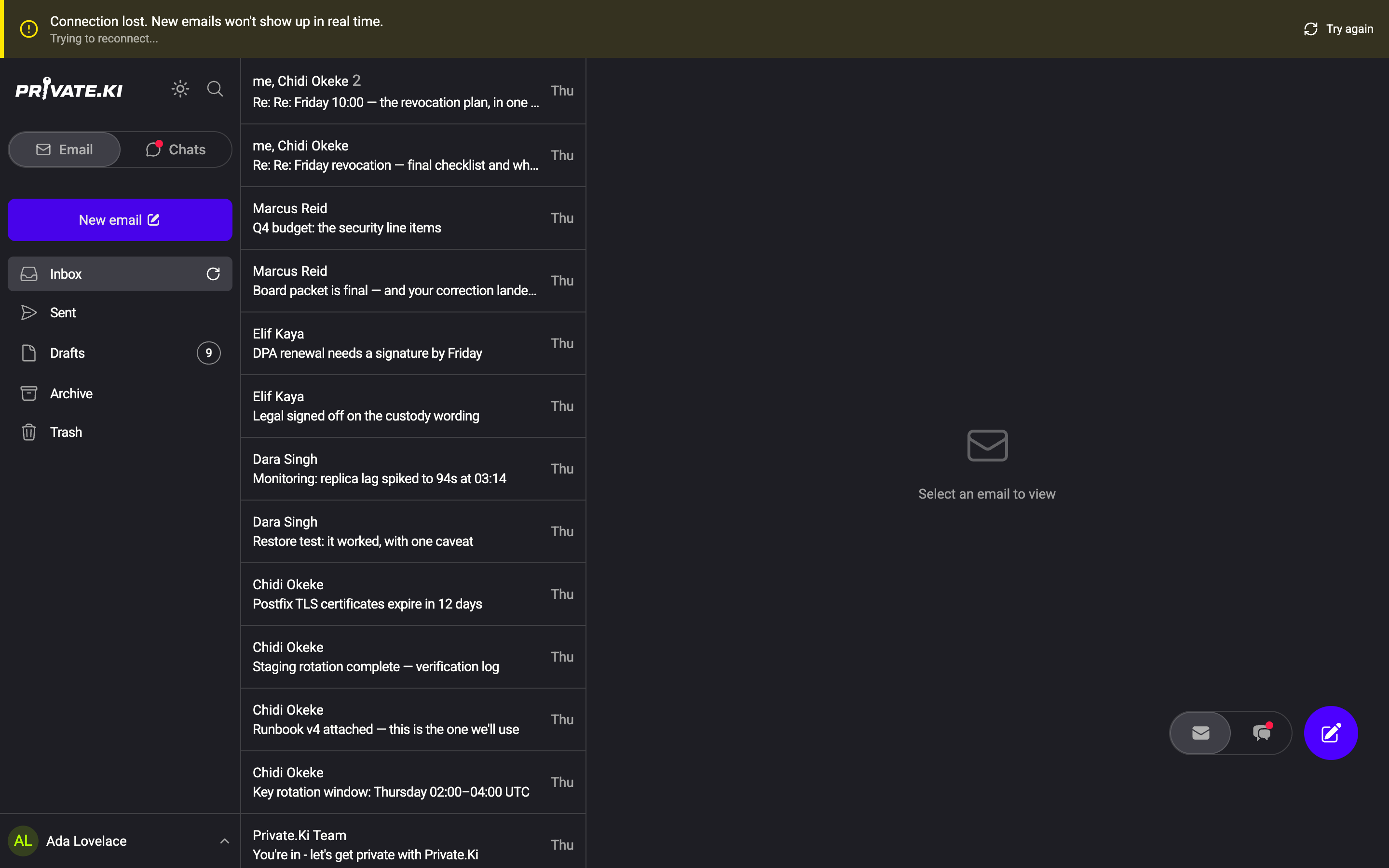
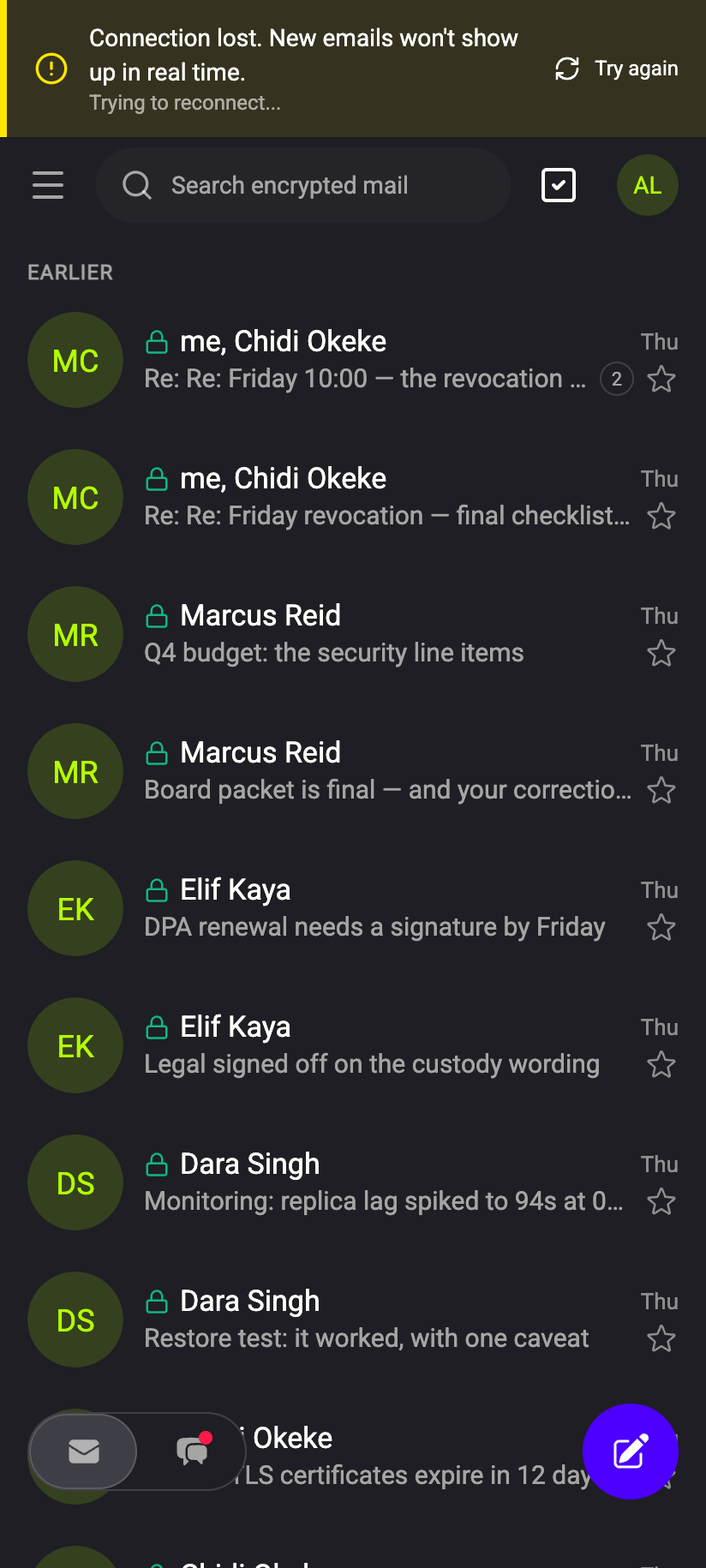 123123
Any time before 30 minutes — the connection returns. The banner disappears. The app then catches up: it fetches everything that arrived while you were offline, re-syncs message headers so threads are complete, and refreshes every list you had open. You do not need to reload the page.
30 minutes — the app locks. If the connection has been down continuously for 30 minutes, the app clears your unlocked private key, the decrypted messages it was holding, and the local search index. You see the lock screen. When the network is back, unlock again: type your passphrase, or with Password only, unlock by signing in. Nothing is lost — your mail is on the server, encrypted, waiting.
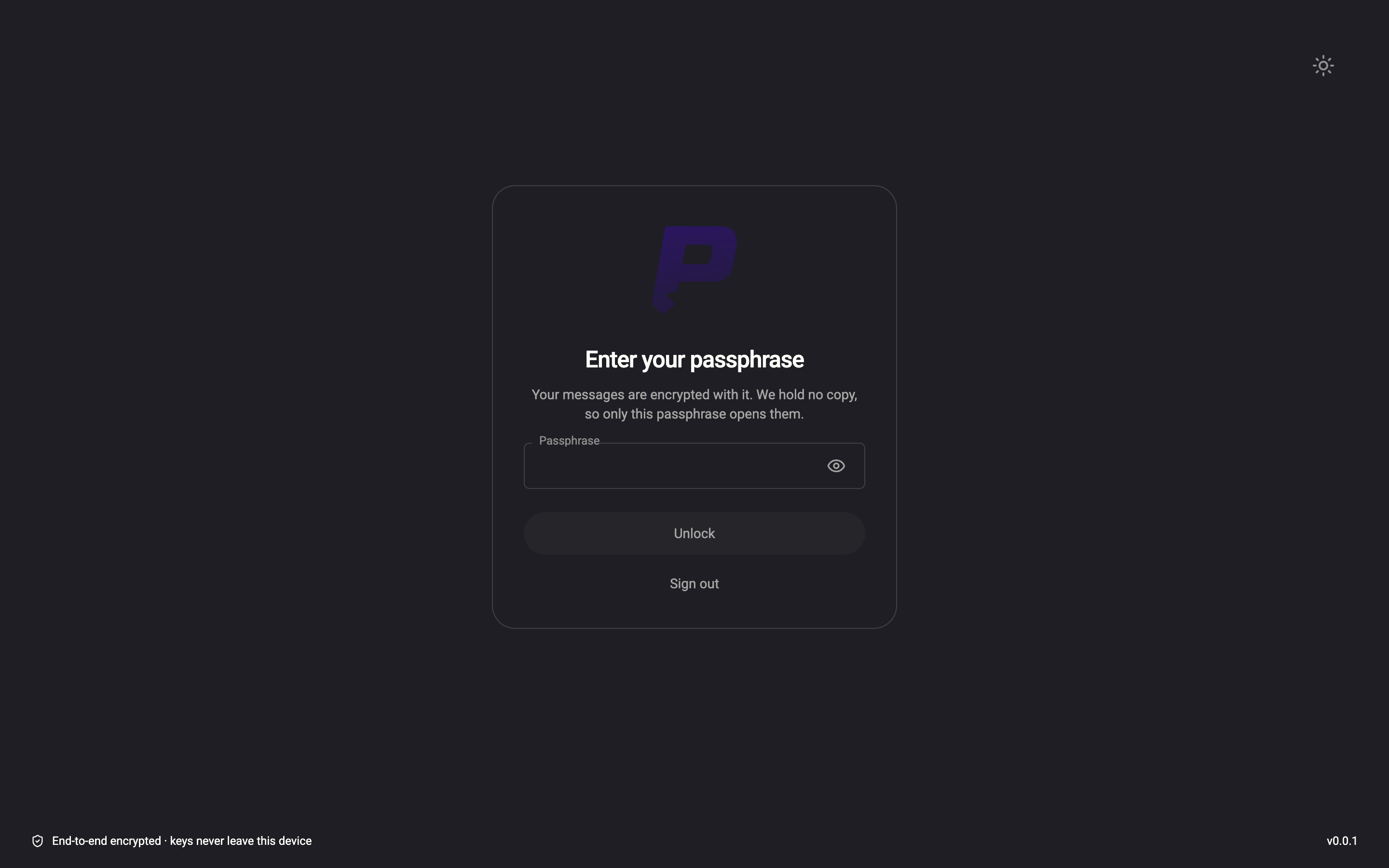
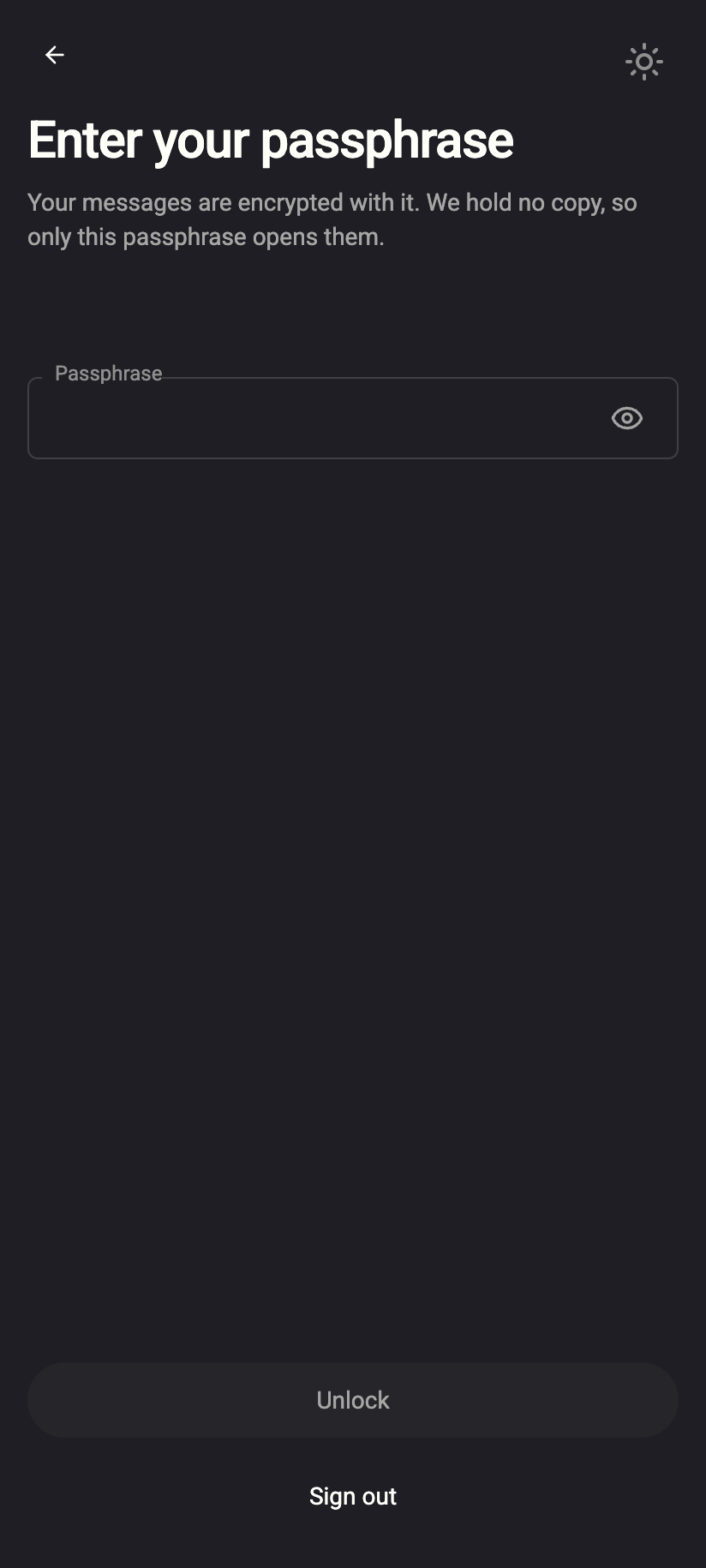 1212
1212What you can still do while offline
- Read anything that was already on screen or already loaded: open threads, the chat you were in, lists you had scrolled through. Nothing new arrives.
- Search what is already indexed — the index lives in memory on your device.
- Write an email or chat message. Sending fails until the connection is back. Email drafts are saved to the server, so a draft written offline may not be saved until you reconnect — keep the tab open. Chat drafts are kept on the device.
You cannot fetch messages you have not opened yet, download attachments, send, or change folders, stars or read state; those need the server.
On the phone, the banner and the lock work the same way. In the Android app, App lock may ask for your fingerprint, face or the phone's screen lock before the unlock screen — that is a separate lock in front of the app, not instead of unlocking your keys. Push notifications continue to arrive while the app is offline or closed, because they come from the server directly — see Push notifications.
Why the app locks after 30 minutes
An unlocked app holds your private key in memory. That is what lets it decrypt mail without asking you every time. A device that has been cut off from the server for half an hour is more likely to be a laptop left open somewhere than a person at a desk. Locking clears the key, so anyone who picks up the device sees the lock screen and nothing else. When you come back you unlock in seconds.
The timer only runs while disconnected. A connected, idle device does not lock on this timer; use Lock account in the account menu — or Esc Esc on the web — when you step away. See Lock and log out.
Background tabs
In a browser, a tab you are not looking at is throttled by the browser itself, and the live connection drops and reconnects roughly once a minute all day. Each reconnect resets the 30-minute timer, so a background tab on a working network does not lock. The catch-up that normally follows a reconnect is deferred until you switch back to the tab, where it runs once — so a long-backgrounded tab may take a second or two to refresh when you return to it.
What our server sees
Cannot see
- What you read or wrote while offline — nothing reaches the server until you reconnect
Can see
- When your device disconnected and when it reconnected — the live connection has to be opened and closed
- The catch-up requests after a reconnect
Common questions
The banner appears every time I switch Wi-Fi networks
Expected. The connection drops with the network and comes back a few seconds later; the banner shows only if it takes more than 15 seconds. Click Try again if it lingers.
I was away for an hour and the app asked for my passphrase, but my network was fine
Then something else locked it: you pressed Esc twice, or someone signed you out of every device from Security and Privacy. It was not the session running out. A signed-in device is good for 90 days, and that clock is reset every time you unlock, so a device you keep using never expires on its own. See Active sessions.
Does the 30-minute lock delete anything?
No. It clears what was decrypted on the device. Everything is still on the server in encrypted form and comes back when you unlock.
Can I change the 30 minutes?
No. It is fixed.
The banner never goes away even though I am online
The live connection uses a WebSocket. Some corporate networks and proxies block WebSockets. Try a different network or a VPN — see Use Private.Ki with a VPN.