Unsend or destroy a message (within 1 hour, any time with Plus)
Remove a single message from both sides of a one-to-one chat — your own with Unsend, the other person's with Destroy — and what the placeholders mean.
Every message in a one-to-one chat can be removed from both sides for one hour after it was sent, and with a Plus subscription at any time, however old the message is. Removing one of your own is called Unsend; removing one the other person sent to you is called Destroy. Either way the bubble is replaced, on both screens, by a small italic placeholder — Unsent or Destroyed — with the original time.
This is different from Delete in the same menu, which removes only your copy and leaves theirs untouched, and from the self-destruct timer, which applies to a whole conversation rather than one message.
Unsend a message you sent
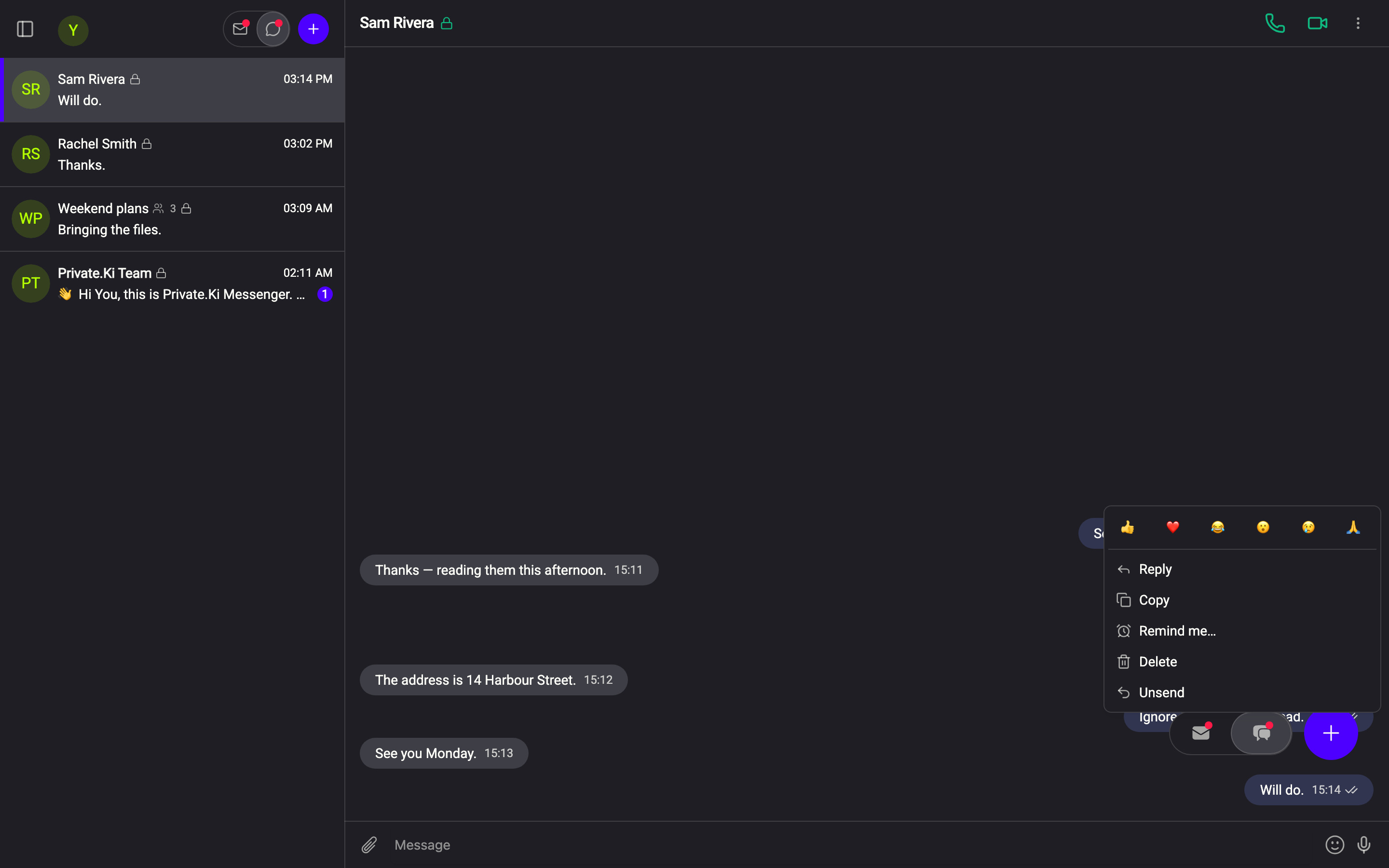
- Right-click your message (on a phone, press and hold it).
1Unsend2Delete — your copy onlyWeb & desktop 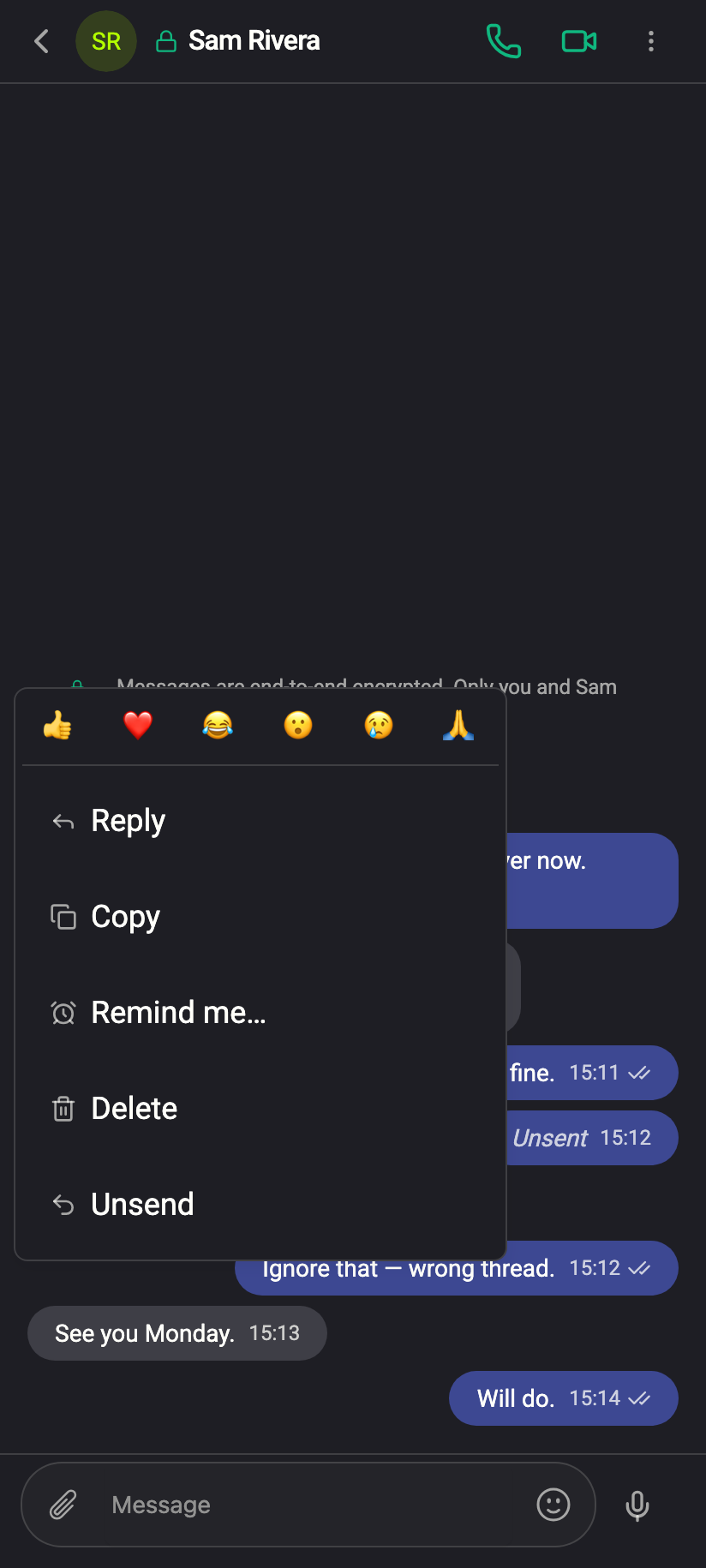
Right-click your own message: reactions, Copy, Delete — and Unsend, for one hour.iPhone Right-click your own message: reactions, Copy, Delete — and Unsend, for one hour.Android - Choose Unsend. It is only there while the hour is running.
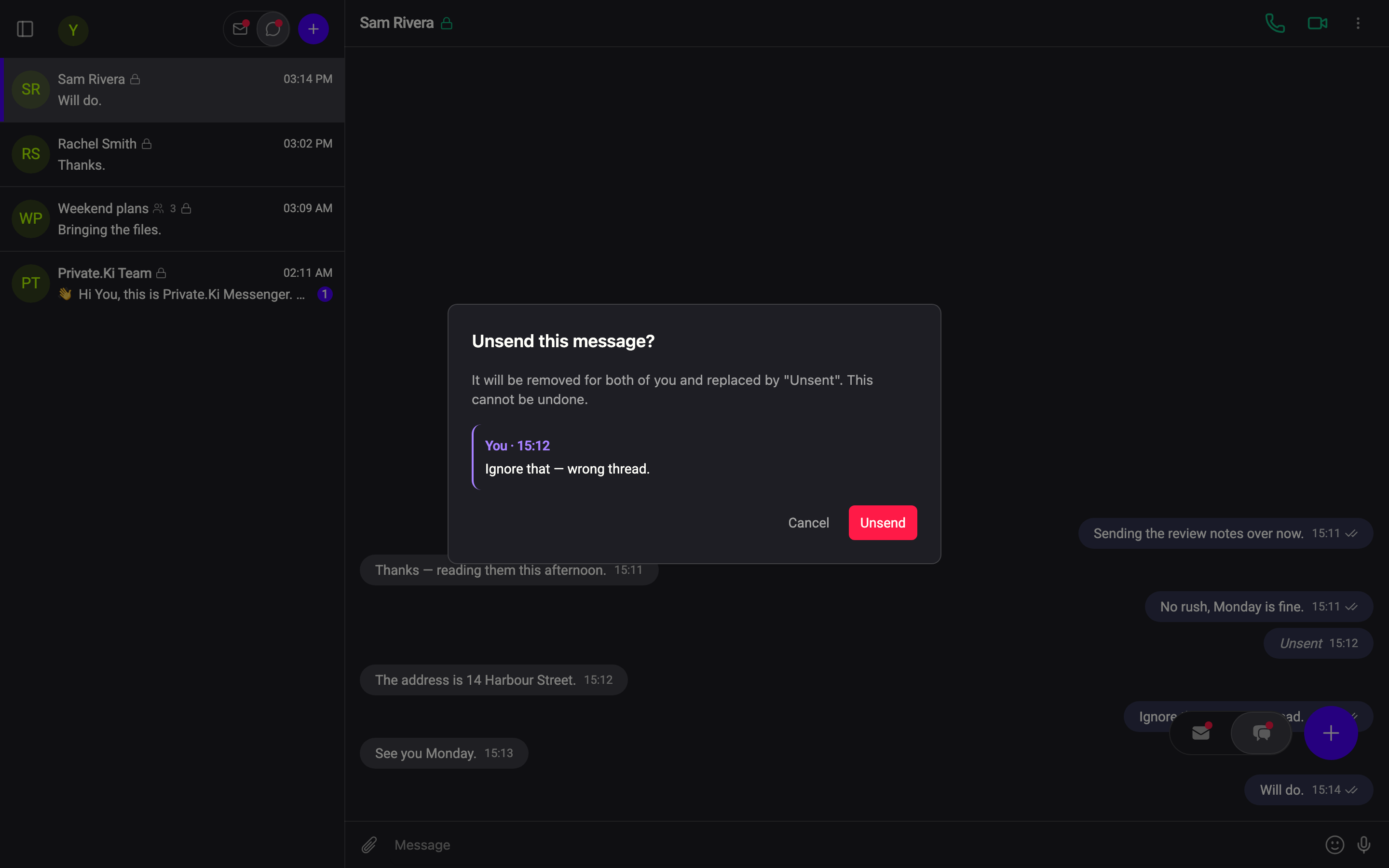
- Confirm in the Unsend this message? dialog, which quotes the message and says: It will be removed for both of you and replaced by "Unsent". This cannot be undone.
1Unsend2CancelWeb & desktop 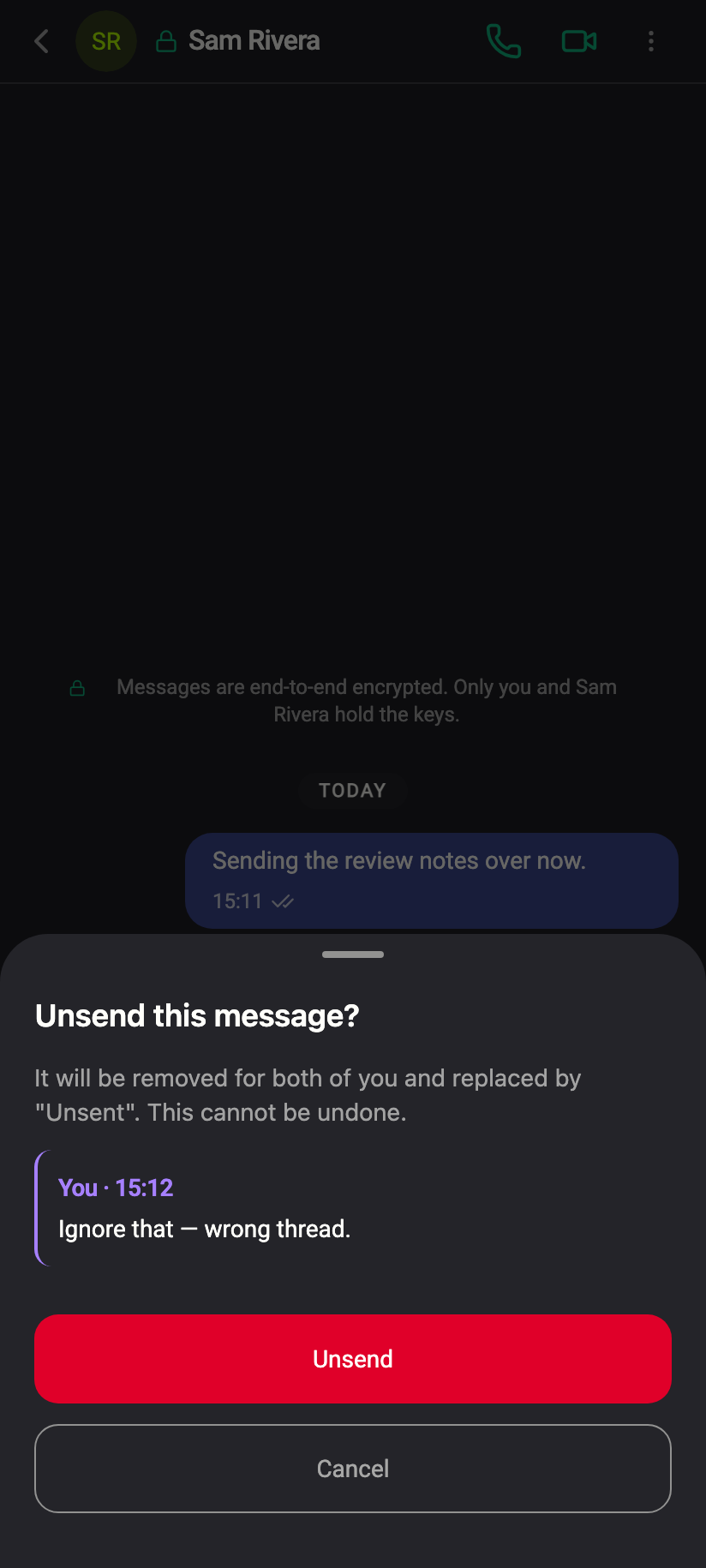
Unsend this message? — it quotes the message; the placeholder will read Unsent on both sides.iPhone Unsend this message? — it quotes the message; the placeholder will read Unsent on both sides.Android
Destroy a message you received
Same steps on the other person's bubble; the menu item is Destroy and the dialog is Destroy this message?, replacing it with "Destroyed".
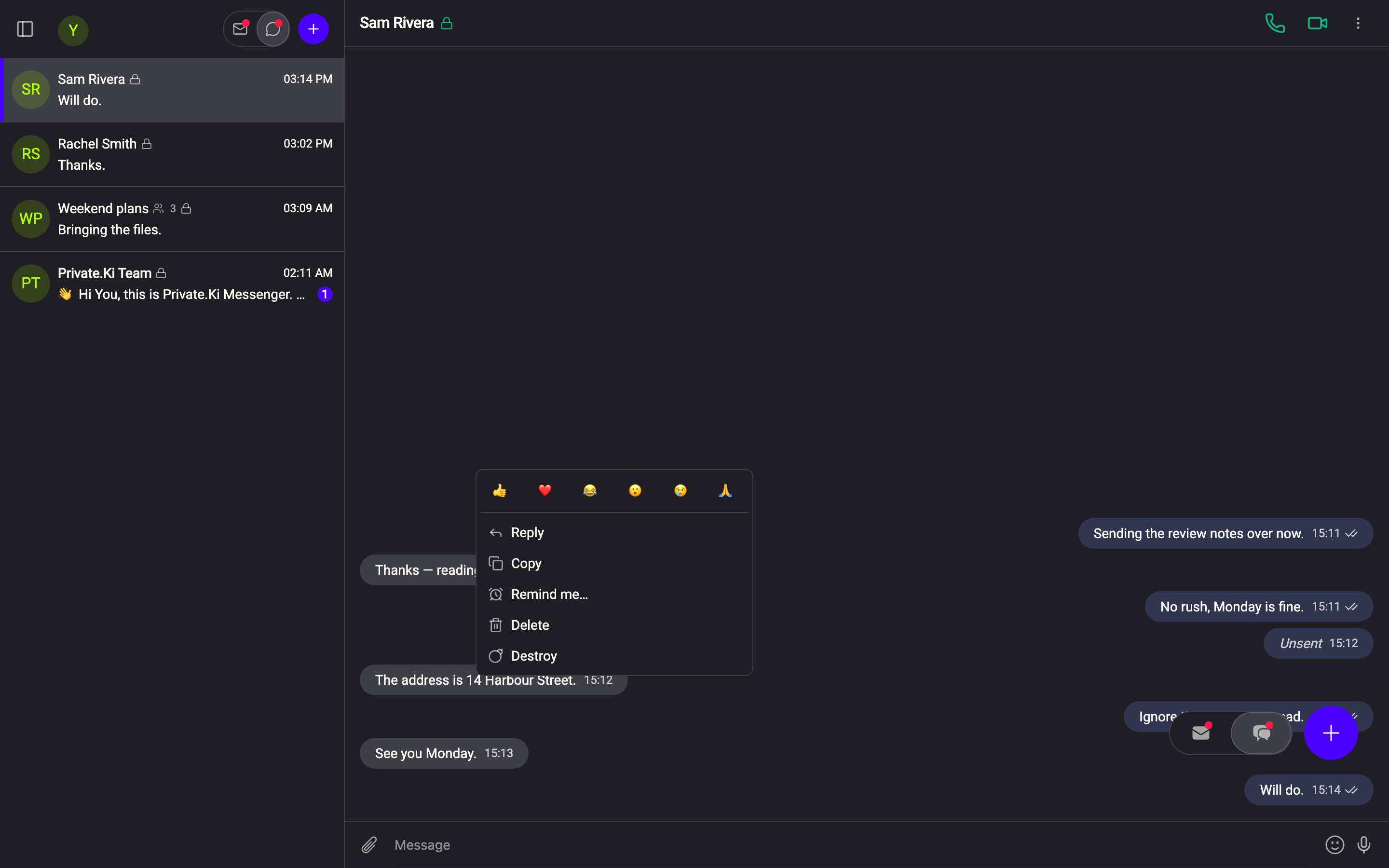
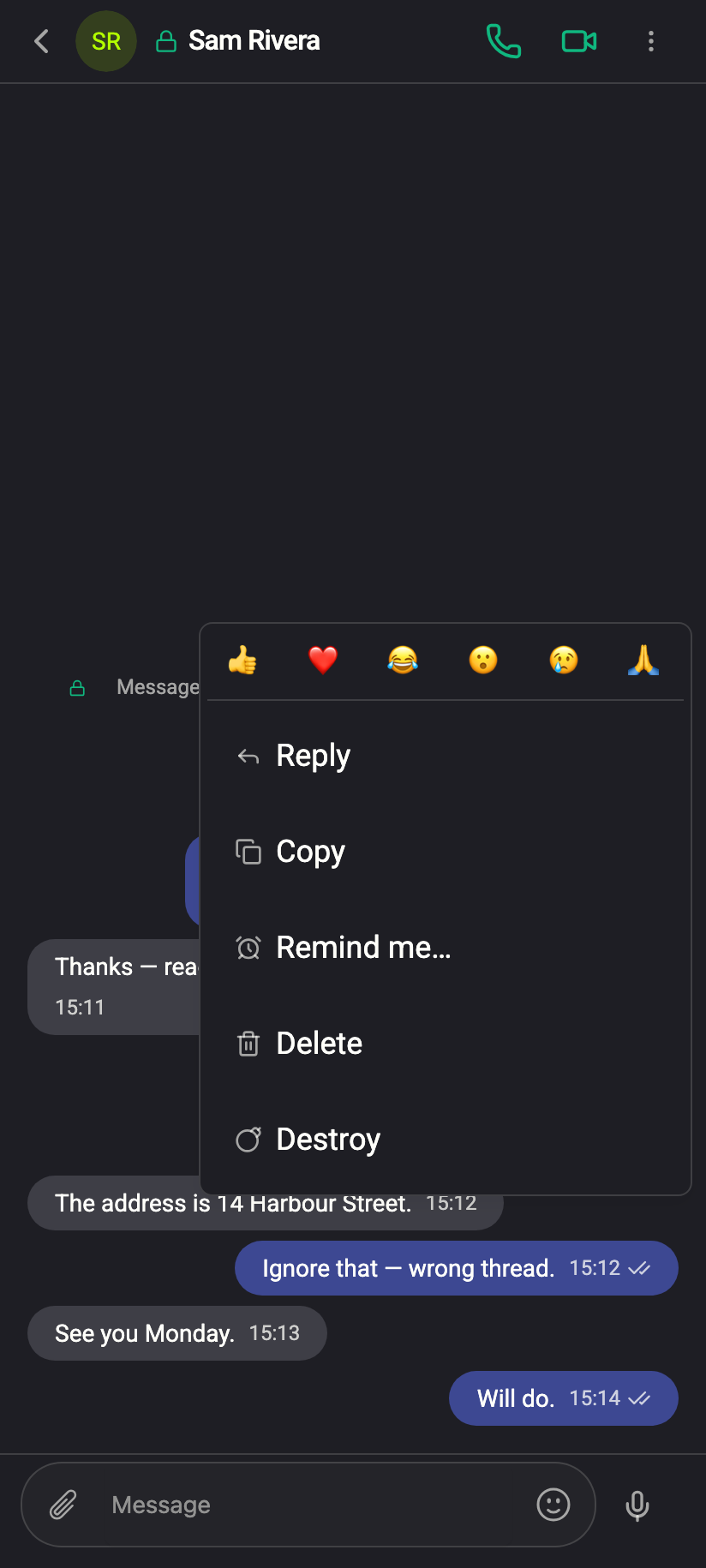
Destroying a message you received removes it from the sender's device too. It is meant for the case where someone sent you something that should not sit in either history — a password pasted by mistake, a photo that was not meant for you. It is not secret: they see Destroyed where their message was.
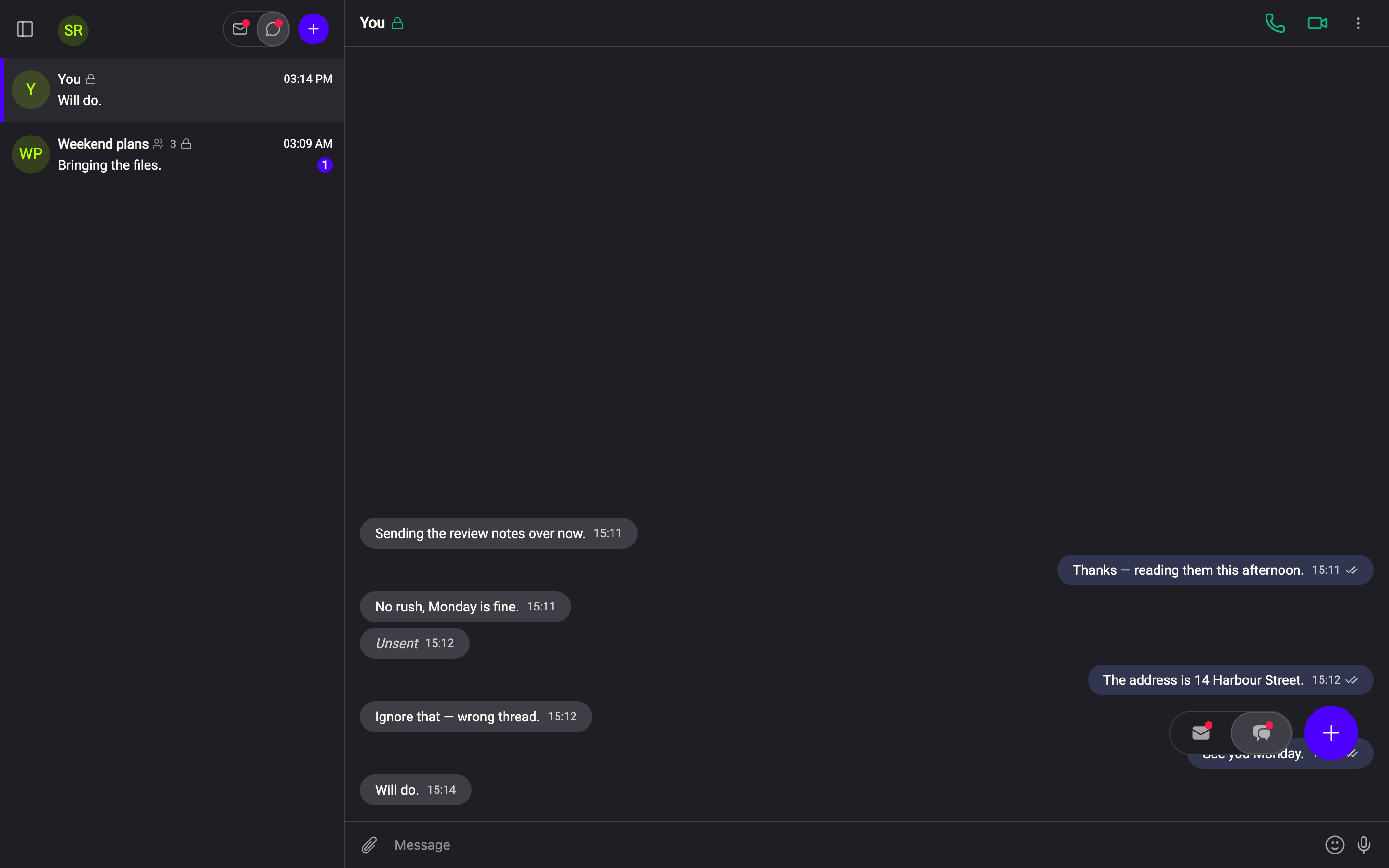
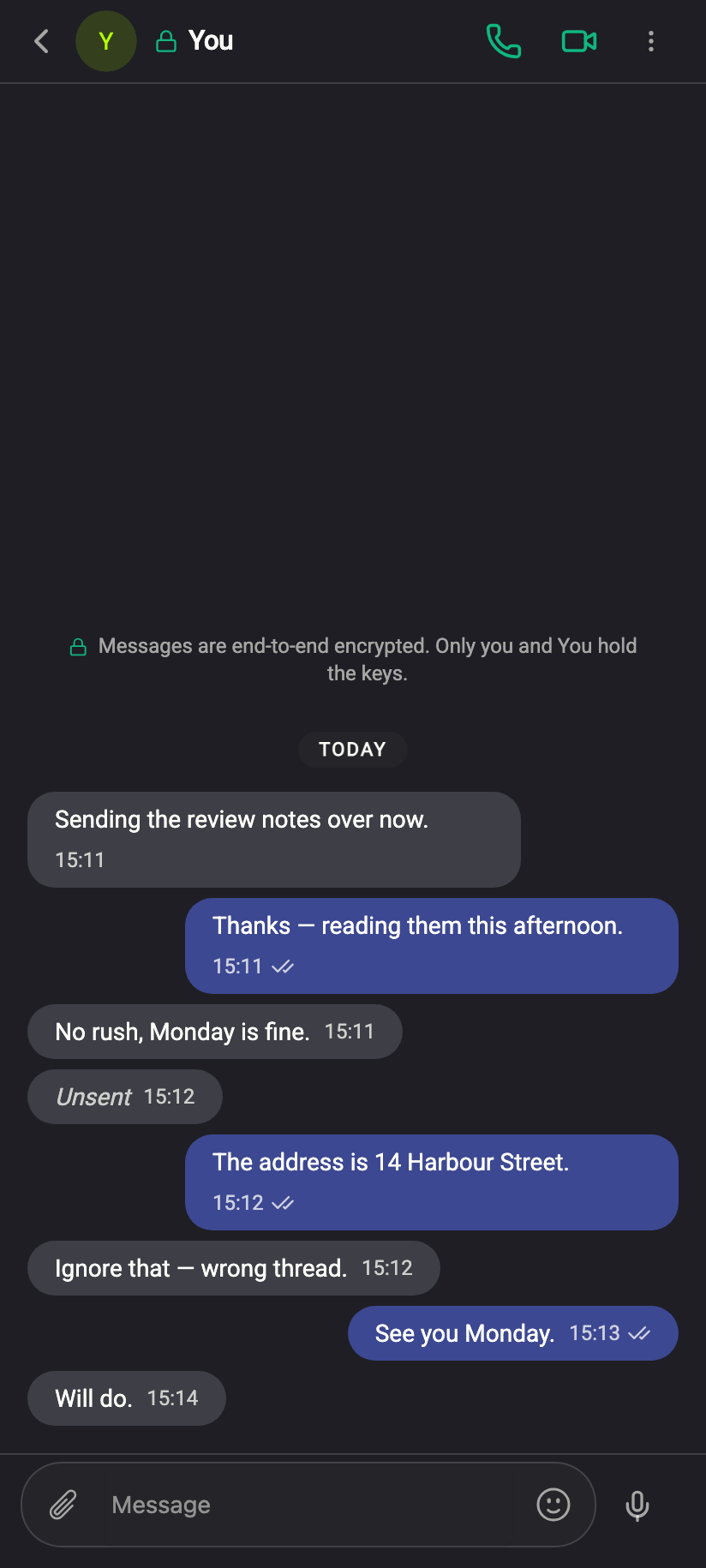
What both sides see afterwards
 11
11The placeholder keeps its place in the conversation and its timestamp, so you can both tell that something was there. The content itself is gone from both accounts; there is nothing behind the placeholder to open.
The one-hour window
The window is 60 minutes from when the message was sent, not from when it was read. After that, the item disappears from the menu. If you had the menu open as the hour ran out you may see the toast Too late to remove this message — The hour has passed.
With Plus there is no window: Unsend and Destroy stay in the menu for as long as the message exists. It is the sender's plan that decides, so a message you received can be destroyed after the hour only if you hold the subscription.
Unsend asks the other person's app to delete its copy, and it does — but only if the message is still there to delete. If they copied the text, saved the photo or took a screenshot in the meantime, that copy is theirs. Treat Unsent as "withdrawn", not "never happened".
Not available in groups
In a group the message menu has Copy and Delete only. There is no Unsend or Destroy, and no way to remove one message from the other members' devices at once. Delete removes your own copy alone. See Group chats.
How it works
The removal is itself an encrypted, signed message from your device to theirs, carrying only a reference to the message to remove. Their app checks the signature — only the two participants in the chat can withdraw anything in it — and deletes the copy.
Cannot see
- What the removed message said, or which message it was
Can see
- That a small encrypted instruction passed between the two accounts at that time
Common questions
The other person is offline — will Unsend still work?
Yes. The instruction waits like any other message and is applied when their device next syncs. Until then, the original is still on their screen.
Can I unsend a message after the hour?
Not on the free plan — after 60 minutes only Delete is left, which removes your copy alone. With Plus the hour does not apply and Unsend stays available.
Can I unsend a photo or a voice message?
Yes — anything in a one-to-one chat, within the hour.
Does the placeholder ever go away?
It stays like any other message. If a self-destruct timer is on, it expires with the rest; otherwise you can Delete your copy of it.