Delivery ticks, typing indicator — and no read receipts
What the spinner and the double tick under your messages mean, how the typing indicator works, and why Private.Ki deliberately has no read receipts.
Private.Ki tells you two things about a message you sent: that it left your device, and that the server accepted it. It tells you one thing about the other person: that they are typing right now. It does not tell you whether they have read anything — and that is a decision, not an omission.
The two states of a sent message
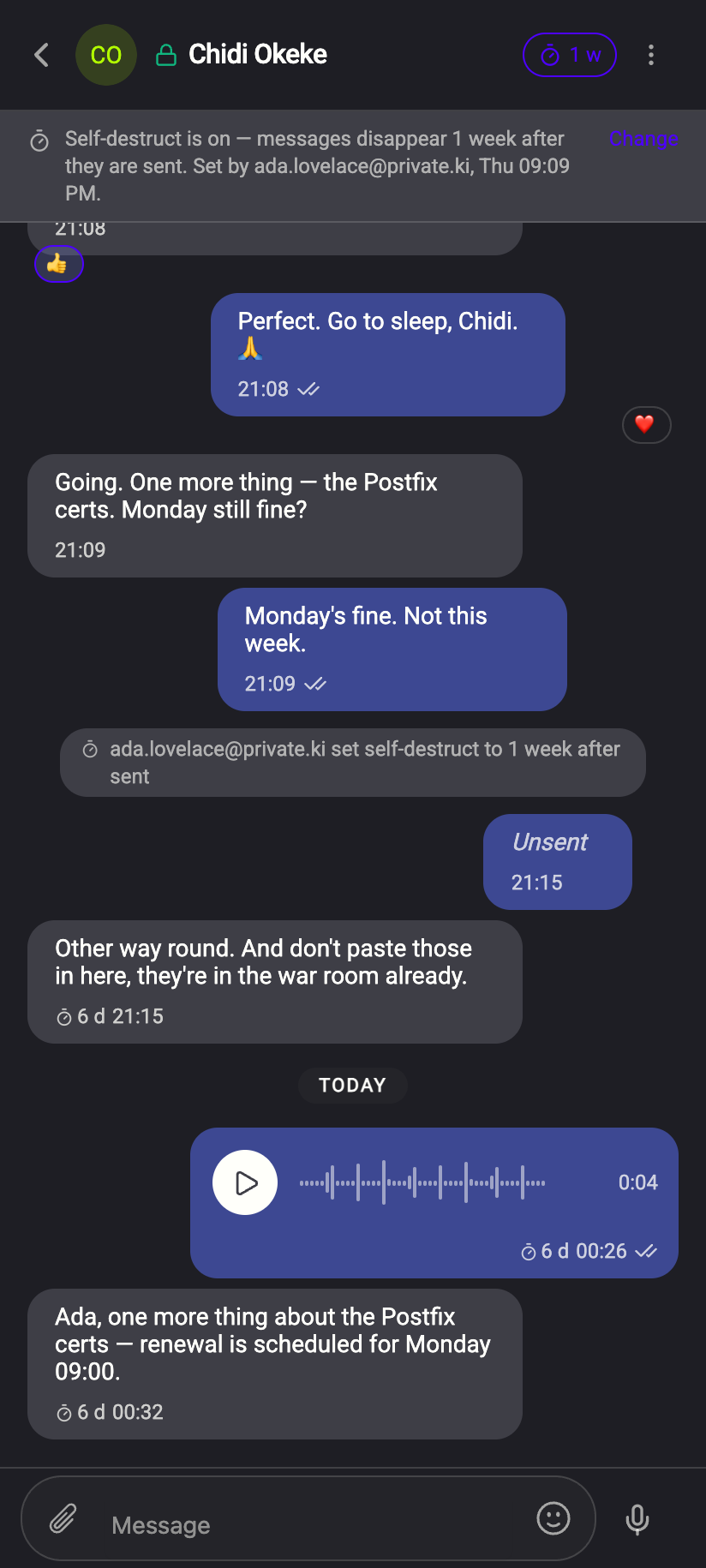
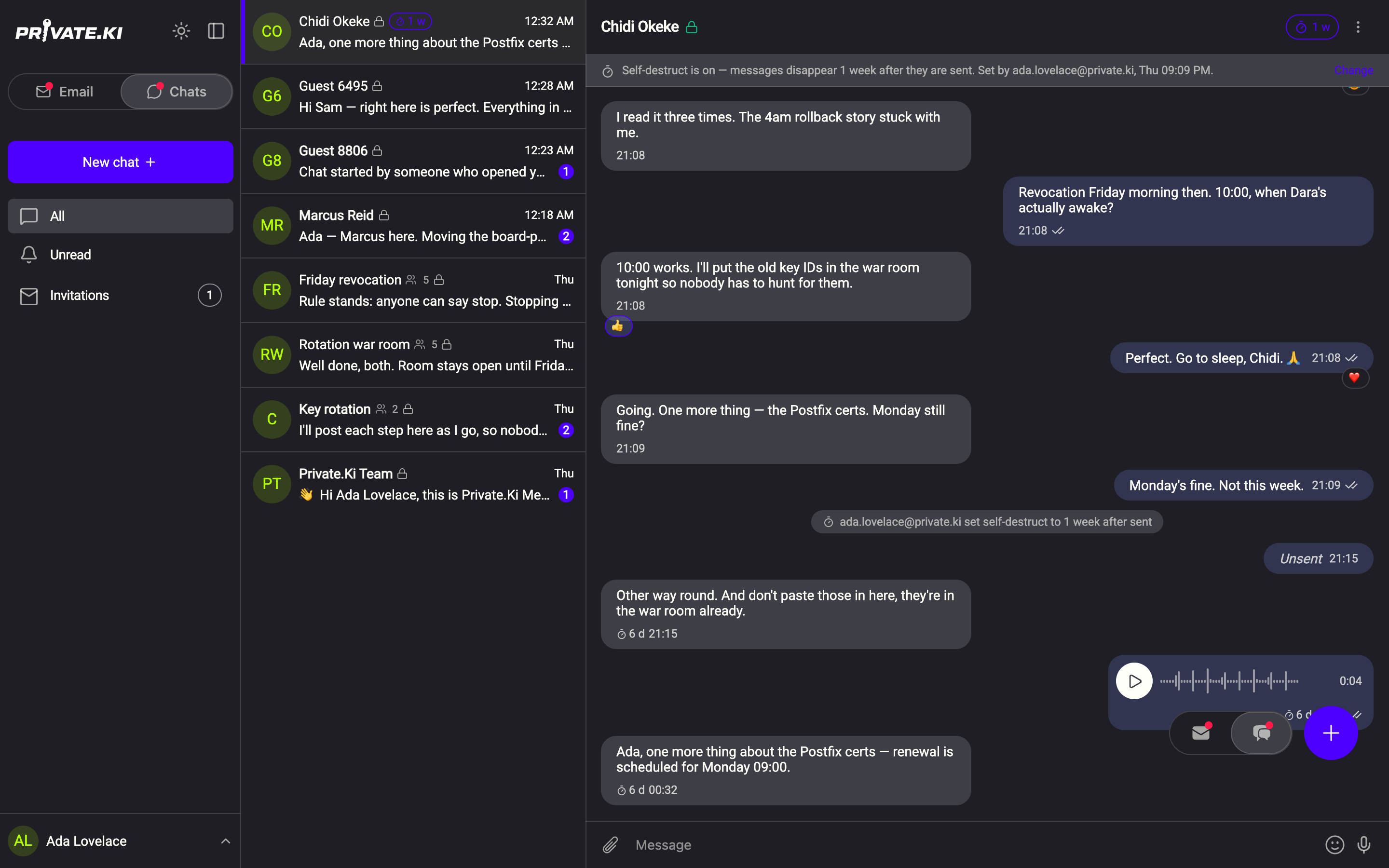
Spinner. While your device is encrypting the message and posting it, a small spinner shows in the bubble's footer next to the time. On a good connection this lasts well under a second.
Double tick. Once the server has stored the encrypted message the spinner becomes a grey double tick. This means posted: the message is on the server, encrypted, and will be delivered to the other person's device the moment it is online. It does not mean they have received it, and it certainly does not mean they have seen it. There is no single-tick state and no colour change later.
If the server refuses the message, a toast headed Could not send the message tells you why. If sending fails for another reason — the connection dropped mid-send, or the message could not be encrypted for the recipient — the bubble stays on your side only and the spinner does not return. There is no separate failure mark yet, so if a message you sent while offline never gets a reply, check the conversation after you reconnect and send it again if it is missing.
The typing indicator
When the other person is typing in your one-to-one chat, three animated dots appear at the bottom of the conversation, typing shows under their name in the header, and the row in the chat list shows typing ••• in place of the last message.
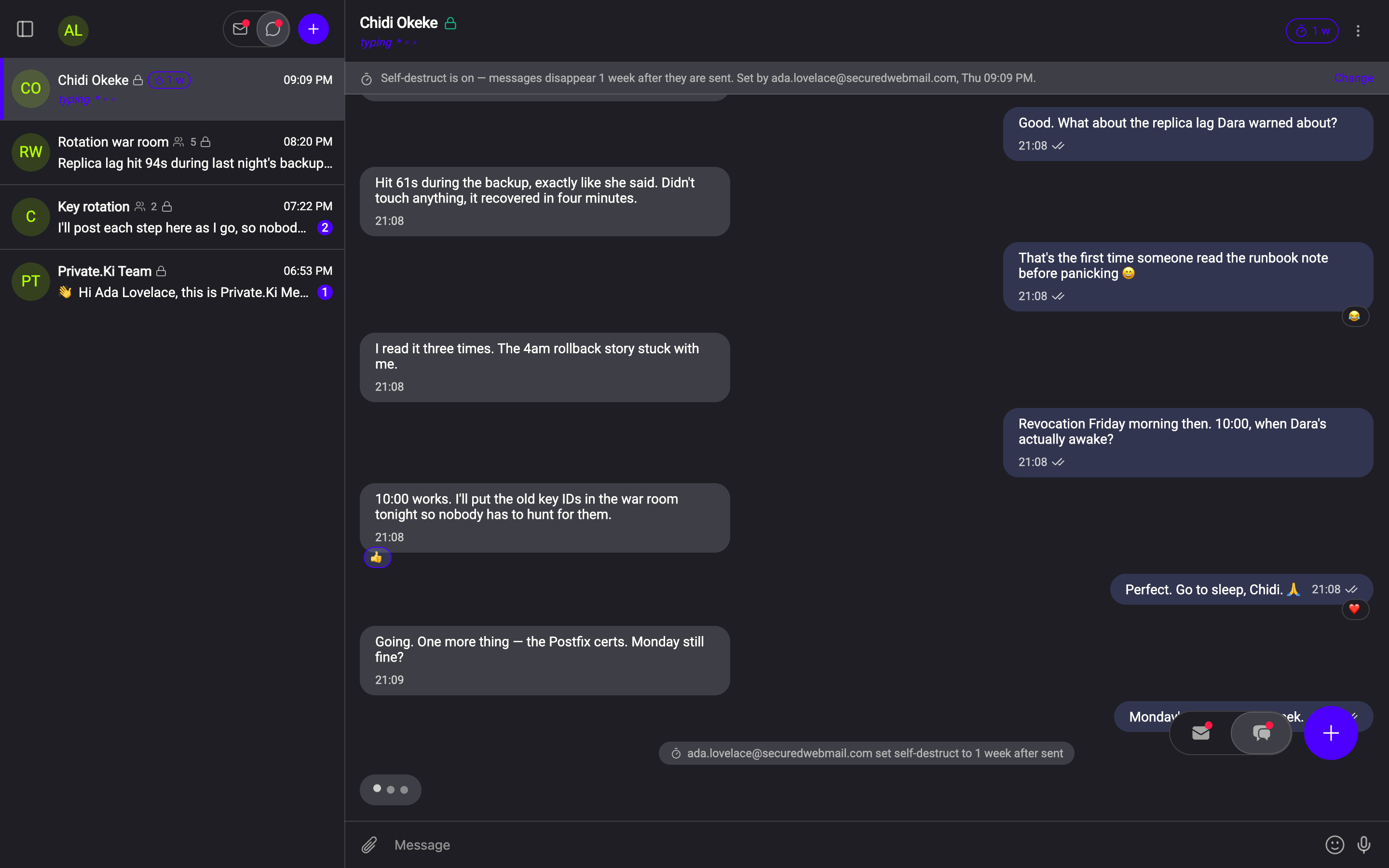
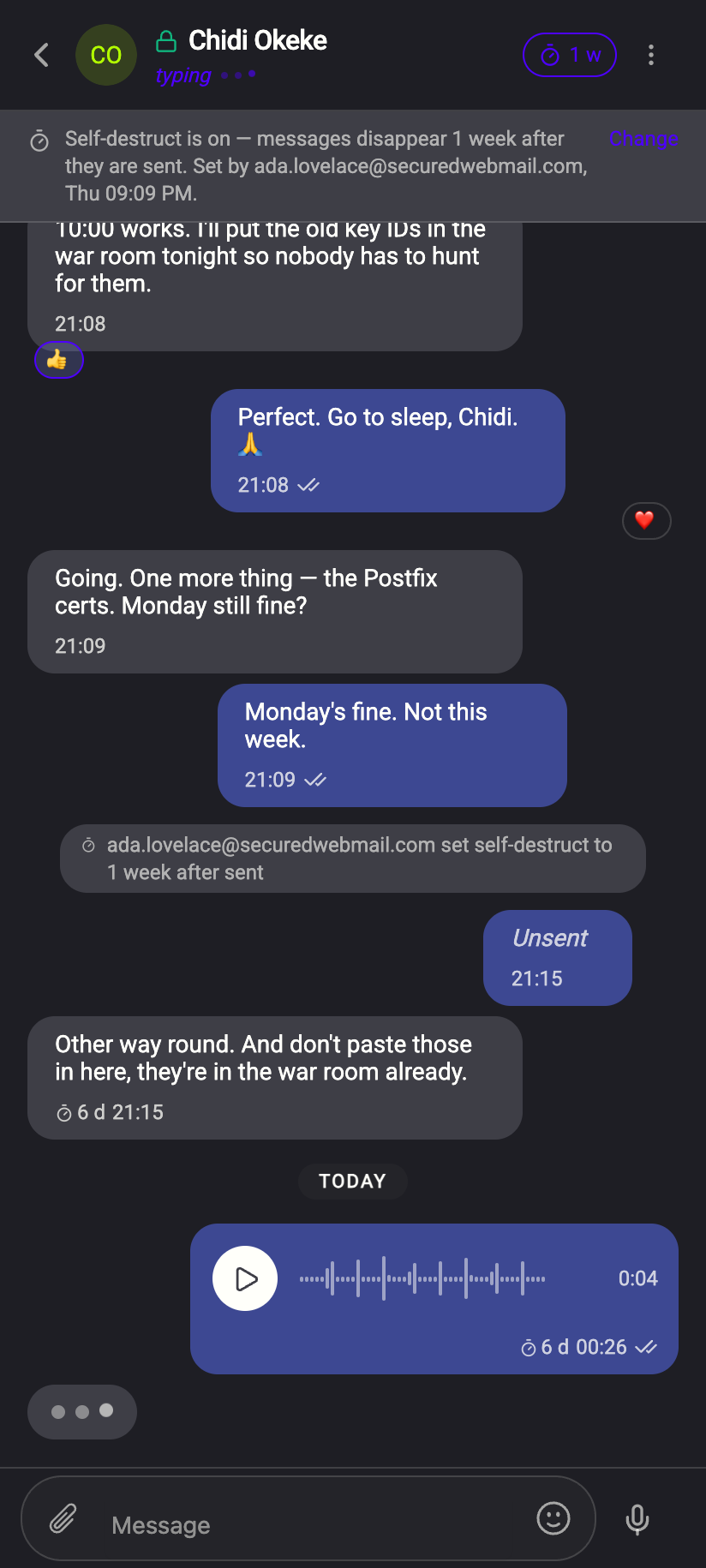
How it behaves:
- It starts about half a second after they begin typing and stops shortly after they pause or send.
- If their app goes quiet without sending — closed the tab, lost connection — the indicator clears by itself after about 12 seconds.
- It works only in one-to-one chats. Groups have no typing indicator, and neither does a chat with yourself.
- It is a live signal sent over the real-time connection, not a message: nothing is stored, and if either of you is offline it simply is not shown.
The typing signal tells our server, briefly, that your account is active in a conversation with theirs. It carries no text. If that matters to you, the only way to avoid it is not to type until you are ready to paste and send.
No read receipts
Nothing in Private.Ki reports that a message was opened. Not to the sender, not to the server. Consequences you will notice:
- There is no "seen", "read" or blue tick anywhere in a chat.
- The After read self-destruct option is disabled, because there is no read event to start the timer from — see Self-destructing messages.
- The Not played yet dot on a voice message is for you only; the sender never learns whether you listened.
- Mark as unread in the chat list is a note to yourself. Nobody else sees it.
The reason is simple: a read receipt is a message from your device saying "I opened this at this time", and Private.Ki's position is that when you read something is your business. The cost is that you cannot know when the other person has read yours either. Ask them.
What our server sees
Cannot see
- Whether any message was ever opened or read
- When you were last "online" — there is no last-seen status
Can see
- When each encrypted message was posted, and to which account
- While you type, a short-lived signal that you are active in that conversation
Common questions
The double tick appeared but they say they never got it
The tick means the server has the message. Their device collects it when it is online and the app is open or wakes for a notification. Ask them to open the app; if it still does not appear, see Push notifications.
I see "typing" but no message ever arrives
They started typing and then stopped or deleted it. The indicator clears within about 12 seconds.
Can I turn the typing indicator off?
The indicator shows only while you are actually typing, and it clears again as soon as you stop.
Can I get read receipts if we both agree?
No. There is no option to enable them.