Reactions and emoji
React to a message with one of six emoji — any emoji with Plus — change or remove your reaction, and use the emoji picker in the composer. All encrypted.
There are two kinds of emoji in a chat: reactions, the small badge you attach to someone's message, and emoji in the text of your own messages. Both are encrypted end to end like everything else in the conversation.
React to a message
Six reactions are available: 👍 ❤️ 😂 😮 😢 🙏 — and, with a Plus subscription, any emoji you like.
- Open the reaction row. On the desktop, hover over a message for a moment and the row appears above it; a right-click opens the full menu with the same row at the top. On a phone, press and hold the message.
- Tap one of the six, or the + at the end of the row to search the whole emoji set. It appears as a small badge at the corner of the bubble, on both your screen and theirs. The + is there on both plans; on the free plan pressing it opens the Plus panel instead of the picker.
1Your reaction on their message2Their reaction on your messageWeb & desktop 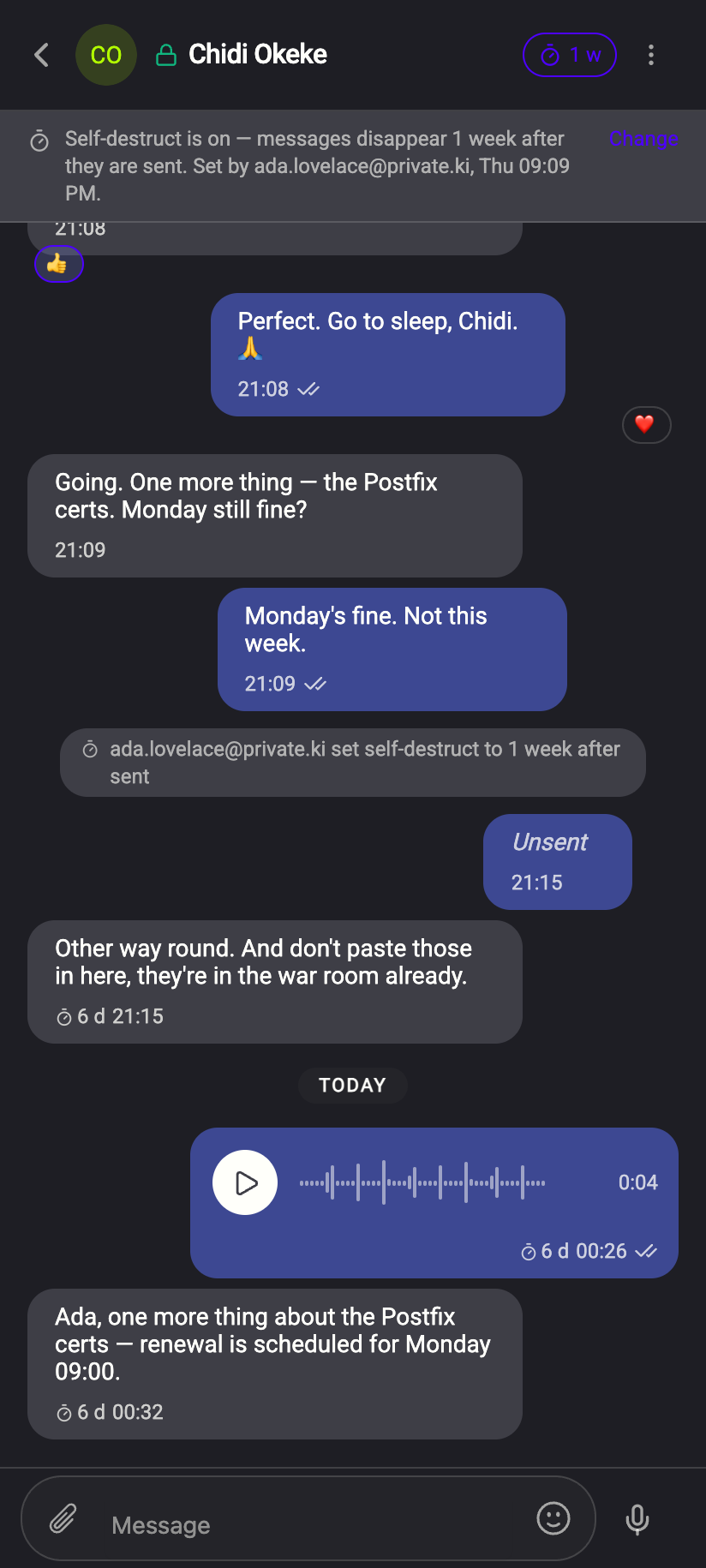 12
121Reaction badge2Reaction badgeiPhone 121Reaction badge2Reaction badgeAndroid
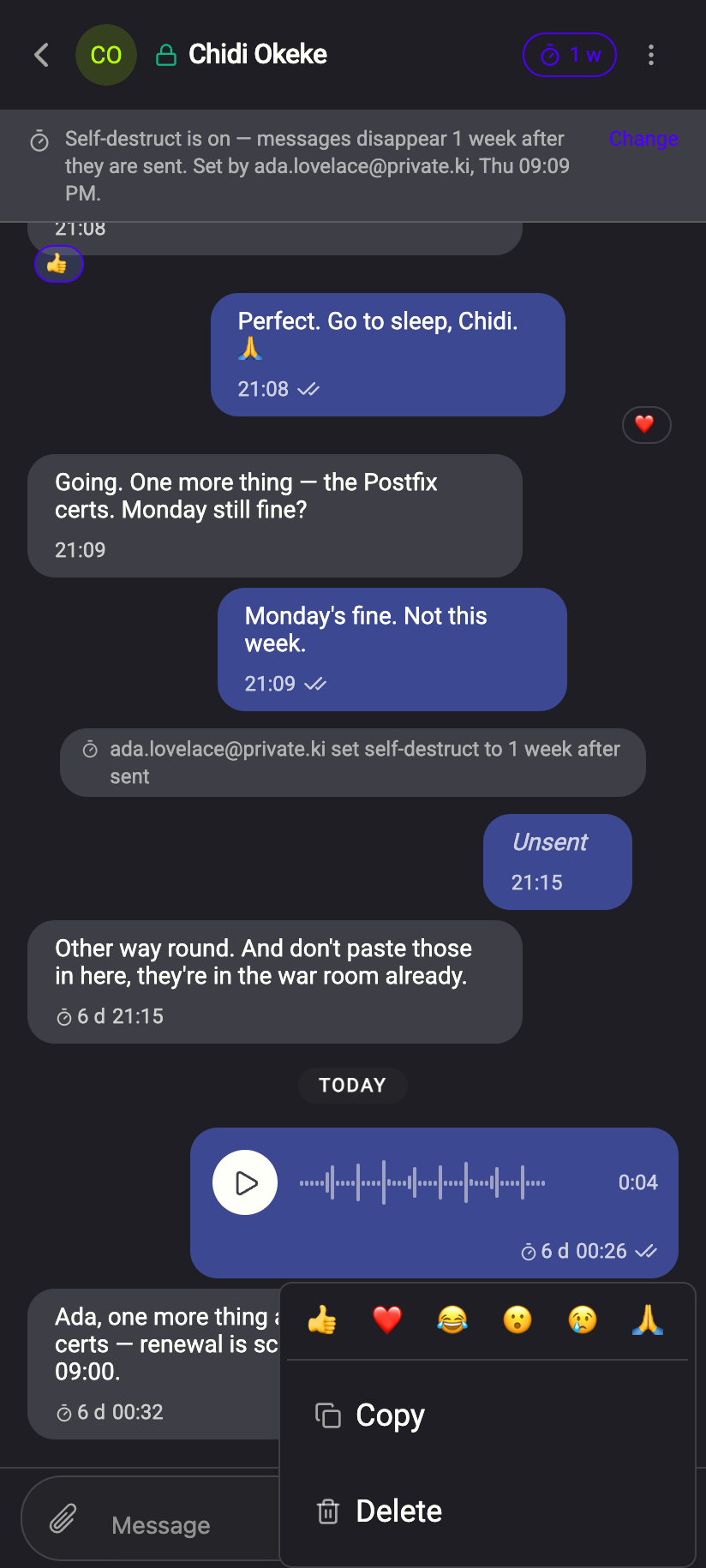
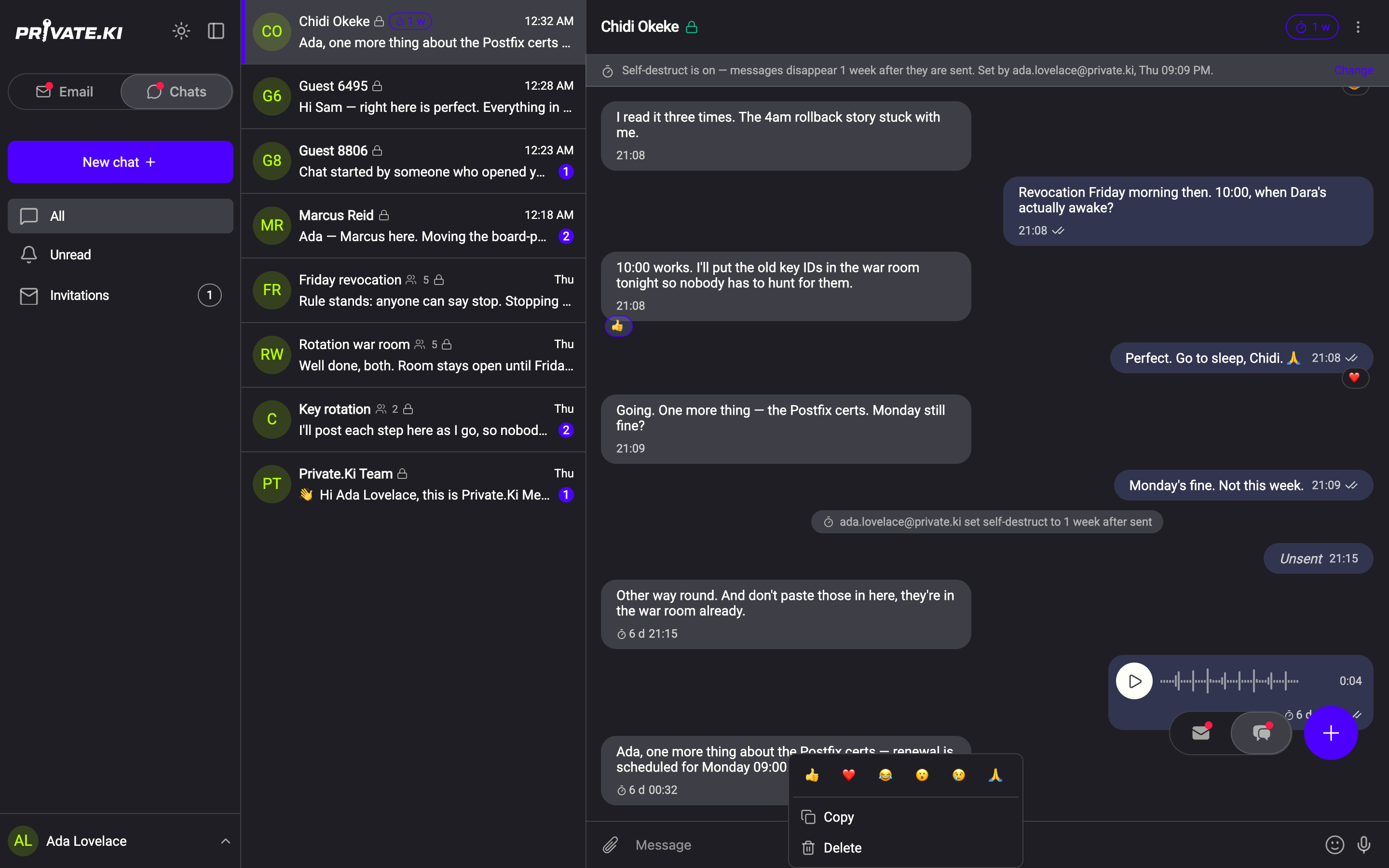
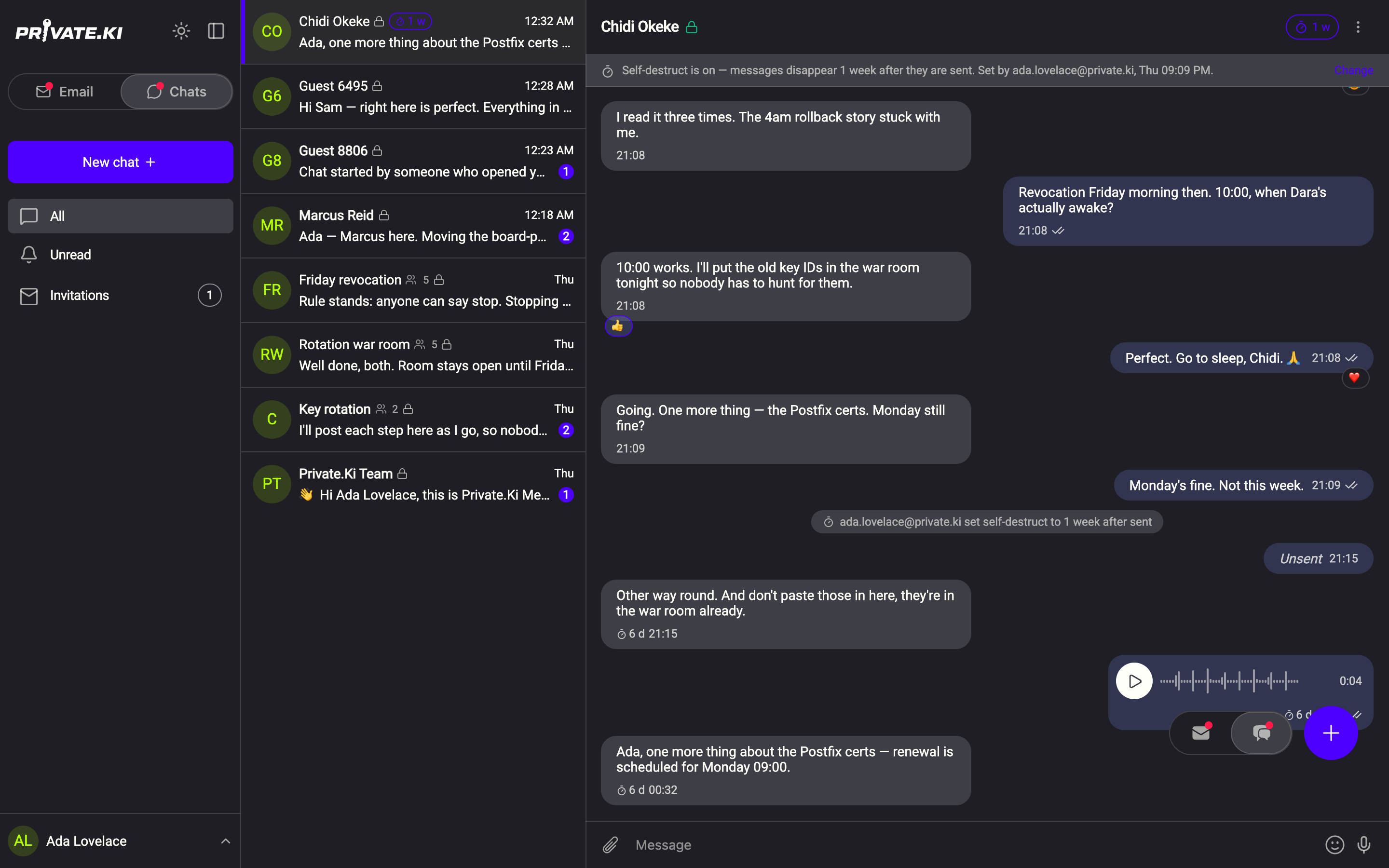
You can have one reaction per message. Tap a different emoji to replace it; tap the same one again to remove it. If the other person reacts with the same emoji as you, the badge shows a count.
Reactions work in one-to-one chats only. In a group the long-press or right-click menu has no reaction row — see Group chats. They are also unavailable on a message that has not finished sending, and in a chat with someone whose key you do not have yet.
Emoji in your messages
Click the smiley icon at the right of the Message field to open the emoji picker. It has categories along the top, a search box, and a Frequently used row. Pick one and it is inserted where your cursor is.
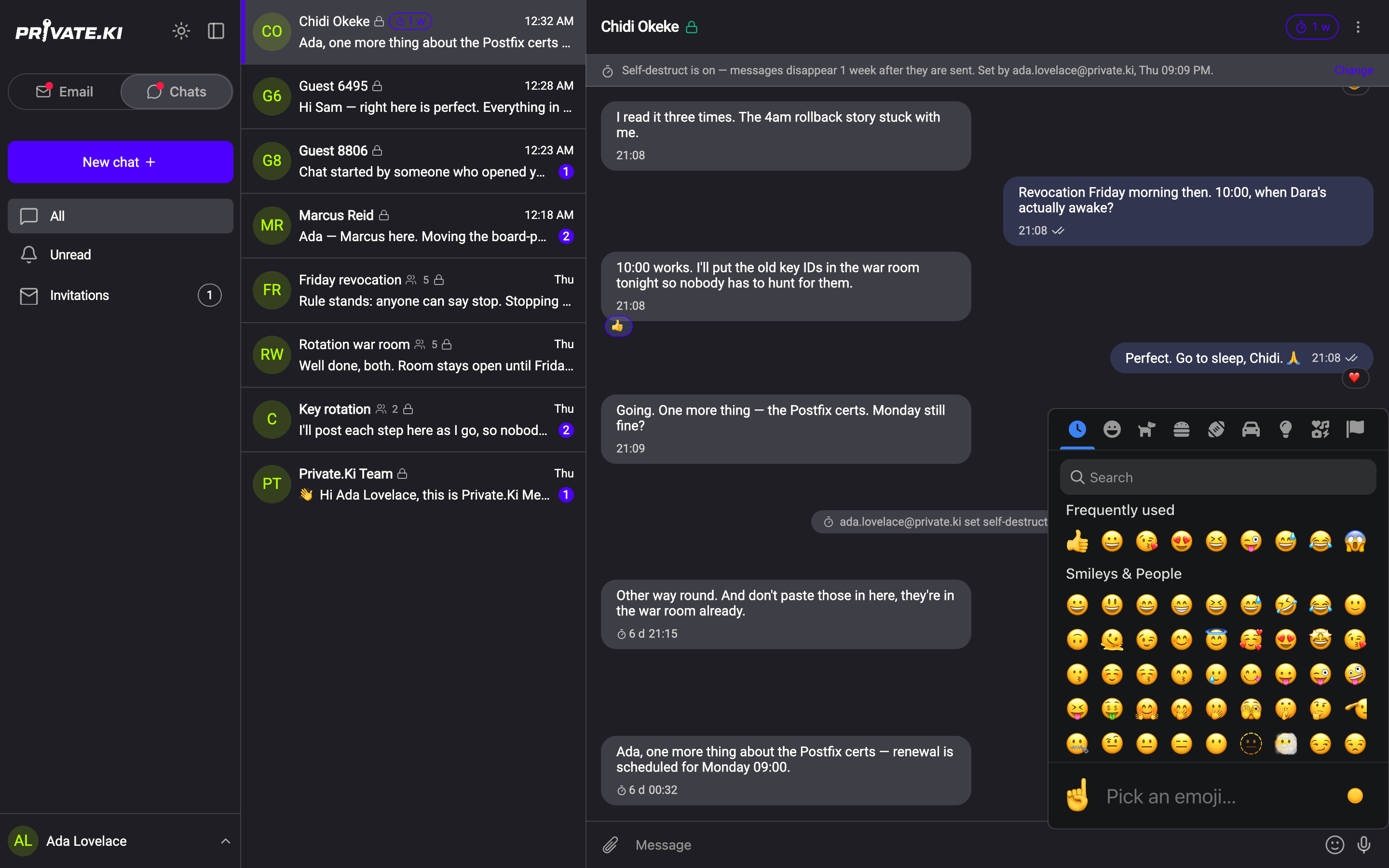
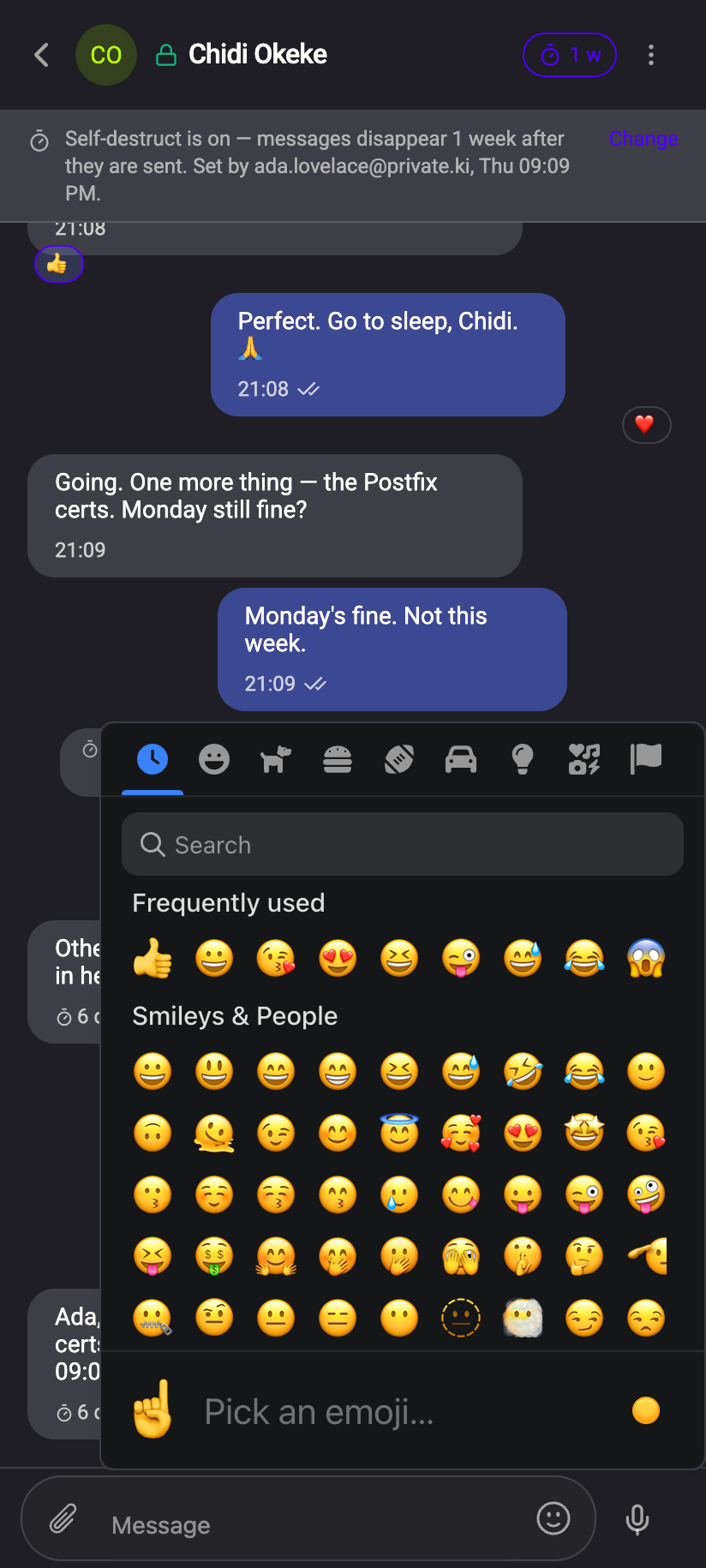 123123
Two shortcuts also work while typing: emoticons such as :) and shortcodes such as :thumbsup: are turned into the emoji when the message is sent.
Big emoji. A message that is nothing but emoji — up to three of them — is shown large, without a bubble, on both sides.
The smiley icon opens the emoji picker as a panel above the keyboard. Your phone's own emoji keyboard works too.
What our server sees
A reaction is not stored as "👍 on message X". Your device encrypts the emoji and a reference to the message, signs it, and stores one copy for you and one for the other person, each filed under an identifier only that person can compute. The server cannot pair the two, read the emoji, or see which message it belongs to.
Cannot see
- Which emoji you chose, or which message you reacted to
- Whether a message was reacted to at all — a reaction row looks like any small encrypted message
Can see
- That a small encrypted item passed between the two accounts at that time
Common questions
Can I use any emoji as a reaction?
With Plus, yes — the + at the end of the reaction row opens the full set (Free and Plus, side by side). On the free plan it is the six. The picker in the composer is for message text either way.
The other person reacted but I do not see it
Their reaction arrives like a message and needs your app to be online to sync. It appears once it does. If you deleted the message on your side, its reactions have nowhere to land.
Why is there no reaction row on a message?
Either the chat is a group, the message is still sending (spinner in its footer), or the conversation has not yet exchanged keys — for example a chat where the other person has not yet written and you have not yet sent anything successfully. Try again once a message from each of you has gone through.
"Failed to react" appeared
The encrypted reaction could not be posted — usually a connection problem. Try again.