Delete a chat
Where to delete a conversation, what it removes (your copy, immediately, no Trash), and why a group should be left rather than deleted.
Deleting a chat removes every message in that conversation from your account. It is immediate and there is no Trash for chats — unlike email, there is no folder to rescue it from. It also affects only you: the other person's copy of the conversation is untouched.
If what you actually want is for a message to disappear on both sides, that is a different tool: Unsend or destroy a message within the first hour, or a self-destruct timer for everything that follows.
From the chat list
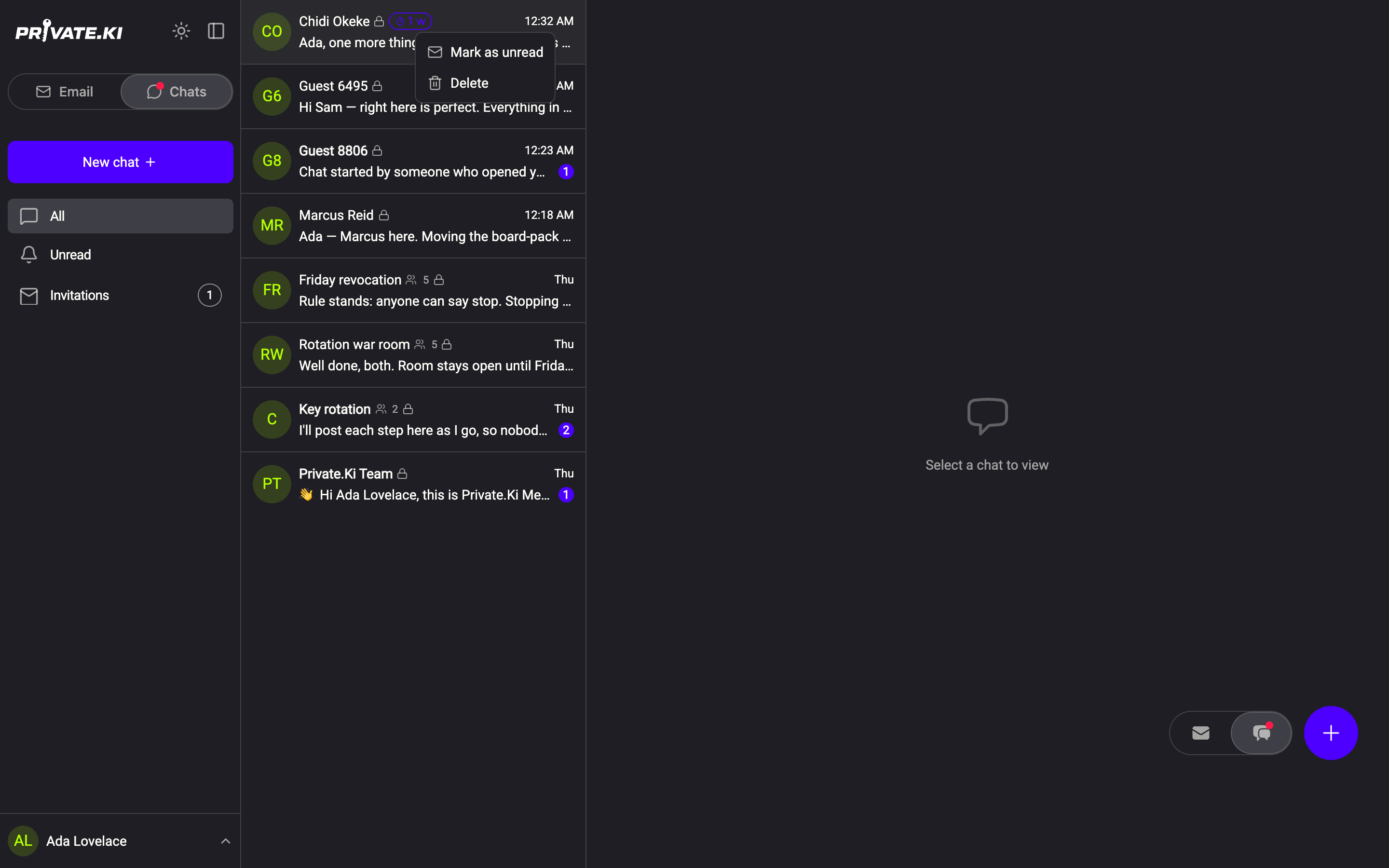
- Right-click the conversation's row in the list (on a phone, press and hold it).
1Right-clicked row2Mark as unread3Delete chatWeb & desktop 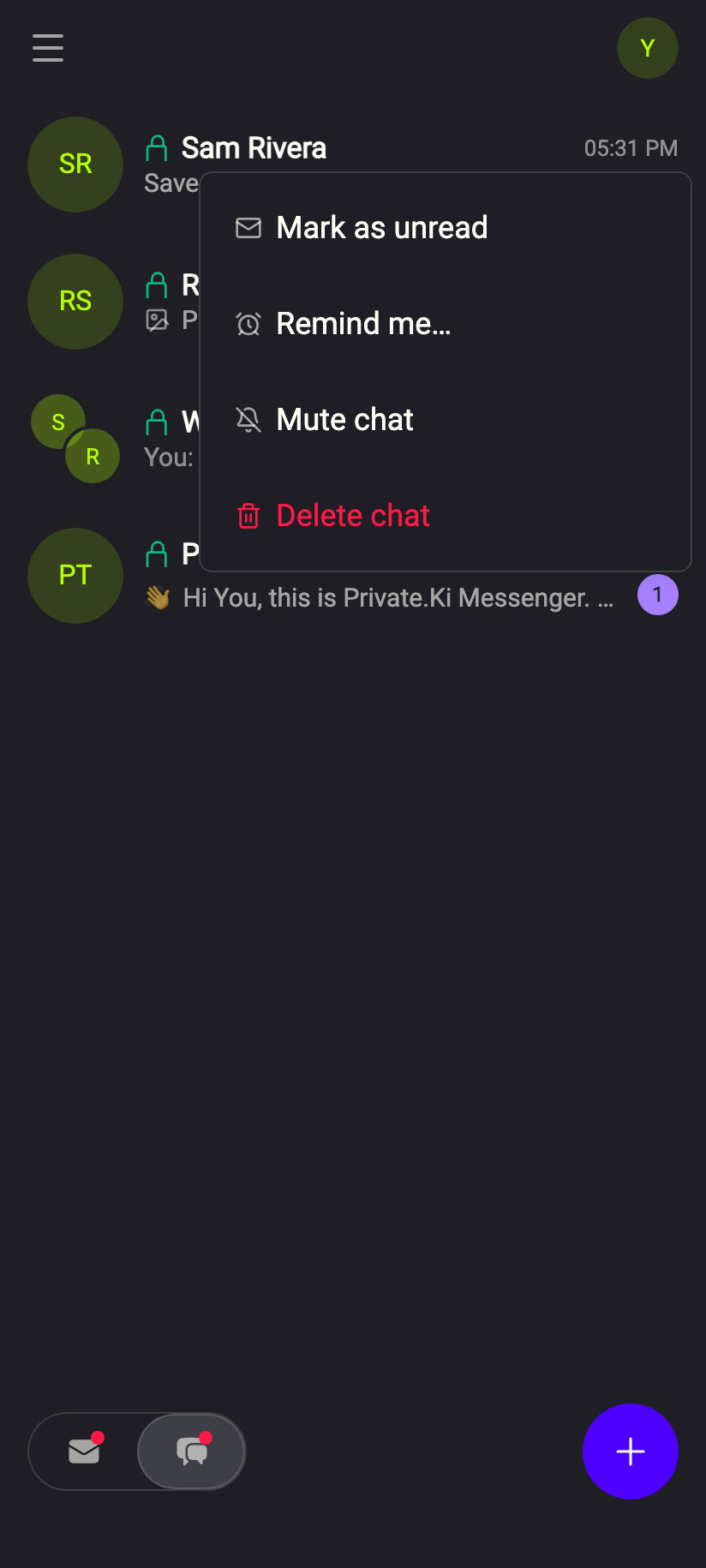 12
121Mark as unread2Delete chatiPhone 121Mark as unread2Delete chatAndroid - Choose Delete chat.
- The conversation disappears from the list straight away. From the list you are not asked a second time: instead a Conversation deleted toast counts down six seconds with an Undo button, and nothing is sent to the server until it runs out.
From inside the conversation
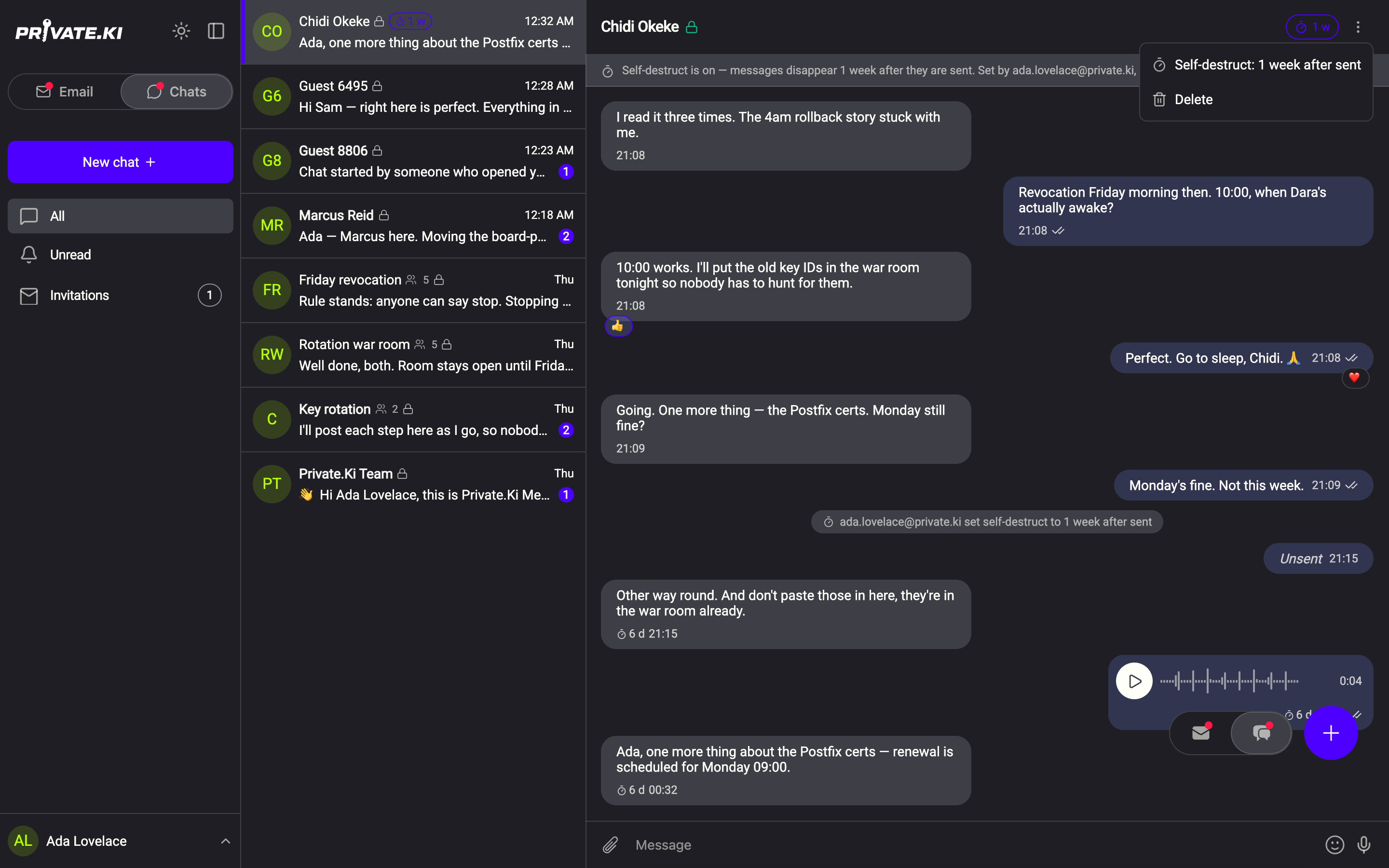
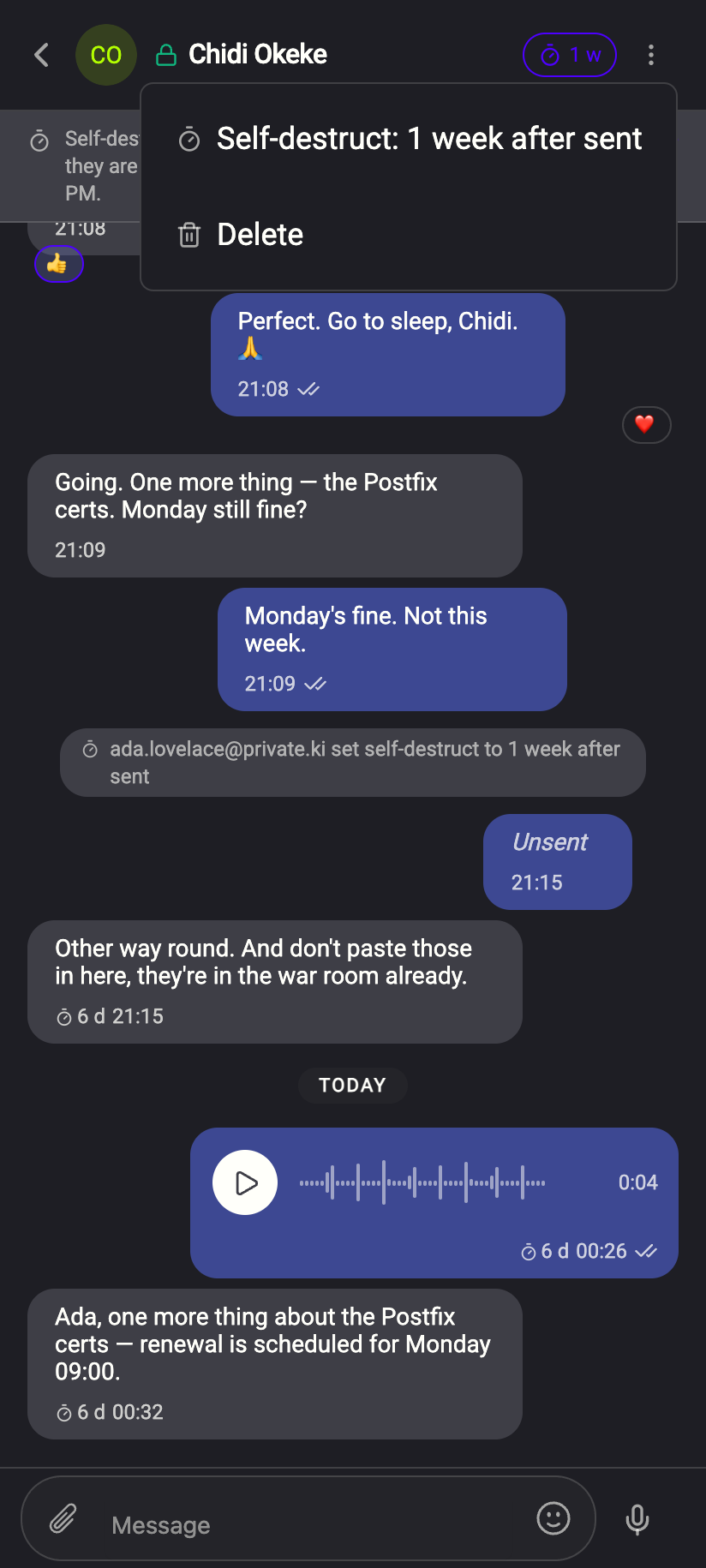
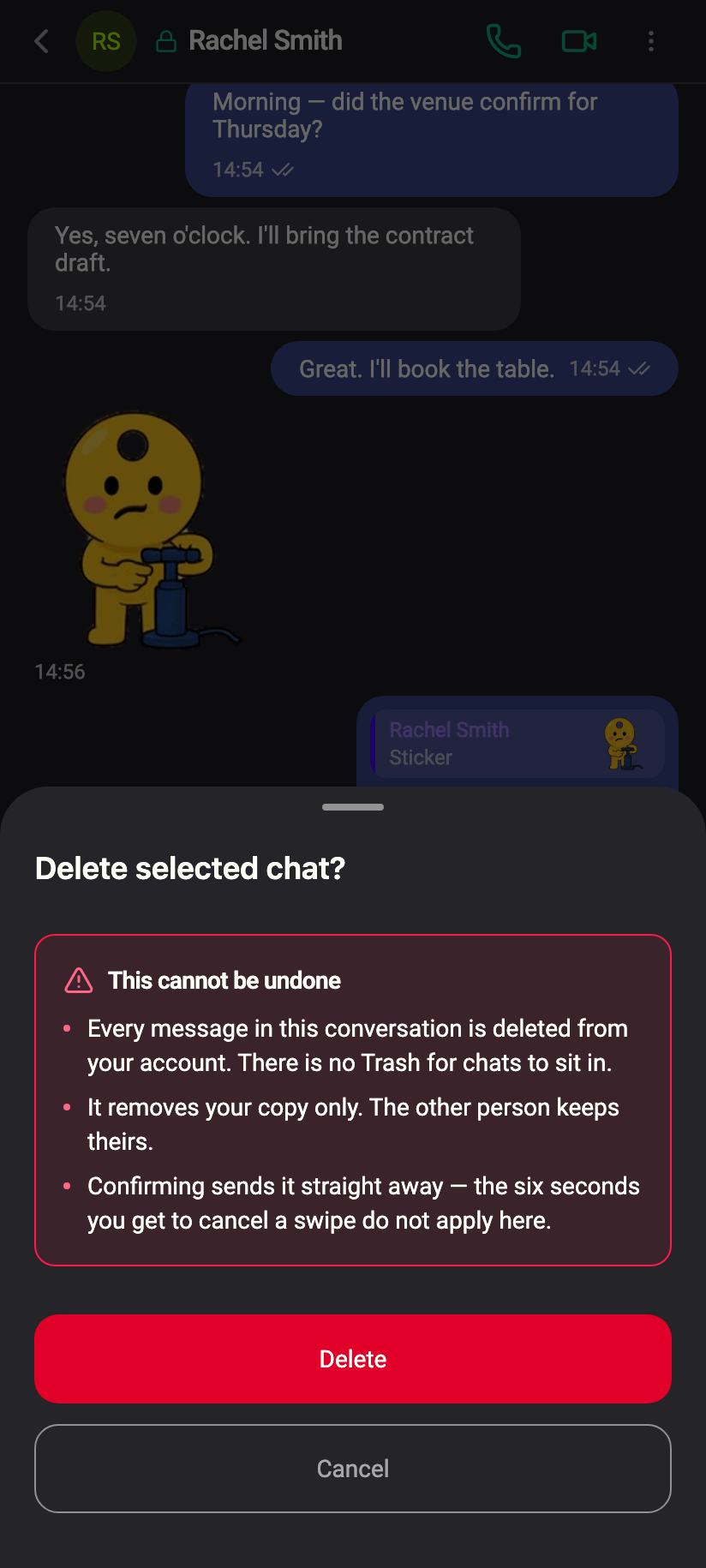
Open the chat, click the ⋮ menu at the top right and choose Delete. This is the route that asks: a Delete selected chat? dialog with a warning headed This cannot be undone, spelling out three things:
- Every message in this conversation is deleted from your account. There is no Trash for chats to sit in.
- It removes your copy only. The other person keeps theirs.
- Confirming sends it straight away — the six seconds you get when you delete from the list do not apply here.
 123123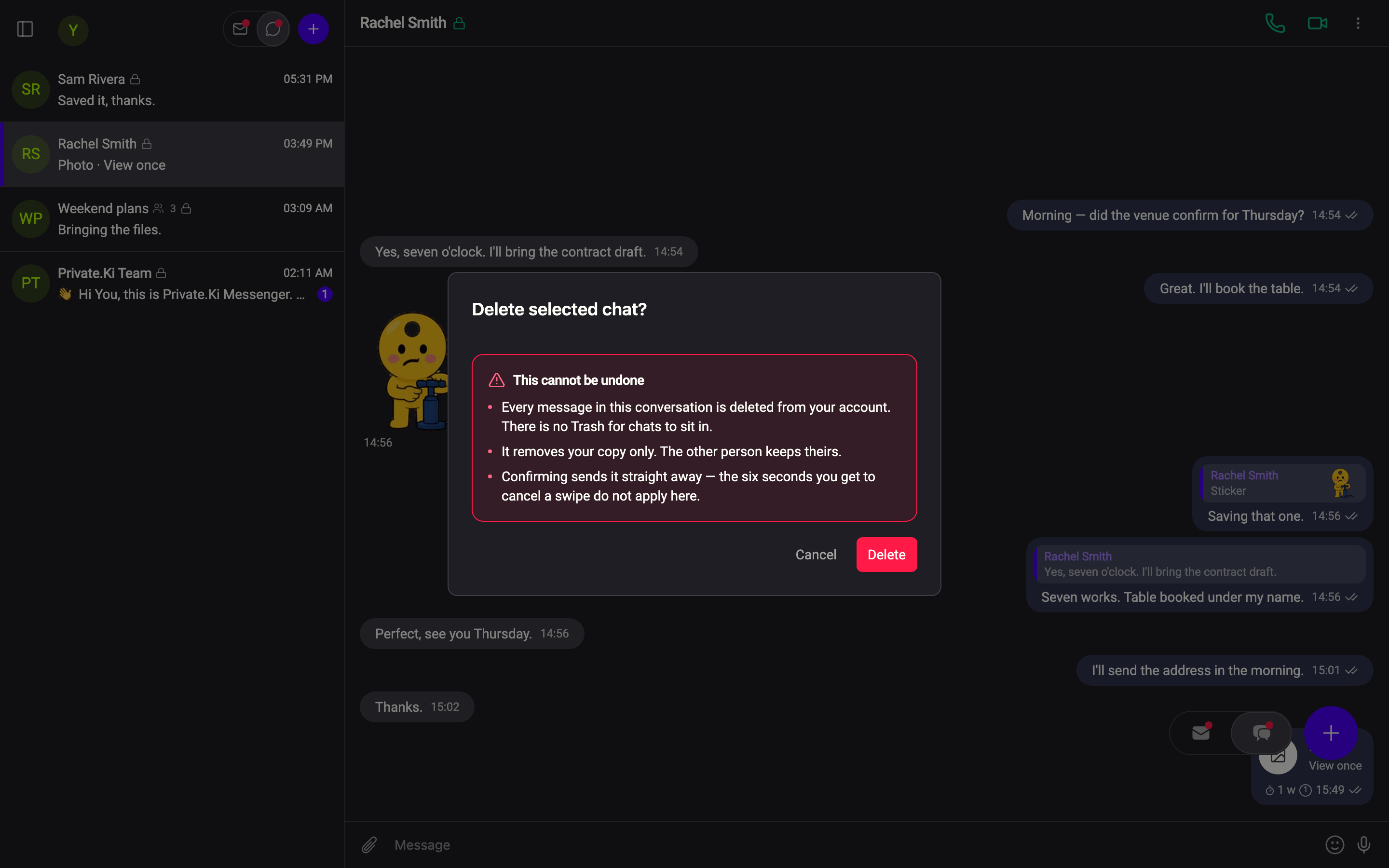
 1212
1212On the phone, press and hold the row and choose Delete chat. The row slides away and a Conversation deleted toast appears with an Undo button counting down six seconds. After that the deletion goes through; if you press it too late you see Too late to undo. The conversation was deleted.
Swiping a chat row no longer deletes it. That gesture was removed in October 2026 — a sideways drag anywhere on the list now switches between Email and Chats instead. See Bulk selection, and what a swipe does now.
What is deleted, and what is not
Cannot see
- The other person's copies — they keep the whole conversation
- Messages you already unsent or that already self-destructed (those are gone anyway)
Can see
- Your copies of every message, photo and voice note in the conversation
- The self-destruct timer setting for that conversation, on your side
If the other person writes to you again later, a new conversation with them appears in your list, starting from that message. Their side never noticed the deletion, so for them it is the same conversation continuing.
Groups: leave instead
You can delete a group conversation the same way, and it removes your copy of the messages — but it does not take you out of the group. The other members still see you in Group info, and messages continue to be encrypted for you. What you want is Leave group, at the bottom of Group info: that tells the group you are gone, stops new messages being addressed to you, and removes the conversation from your list. See Manage a group.
Leaving as the admin without handing the group to someone else freezes it: nobody can add or remove members afterwards. The panel that opens when you leave offers Hand it to someone first for that reason.
Common questions
Can I get a deleted chat back?
No. Once the six-second undo from the list has passed, or as soon as you confirm from the dialog, the messages are gone from your account. Your keys cannot decrypt anything that no longer exists.
Does the other person know I deleted the chat?
No. Nothing is sent. Their conversation is unchanged.
I only want to delete one message, not the whole chat
Right-click (or long-press) the message and choose Delete — that removes your copy of that message alone. To remove it for both of you, use Unsend within an hour of sending.