Group chats
Create an encrypted group of Private.Ki users, what members see and from when, and what a group can and cannot do compared with a one-to-one chat.
A group is a chat with a small, fixed number of people, including you. The app counts the places as you fill them and tells you when there is no room left. Every message is encrypted separately to each member's key, so the group is exactly as private as a one-to-one chat — and for the same reason it can only hold people who already use Private.Ki, because each copy needs a key to be encrypted to.
A Plus subscription allows bigger groups. The size is decided by the plan of whoever created the group, and it is decided once: a member on the free plan reads and writes in a bigger group exactly like everyone else, with nothing to buy.
Create a group
Click New chat and choose New group. The hint under it says how many people a group can hold.
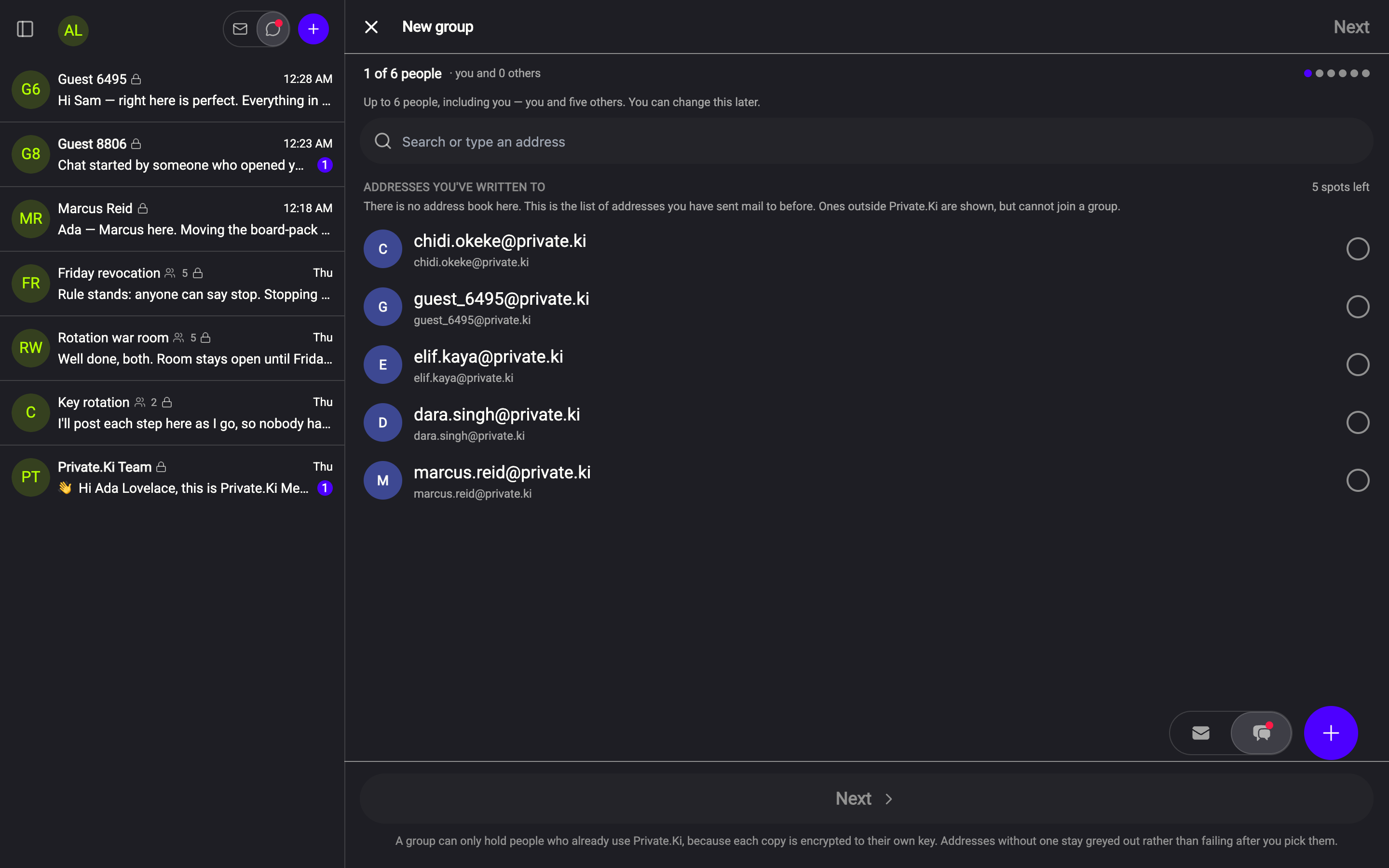
Pick the people. The New group screen lists Addresses you've written to — there is no address book; this is your own encrypted sending history. Tick the ones you want, or type an address into Search or type an address. The counter at the top keeps score — it starts at you and 0 others — and the remaining rows stop being tickable once the group is full.
1The people counter2Search or type an address3How much room is left4Tick to add5NextWeb & desktop 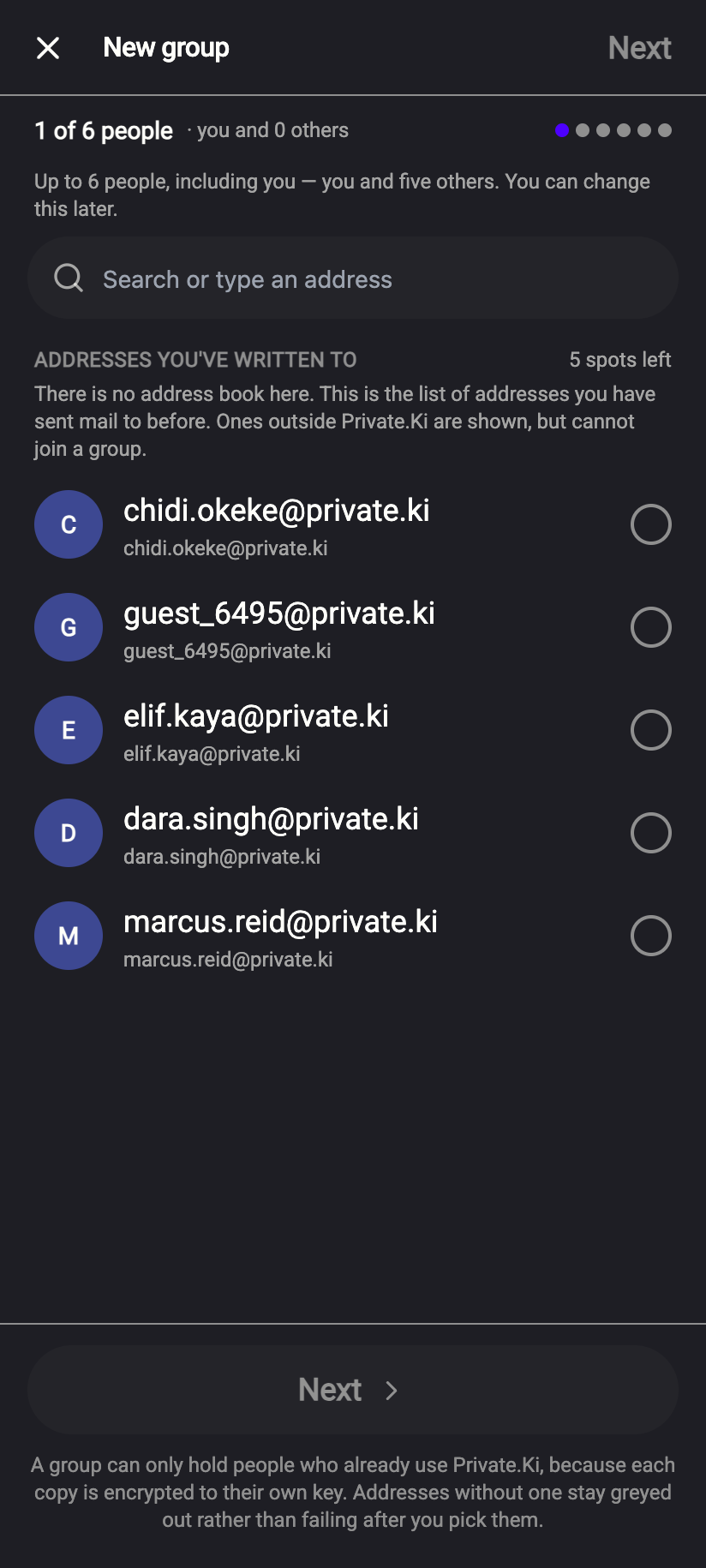 12345
123451The people counter2Search or type an address3How much room is left4Tick to add5NextiPhone 123451The people counter2Search or type an address3How much room is left4Tick to add5NextAndroid Only Private.Ki addresses can joinAn address outside Private.Ki appears greyed out with a NOT ON PRIVATE.KI tag and cannot be ticked. To bring that person in, invite them first — see Invite someone who isn't on Private.Ki — then add them to the group.
Click Next.
Name the group in Group name — up to 40 characters, and required. The avatar letters come from the name. The list under Who will be in it shows you tagged ADMIN and the people you picked.
1Group name213 / 403ADMIN — you4Everyone starts from here5Create groupWeb & desktop 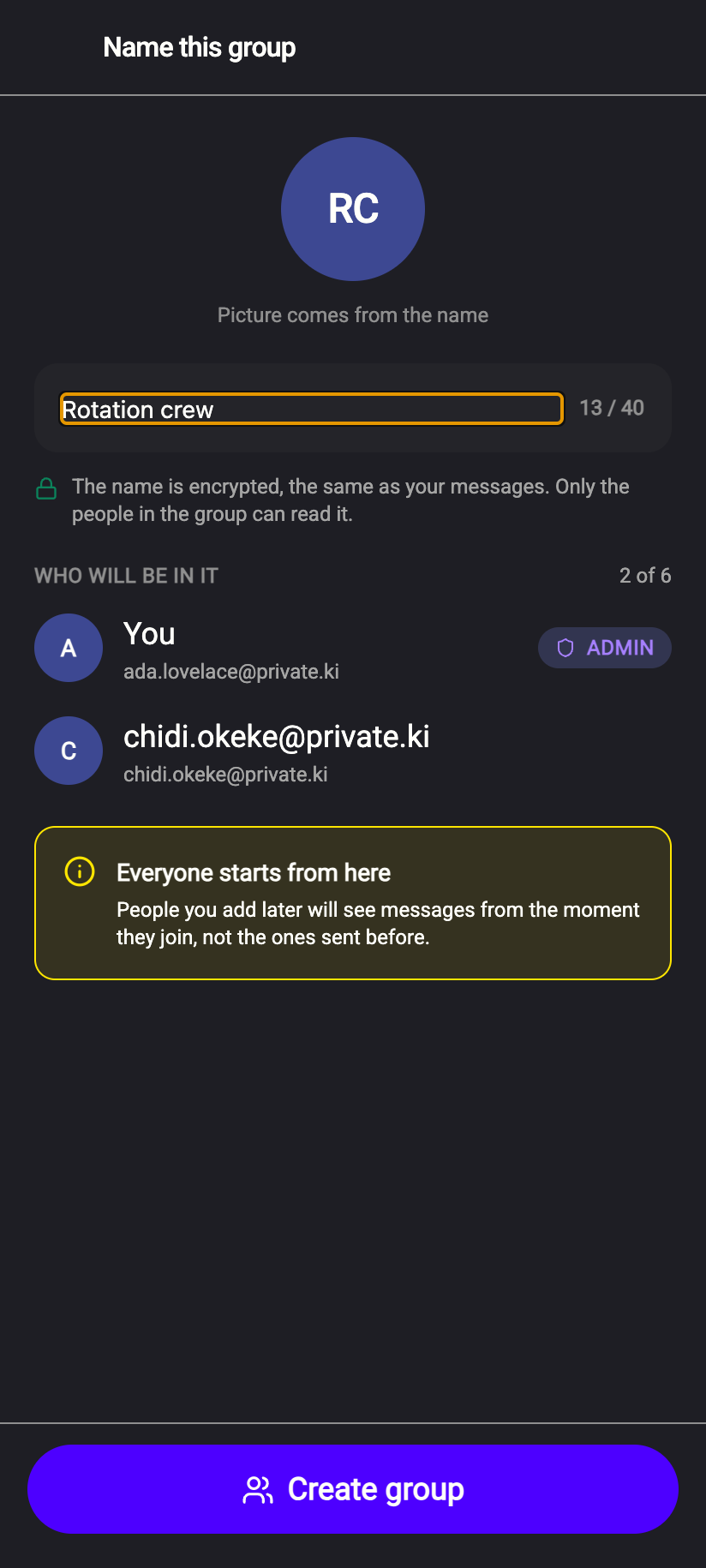 12345
123451Group name213 / 403ADMIN — you4Everyone starts from here5Create groupiPhone 123451Group name213 / 403ADMIN — you4Everyone starts from here5Create groupAndroid Click Create group. The conversation opens and you can write straight away.
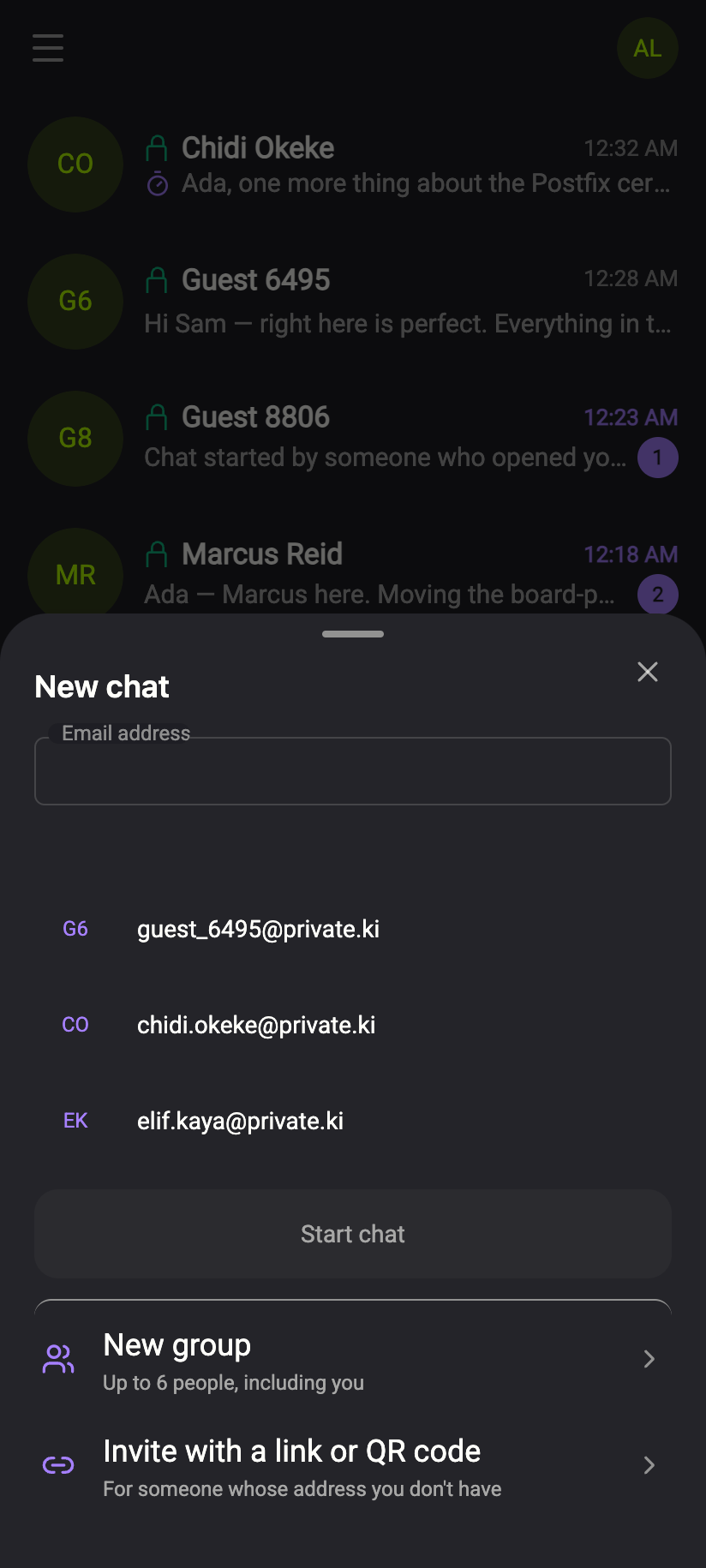
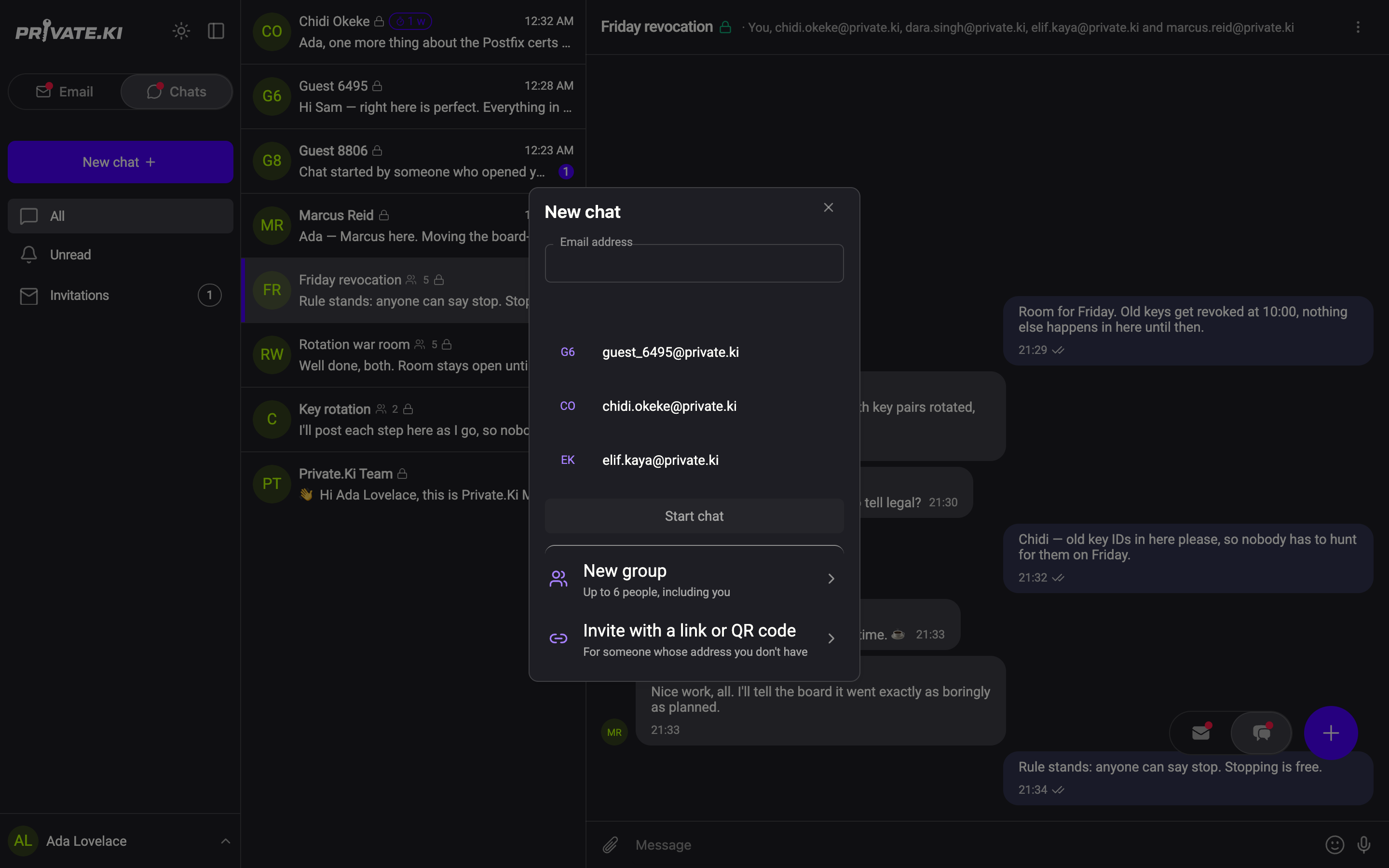
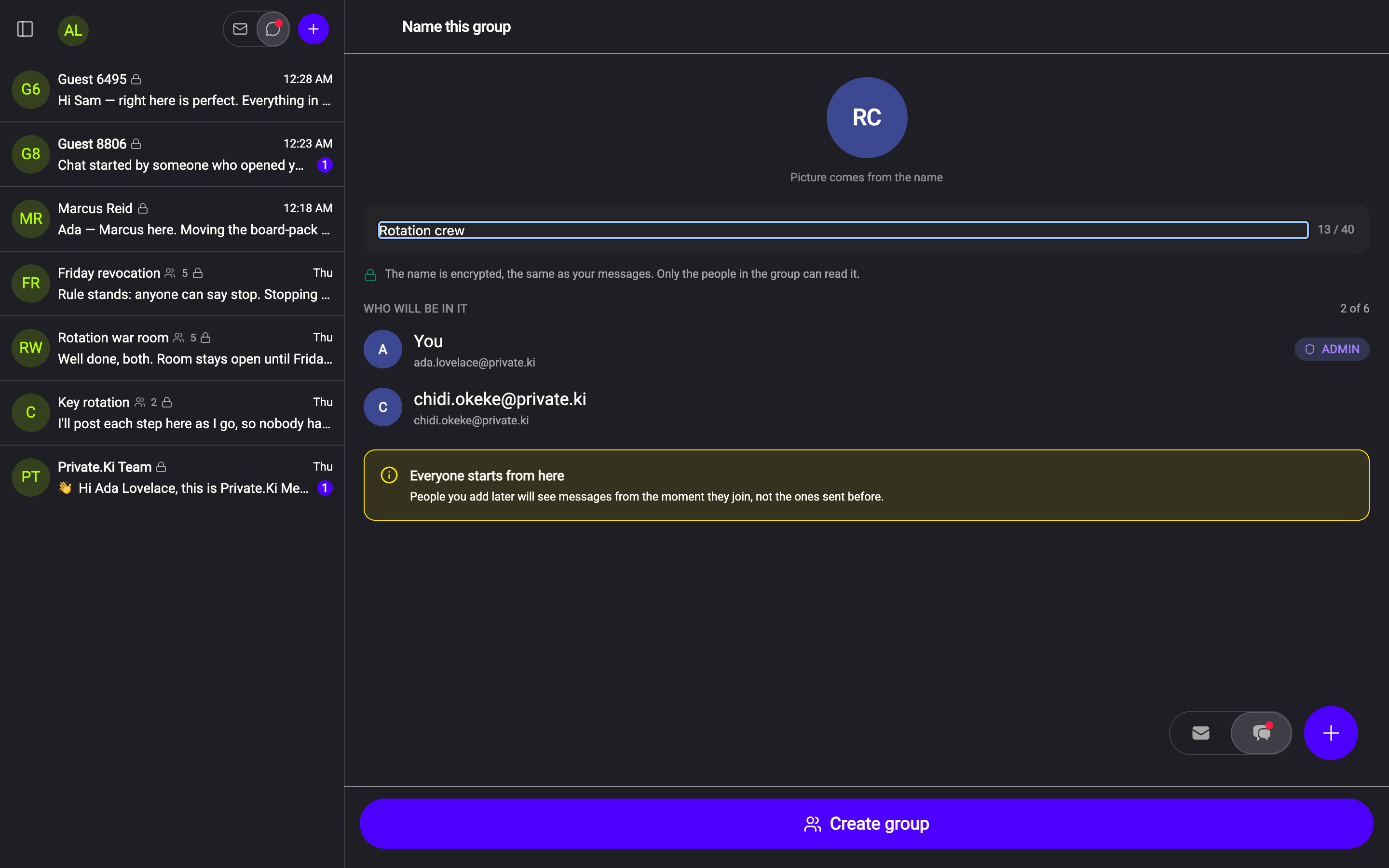
People see messages from the moment they join, never earlier. That includes the people you pick at creation — the group has no history before it exists — and it applies again to anyone you add later.
What the others see
Each person you picked gets the group in their chat list once the first message reaches them. The row shows the group name, a people icon with the member count, and who wrote last. In Group info a member who has not yet said anything is tagged PENDING; the tag clears when they write. That is not a delivery receipt — it only means their device has taken part.
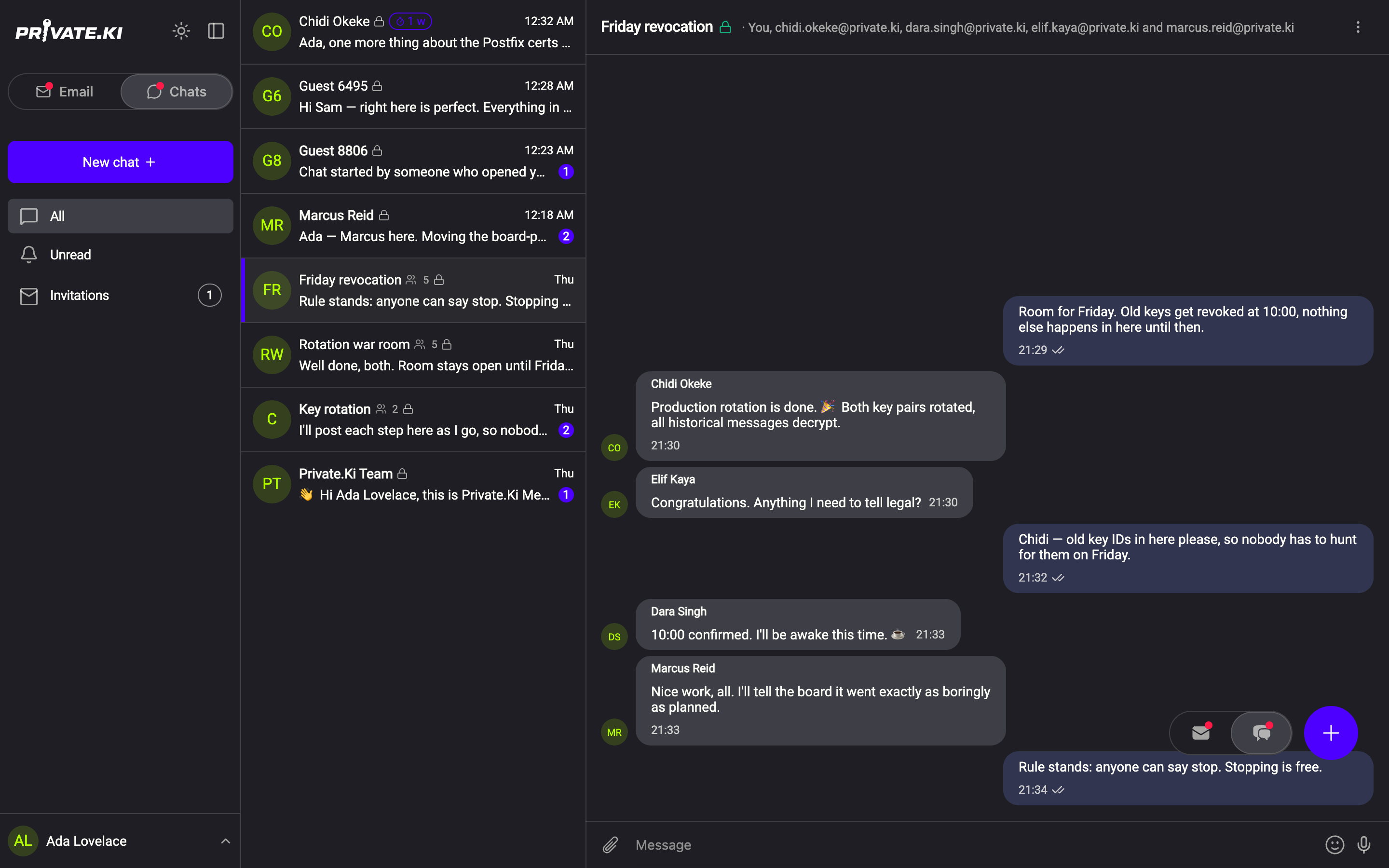
 123123
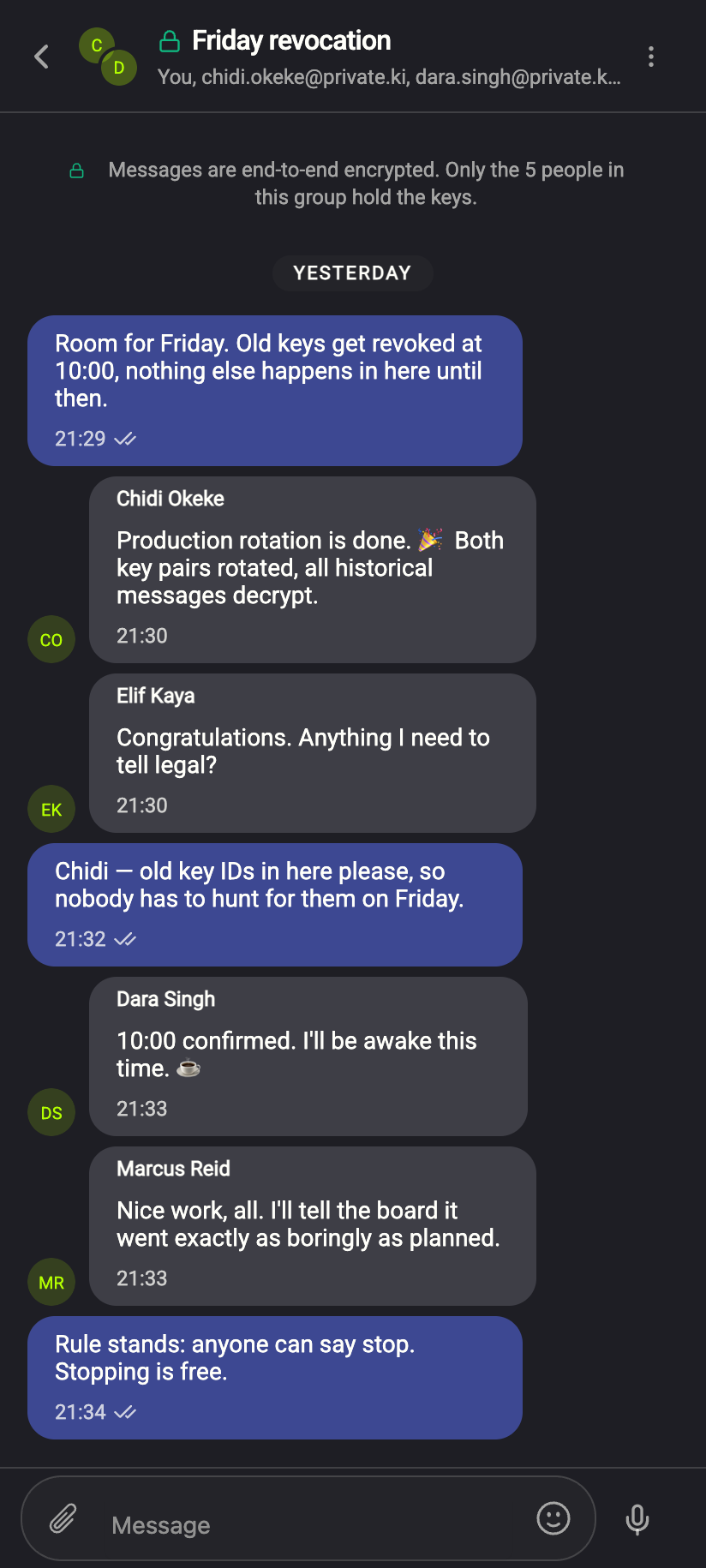
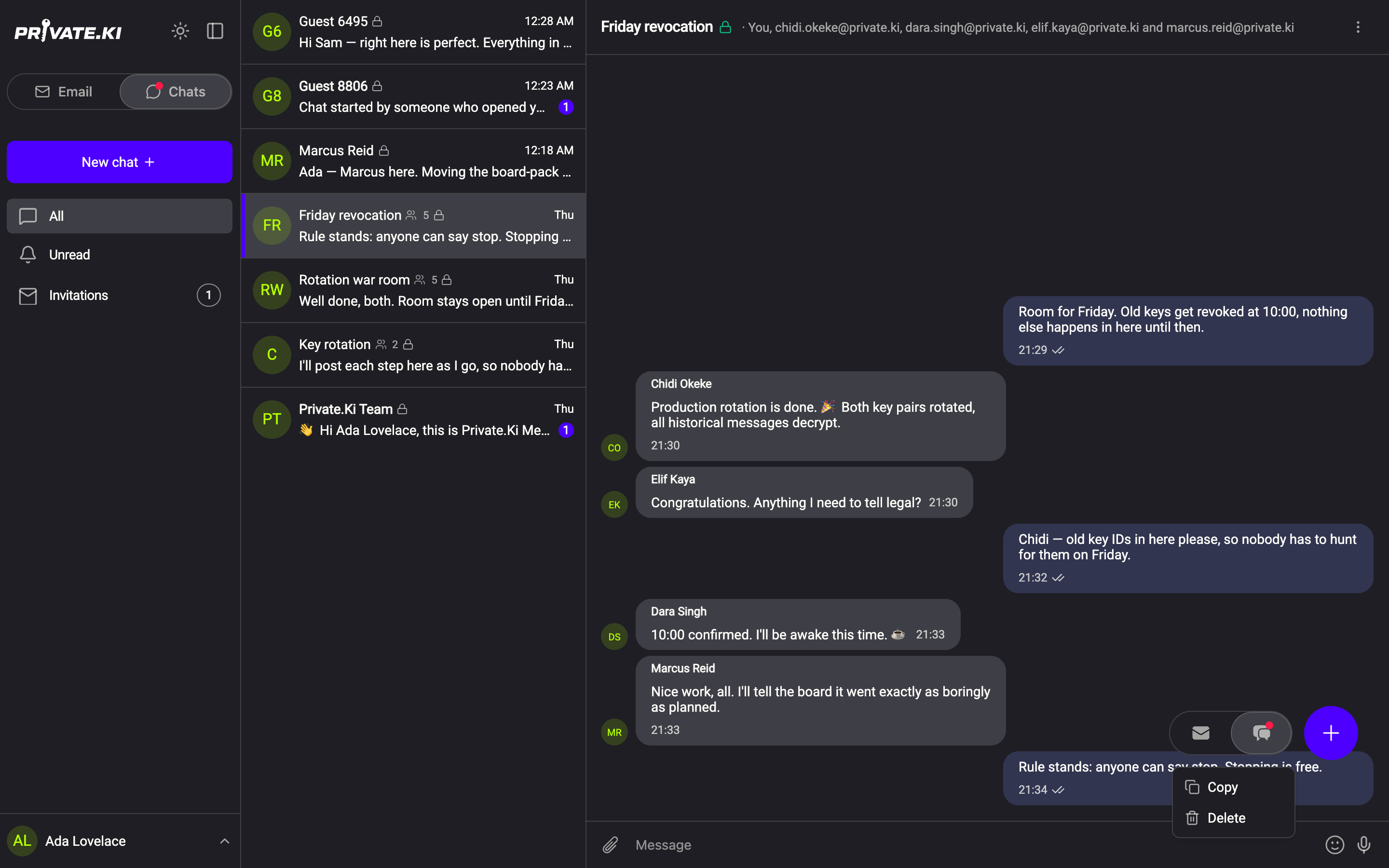
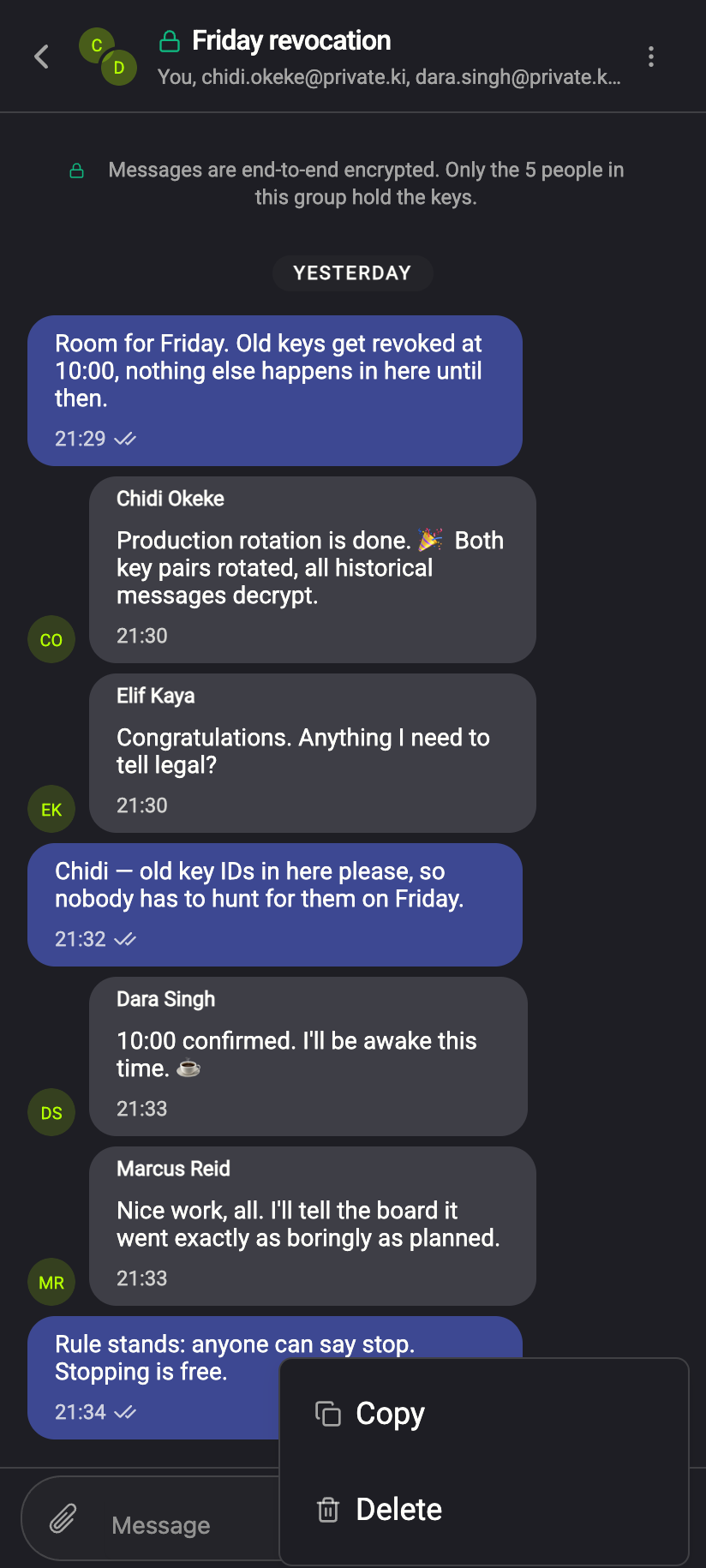
Inside the conversation, messages from others carry the sender's name above the bubble. Your own are on the right without a name. The header lists everyone: You, chidi…, dara….
What a group can and cannot do
Groups share most of the one-to-one toolset, with a few gaps:
- Self-destruct timer — yes, set by the admin from Group info; applies to everyone.
- Photos, files, voice messages — yes, encrypted for every member.
- Reactions — no. Long-press or right-click a message and you get Copy and Delete only.
- Unsend / Destroy — no. Delete removes your own copy alone; the others keep theirs.
- Typing indicator — no. It works in one-to-one chats only.
- Read receipts — no, as everywhere in Private.Ki.
 1212
1212Roles
The person who creates the group is its only admin: they add and remove people, rename it, set the timer and can hand the group to someone else. Everyone else can read, write and leave. There is no second admin. All of this is in Manage a group.
What our server sees
Cannot see
- The group's name — it is encrypted like a message; only members can read it
- Message content, attachments, who reacted (there are no reactions in groups anyway)
Can see
- Which accounts receive copies of each message, and when
- The size of each encrypted copy
Each member holds their own key, and messages are encrypted to whoever is in the group at the moment of sending. Removing someone stops future messages reaching them, but everything sent while they were a member stays on their device. Privacy in Group info says the same in three sentences.
Common questions
Can I keep adding people?
Only up to a point. A group holds a fixed number of people, and the app tells you when it is reached: Add someone in Group info greys out with No spots left, and the panel headed This group is full offers the two ways on — Remove someone to make room or Start a second group instead. How many places there are depends on the plan of whoever created the group; groups made with Plus hold more.
Can I add someone who is not on Private.Ki?
Not directly. The Add someone panel says X can't be added yet and offers Invite X in a one-to-one chat or Copy an invite link to send by email; once they have an account, add them.
Why do I not see a group I was added to?
It appears when the first message encrypted for you arrives. If the admin added you and nobody has written since, there is nothing to show yet.