Invitations: pending, cancelled, expired
What the Invitations view lists, how long an emailed invitation lasts, how to cancel one, and why invitation links are not shown there.
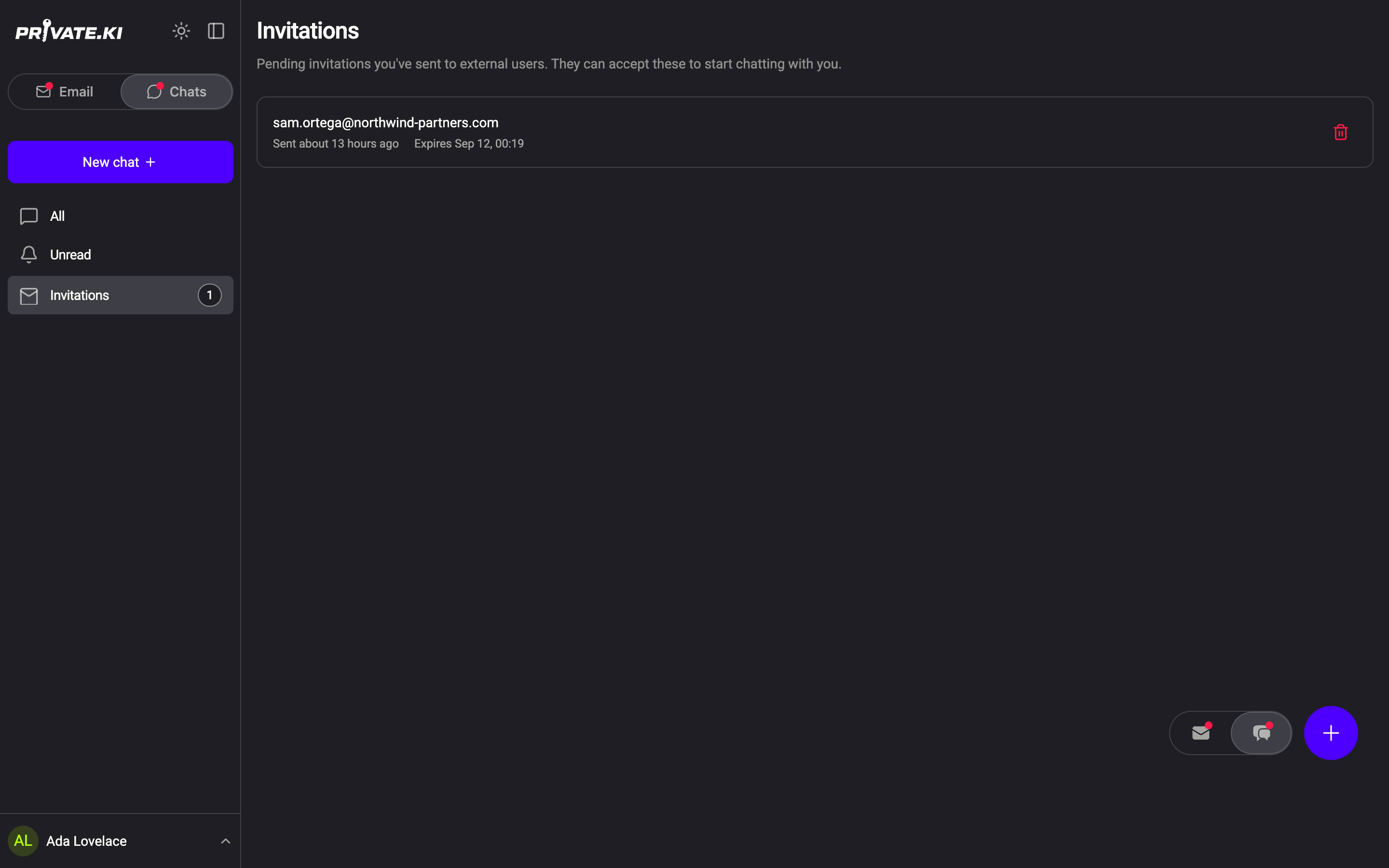
Invitations is the third view on the chat side, next to All and Unread. It lists the emailed invitations you have sent to people who are not on Private.Ki and who have not yet accepted. The count next to it in the sidebar is the number of those still pending.
 1212
1212What a row tells you
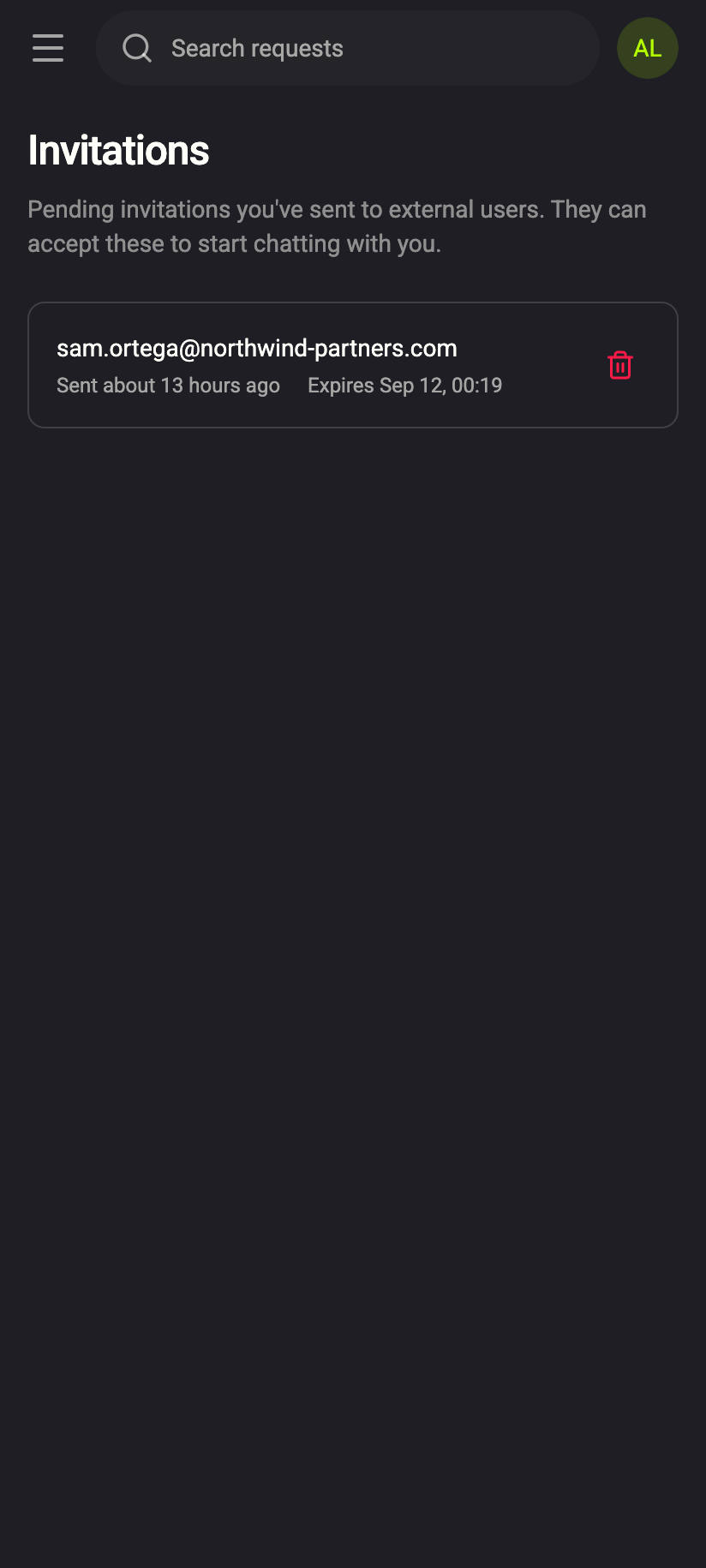
Each row shows the address you invited, how long ago you sent it (Sent 2 minutes ago) and when it stops working (Expires Sep 12, 00:19). An emailed invitation lasts 24 hours from the moment you send it. The screen's own summary puts it plainly: Pending invitations you've sent to external users. They can accept these to start chatting with you.
The three states
Pending. The person has not opened the link yet. It stays in the list, counting down. There is nothing to do but wait — or cancel.
Accepted. The row disappears and a conversation with that person appears under All, because at that moment they have an account and a key and the chat exists. You may see their first message arrive before you notice the row is gone.
Expired. After 24 hours the link stops working and the row drops off the list the next time it refreshes. You may briefly see it marked Expired. If they still want to talk, send a fresh invitation — you can invite the same address again once its previous invitation has expired or been cancelled.
Cancelled. Cancelled by you, from this screen. The row is removed and the link in their inbox stops working. If they open it they see We don't recognise this invitation; nothing tells them it was withdrawn.
Cancel an invitation
- Open Invitations in the sidebar (on a phone, from the ☰ drawer).
- Click the red bin icon at the right of the row.
1Cancel this invitationWeb & desktop 11Cancel this invitationiPhone 11Cancel this invitationAndroid - A Invitation cancelled toast confirms it. There is no undo; if you change your mind, send a new one.
Limits
- One invitation per address per 24 hours. Sending a second one shows An invitation was already sent to this address in the last 24 hours.
- Up to 20 emailed invitations a day in total.
- You cannot invite your own address.
- There is no resend button. Cancel and send again, or wait for it to expire.
Invitation links are not listed here
Invitations made with Invite with a link or QR code never appear in this view. A link is withdrawn from the screen where you created it, with Withdraw this invitation, and once you press Done it is no longer shown anywhere in the app. Its lifetime is the 1, 7 or 30 days you chose — up to 1 year with a Plus subscription — and it dies on first use unless it was made for more than one person, which Plus also allows. See Invite someone who isn't on Private.Ki.
Common questions
The list is empty but I know I sent invitations
Either they were accepted (look under All for the new chats) or they were more than 24 hours ago and have expired. The screen reads No pending invitations in both cases.
Can I see invitations other people sent me?
No. An invitation is a link in your email, not something inside the app. If you already have a Private.Ki account tied to that email address and someone invites you, opening the link shows Welcome Back! and asks you to Sign In with Email; the chat opens once you are in.
Can I invite someone who already uses Private.Ki?
You do not need to — just start a chat with their address. The hint under the field reads On Private.Ki and the button is Start chat.