Compose and send an email
Open a new message, add up to five recipients, write and send. Mail to Private.Ki users is always encrypted; Encrypt and Sign switches cover everyone else.
A new email in Private.Ki looks like a new email anywhere: recipients, a subject, a body, Send. Underneath, what you type is saved as an encrypted draft, mail to other Private.Ki users is encrypted end to end on your device, and two switches — Encrypt and Sign — tell you what will happen for recipients outside Private.Ki.
Start a new message
- Open the composer. Click New email at the top of the sidebar. On the web you can also press c anywhere in the mailbox.
1New email2To3CC and BCC4Your default signatureWeb & desktop 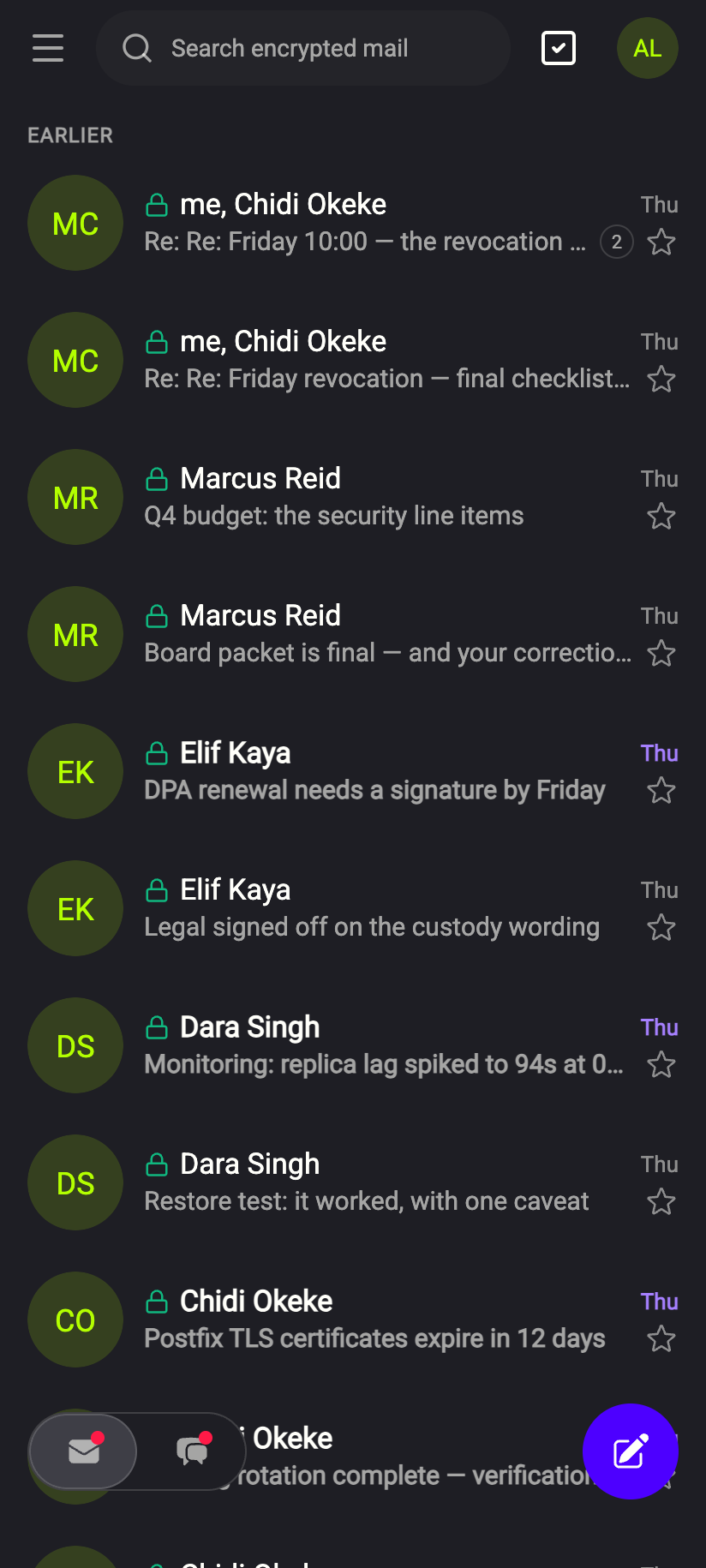 1
11Tap the pencil to start a new emailiPhone 11Tap the pencil to start a new emailAndroid - Add recipients. Type an address in To and press Enter, Space, a comma or a semicolon to turn it into a chip; Backspace in the empty field removes the last chip. Suggestions appear from the addresses you have written to before — see Recipient suggestions. Click CC or BCC to reveal those fields (Cc and Bcc).
1Green padlock: key known, encrypted2CC3BCCWeb & desktop 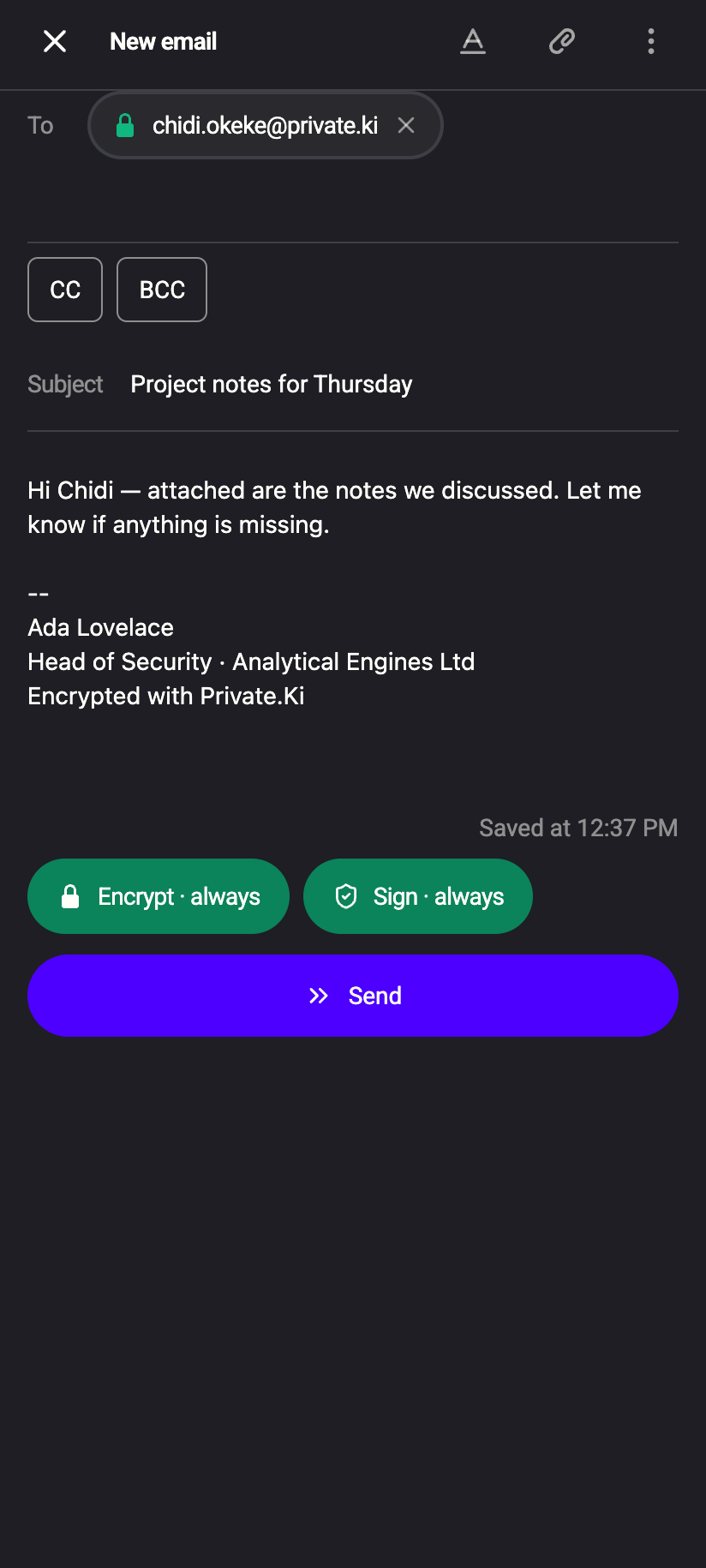 12
121Green padlock: key known, encrypted2Recipient chipiPhone 121Green padlock: key known, encrypted2Recipient chipAndroid - Check the padlock. A green padlock on a recipient chip means Private.Ki has that person's public key and can encrypt to them. A spinner means the key is still being looked up. No padlock means no key was found. The icons are explained in Security glyphs.
- Write the subject and body. The body is a rich-text editor; press the underlined A button to show the formatting toolbar (Formatting and inline images). If you have a default signature it is already in place below a
--line (Email signatures). - Attach files if you need to with the paperclip (Attach file) — up to 10 files of 25 MB each (Attachments).
- Look at Encrypt and Sign, then click Send.
1Encrypt2Sign3Attach file4Show toolbar5SendWeb & desktop 12341Saved at2Encrypt · always3Sign · always4SendiPhone 12341Saved at2Encrypt · always3Sign · always4SendAndroid
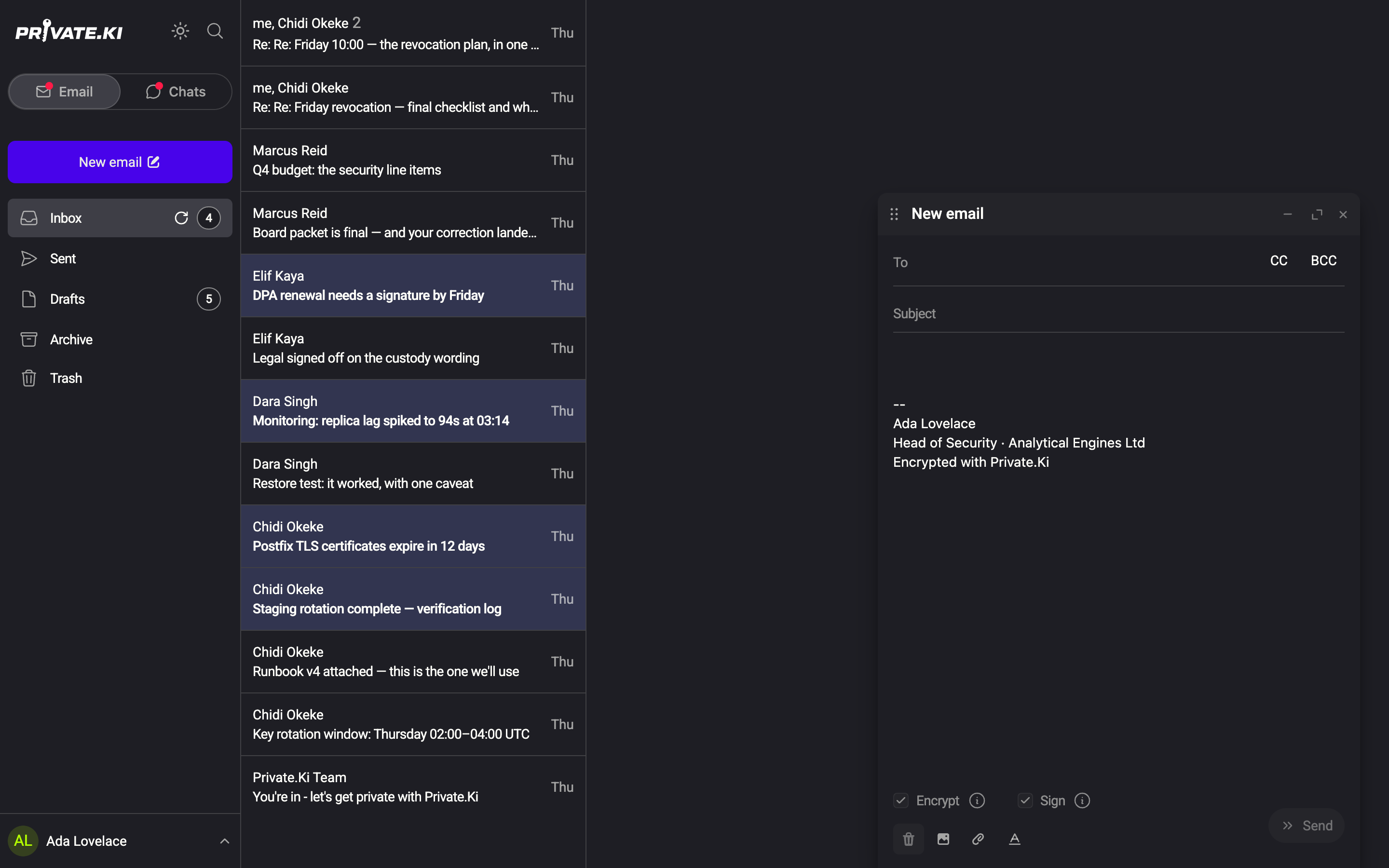
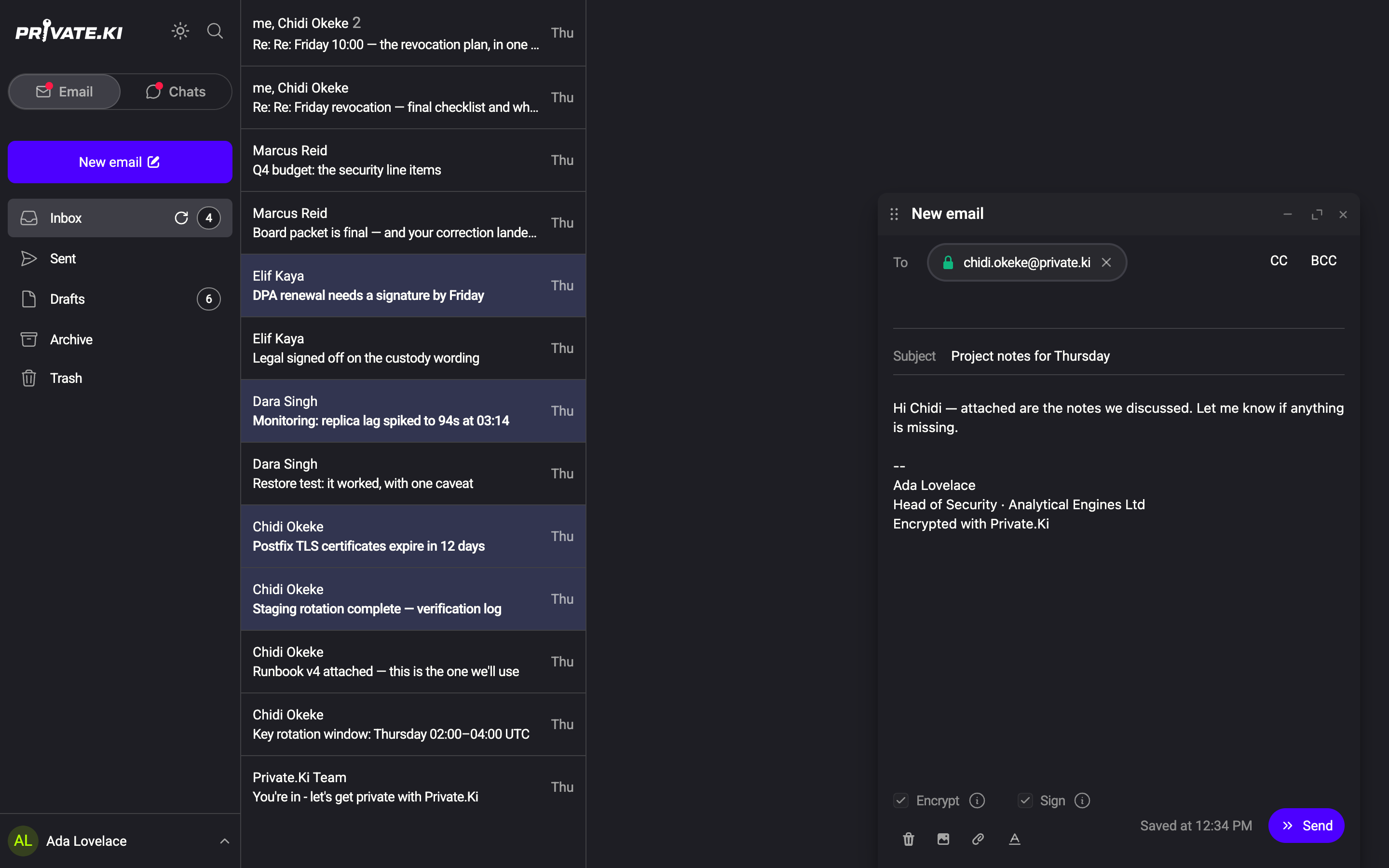
On the phone, tap the pencil button at the bottom-right of the mail list to open the composer. The composer fills the screen: Close, the title and the formatting and paperclip buttons are in the top bar, the rest is in the ⋮ menu. Encrypt, Sign and — when someone outside Private.Ki is addressed — Attach key are pills above a full-width Send button. A pill that reads Encrypt · always is on and cannot be switched off.
What Encrypt and Sign mean
The two switches are read from the recipients you have added, so they may change while you type.
| Who you are writing to | Encrypt | Sign |
|---|---|---|
| Only Private.Ki users | On, greyed out — always encrypted and signed | On, greyed out |
| At least one outside address with a known PGP key | On by default; you can switch it off | On by default; you can switch it off |
| At least one outside address without a known key | Switched off for you; a Sending non-encrypted email to: notice lists the addresses | Switched off for you |
Mail between Private.Ki users is encrypted whatever the switch says (Emails between Private.Ki users are always encrypted., as the tooltip puts it). An outside recipient without a key on file gets ordinary email; Private.Ki recipients of the same message still get their own encrypted copies. To get a key for an outside contact, see Import public keys and Encrypted email with external contacts.
Sign adds an OpenPGP signature so the recipient can verify the mail came from you and was not altered — see Signing and verification.
Limits
- Five recipients per message, counted across To, Cc and Bcc together. The same address in two fields counts once. The composer refuses a sixth chip and tells you: Up to 5 recipients can be addressed across To, CC and BCC.
- Ten attachments, 25 MB each.
- Send stays disabled until there is at least one recipient, the recipient keys have finished loading, and the draft has been saved once.
After you click Send
If an undo period is set in Settings, a Message sent notice with an Undo button appears and the mail is held for that many seconds — see Undo send. Otherwise you see Message has been successfully sent! and the message moves from Drafts to Sent.
If the message is refused with Message blocked: Your message contains content flagged as spam, an outgoing unencrypted mail tripped the spam check — see Avoid spam.
What our server sees
Cannot see
- The body or attachments of mail between Private.Ki users — each copy is encrypted to the recipient's key on your device
- The subject or recipients of your drafts — the headers are encrypted before they are saved
Can see
- The recipient addresses of a message at the moment you send it — it has to deliver them
- The full text of a message to an outside address that is sent with Encrypt off — that is ordinary email
- When you sent, and the size of the encrypted message
Common questions
Send is greyed out — why?
Usually one of: no recipient yet, a recipient key still loading (spinner on the chip), more than five recipients, or Encrypt switched on while an outside recipient has no key. The notice under the body tells you which. If it says Unable to send email because the following email addresses do not exist, a Private.Ki address you typed has no account behind it.
Can I send to more than five people?
Not in one message. The server refuses a send that addresses more than five distinct people, so the composer stops you before that. Send twice, or use a group chat for a small team.