Cc and Bcc
How to reveal the Cc and Bcc fields, what each recipient can see, and how Bcc works when the mail is encrypted.
Cc (carbon copy) and Bcc (blind carbon copy) work in Private.Ki the way they work everywhere. Cc recipients get the message and every recipient can see they got it. Bcc recipients get the message, but the other recipients are not told about them. Both fields are hidden until you need them, and both count towards the recipient limit for one mail — five addresses, or 25 with a Plus subscription.
Reveal the fields
- Open a new message or a reply.
- Click CC or BCC at the right-hand end of the To row. The field appears underneath, ready to type into.
- Type an address and press Enter, Space, a comma or a semicolon to turn it into a chip. Suggestions work here exactly as in To.
1To2CC — everyone sees these3BCCWeb & desktop 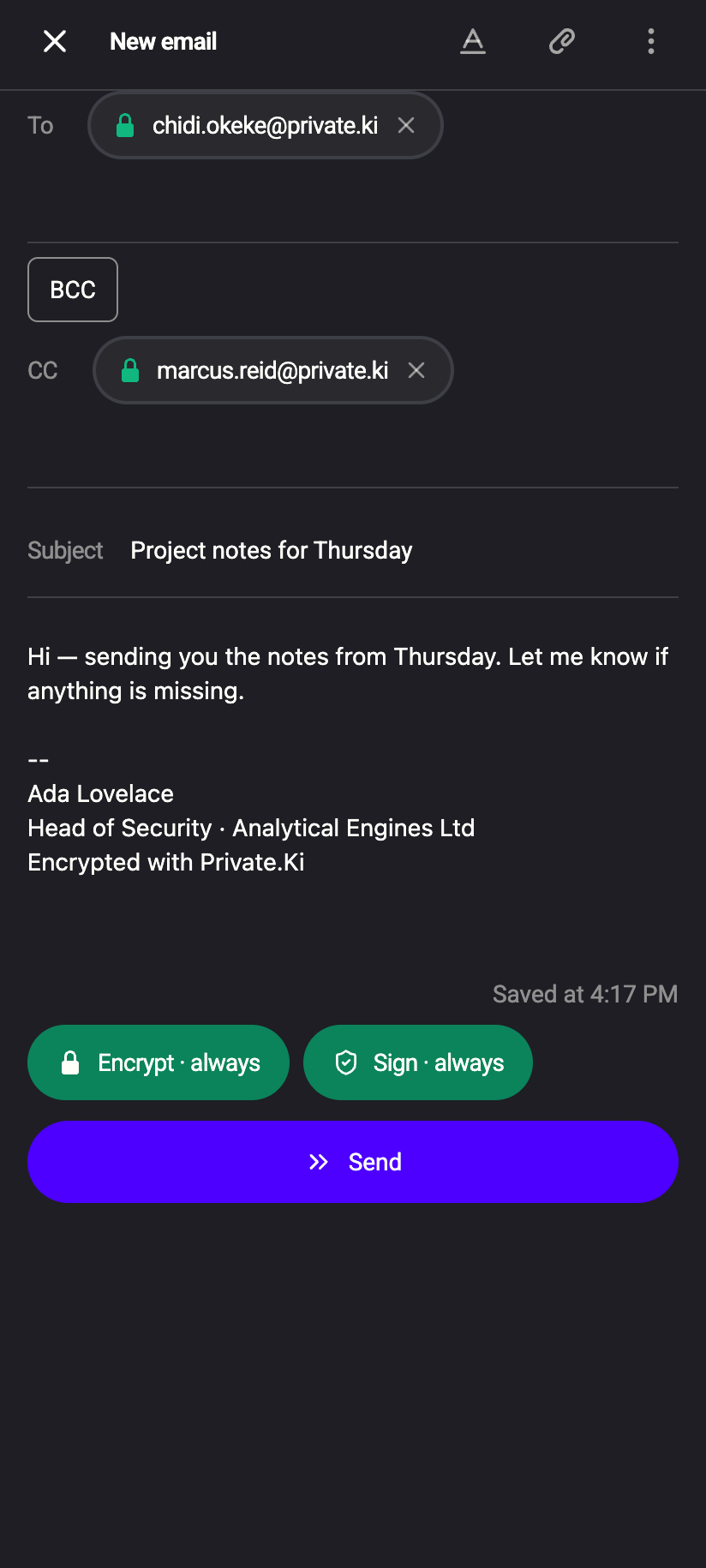 123
1231To2CC — everyone sees these3BCCiPhone 1231To2CC — everyone sees these3BCCAndroid
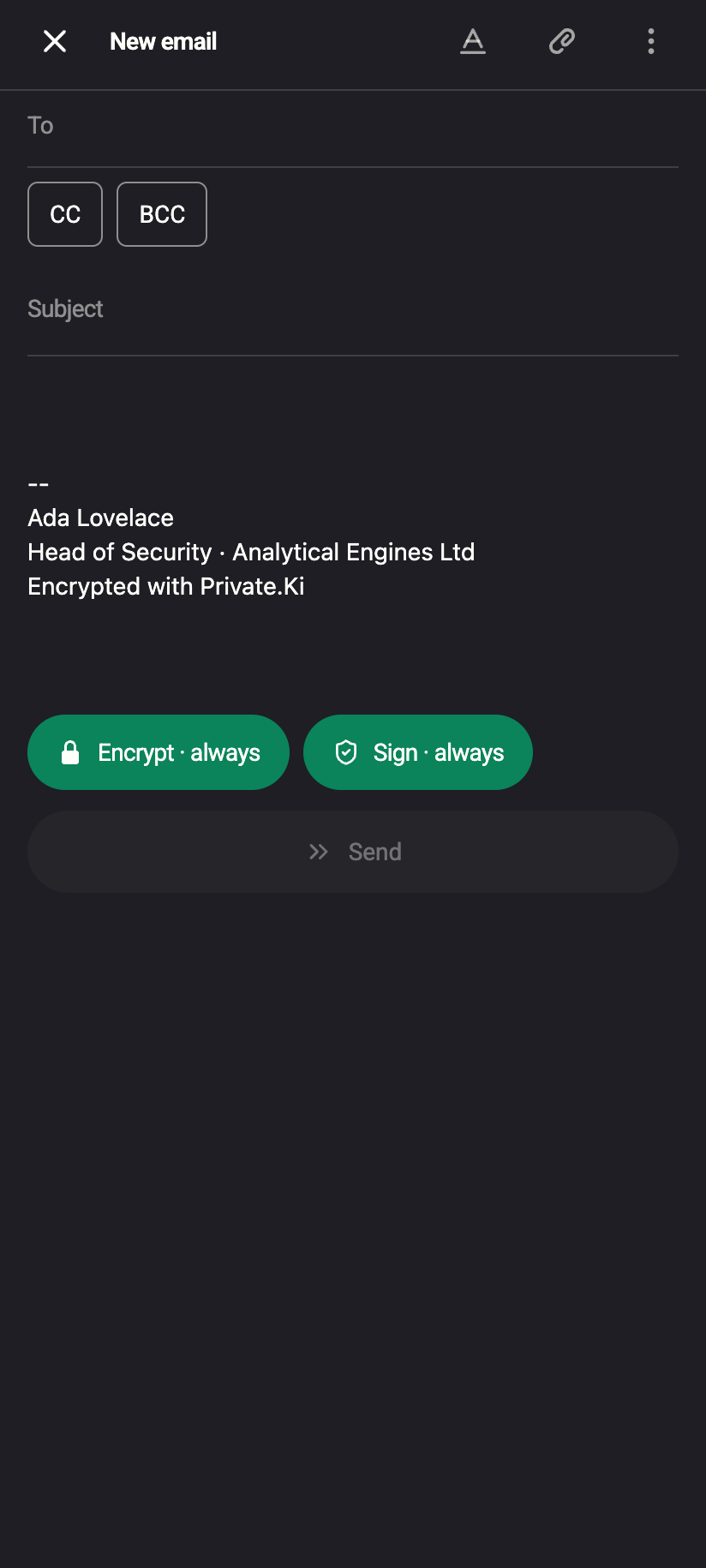
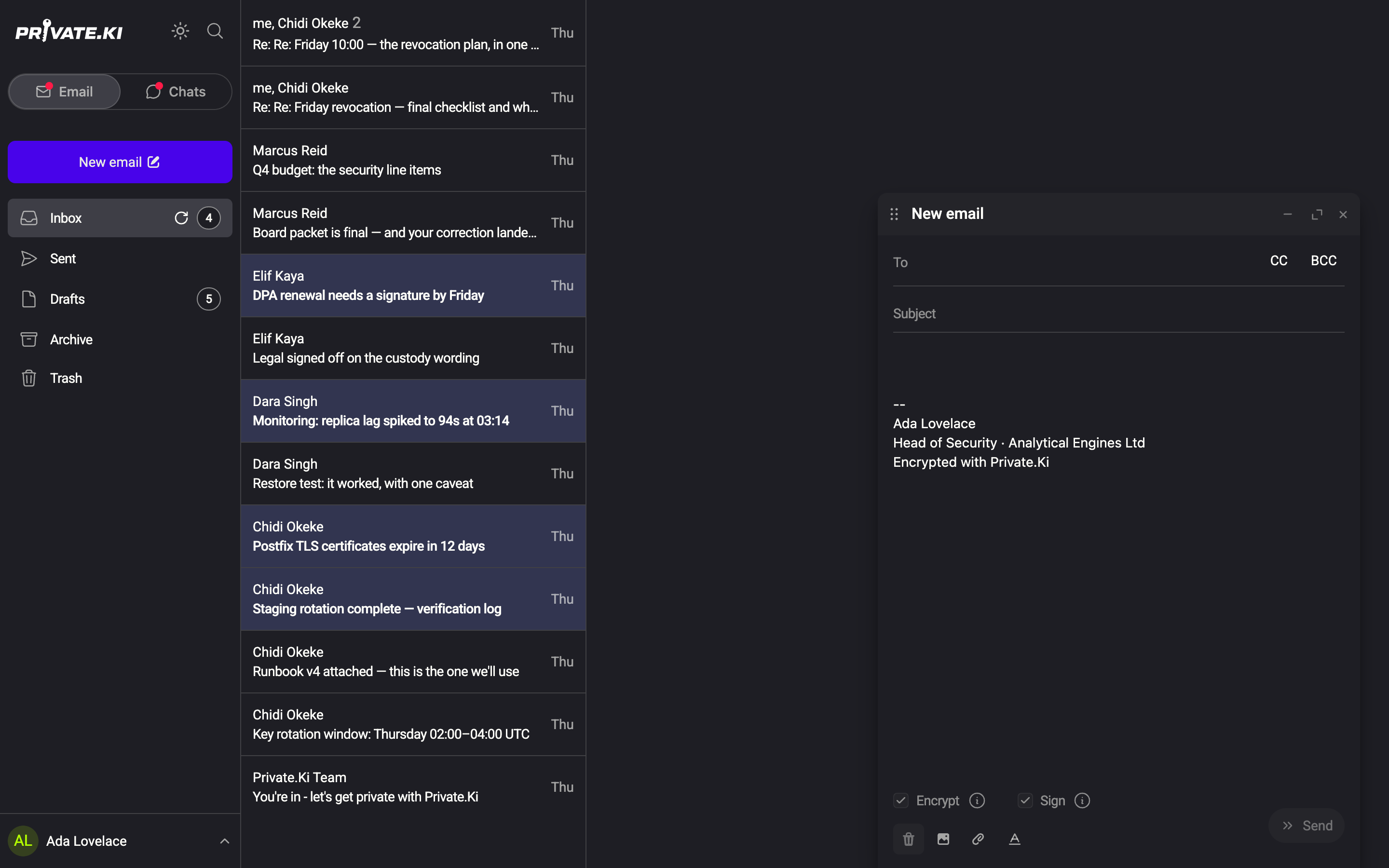
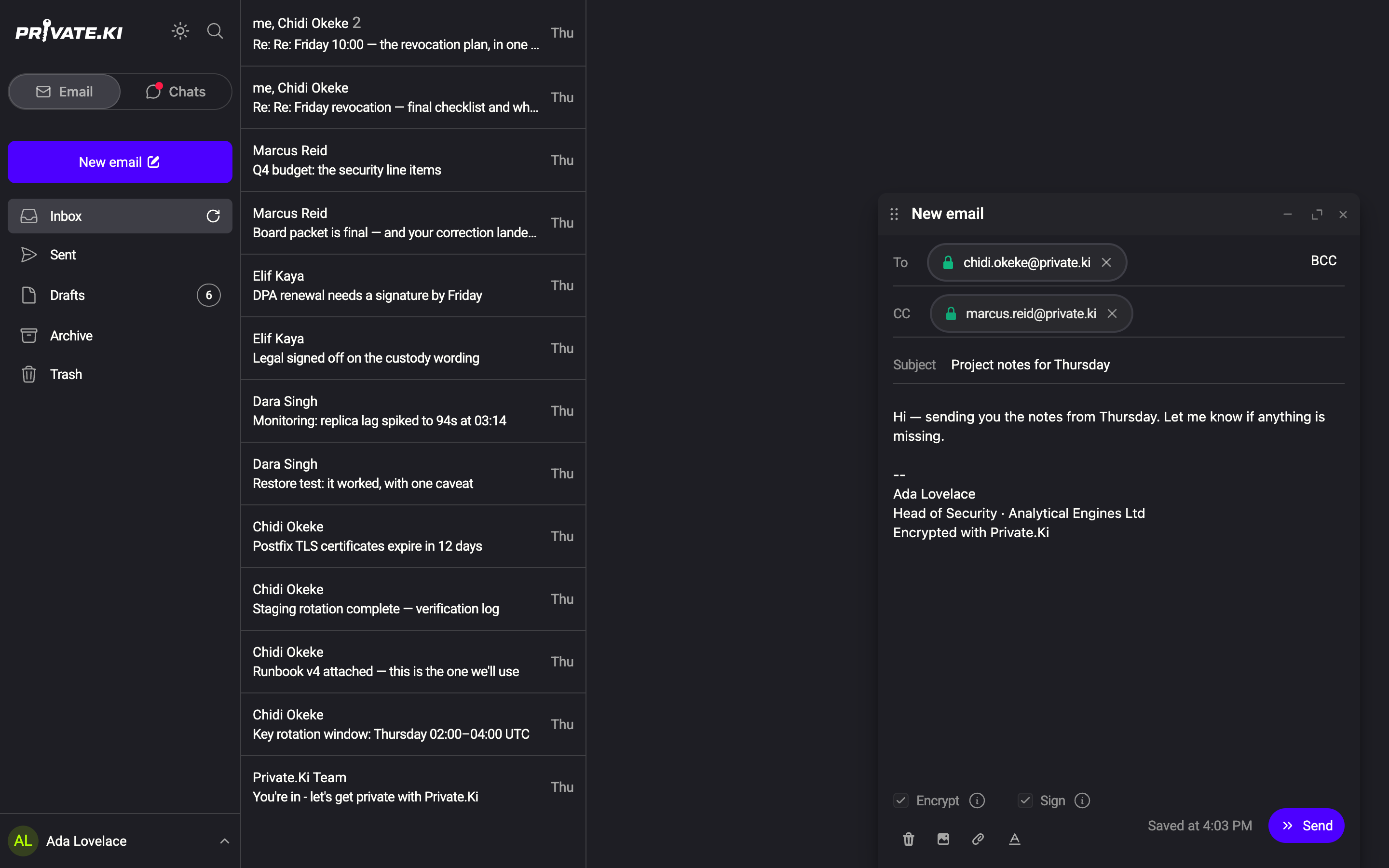
An empty Cc or Bcc field folds away again when you click elsewhere. A field that already holds an address stays open, and when you reopen a draft that has Cc or Bcc recipients the fields are shown automatically.
On a narrow screen the CC and BCC buttons sit on their own row under To, and appear once you tap into the To field.
Who sees whom
| Recipient type | Sees To and Cc addresses | Is listed for the others |
|---|---|---|
| To | yes | yes |
| Cc | yes | yes |
| Bcc | yes | no |
Only you, in your Sent copy, see the Bcc list.
Bcc and encryption
Private.Ki builds a separate encrypted copy for every Private.Ki recipient, each encrypted to that person's own key. The headers inside a Private.Ki recipient's copy list the To and Cc addresses, plus — in Bcc — only that recipient's own address if they were Bcc'd. A Bcc'd Private.Ki user therefore sees that they were copied blind, and nobody else sees them.
For recipients outside Private.Ki, one message leaves our mail server for all of them. The server removes any Bcc header before sending and delivers the Bcc addresses only through the mail envelope, so outside recipients never see a Bcc list. If Encrypt is on for an outside recipient, that outgoing message is one PGP message encrypted to the recipients' keys that we hold.
The limit is counted across To, Cc and Bcc together, per distinct address. On the free plan, adding a sixth chip in any field is refused with Up to 5 recipients can be addressed across To, CC and BCC.; with Plus the same message names 25. A 26th is refused on either plan — that is the ceiling no plan lifts.
Reply all
When you use Reply all, the original To and Cc addresses are placed in Cc (minus you and minus the sender, who goes into To). Bcc is always empty on a reply — you cannot accidentally reply to a hidden recipient list, because you never received it. See Reply, reply all and forward.
What our server sees
Cannot see
- The recipient list of a draft while you are writing — draft headers are encrypted on your device
Can see
- Every To, Cc and Bcc address at the moment you click Send — it has to deliver the message
- For outside recipients, the envelope addresses handed to the outgoing mail server
Common questions
I put someone in Bcc and they replied to everyone. How?
A Bcc recipient receives the To and Cc addresses like everyone else, so their mail client can reply to them. Bcc hides the Bcc recipient from the others, not the others from the Bcc recipient.
Can I Bcc myself to keep a copy?
You do not need to. Every message you send is stored, encrypted, in your Sent folder.