Reply, reply all and forward
Where the Reply, Reply all and Forward buttons are, who ends up in To and Cc, what is quoted, and how encryption and the recipient limit apply to replies.
Replying and forwarding open the same composer as a new message, pre-filled from the original. The rules below decide who is addressed and what is quoted; after that, everything in Compose and send applies — including the Encrypt and Sign switches and the limit of five recipients.
Where the buttons are
 1212
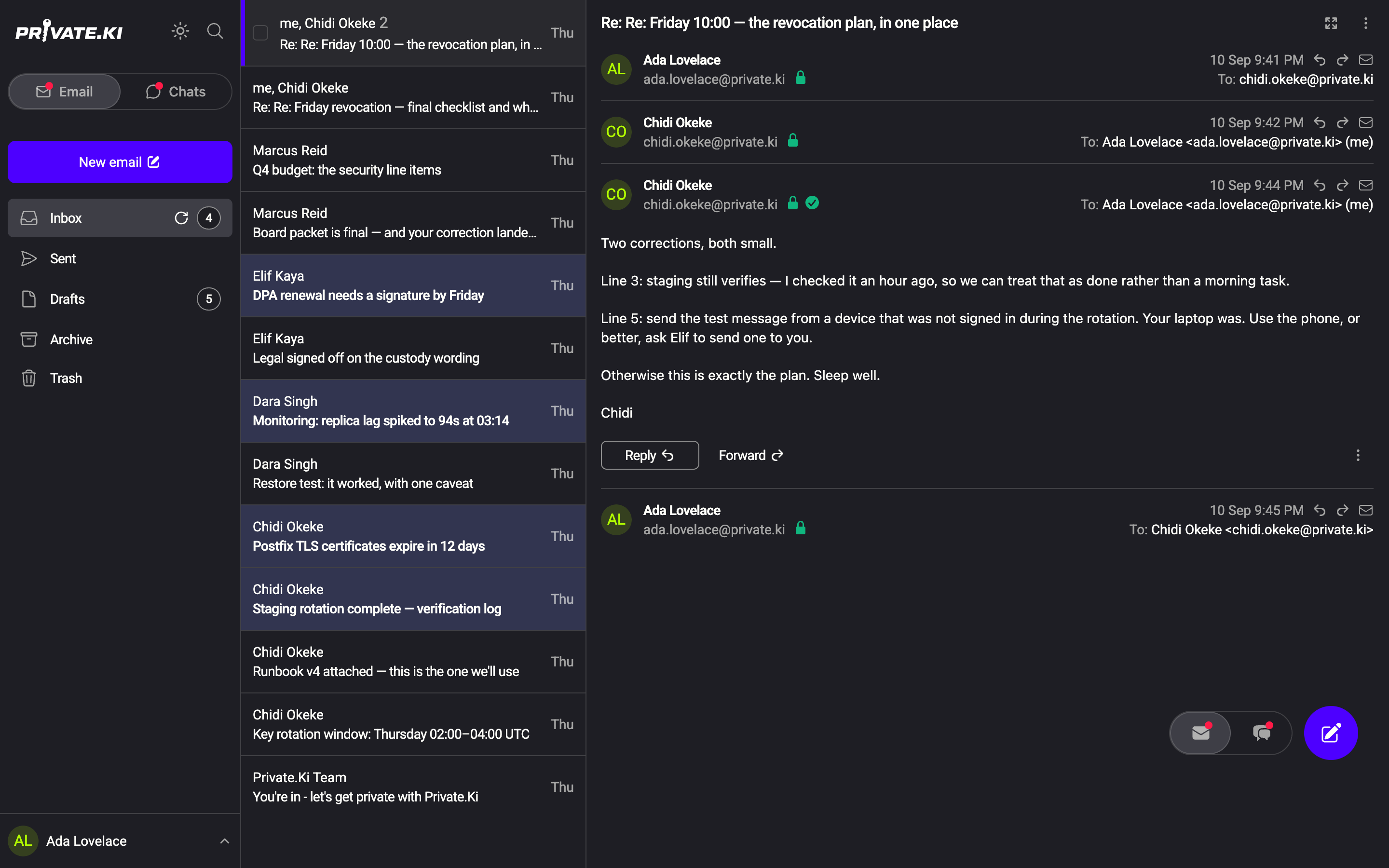
1212- Under an open message: Reply, Reply all and Forward. Reply all is shown only when the message had more than one recipient.
- In the message header: a reply arrow and a forward arrow do the same.
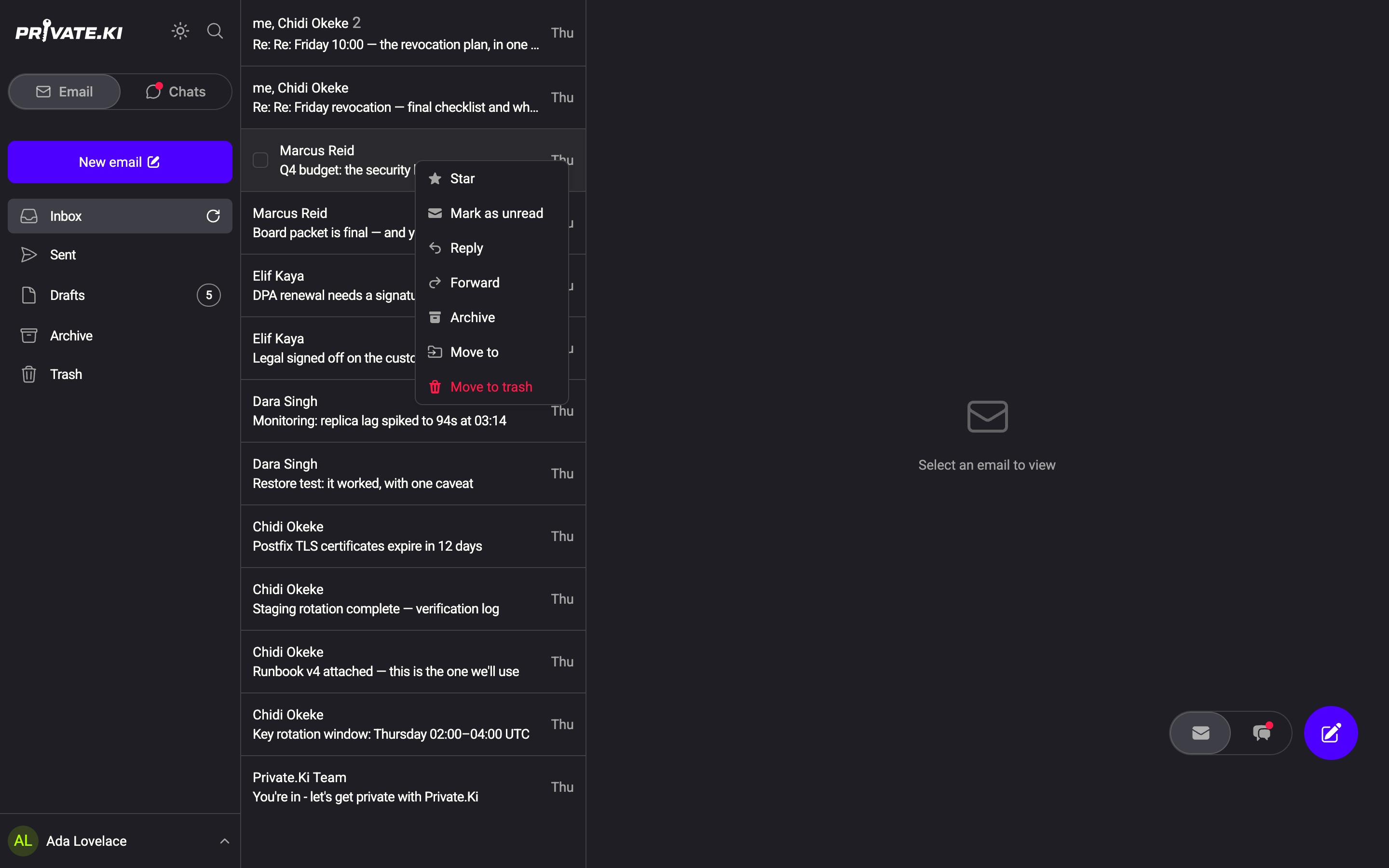
- In the message list: right-click a row for Reply, Reply all and Forward without opening the thread.
1Reply2ForwardWeb & desktop
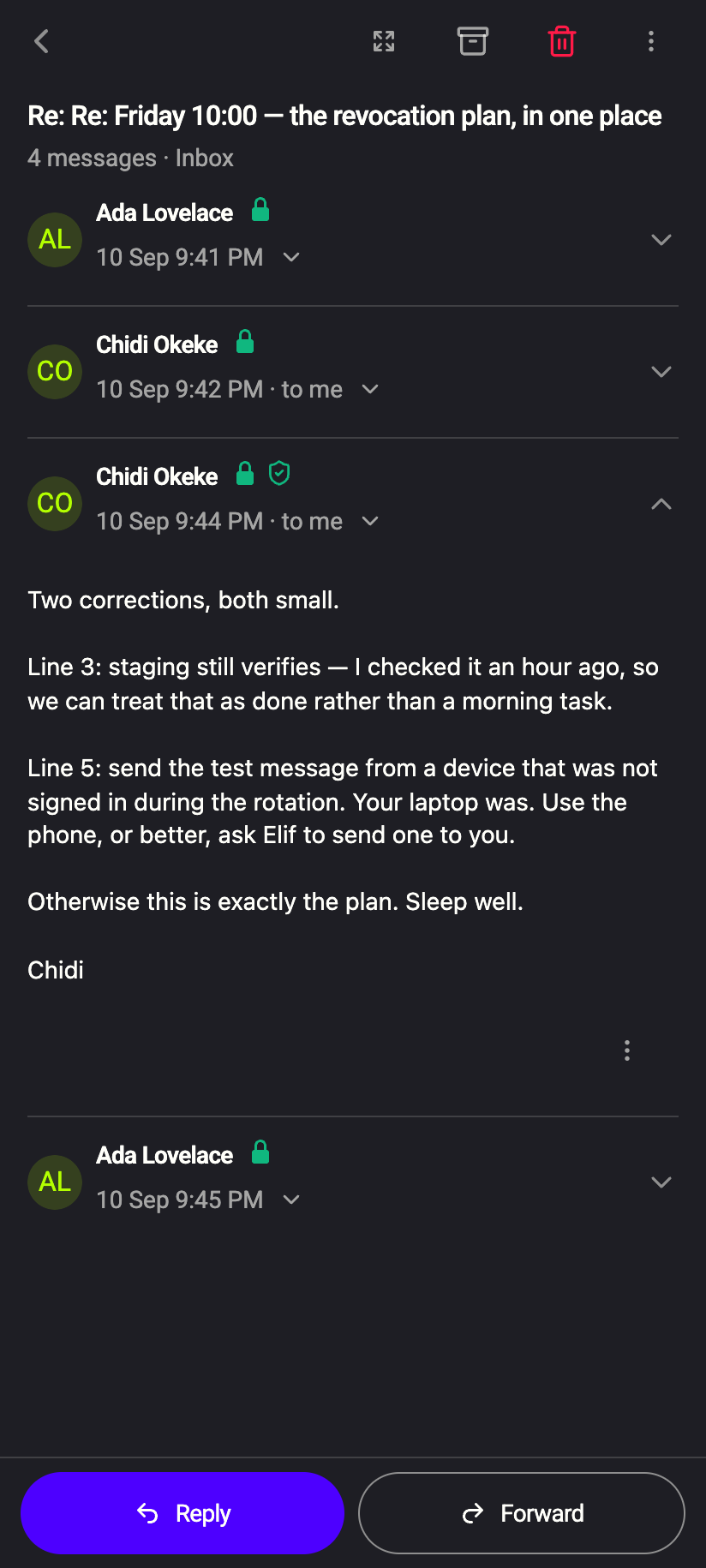
Open the message. The bar at the bottom offers Reply, All (when there were several recipients) and Forward. The composer opens full-screen with the action as its title.
There are no single-key shortcuts for replying; C starts a new message.
Reply
| Field | What the composer puts there |
|---|---|
| To | The sender. If the message carries a Reply-To address, that address instead. If you are replying to a message you sent yourself, the original To. |
| Cc, Bcc | Empty |
| Subject | Re: followed by the original subject |
| Body | Two blank lines for your answer, then the original message as an indented quote, then your default signature |
The reply is linked to the original (In-Reply-To), so it lands in the same conversation for everyone, in Private.Ki and in other mail clients.
Reply all
Same as Reply, except that Cc receives everyone else from the original To and Cc — the sender and your own address are left out, so nobody gets two copies. Bcc stays empty: people the sender hid are not revealed to you and cannot be replied to.
A reply to a message with many recipients can exceed the limit of five across To, Cc and Bcc. Send is then disabled and the notice tells you how many to remove — see Compose and send.
Forward
| Field | What the composer puts there |
|---|---|
| To, Cc, Bcc | Empty — you choose who receives the copy |
| Subject | Fwd: followed by the original subject |
| Body | A -------- Forwarded message -------- block with From, Date, Subject and To of the original, then the original text, then your signature |
| Attachments | The original files are kept and listed under the body; remove any you do not want to pass on |
Forwarding does not tell the original sender anything; it is a new message from you.
Encryption when you reply
Replying does not change the encryption rules — it is who the reply goes to that matters:
- A reply to a Private.Ki user is encrypted to their key, always.
- A reply to an outside address is encrypted only if you have their public key and Encrypt is on; otherwise it goes out as normal email. If the original arrived encrypted and carried the sender's key, import it first so the reply can be encrypted — see Encrypted email with external contacts.
- The quoted text is part of your reply's body. Quoting an encrypted message inside a reply to an outside address with Encrypt off sends that text in the clear. The composer warns Sending non-encrypted email to: … above the footer; trim the quote if that matters.
Common questions
Reply all is missing.
The message had only one recipient (you), so there is nobody else to include. Use Reply.
Where does an unfinished reply go?
It is saved as a draft that belongs to the conversation: the thread shows a Draft marker and the draft is also listed in Drafts. See Drafts.
Can I reply from the message list without opening the thread?
Yes — use the row's context menu on the web.
Attachments from the original show up in my reply.
The composer carries the original's files into a reply as well as into a forward. Click ✕ on the ones you do not need.