Attachments: 10 files of 25 MB each on the free plan
Add, remove and download attachments in email, how they are encrypted with the message, and the limits — 10 files of 25 MB each on the free plan.
You can attach up to 10 files to one email, each up to 25 MB. With a Plus subscription it is 25 files, and a file on a mail that stays inside Private.Ki may be up to 1 GB. Attachments travel inside the message: when the mail is encrypted, the files are encrypted with it, so our server stores and forwards them without being able to open them.
10 files of 25 MB each is the email limit on the free plan, 25 files with Plus. Chat is a different path with its own ceilings: a chat photo or file may be up to 40 MiB of encrypted data on the free plan, and a chat video up to 100 MiB on either plan — see Send a photo in a chat and Send a video in a chat. Mail to anyone outside Private.Ki always follows the 25 MB email rule, on either plan, because it has to survive ordinary mail servers.
Attach files
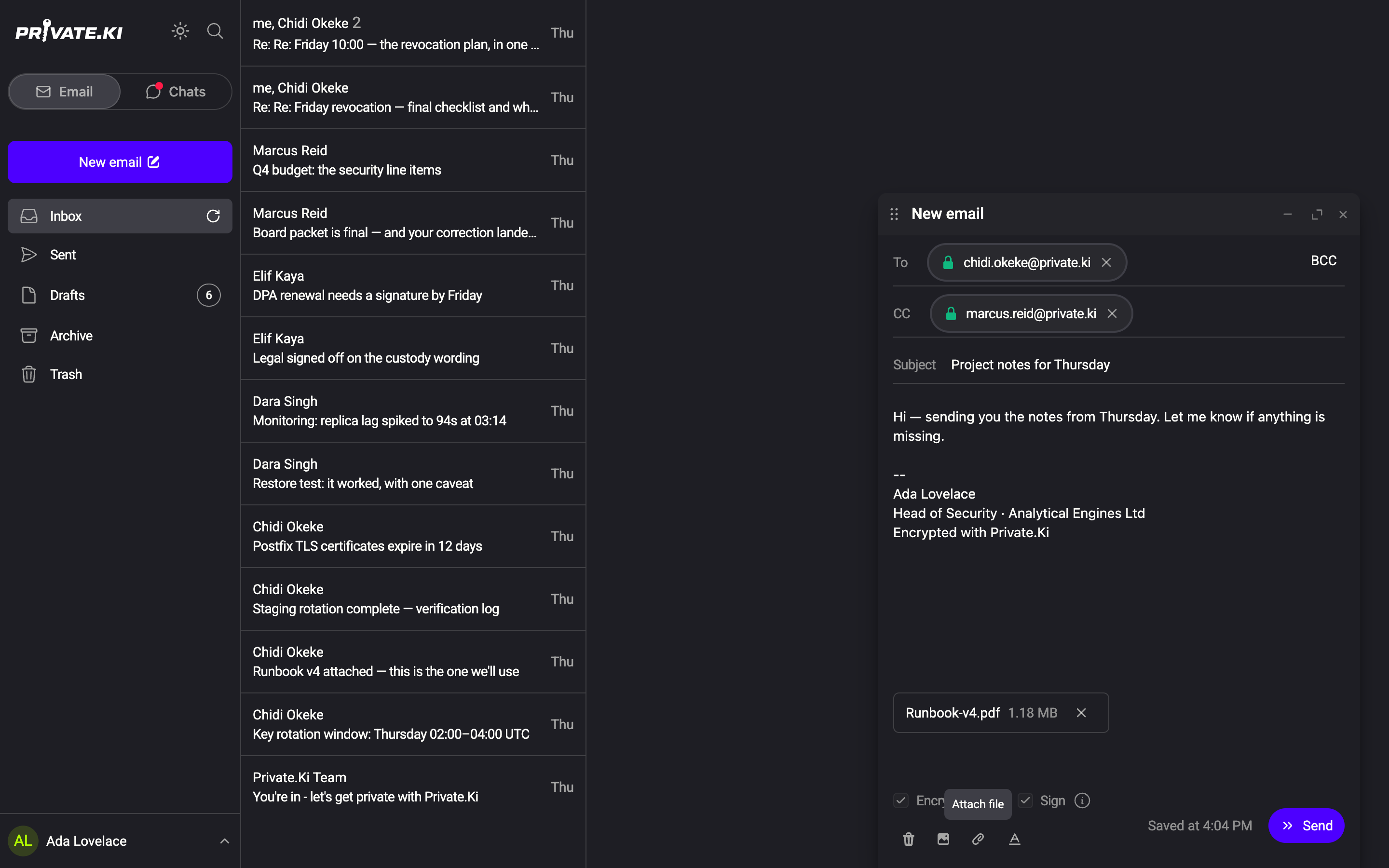
- In the composer, click the paperclip (Attach file). A file picker opens; you can select several files at once.
1Attach file2Attached file: name and size3RemoveWeb & desktop 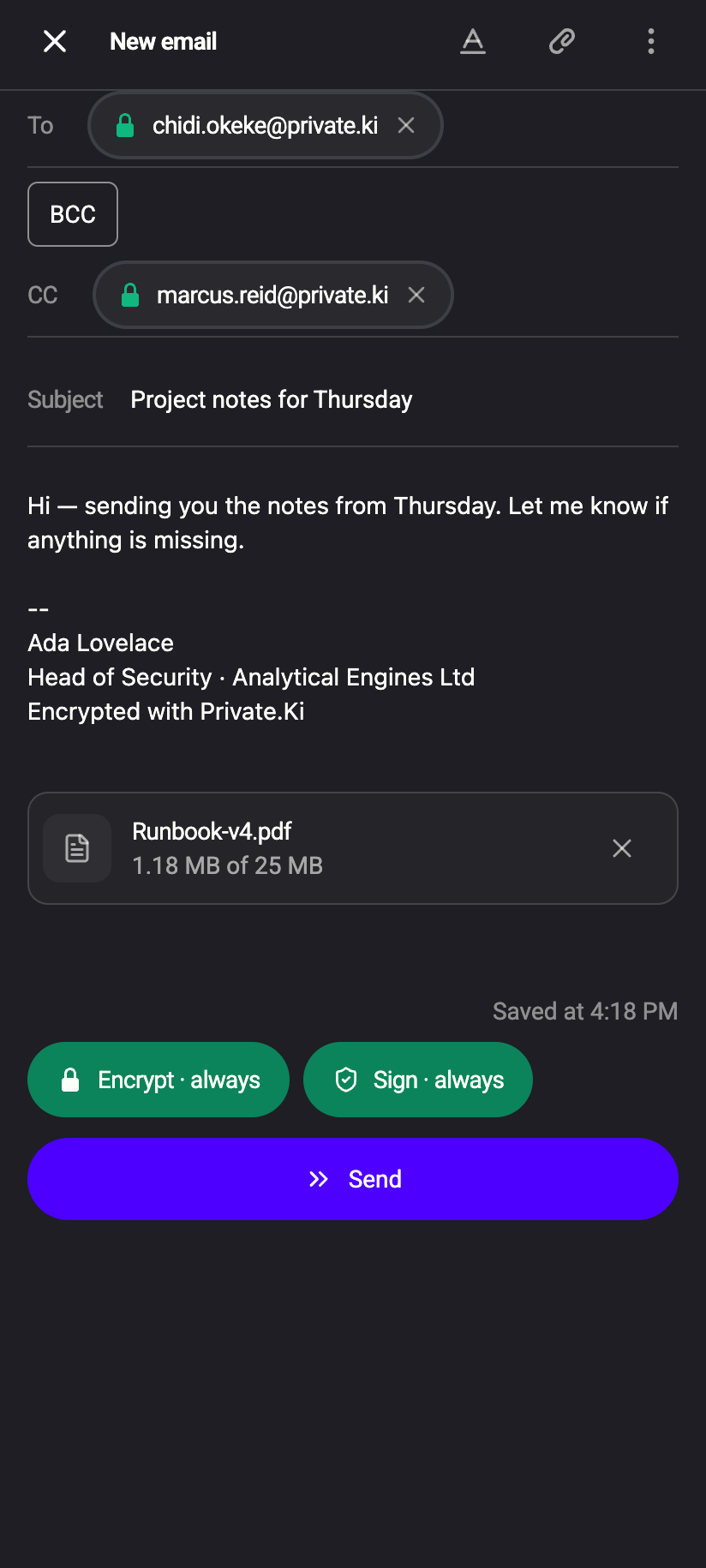 123
1231Attach file2Attached file: name and size3RemoveiPhone 1231Attach file2Attached file: name and size3RemoveAndroid - Each file appears as a chip above the toolbar with its name and size. Click ✕ on a chip to remove it.
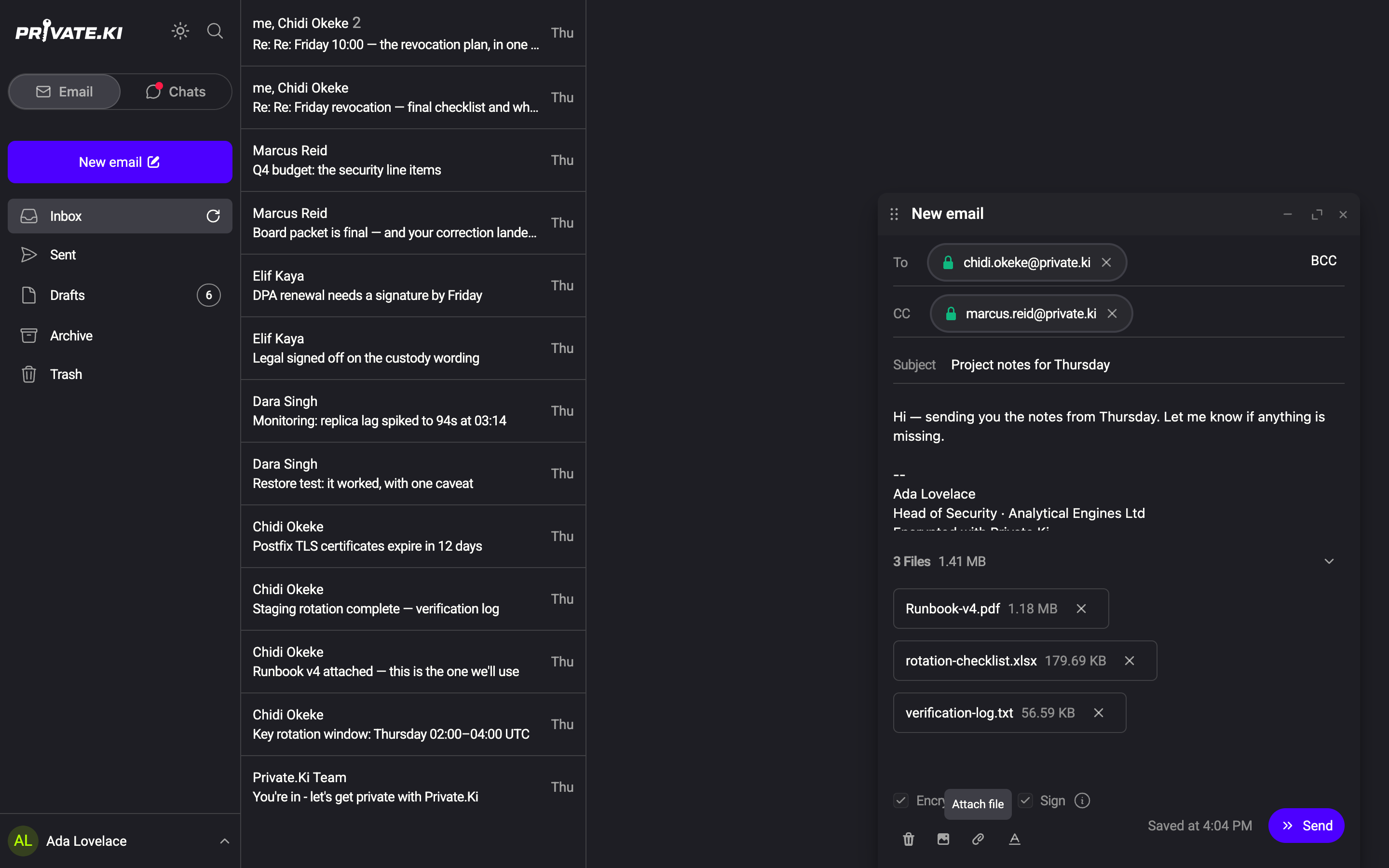
- With more than one file, a header reads N Files and the total size; the chevron next to it collapses or expands the list.
13 Files and total size2Collapse the list3One attachment: name and size4RemoveWeb & desktop 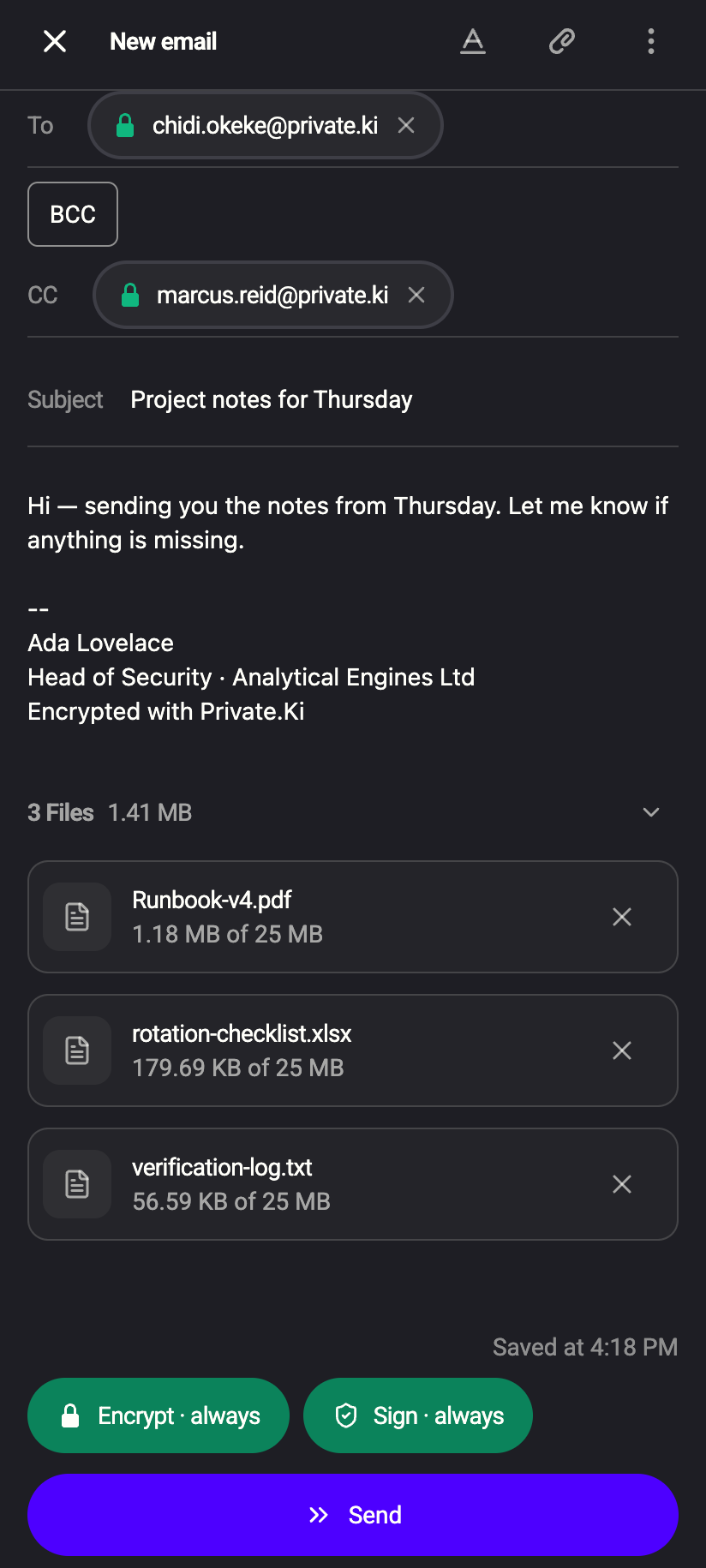 1234
123413 Files and total size2Collapse the list3Size — of the 25 MB limit4RemoveiPhone 123413 Files and total size2Collapse the list3Size — of the 25 MB limit4RemoveAndroid - Write the rest of your message and click Send.
You can also drag files from your desktop onto the composer. A Drop files here overlay appears while you hover. Dropped files are added as attachments; images dropped this way are attached as files, not placed in the text — use Add inline image for that (Formatting and inline images).
Tap the paperclip in the composer's top bar. The system file picker opens (Files on iPhone, the document picker on Android). Attachments are shown as cards with a file icon, the name and the size against the ceiling in force on that mail, as … of 25 MB; tap ✕ on a card to remove it. To put a photo into the text rather than attach it, open the ⋮ menu and choose Add inline image, which opens your photo library. The first time, the app asks for photo access.
Limits and the messages you may see
| Limit | What happens |
|---|---|
| More than 10 files | Selecting more than fit shows You can attach up to 10 files. Only the first … you selected were added. On the free plan the 11th file opens the Plus panel; the paperclip itself is only disabled at 25, which is the ceiling no plan lifts. |
| A file over the ceiling | That file is skipped with File … exceeds size limit of 25 MB.; the others are still added. With Plus the same refusal names 1 GB for a mail that stays inside Private.Ki. |
| Total draft too large | Drafts are stored encrypted; if the encrypted draft with everything in it would exceed the server's draft size limit (400 MB), saving fails with Total size exceeds 400 mb. |
The per-file limit applies to images placed inline in the text as well. Accepted types include images, video, audio, PDF, plain text, CSV, JSON, Word and Excel files, Apple Pages/Numbers/Keynote files, and .asc PGP key files. Anything the picker lets you choose is attached with a generic type.
An attachment that has to leave Private.Ki is base64-encoded inside the message — about a third larger than the file — and then encrypted, so 25 MB of file is already over 30 MB of mail before anything else is counted. That is what ordinary mail servers accept, so it is the number for email, and no plan lifts it: a mail with one outside address on it keeps the 25 MB. For larger files use a file-sharing service and send the link by email.
Where the bytes are kept
For mail that stays inside Private.Ki, an attachment is no longer stored as text in our database. Each file is a separate encrypted object in our file storage, one per recipient copy, and the message only points at it by an identifier that is itself inside the encrypted body. Your app uploads the encrypted file, then downloads it again through our server when somebody opens the message — the storage is never addressed directly by your browser, and the ciphertext is all our server ever handles. Mail with any recipient outside Private.Ki still travels wholly inline, because a standard mail client has nowhere else to look.
Nothing about this changes what you do, and nothing changes what is readable: the encryption is the same. It is also the reason a file can be larger on that path than ordinary mail would carry — on the free plan it is still 25 MB, and with Plus a file on a mail that stays inside Private.Ki may be up to 1 GB (Free and Plus, side by side). The chat media ceilings differ for the same reason: chat never has to leave Private.Ki.
How attachments are encrypted
Files never leave your device in the clear when the mail is encrypted. The composer builds one MIME message — body, inline images and attachments — and then:
- To a Private.Ki recipient: the whole message, files included, is PGP-encrypted to that recipient's public key. One copy per recipient, each encrypted separately.
- To an outside address with Encrypt on: the whole message is PGP-encrypted to the recipient keys you hold (PGP/MIME,
encrypted.asc), so a standard OpenPGP mail client can open the files. - To an outside address with Encrypt off: the message and its files leave as ordinary email.
- While it is still a draft: everything is AES-encrypted on your device before it is saved — see Drafts.
Details of what is encrypted where: What is encrypted where.
Download attachments you receive
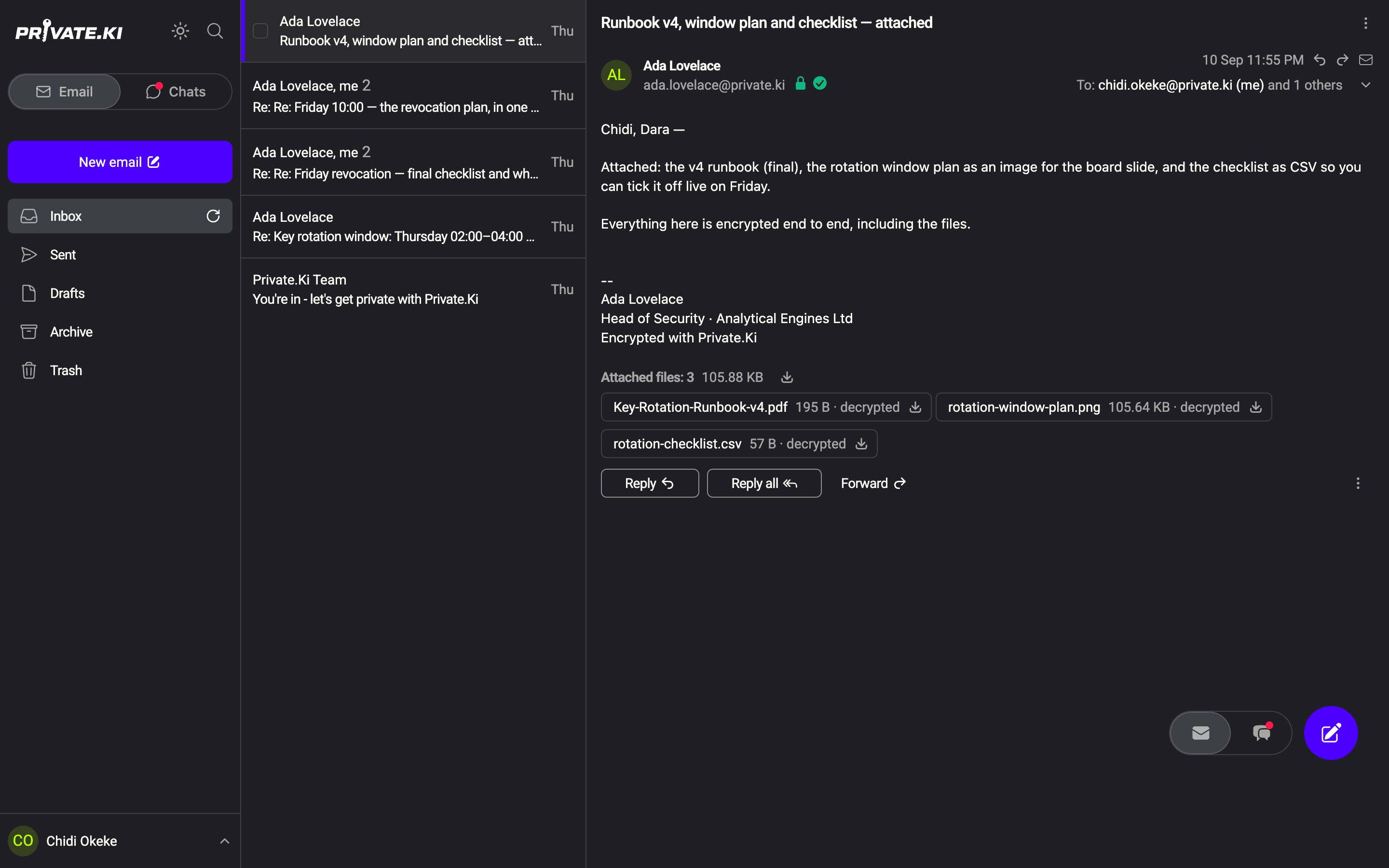
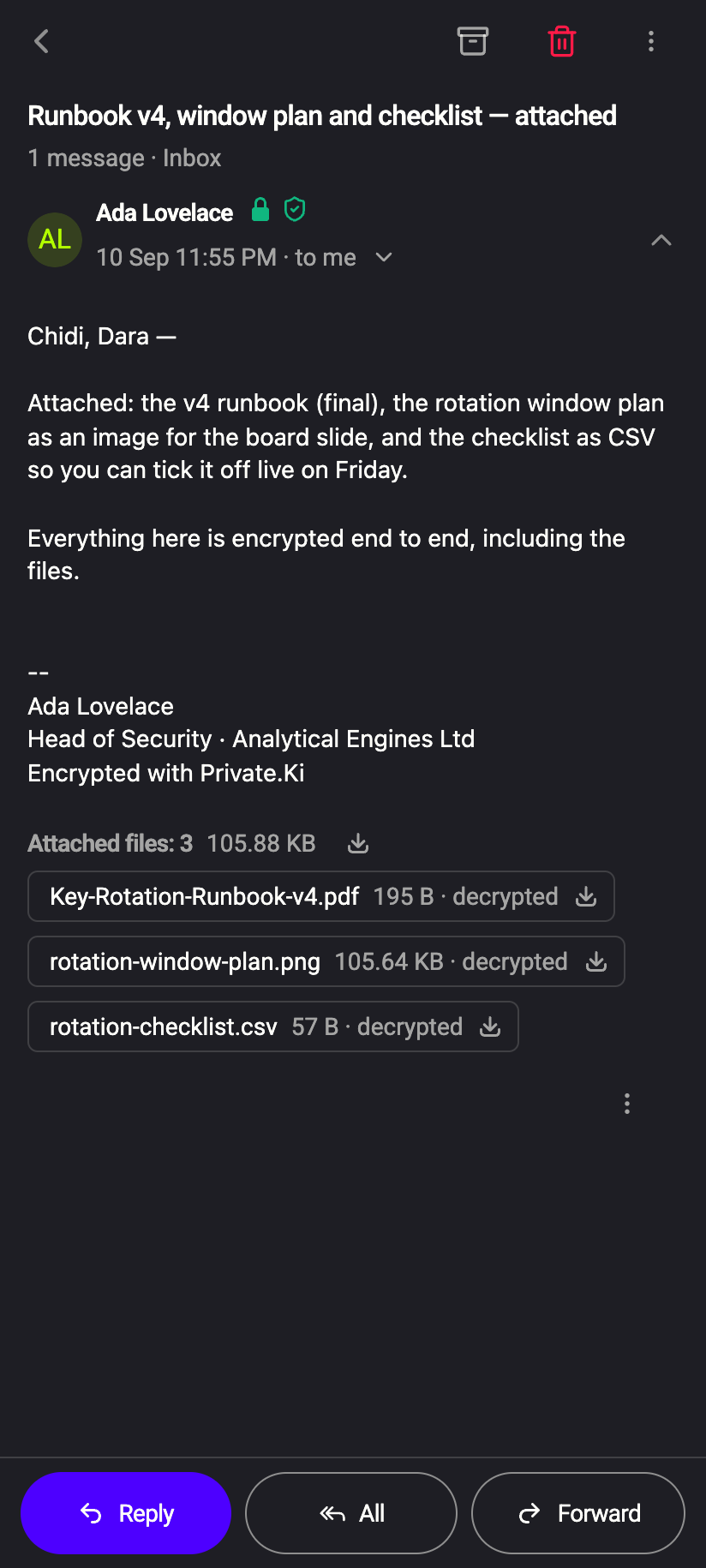
Open the message. Under the text, Attached files: N lists each file with its name and size; on a message that was encrypted the size is followed by decrypted, meaning the file was opened on your device.
 12341234
- Click the download icon on a file to save that file.
- Click the download icon next to Attached files (Download attached files) to save all of them as one
attachments.zip. - Images placed inline in the text can be saved together with Download inline attachments.
Tapping a download icon opens the system share sheet titled Save
What our server sees
Cannot see
- The contents of attachments in an encrypted message, including their file names and types — they are inside the encrypted body
Can see
- The size of the encrypted message as a whole
- Attachments of an outside message sent with Encrypt off — that is plain email
Common questions
Can I attach a folder?
No. Select the files inside it, or zip the folder first (the zip counts as one file and must be under the per-file limit of that mail).
The paperclip is greyed out.
You have 25 files attached, which is the most any plan allows. Remove one to add another. On the free plan the paperclip looks normal at 10 files and the next one opens the Plus panel instead.