Work in several composer windows
On the web the composer is a floating window. Open several at once, minimise, maximise and arrange them, and know what closes them.
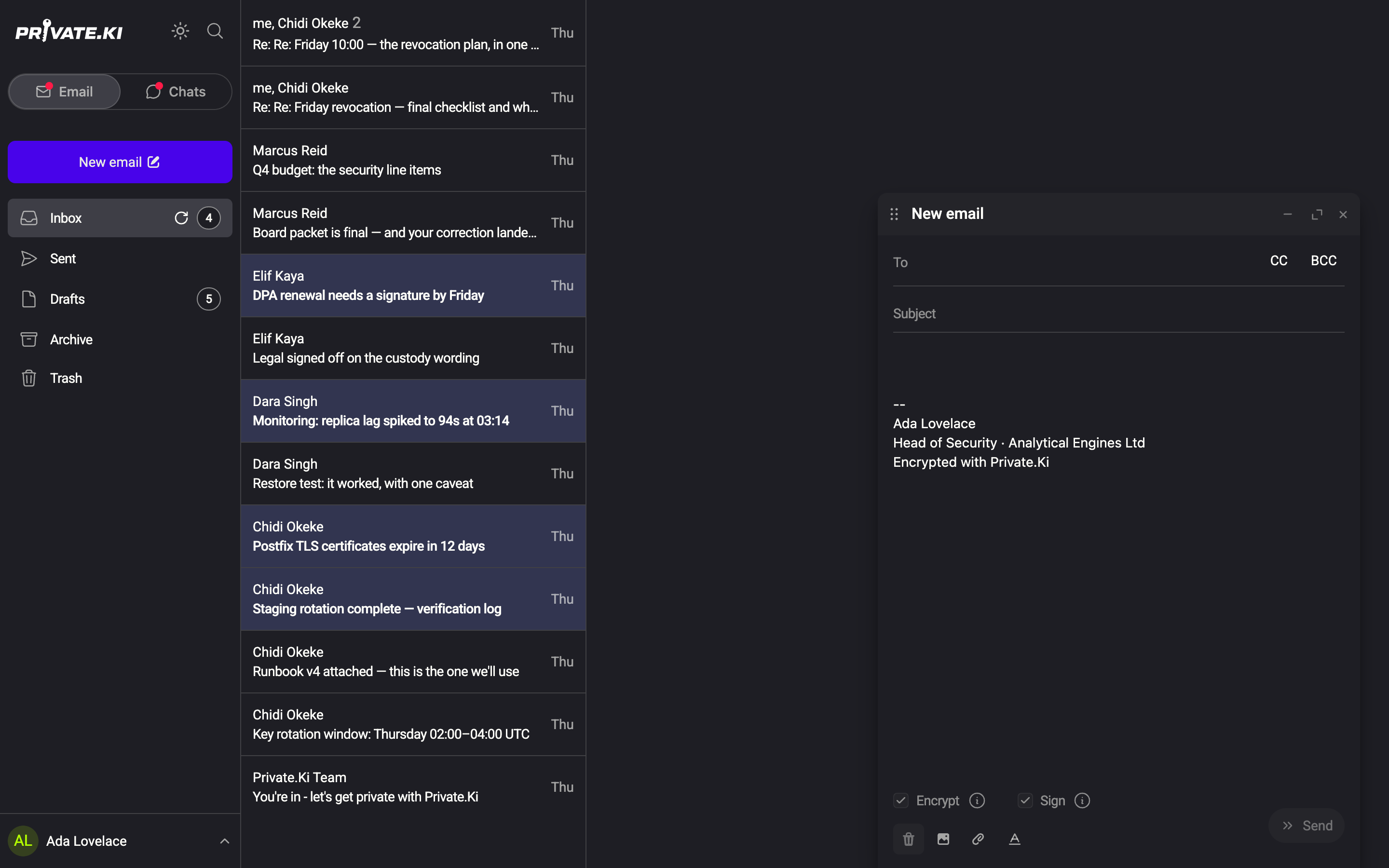
On a desktop browser, a new message does not take over the screen. It opens in a floating window in the bottom-right corner, above your mailbox, so you can keep reading, look something up in another thread, and answer two people at the same time. Each window is its own draft and saves itself independently.
Open more than one
- Click New email (or press C) — a composer window appears at the bottom right.
1New email2Minimise · Maximise · CloseWeb & desktop - Click New email again, or Reply on a message. A second window opens beside the first, to its left.
- Up to three windows sit side by side. A fourth and further ones open on top of the earlier ones, offset so their title bars stay visible.
1First composer2Second composer3Third composerWeb & desktop
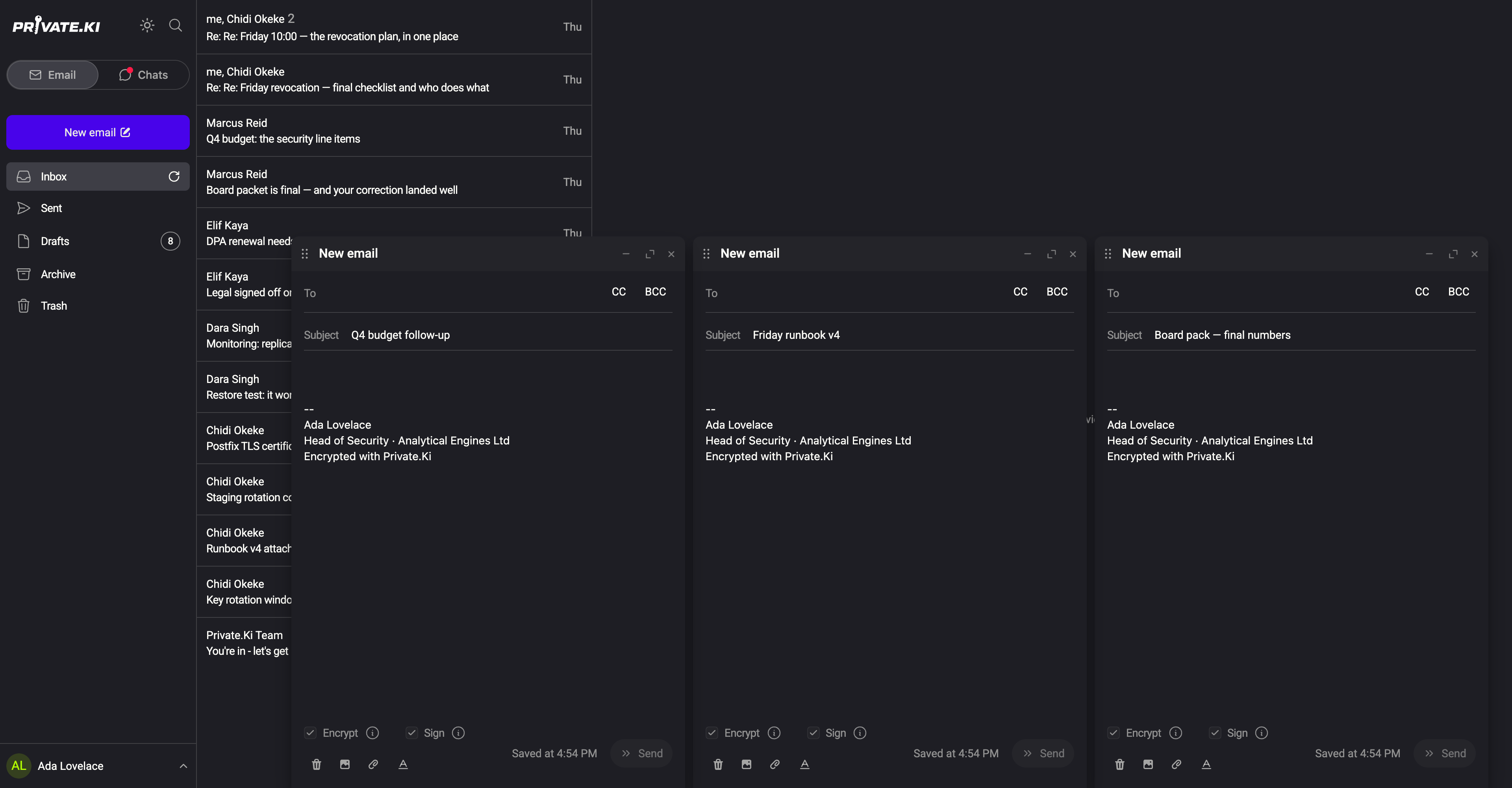
There is no fixed cap on the number of windows, but three is what fits in a row; beyond that you will be shuffling windows.
Title bar controls
Each window has a title bar with the message's subject (New email until you type one, Draft when a saved draft is reopened) and three buttons:
| Button | Effect |
|---|---|
| Minimise | Collapses the window to its title bar at the bottom of the screen; click the bar to bring it back |
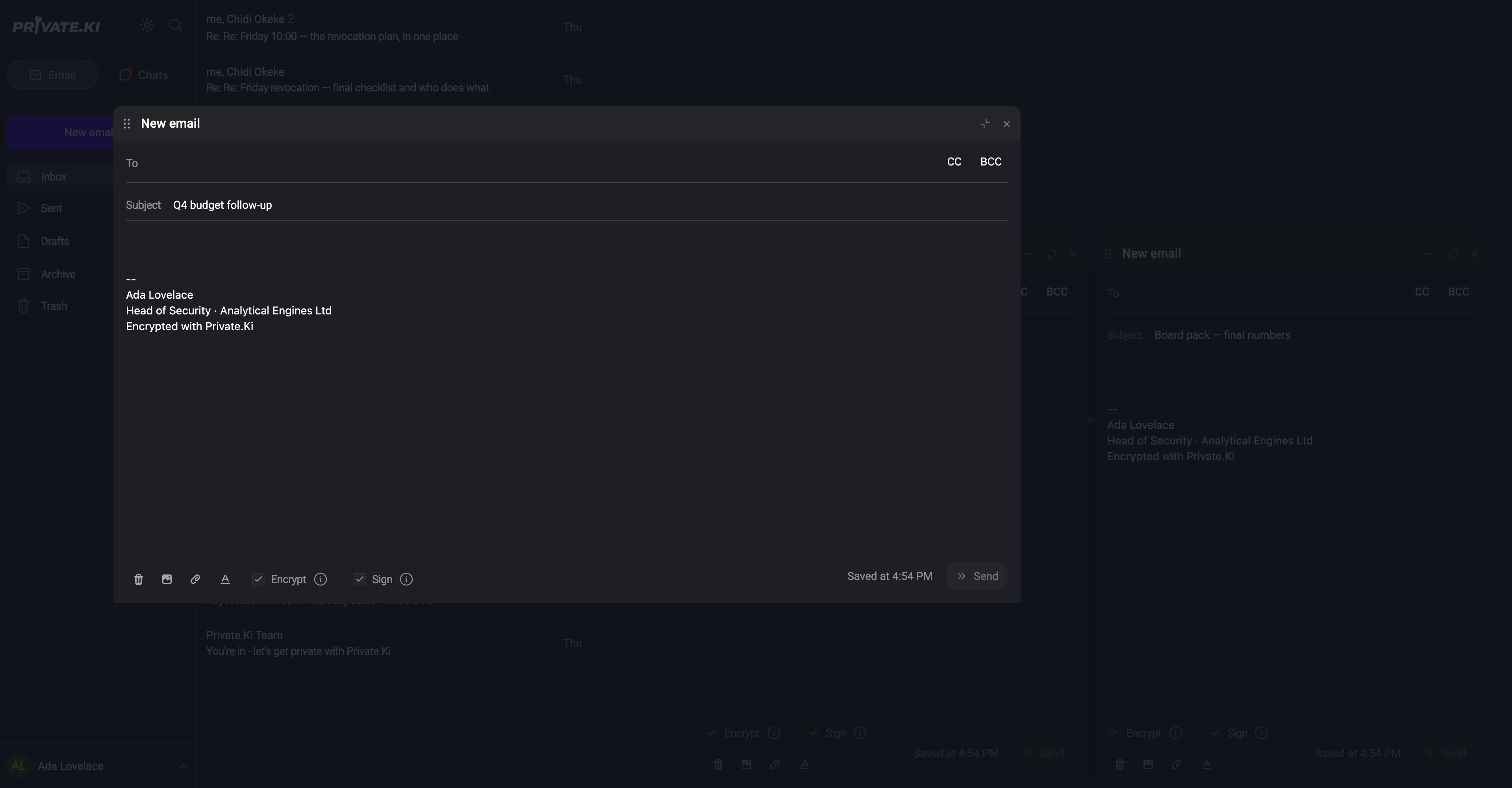
| Maximise | Grows the window to about 80 % × 70 % of the browser and centres it. Click again to return to the small size |
| Close ✕ | Closes the window. The draft stays saved in Drafts |
Windows cannot be dragged to a different size; they are 500 × 700 pixels, or maximised. Inside a window narrower than 750 pixels the composer switches to its compact layout, with the action icons in the top bar.
What closes the windows
- Close ✕ on a window closes that one; the draft is kept.
- Send closes the window with a short dissolve after the message is sent (or handed to the undo timer).
- Opening Settings closes all composer windows at once. Their drafts are saved; reopen them from Drafts.
- Opening a saved draft from a thread into a window also closes the other composer windows first: a reopened draft always gets the screen to itself. New messages and replies started with New email / Reply add windows instead.
- Reloading the page closes them as well — nothing is lost, because every change was saved as you typed (Drafts).
When the browser window is narrower than about 500 pixels, composer windows open maximised, and on phones the composer is a full-screen page instead — see the mobile notes in Compose and send.
Common questions
Can I drag a window somewhere else?
Windows are placed automatically at the bottom right. Use minimise and maximise to make room; there is no resizing.
Can the same draft be open twice?
No. Opening a draft that is already in a window brings that window back (restoring it if it was minimised) instead of opening a copy.
Why did my windows disappear?
You opened Settings or reopened a saved draft, both of which close the other composer windows. Find the messages in Drafts.