Attach your public key to an email
Send your OpenPGP public key with a message so a contact outside Private.Ki can encrypt their reply to you. Where the option is and when it is worth using.
Someone outside Private.Ki can only send you encrypted mail if they have your public key. The quickest way to give it to them is to attach it to a message. The composer has a switch for exactly this; when it is on, your key is added to the outgoing mail as a small file called OpenPGP.asc, in the standard application/pgp-keys format that PGP-capable mail clients recognise.
Turn it on for a message
The option appears only when at least one recipient is outside Private.Ki. Between Private.Ki users every key is already known, so there is nothing to attach and the control is hidden.
- Add the outside recipient in To, CC or BCC.
- Click the ⋯ button at the right of the action icons under the body.
1External address — no padlock2⋯ More options3Sending non-encrypted email toWeb & desktop 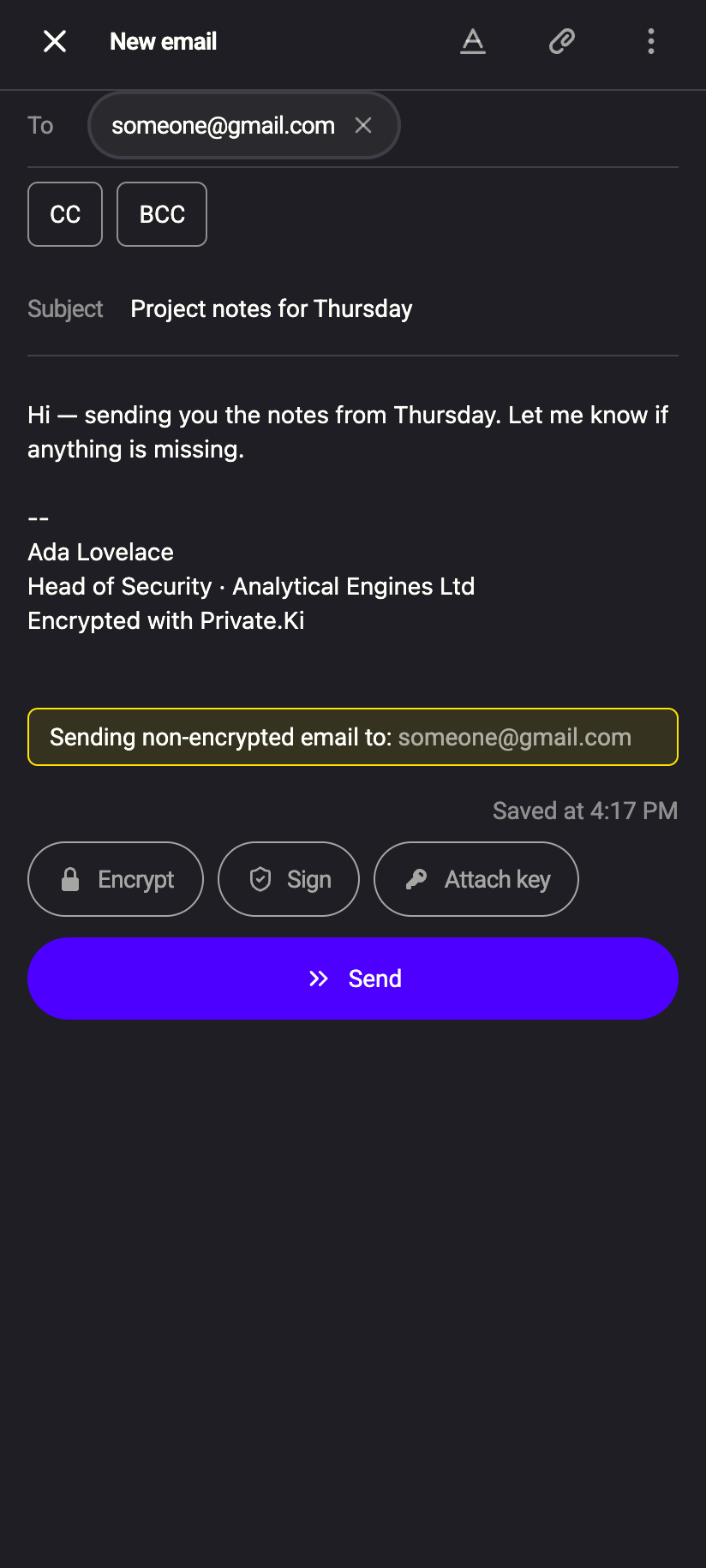 123
1231External address — no padlock2Sending non-encrypted email to3Attach key pilliPhone 1231External address — no padlock2Sending non-encrypted email to3Attach key pillAndroid - Tick Attach public key. The tick stays on for this message and is saved with the draft.
1⋯ More options2Attach public key — tickedWeb & desktop 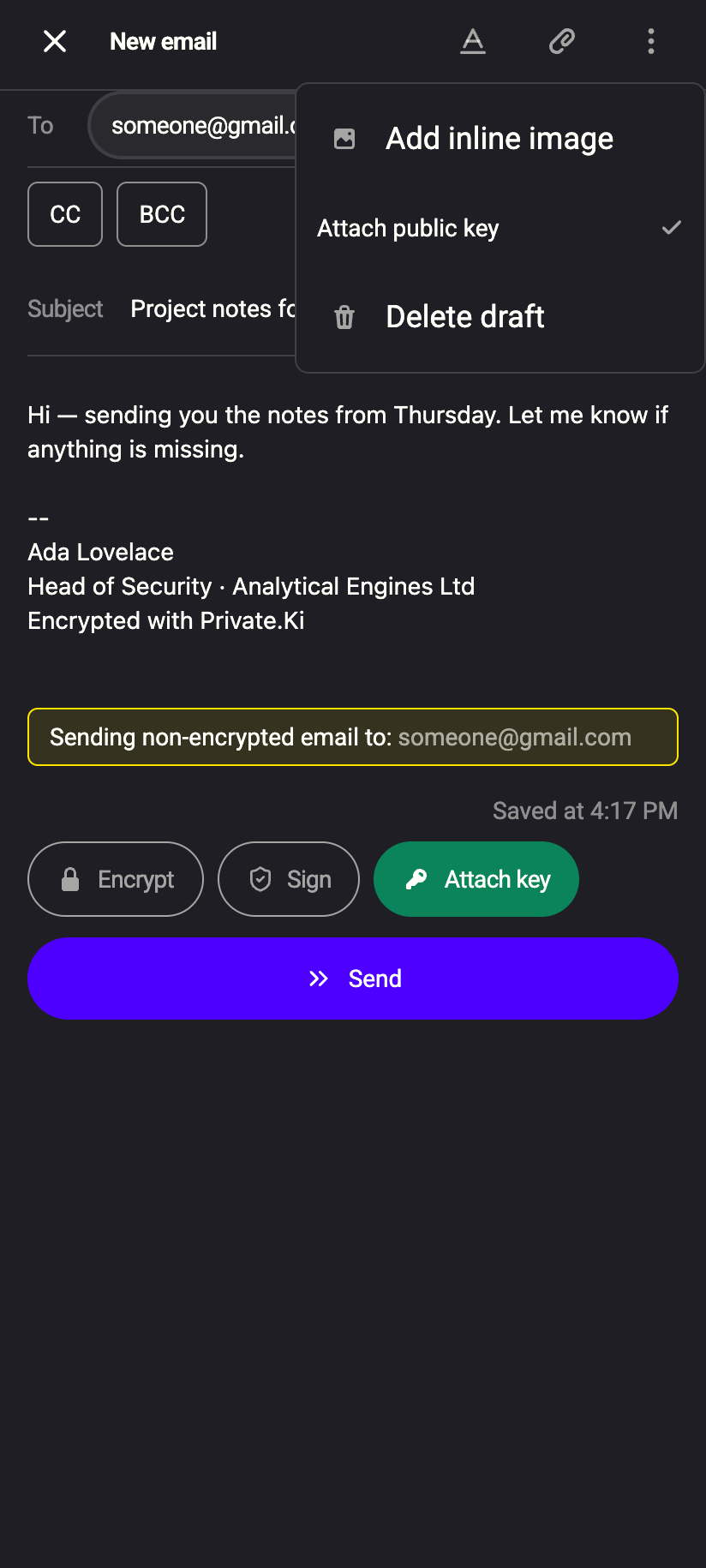 12
121Attach public key — ticked2Attach key pill — oniPhone 121Attach public key — ticked2Attach key pill — onAndroid - Send as usual.
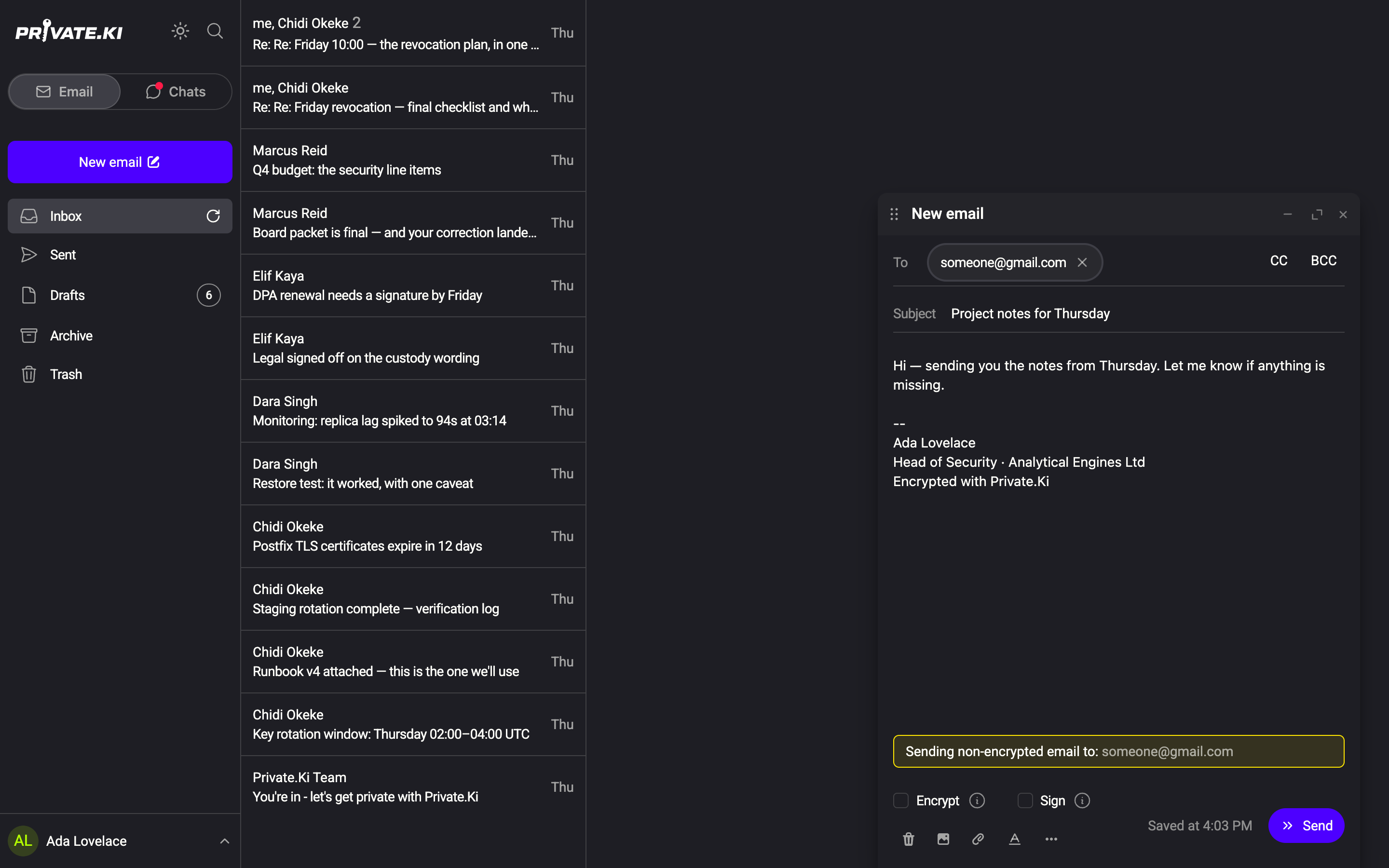
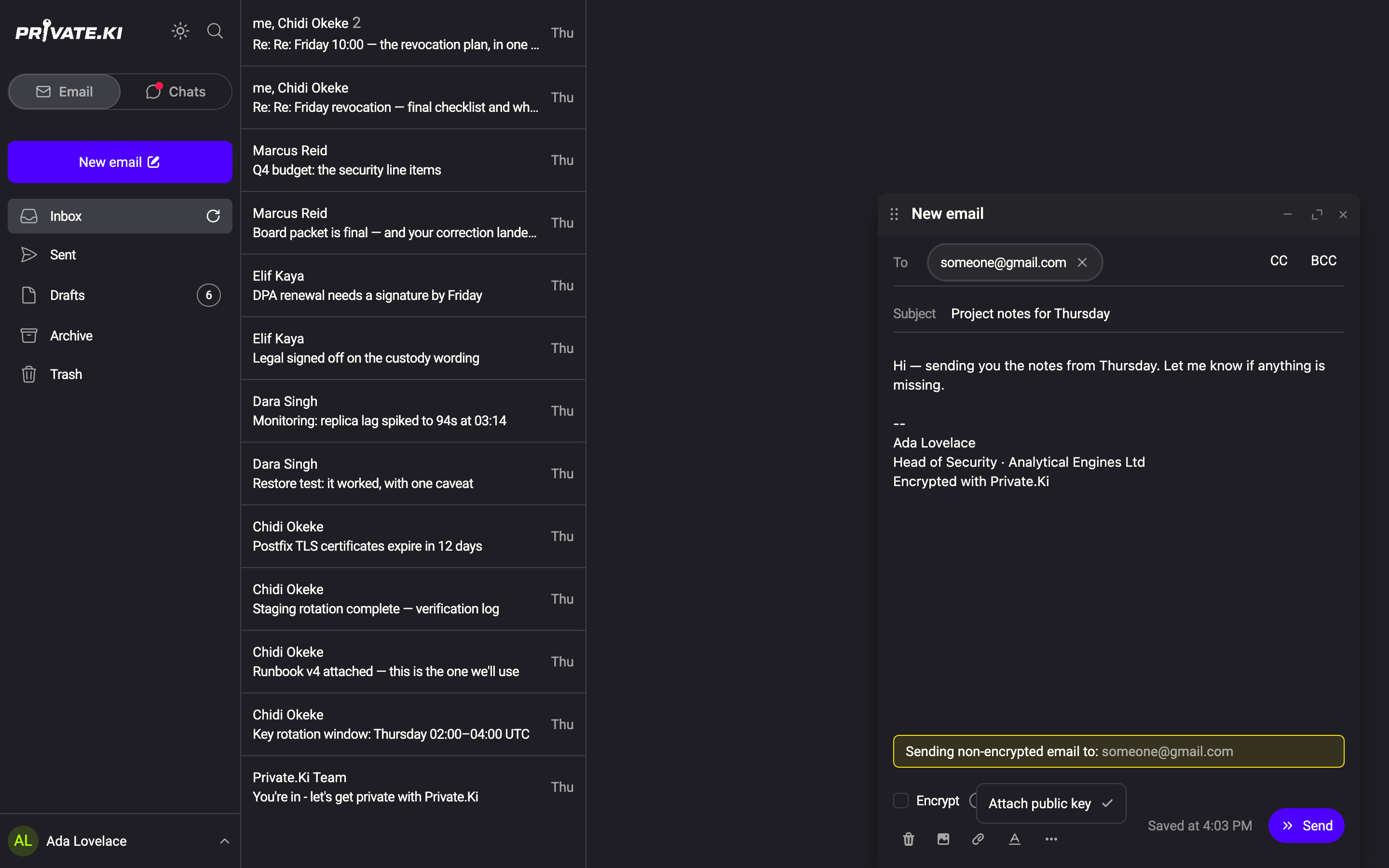
On the phone the same switch appears twice: as an Attach key pill next to Encrypt and Sign above the Send button, and as Attach public key in the composer's ⋮ menu. Tap either. The pill's hint reads Attaches your public key so the recipient can reply with encryption.
The switch is off by default on every new message. Set it when you write to a PGP user for the first time. Your key pair is created once, when you set up your account, and does not change afterwards — see Key management.
What the recipient gets
- In a mail client with OpenPGP support (Thunderbird, Apple Mail with GPG Suite, ProtonMail, and others) the key is offered for import. Once imported, their replies to you can be encrypted.
- In an ordinary mail client the key shows up as an attachment named
OpenPGP.asc. It is harmless — a public key is public — and can be ignored. - If your message itself is encrypted (Encrypt on), the key travels inside the encrypted part, so only that recipient sees it.
When a Private.Ki user receives a message with a key attached, a Public key is attached banner offers Import with one click — see Import a key from an email.
Other ways to share your key
You can also copy, download or share the key from Settings › Key management — for a website, a key server or a chat. See Export your public key.
What our server sees
Cannot see
- Anything new about your account; attaching the key reveals nothing the recipient could not fetch anyway
Can see
- Your public key — it is public by definition and the server already holds it to let other users encrypt to you
Common questions
I don't see the option.
All your recipients are Private.Ki users. Add an outside address and the ⋯ menu (and the Attach key pill on the phone) appear.
Does attaching my key make the message encrypted?
No. Encrypt depends on their key, which you need to import first. Attaching your key lets them encrypt their reply. For a first exchange, send your key unencrypted, import the key they send back, and from then on both directions are encrypted — see Encrypted email with external contacts.
Should I attach it to every message?
There is no harm in it, but once a contact has imported your key it is redundant. Your key does not change, so once is enough.