Export or share your public key
Three ways to give someone outside Private.Ki your public key — download it as a file, copy the armored text, or attach it to an email.
For someone at another provider to send you PGP-encrypted email, they need your public key. Other Private.Ki users never need it from you — the app fetches it — so this page is only about external contacts. Your public key is safe to publish anywhere: it contains your Private.Ki address and the key material, nothing else, and the only thing anyone can do with it is encrypt to you or verify your signatures.
Download it as a file
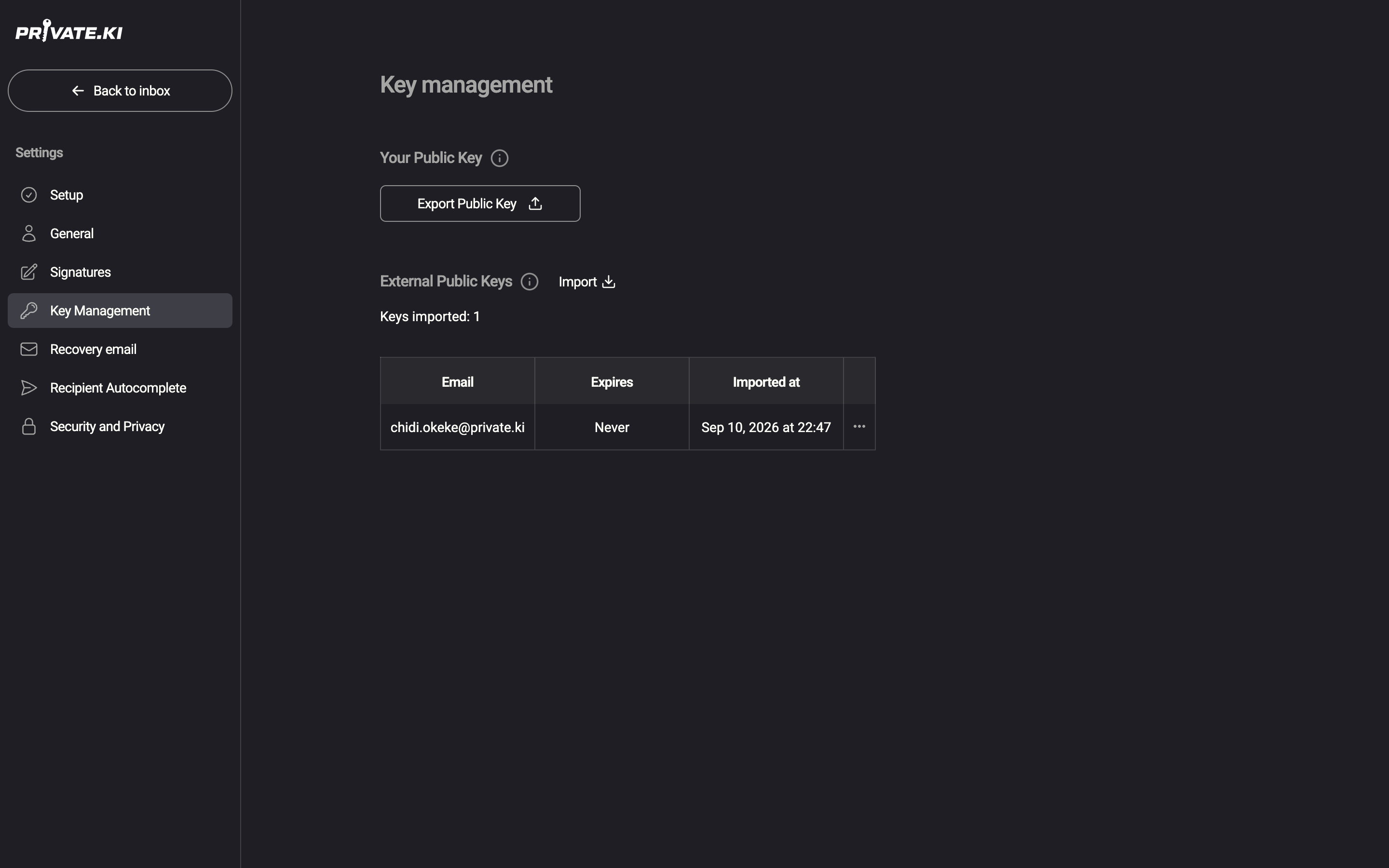
- Click your name at the bottom-left, then Settings › Key Management.
- Under Your Public Key, click Export Public Key.
1Export Public KeyWeb & desktop 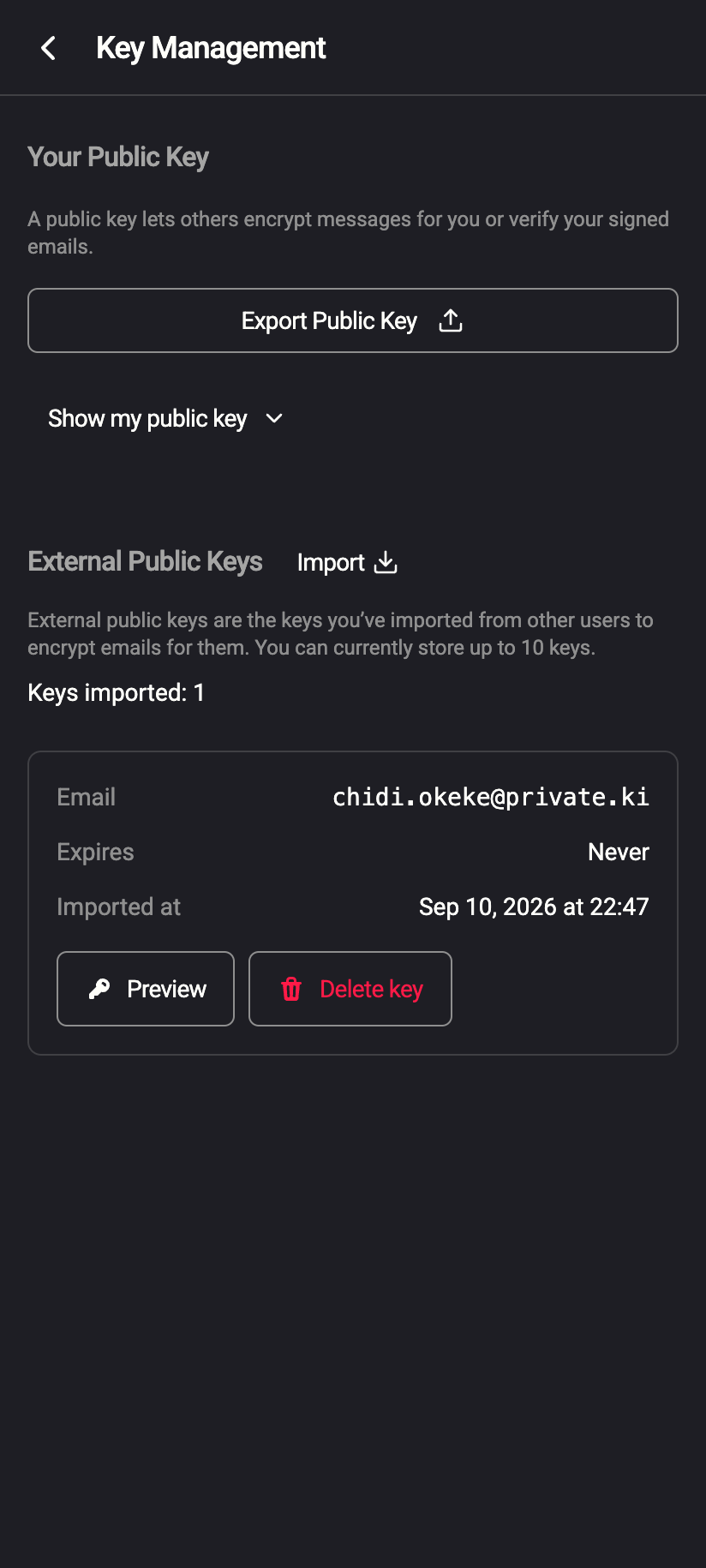 12
121Export Public Key2Show my public keyiPhone 121Export Public Key2Show my public keyAndroid - A file named
publickey.<your address>.asclands in your browser's download folder. Send it, put it on your website, or hand it over however you like.
Export Public Key opens the share sheet with the .asc file — send it straight into Mail, Messages, Files or any app that accepts a file.
Export Public Key asks you to choose a folder; the .asc file is saved there and the app confirms File saved successfully.
Copy the armored text (phone)
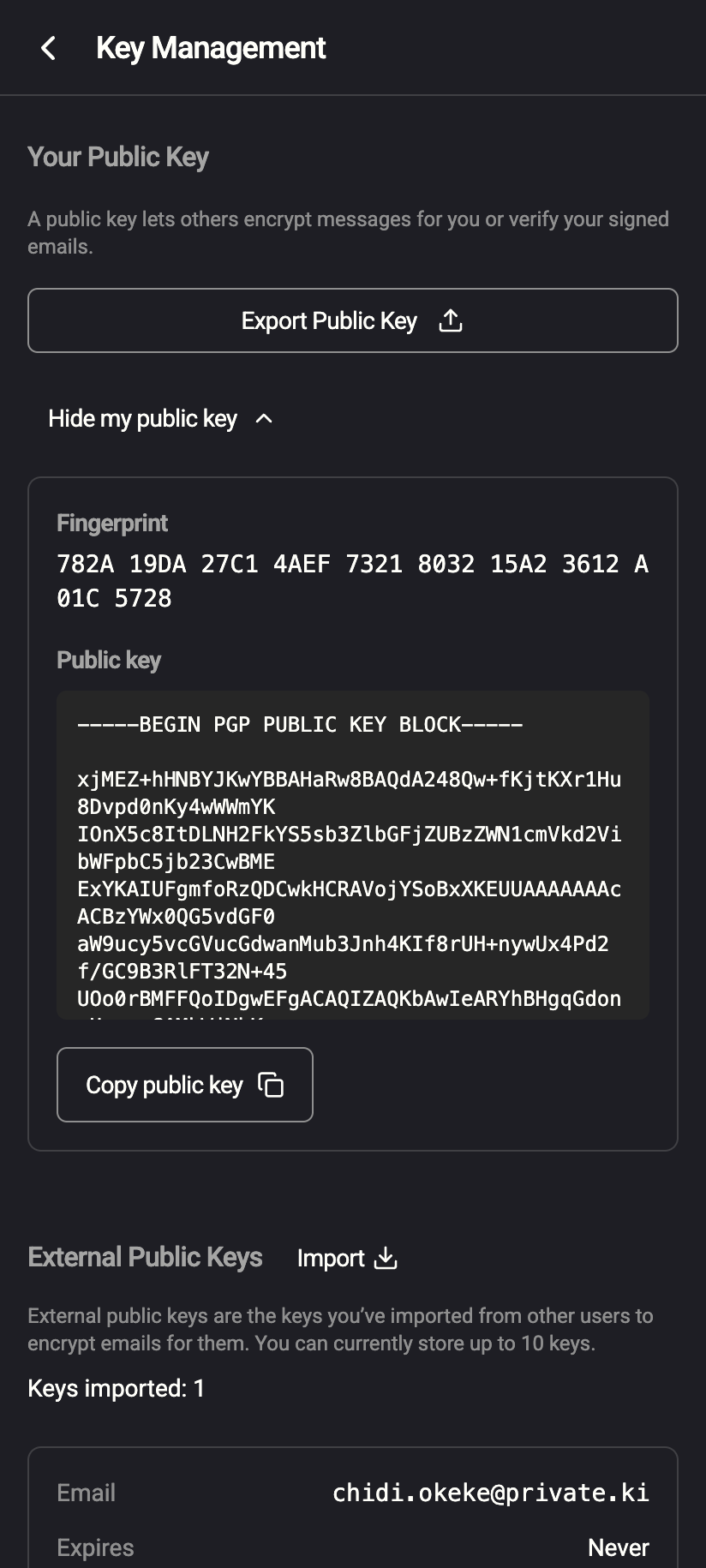
On the phone, Key Management also shows the key on screen:
- In Key Management, under Your Public Key, tap Show my public key.
 123
1231Fingerprint2Armored public key3Copy public keyiPhone 1231Fingerprint2Armored public key3Copy public keyAndroid - Your fingerprint and the full armored key (the block starting
-----BEGIN PGP PUBLIC KEY BLOCK-----) appear. Tap Copy public key; the app confirms Public key copied. Paste it wherever it is needed. - Tap Hide my public key to close it.
Attach it to an email
This is the easiest way to give your key to one person, because the recipient's mail software usually recognises the attachment.
- Compose a message to the external address.
- In the row of tools under the message body, click ⋯ and tick Attach public key.
- Send as usual. The key is attached as
OpenPGP.asc.
The ⋯ menu only appears when at least one recipient is outside Private.Ki. For the full picture, including what the other side sees, read Attach your public key.
On the phone the tools are pills above the keyboard: tap Attach key to turn it on.
After you have shared it
Once the contact has imported your key, mail from them to you can be encrypted. For mail from you to them to be encrypted as well, you need their public key too — see Import someone's public key. A convenient exchange is: you attach your key, they reply with theirs attached, and you import it from the banner in their message.
What our server sees
Cannot see
- That you exported, copied or read your public key — those actions happen entirely on your device
Can see
- Your public key itself, which the server holds so other Private.Ki users can encrypt to you
- When you attach the key to outgoing external mail, the attachment travels in the clear like the rest of an unencrypted message
Common questions
Is it dangerous to share my public key widely?
No. It cannot be used to read your mail or sign as you. The only downside of publishing it is that the address in it is visible — and anyone you send email to knows your address anyway.
Can I export my private key?
No. There is no control for it anywhere in the app, and the private key never leaves your device in usable form. If you need your mail on another device, sign in there and unlock.
My contact says the key has no name, only an address
That is correct. Private.Ki keys carry your address as their user ID and nothing else.