Protect your passphrase
Where to keep it, what never to do with it, and how to recognise someone trying to talk you out of it. Support will never ask for it.
Your passphrase is the one secret nobody can recover for you — see Your passphrase. That cuts both ways: it is also the one secret that, in the wrong hands together with your wrapped key, opens everything.
Keep a copy you can find
- Put it in a password manager. Any reputable one. Store it as a separate entry from your Private.Ki password, so the two are not lost or exposed together.
- Or write it down and keep the paper somewhere you would keep a passport. A generated six-word passphrase is easy to copy by hand; check it by reading it back.
- Do not rely on memory alone for the first weeks. People forget passphrases they rarely type — and if you use the phone app, you may type it less often than you think.
- Keep it out of screenshots, notes apps that sync unencrypted, and email — including email to yourself.
Make it strong
If you typed your own rather than generating one: the app accepts anything of 8 characters or more that is not a single dictionary word, but that is a floor, not a recommendation. Length is what matters. A sentence you can remember, or five or six unrelated words, is far stronger than a clever short string. Do not reuse your Private.Ki password or any password from another site.
Never share it
- Private.Ki staff will never ask for your passphrase. Not by email, not in chat, not on the phone, not to "verify your account", not to "restore your mailbox". Support cannot use it for anything — they cannot see your mail with or without it. Anyone asking for it is not us.
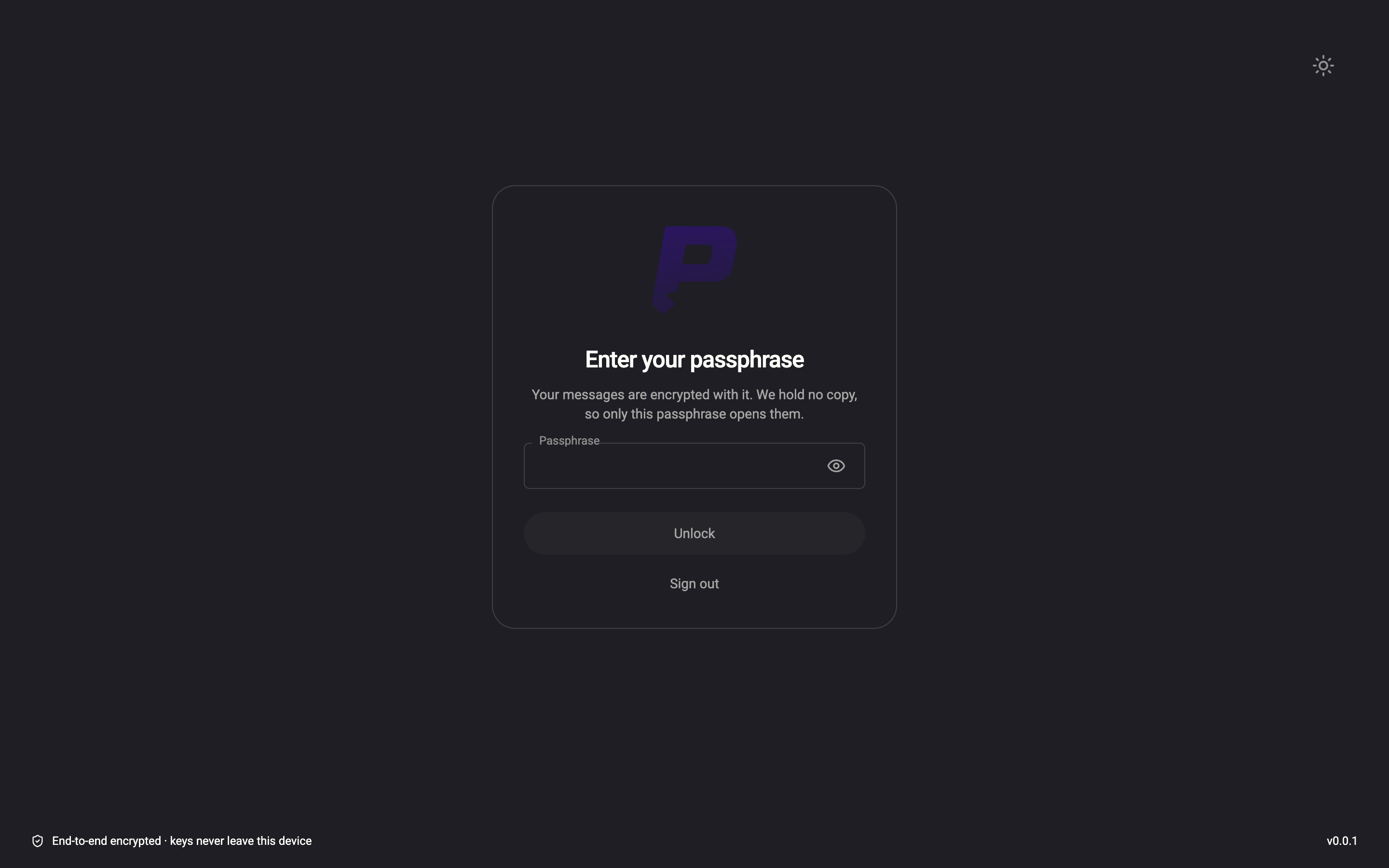
- The app asks for it in one place only: the Enter your passphrase screen after sign-in, and the Current Passphrase fields under Settings › Security and Privacy. A web page, email or message that asks for your passphrase anywhere else is a phishing attempt. Check the address bar before typing.
1Passphrase — the only place we askWeb & desktop 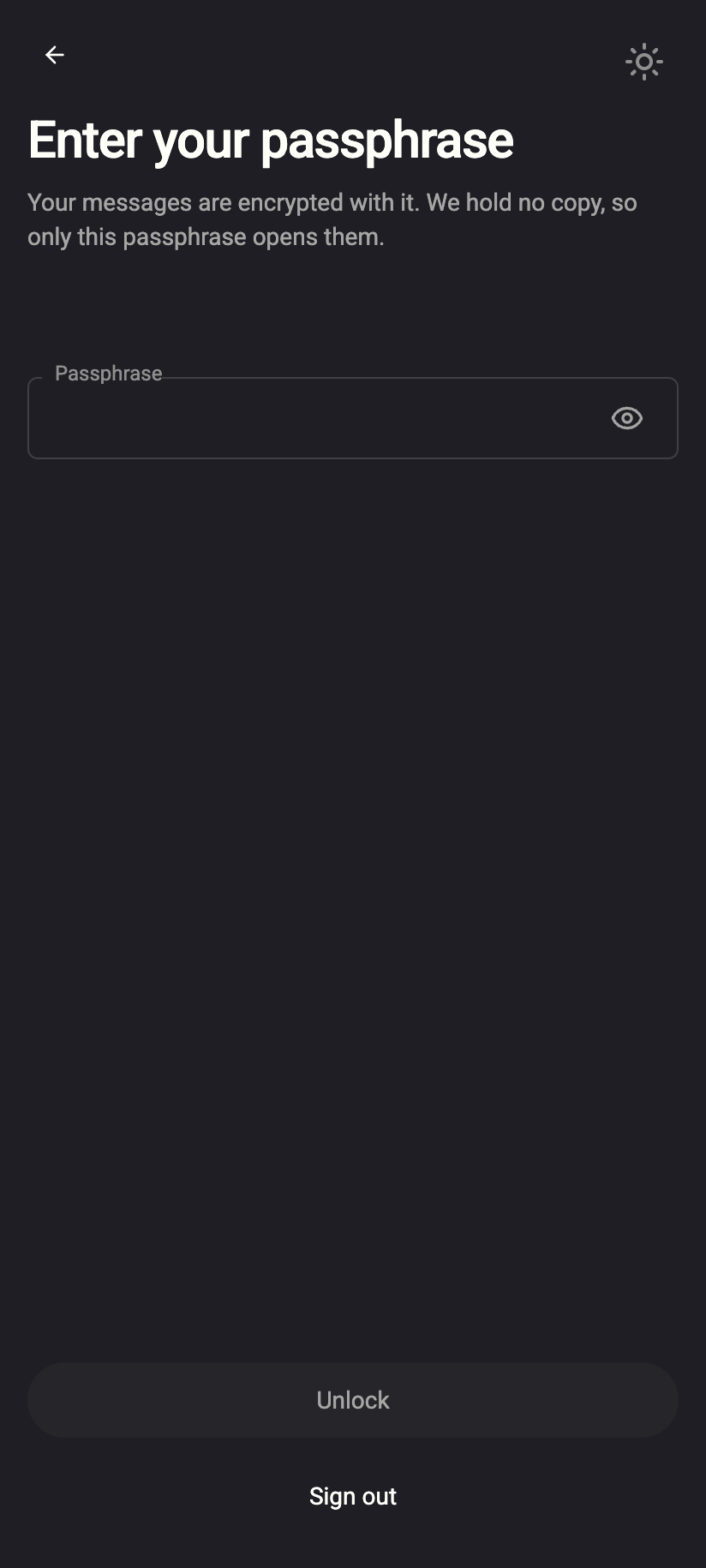 1
11Passphrase — the only place we askiPhone 11Passphrase — the only place we askAndroid - Do not type it on a device you do not trust. A computer with malware can record what you type. If you have typed it on a device you do not trust, change your passphrase from a device you trust as soon as you can.
On its own, the passphrase opens nothing: an attacker also needs your wrapped private key, which they get by signing in to your account. So your password and two-factor authentication are the first wall, and the passphrase is the second. Keep both up. If you suspect either has leaked, change the password, review your active sessions and change the passphrase.
Lock when you step away
An unlocked mailbox does not need the passphrase until it is locked again. On the web, press Esc twice or choose Lock account from your account menu; the passphrase is asked for on return. The app also locks itself after about 30 minutes without a connection. See Lock and log out.
Common questions
Should I change my passphrase regularly?
Not on a schedule. Change it when you have a reason — you typed it somewhere untrusted, someone may have seen it, or you have stopped trusting where the copy was kept. Frequent forced changes tend to produce weaker passphrases.
Can I use the same passphrase as my password?
You can, but then someone who learns one has both. In Password only mode that trade-off is made for you by design (one secret, more convenience); if you chose the passphrase method it was for the extra wall, so keep them different.
I think someone knows my passphrase. What now?
From a trusted device: change your password, check Security and Privacy for anything you do not recognise, then change the passphrase. If you cannot sign in at all, contact support — they can help with the account, not with the passphrase.