Recipient suggestions and how to clear them
Where the suggestions in To, Cc and Bcc come from, how they are ranked and stored encrypted, and how to delete entries under Recipient Autocomplete.
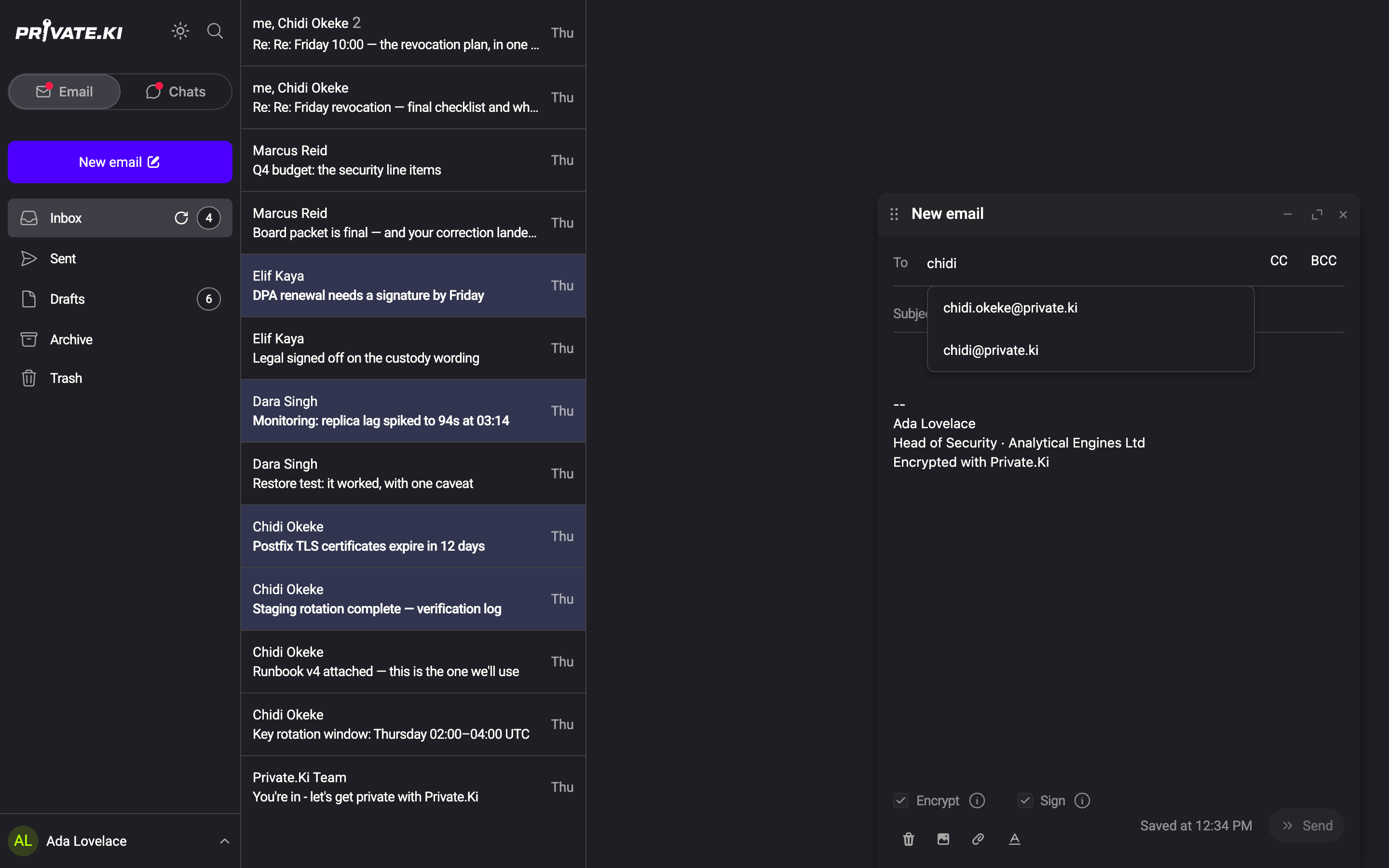
When you start typing in To, CC or BCC, a list of suggestions drops down. There is no address book to maintain: the list is built from addresses you have sent to before, completed with your own domain and a few common mail domains. The history is stored encrypted, so the server holds it for you without being able to read it.
Using the suggestions
- Type the beginning of an address (matching is by prefix, so
mafindsmaria@…but notanna.maria@…). Matches from your history appear first, at most five. - Once you type
@, the list adds your own Private.Ki domain and, below a separator, up to three common external domains (gmail.com, outlook.com and the like) to finish the address you started. - Move with ↑ and ↓, accept with Enter (or click), dismiss with Esc. Accepting turns the address into a chip.
How the order is decided
Each history entry is ranked by a mix of how recently you last wrote to it (weighted 70 %, with a half-life of 14 days) and how often you have written to it (30 %, on a logarithmic scale). An address you use every week stays near the top; one you wrote to once last year drifts down and eventually out of the five.
The same history feeds the address field when you start a new chat, so a contact you email is also suggested there.
Where the history comes from
An address is added to the history at the moment a message to it is sent — never when you merely type it or save a draft. Addresses you receive from are not added. Nothing is imported from your device's contacts.
Remove an address from the suggestions
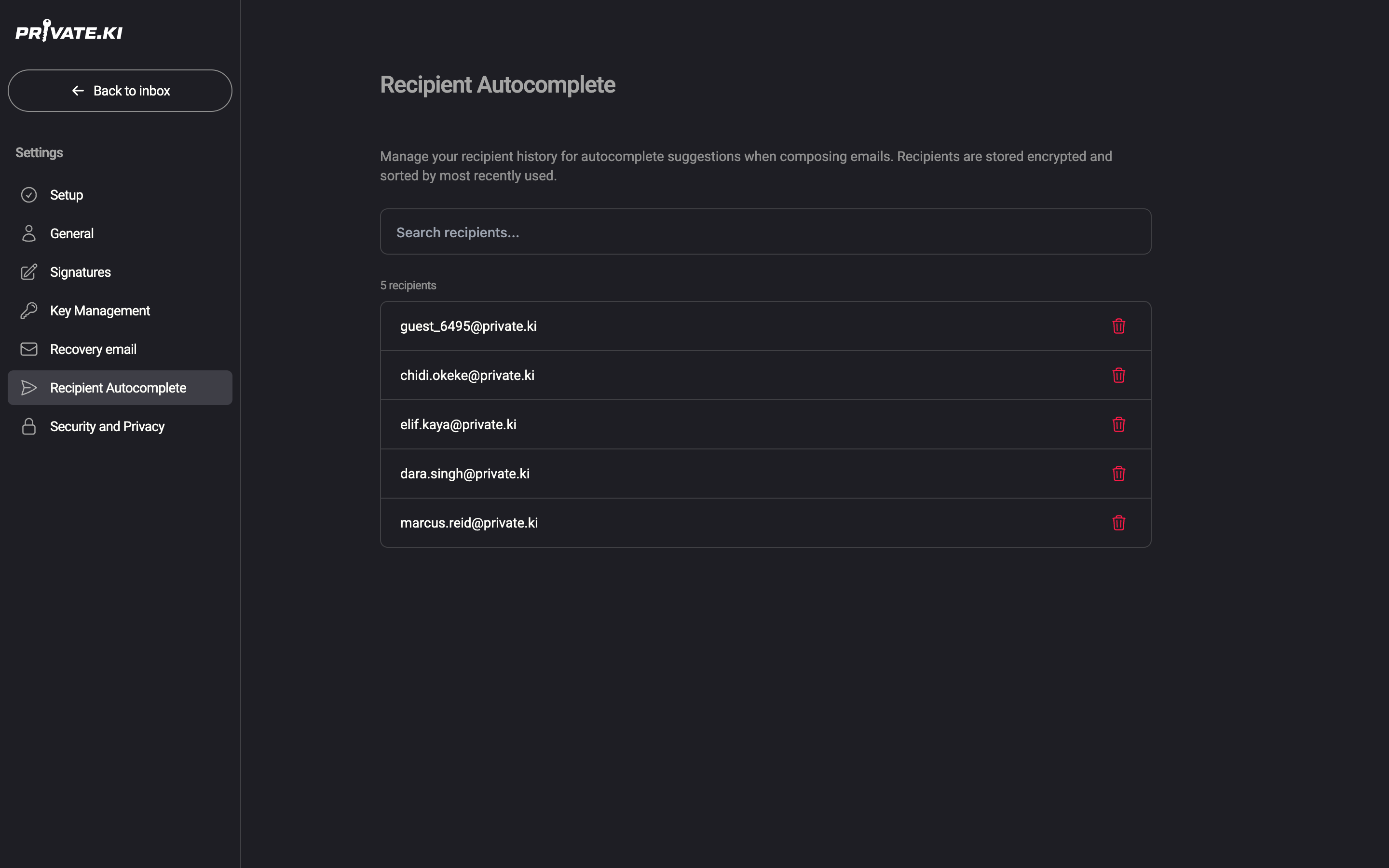
- Open Settings and choose Recipient Autocomplete.
1Recipient Autocomplete2Search recipients...3Delete this entryWeb & desktop 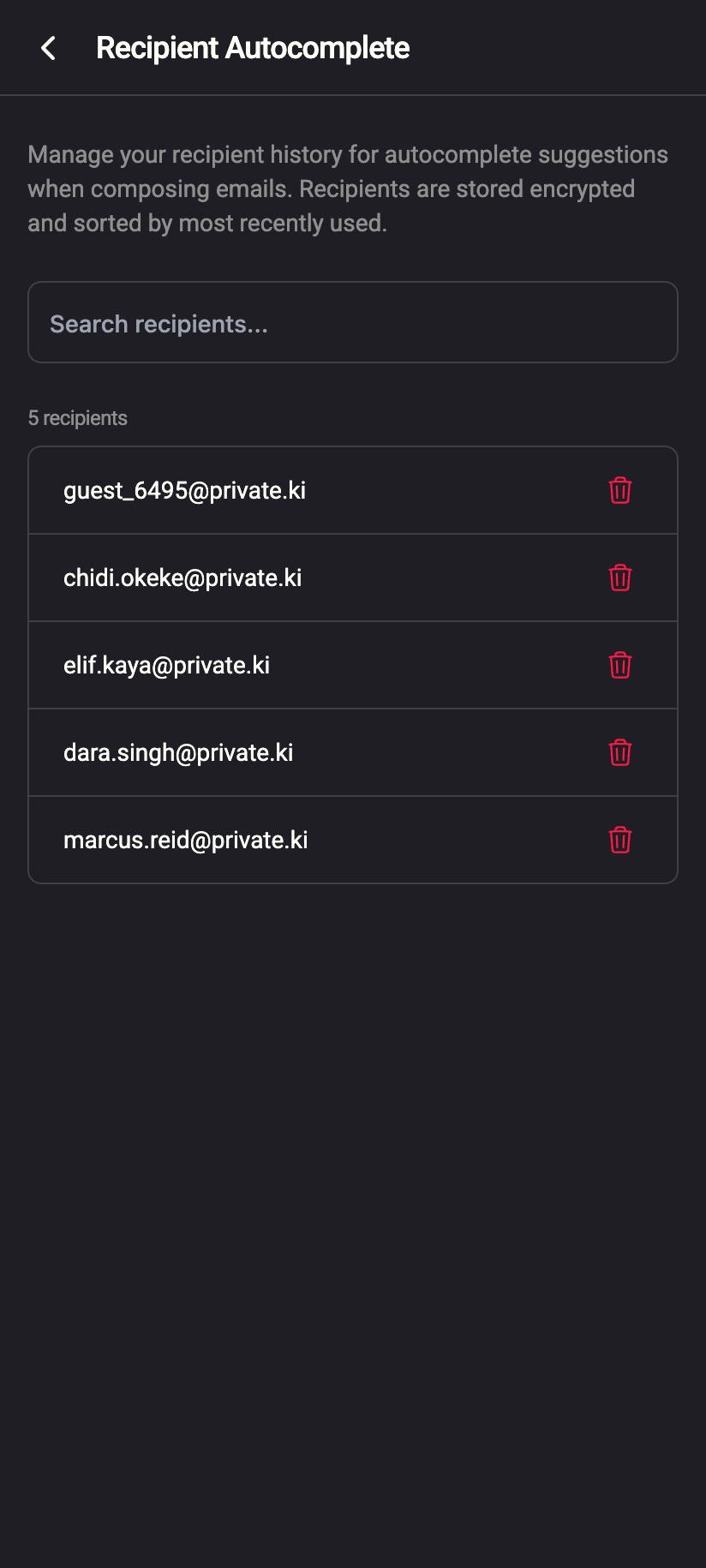 12
121Search recipients...2Delete this entryiPhone 121Search recipients...2Delete this entryAndroid - Find the entry — the list is sorted by most recently used and the Search recipients... box filters it as you type.
- Click the trash icon on the row.
- Confirm with Delete in the Delete Recipient dialog. The address is removed from the suggestions on all your devices.
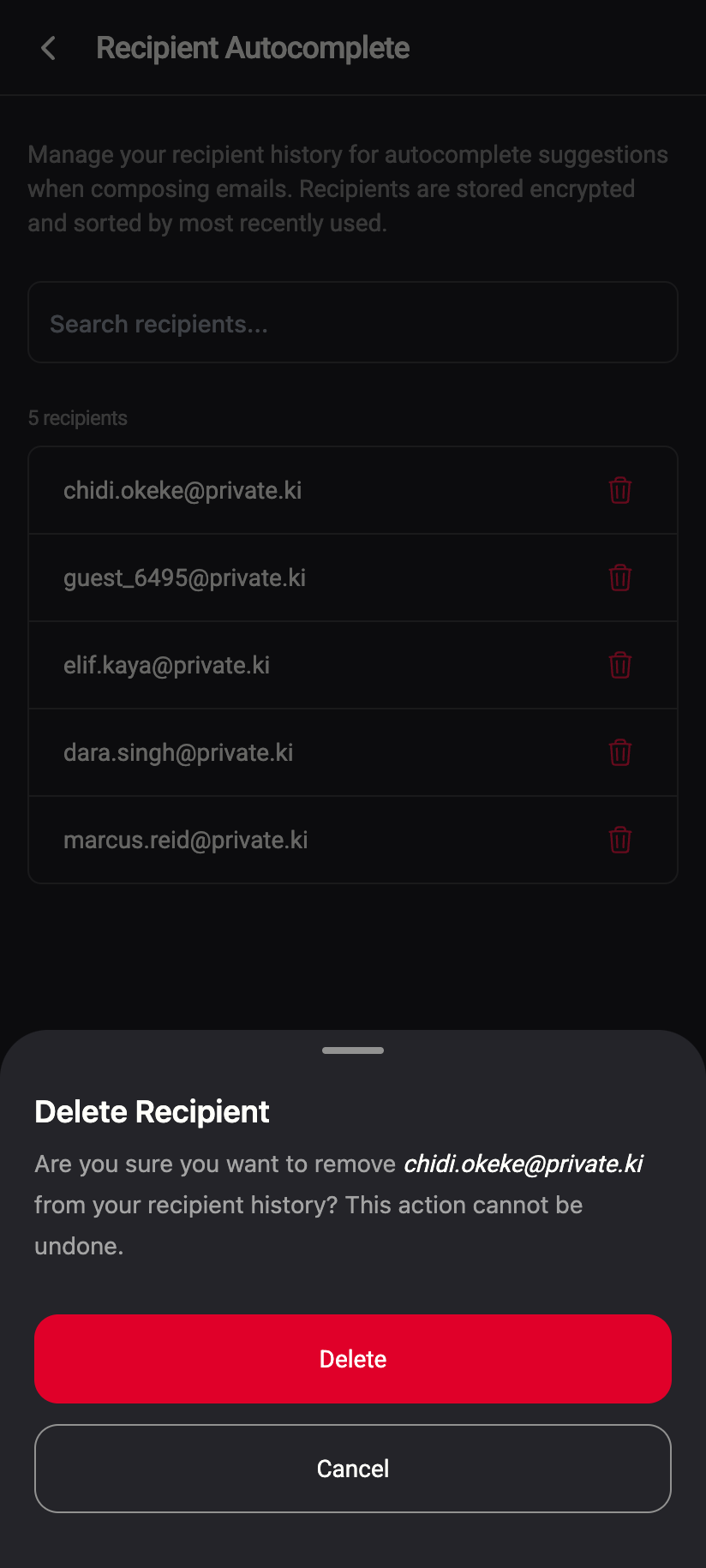
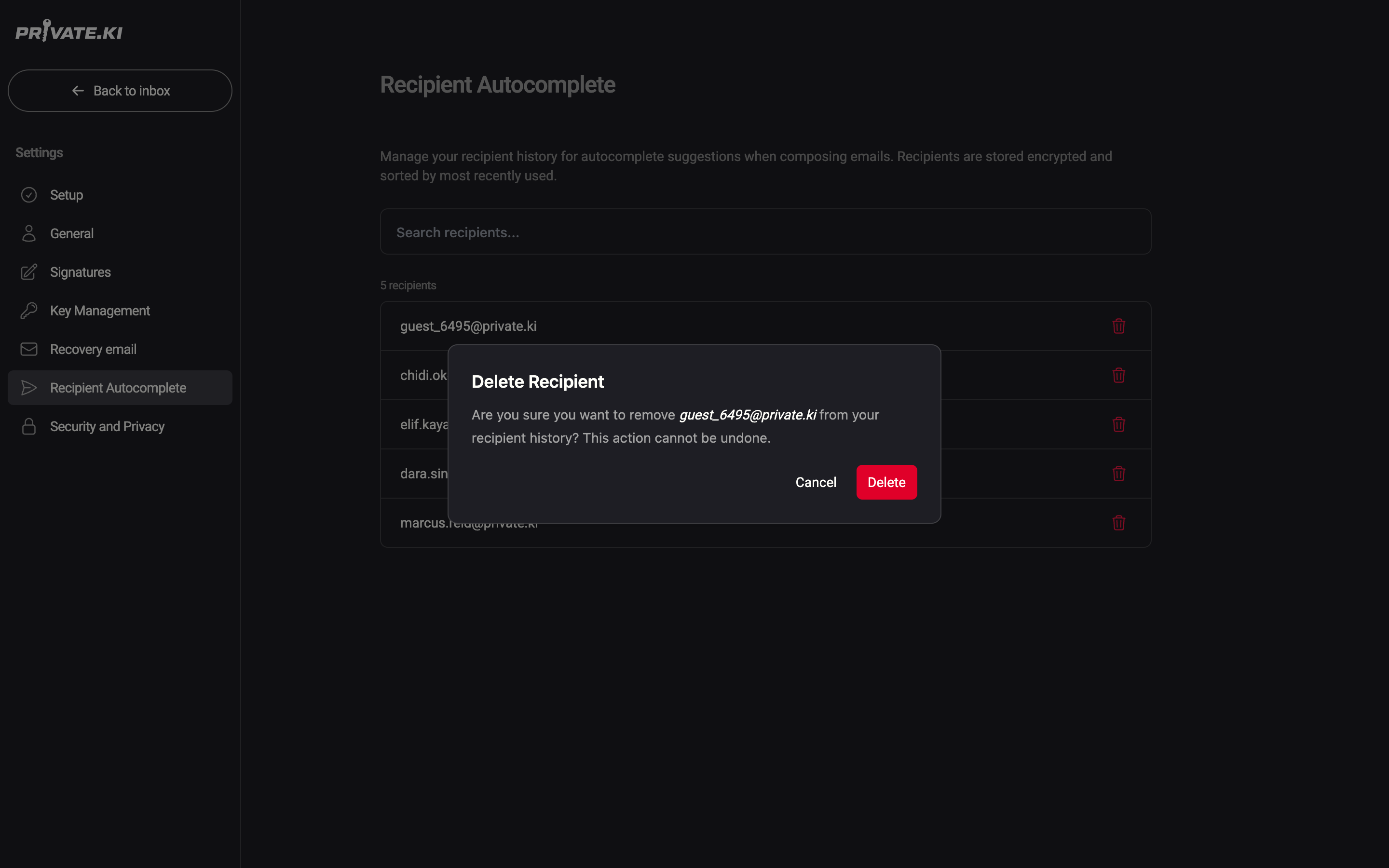
If you send to that address again later, it re-enters the history. Before your first sent email the page reads No recipients yet — Recipients will appear here after you send your first email.
The same page is under Settings on the phone. Tap the trash icon at the right of a row, then Delete.
How the history is stored
Each entry is encrypted on your device with a key derived from your unlocked master key before it is stored on the server, and the record identifier is a keyed hash of the address. The server keeps opaque blobs it cannot read and cannot correlate with the addresses in your mail; it only knows how many entries you have and when they changed. This is why the history follows you to every device where you have unlocked your account, and why it cannot be recovered without your passphrase.
More on the server's view in What our server can see.
Common questions
A contact I write to often is not suggested.
Check that you sent the message (a saved draft is not enough), that you are typing the start of the address, and that the address was not removed in Settings › Recipient Autocomplete. Only the five best matches are shown; type more characters to narrow the list.
Can I add a nickname or a display name?
No. Suggestions are email addresses only. A name attached to the address in a received message is not stored.
Can I turn suggestions off entirely?
There is no switch. Deleting every entry in Settings › Recipient Autocomplete leaves only the domain completions, which are not based on your history.