Turn off two-step verification
Remove the authenticator app, or switch two-step verification off entirely — also called two-factor authentication or 2FA. One last code is needed.
Two-step verification asks for a six-digit code from your authenticator app after your password. You can remove it at any time from Settings — but only from a session that has already passed the second step, and only by entering one more valid code. That last code is what stops someone who merely knows your password from removing it.
The second step protects sign-in. Removing your last one means your password alone is enough to get into your account. If you are switching authenticator apps or phones, remove it here and set it up again straight away on the new device.
If you have a security key or passkey as well, removing the authenticator app does not switch two-step verification off — the key still lets you in, and the buttons say so: Remove the authenticator app rather than Turn off two-step verification.
Turn it off
- Open Settings. Click your name at the bottom-left, then Settings.
1Settings2Your name opens this menuWeb & desktop  1
11Tap your name, then SettingsiPhone 11Tap your name, then SettingsAndroid - Go to Security and privacy › Authenticator app. A green dot and Two-step verification is on tell you where you are. Click Turn off two-step verification.
Security and privacy → Authenticator app, two-step verification on: the green dot and the Turn off button. Android still says Disable TOTP.Web & desktop 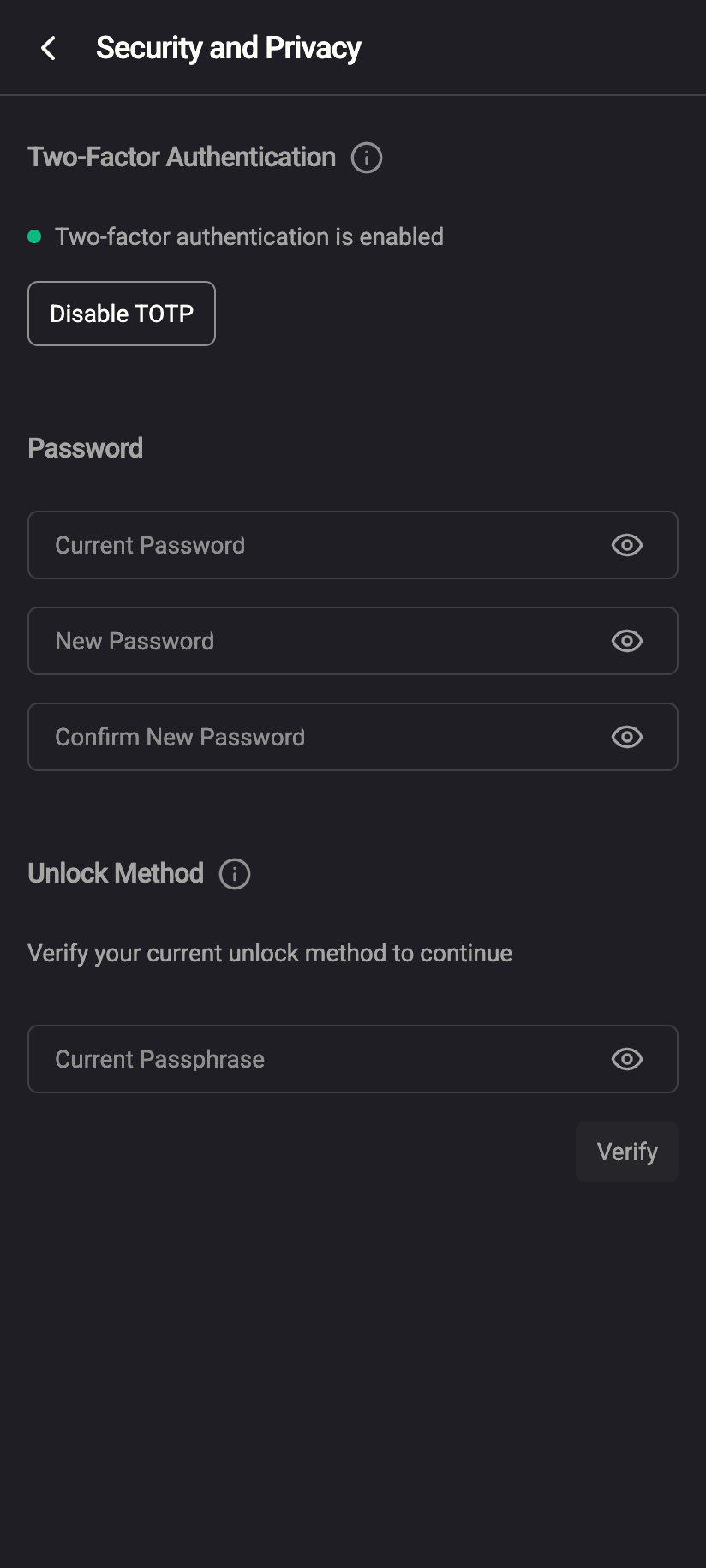
Security and privacy → Authenticator app, two-step verification on: the green dot and the Turn off button. Android still says Disable TOTP.iPhone 121Two-factor authentication is enabled2Disable TOTP (Android's older wording)Android - Enter a current code. The prompt reads To turn off two-step verification, enter the 6-digit code from your authenticator app: Type the six digits shown in your app. The form submits by itself when the sixth digit is in. Cancel backs out without changing anything.
One last code from the authenticator app confirms the change.Web & desktop 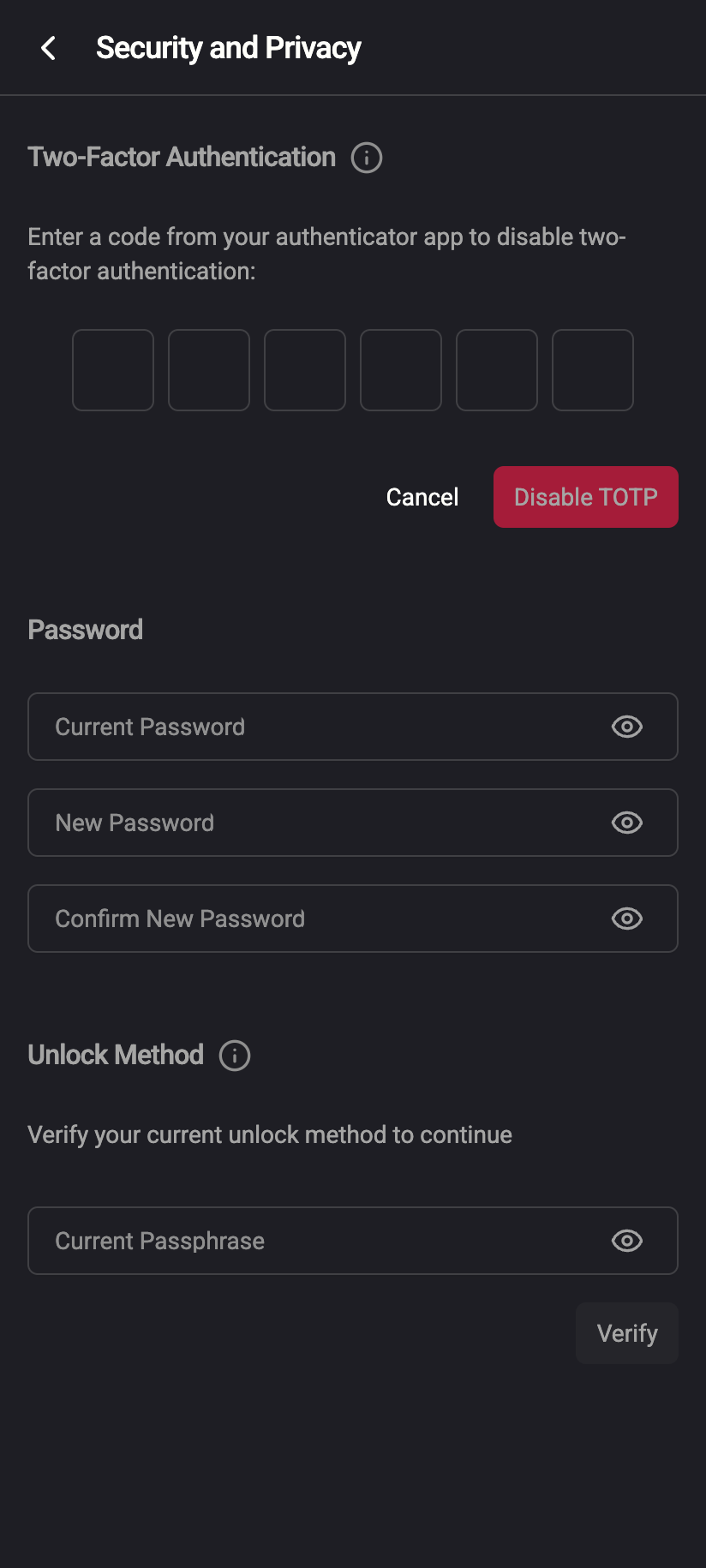
One last code from the authenticator app confirms the change.iPhone 1231Six digits2Cancel3Disable TOTPAndroid - Done. A toast says Two-step verification is off and the button becomes Turn on two-step verification again. From the next sign-in on, only your username and password are asked for.
Back to the starting state: two-step verification can be turned on again.Web & desktop 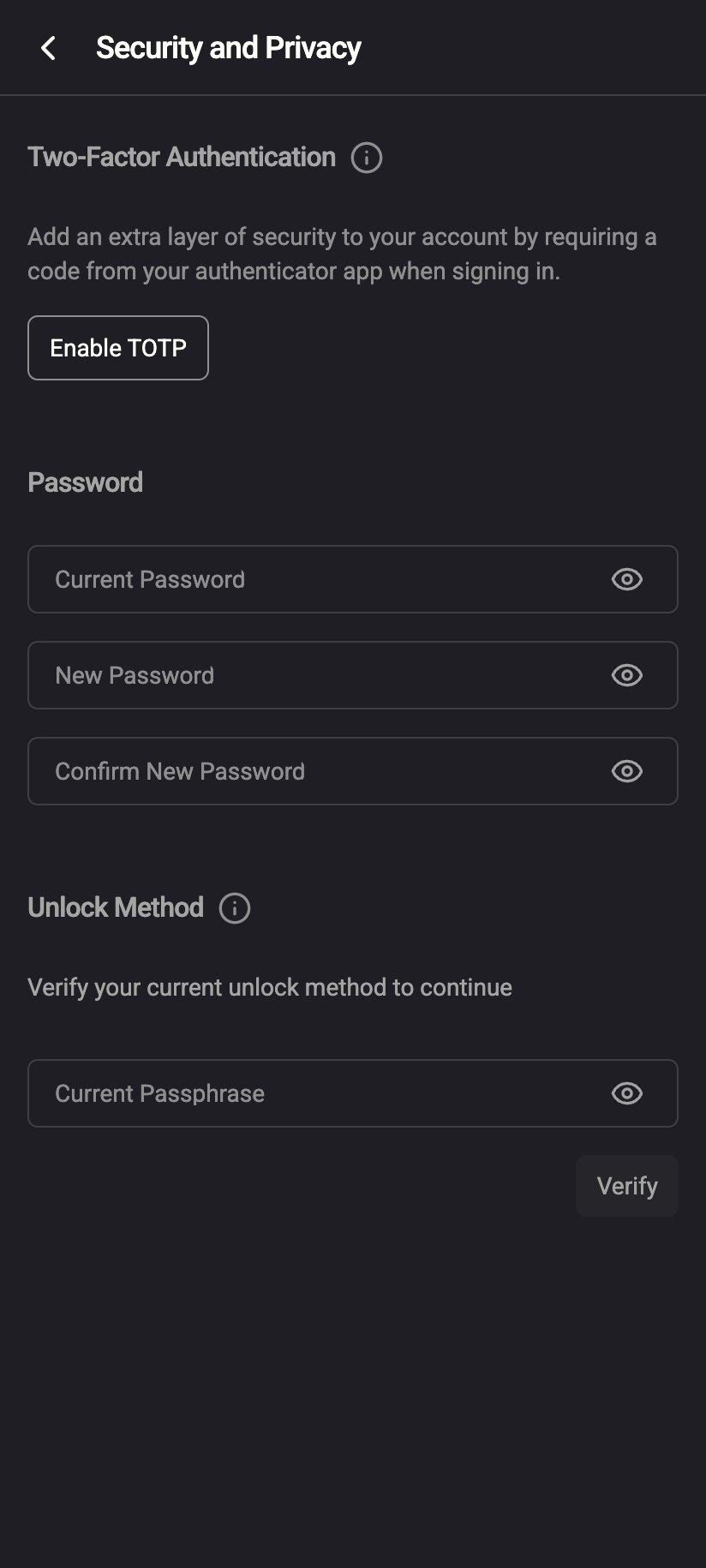
Back to the starting state: two-step verification can be turned on again.iPhone 11Enable TOTP — 2FA is now offAndroid

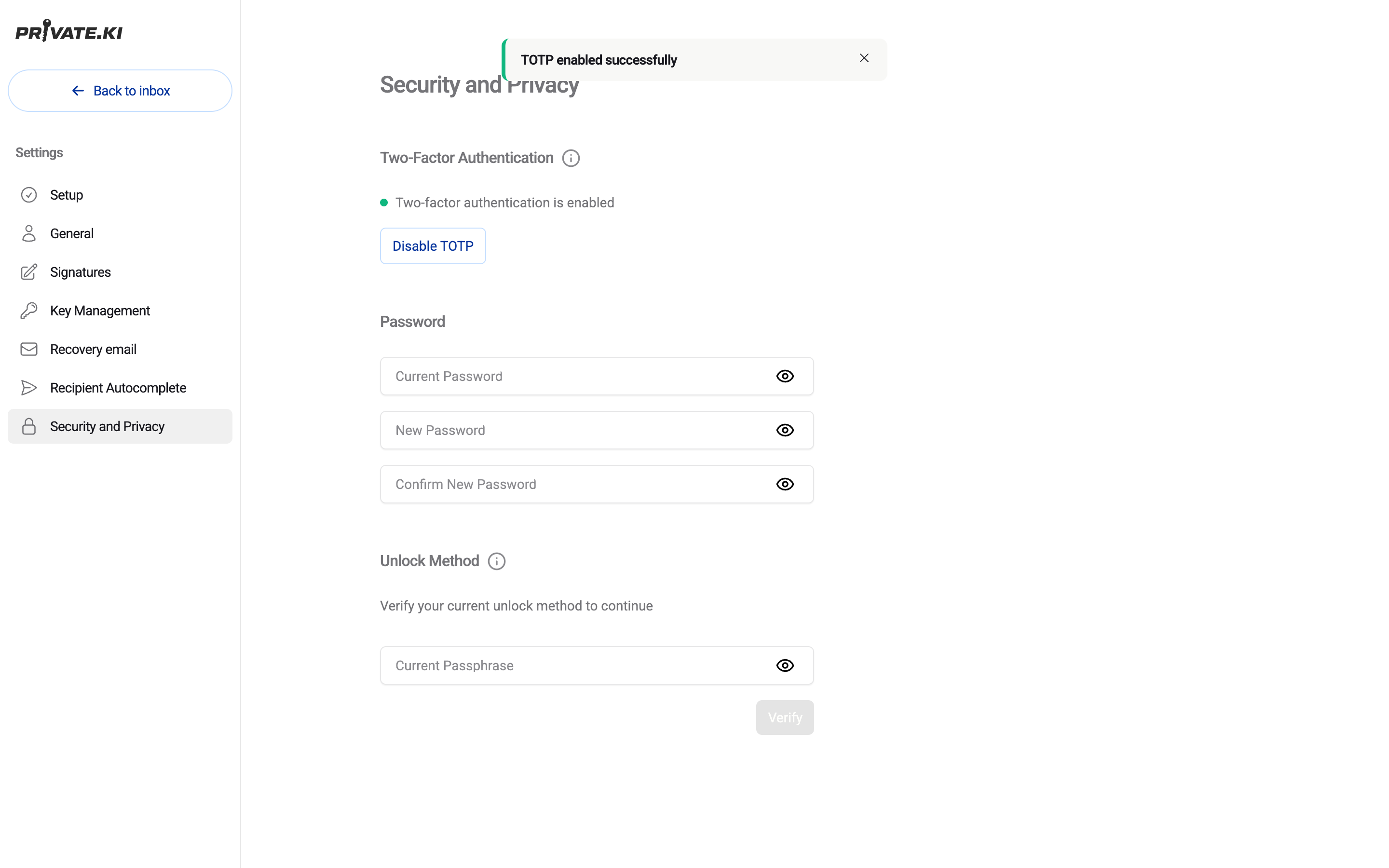
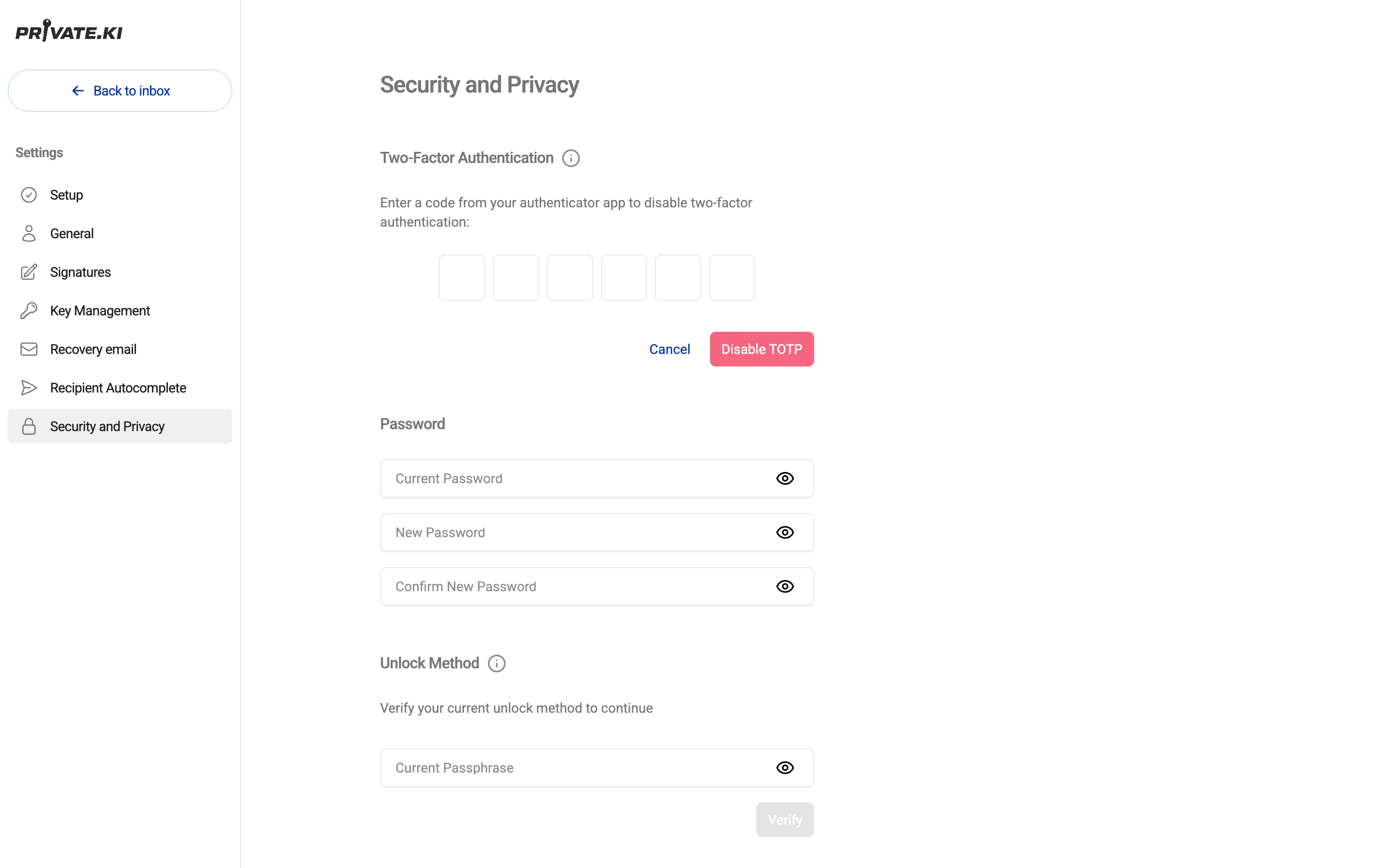
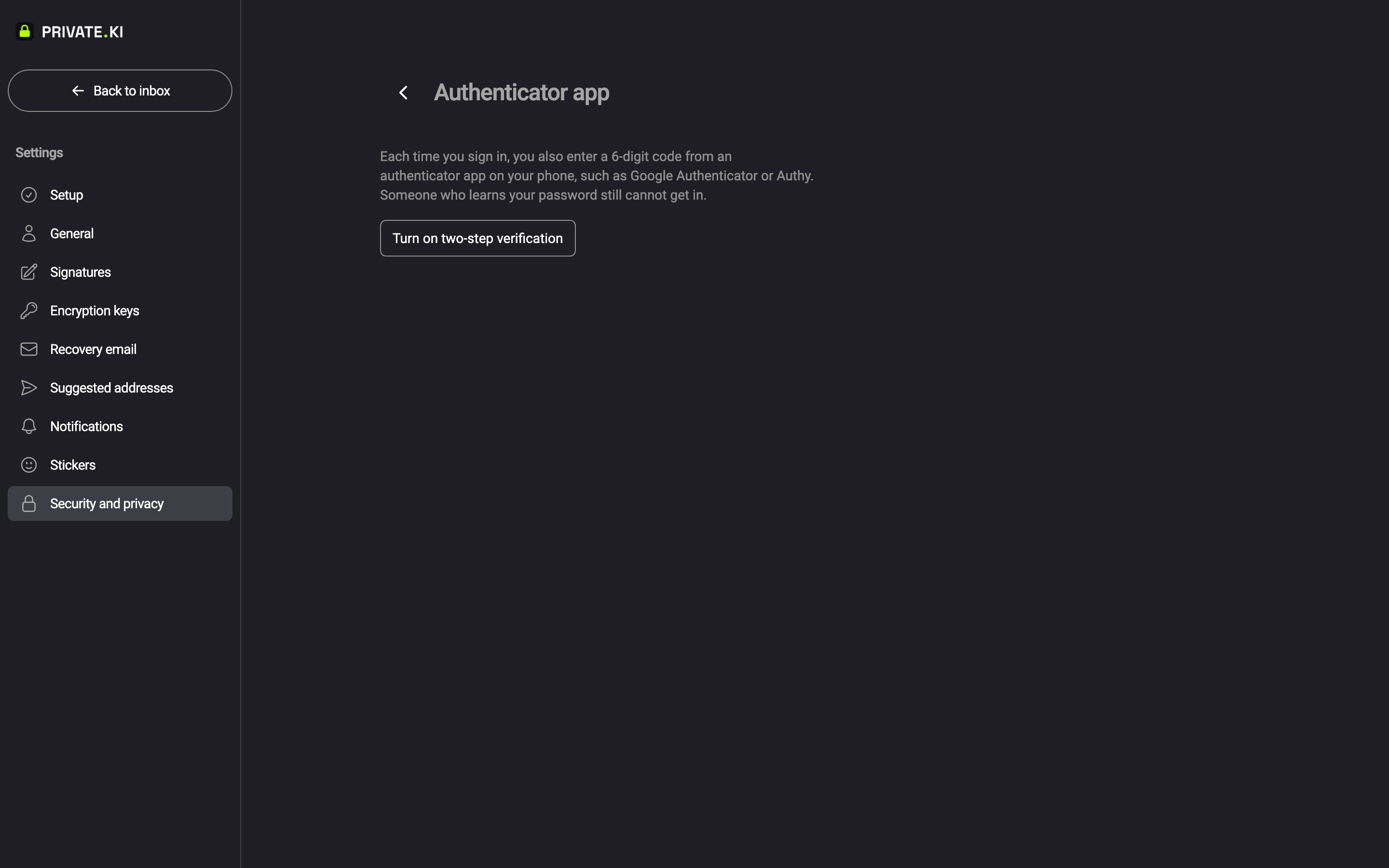
On the phone, open the menu ☰ first, tap your name at the bottom of the drawer, then Settings › Security and Privacy. The shipping Android app still uses the older wording — Two-Factor Authentication, Disable TOTP, and the toast TOTP disabled successfully. The steps and the code are identical.
What to expect
- The secret stored for your account is erased, not just switched off. If you set an authenticator app up again later you scan a new QR code — the old entry in your authenticator app stops working and can be deleted.
- Other devices you are signed in on stay signed in. This does not end any session.
- Five wrong codes in a row lock code entry for that account for 15 minutes (Too many incorrect codes. Try again later.). Wait, then try once more with a fresh code — and check that your phone's clock is set automatically.
- Removing your last second step — whether that is the authenticator app or your last security key — is the point at which two-step verification turns off. See Security keys and passkeys for the warning the app shows in that case.
What our server sees
Cannot see
- Your mail, chats or attachments — the second step has nothing to do with encryption
- Your passphrase or private key
Can see
- That two-step verification was on and is now off on your account
- Whether a code attempt succeeded or failed
Common questions
I lost the phone with the authenticator app. How do I turn it off?
You need a valid code, which is exactly the problem. Two routes:
- A device that is still signed in. If any browser or phone is still signed in to your account, open Settings › Security and privacy › Authenticator app there. You still need one valid code for that step, so this only helps if the authenticator app was backed up or is installed on a second device. If you set up a security key or passkey as well, sign in with that instead and remove the app.
- Support. If you are signed out everywhere, contact support. We can verify that the account is yours through your recovery address, if you set one. We cannot remove the second step on your word alone — that would defeat the point of having it.
Why do I need a code to remove the very thing I cannot use?
Removing a second factor is the one action a second factor must never allow without proof that you still hold it. The code you enter here is that proof. It also has to come from a session that itself passed the second step; a session that skipped it (for example one minted before you turned it on) is refused with TOTP verification required.
I clicked the button by mistake. Is anything changed?
No. Nothing changes until a valid code has been accepted. Click Cancel and the section returns to Two-step verification is on.
Does this affect my messages?
No. Your messages are protected by encryption, not by the second step. Turning it off only changes what is asked at sign-in. See How encryption works.