Why sign-up asks you to solve a challenge
Private.Ki shows no picture puzzles. Before sign-up, sign-in and a few other requests, your device solves a small proof-of-work challenge to keep bots out.
If you have used other services you may expect a captcha at sign-up — "select all the traffic lights" or a squiggly word to type. Private.Ki does not do that. Instead, your browser or app solves a short proof-of-work challenge: a small computation that takes a moment for one person but becomes expensive for anyone trying to create thousands of accounts. You normally never see it.
What actually happens
- Your device asks our server for a challenge as soon as the sign-up form opens — while you are still typing, so the work is done by the time you press Create an account.
- Your device solves it. The challenge uses the open ALTCHA scheme: find a value whose hash meets a target. It runs on your own device and takes from a fraction of a second to a few seconds, depending on the device.
- The solution is sent with your request. Each solution is bound to one purpose (for example "sign-up") and can be used once. A solution that is too close to its expiry is thrown away and a fresh one is solved rather than risk a failed submit.
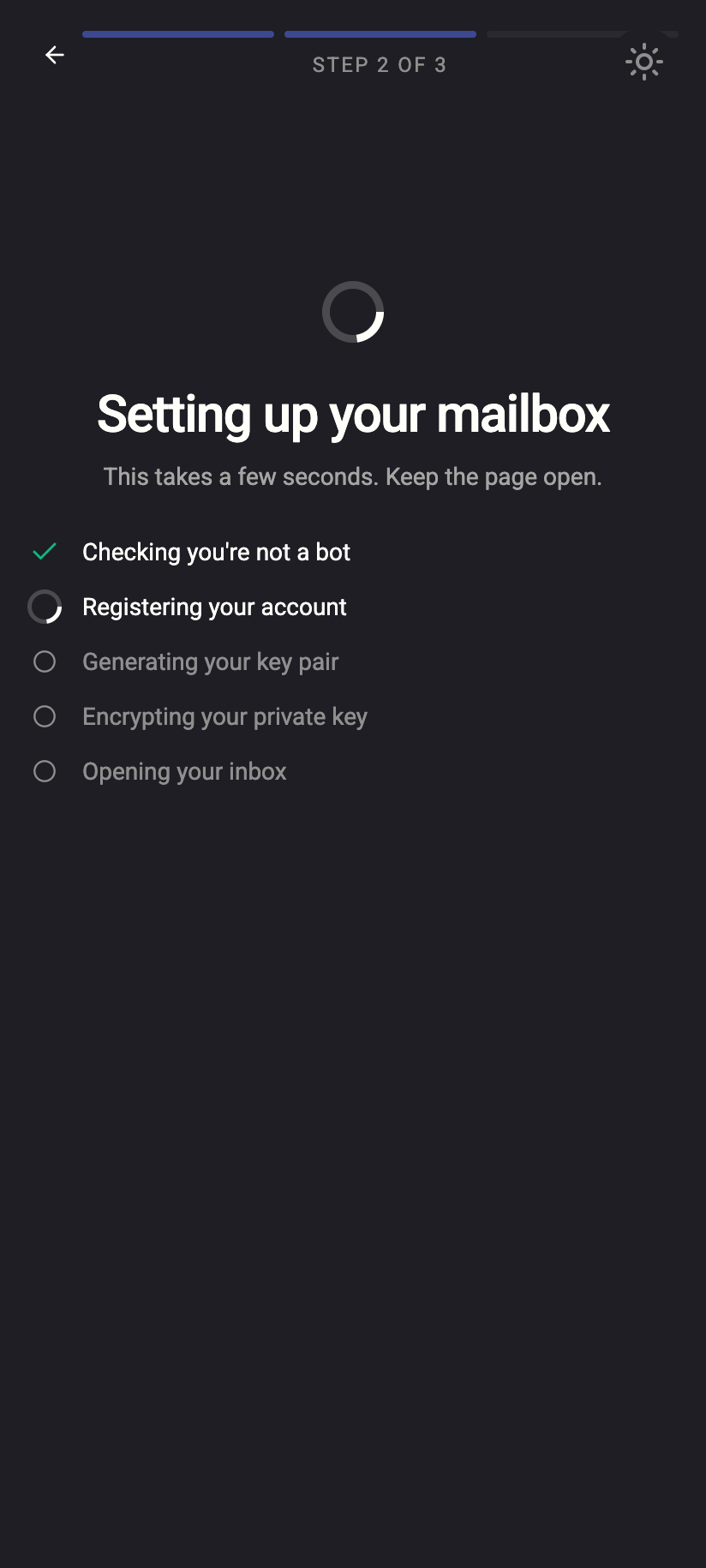
On a phone the progress list shown while your account is being created has a line for it — Checking you're not a bot. It is usually ticked off almost immediately because the work was done while you filled in the form.
 1212
1212Where you'll meet it
Every request that can be made without being signed in requires a solved challenge, because those are the requests bots go after:
- creating an account and checking whether a username is free
- signing in with your password, with an email code or with a QR code (the "show my code" direction)
- resetting your password through a recovery address
- accepting a chat invitation or opening an invite link
- adding a recovery address
Once you are signed in, ordinary use of the app — reading mail, chatting, changing settings — involves no challenges at all.
Why we do it this way
- Nothing to click. A proof-of-work needs no images, no reading of distorted text and no accessibility workaround. It works the same with a screen reader.
- Nothing sent to a third party. The challenge is issued and checked by our own server. No captcha vendor sees your network address, your browser fingerprint or which page you were on. See Third parties we use for the full list of what we do rely on.
- It works over Tor and VPNs. Because it does not score your reputation, using a Tor or VPN connection does not trigger a harder puzzle. Sign-up simply costs the same computation for everyone.
- It complements rate limits. Proof-of-work slows bots down; rate limits stop them when they push anyway.
What our server sees
Cannot see
- Anything you typed into the form until you submit it
- A browser fingerprint or behaviour score — nothing of the kind is collected
Can see
- That a challenge was requested and solved, and for which purpose
- Your network address, which is what the rate limits are counted against
Common questions
The page seems to hang for a few seconds after I press the button
On a slow phone or an old laptop the computation can take a few seconds. Keep the page open. If it does not finish within about a minute, reload the page and try again — a new challenge is issued each time.
I was shown a picture puzzle. Is that Private.Ki?
No. The app contains no picture, slider or arithmetic puzzles in any current flow. If you see one on a page claiming to be Private.Ki, check the address bar — you may be on a phishing site.
Does the challenge use my battery or mine cryptocurrency?
It uses a small amount of CPU for a moment and nothing more. The result is useless for anything except proving that the work was done for this one request.