Why some security measures can't be turned off
The things Private.Ki refuses to do — recover a passphrase, show your recovery address, search inside mail, report when a message was read — and why.
Some things in Private.Ki feel stricter than in the email and chat apps you are used to. Support cannot reset your passphrase. The app will not show you your own recovery address. Search only looks at subjects and names. Nothing tells you whether a message was read. Each one closes a hole that would otherwise let someone — an attacker, an insider, or a court order — get at your data.
Things that cannot be recovered or shown back to you
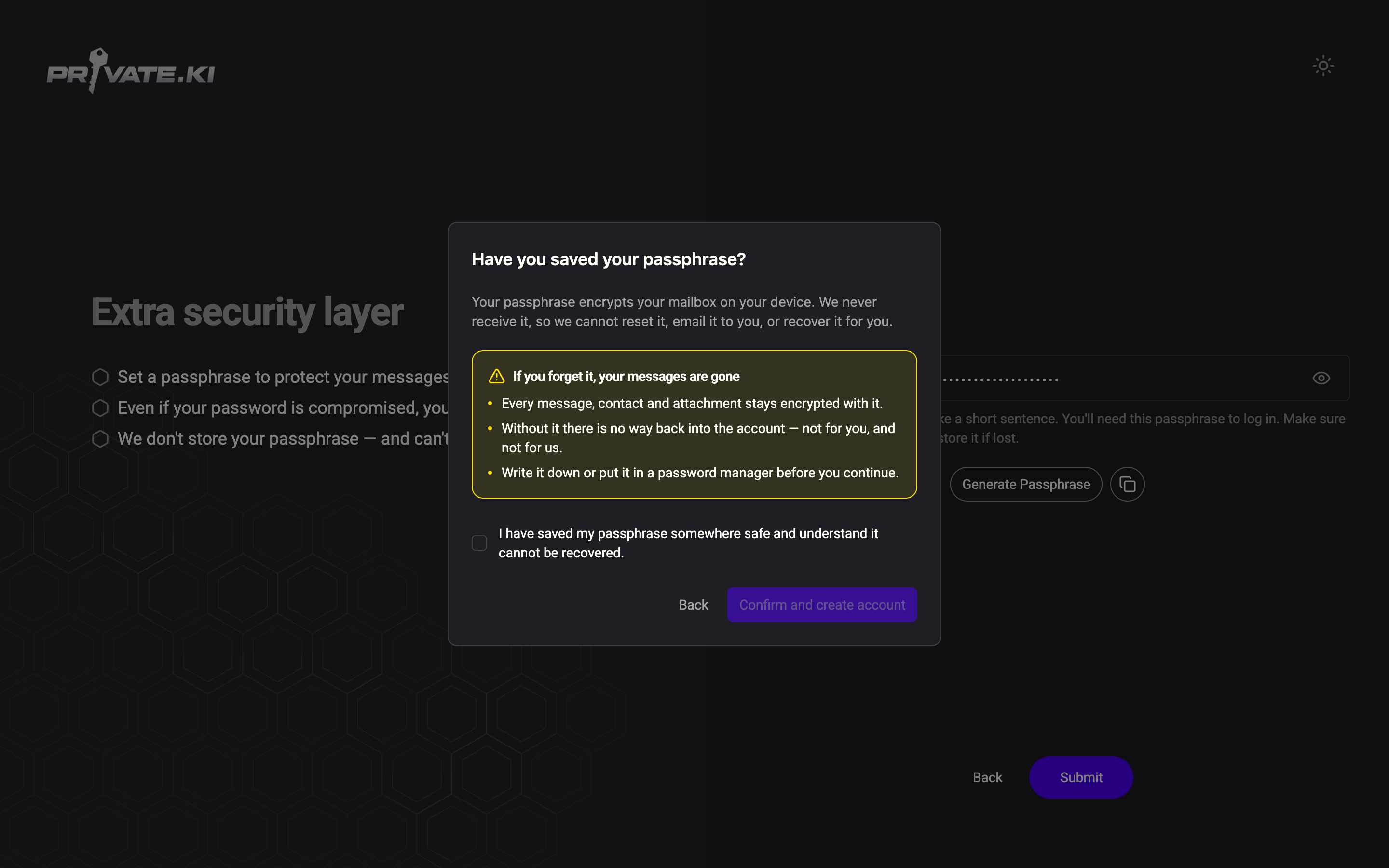
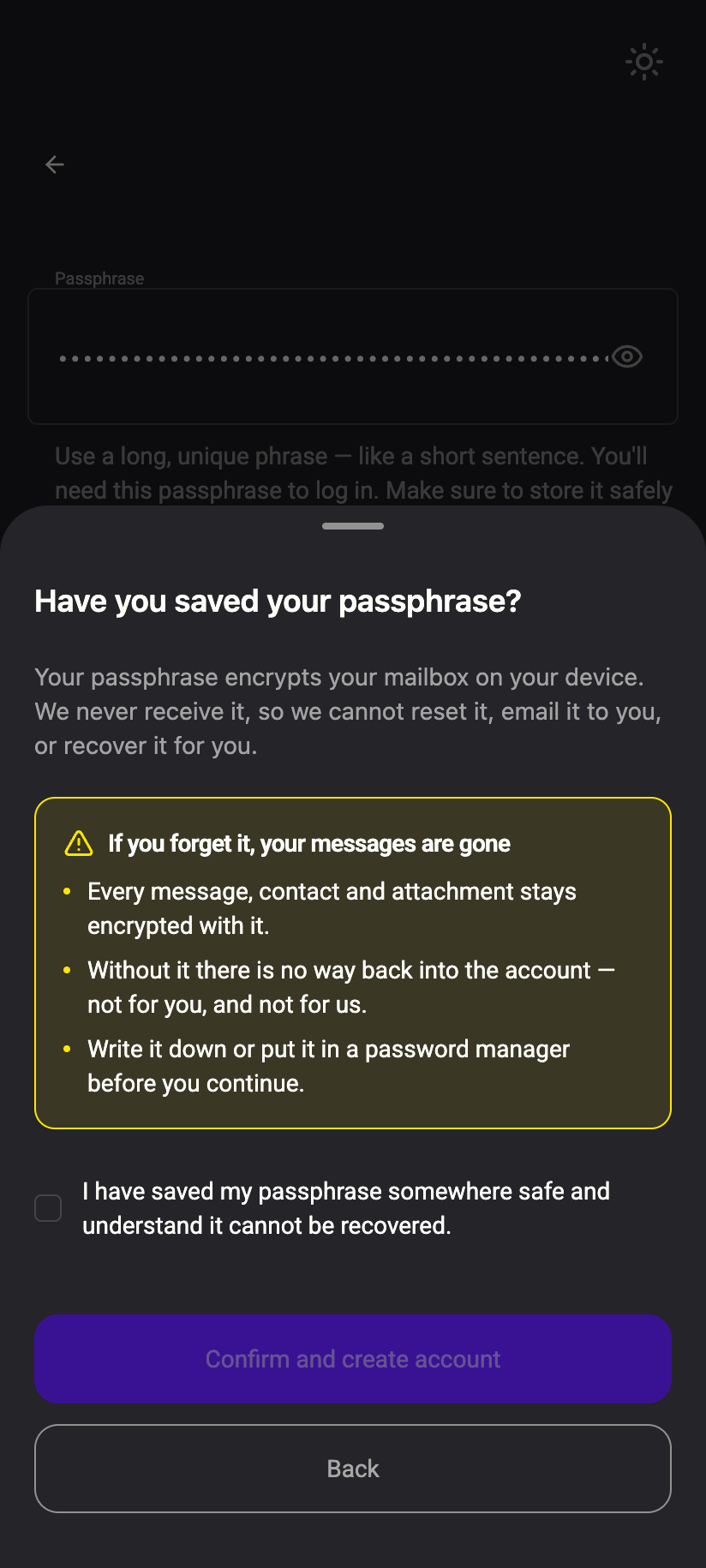
Your passphrase cannot be recovered. If you chose the Passphrase (advanced) unlock method, your private key is locked with that passphrase and nothing else. We hold no copy. The app tells you this before you continue — If you forget it, your messages are gone — and asks you to acknowledge it. The reason is the same reason it protects you: a passphrase we could restore is a passphrase we could be forced to hand over. See Your passphrase and Protect your passphrase.
 1212
1212Your password cannot be reset by support. Sign-in uses OPAQUE, so the server never receives your password, not even a hash. There is nothing for support to look up or send you. The only route is password recovery through a recovery address you set up in advance. See Does Private.Ki store my password?.
Your recovery address is not displayed. The server stores only an Argon2 hash of it. When you need it, you type it in and the server checks the hash; it cannot show you the address, and neither can anyone who gets hold of the database. See Set up a recovery email.
Your key pair is generated once. The app refuses to create a second pair for an account that already has one. A key that could be quietly replaced is a key that could be replaced by someone else.
Things that are always on
Email between Private.Ki users is always encrypted and signed. When every recipient is a Private.Ki address, the Encrypt and Sign switches in the composer are on and cannot be turned off. A setting that can be forgotten, or switched off by a trick, is a setting that fails at the worst moment.
Chat is always encrypted. There is no encryption switch in a chat. Every message, reaction, voice message and timer travels encrypted.
Encrypted mail from outside gets a second layer. A PGP-encrypted email that arrives from another provider is encrypted again to your key before it is stored. You cannot turn this off, and you will not notice it. See Double-layer encryption.
External images are blocked until you allow them. Remote images in email are how senders track when and where you read. They load only when you choose Load once, Trust email or Trust sender. See External images and Tracking protection.
Things that lock or expire on their own
The app locks after 30 minutes offline. If the connection to our server is lost and does not return within 30 minutes, the app clears your unlocked keys and everything it had decrypted. When you are back online you unlock again. See Offline, reconnecting and the 30-minute auto-lock.
Sessions expire after 7 days of inactivity. A device you have not used for a week has to sign in again. You can see and revoke sessions under Security and Privacy. See Active sessions.
Sign-in tokens are short-lived. The token that authorises each request lasts 30 minutes and is bound to the device that requested it; a longer-lived refresh token (90 days) renews it silently while you are active.
Requests are rate-limited, and sign-up asks your device to do a little work. Every public endpoint — sign-up, username check, recovery, pairing, chat-link redemption — is limited per IP address, and sign-up requires your browser to solve a small proof-of-work puzzle before the server will listen. You normally never notice either. Behind a busy shared address (an office, a VPN, a Tor exit node) you occasionally will. See Rate limits and Proof of work instead of CAPTCHA.
Things that are deliberately absent
Search does not look inside messages. Mail search covers subject, sender and recipients — the fields the app can index on your device without decrypting every message body. There is no body search, and there is no chat search. See Search.
There are no read receipts. A double tick on a chat message means delivered to our server, not read. Nobody can see when — or whether — you opened a message, and the "After read" self-destruct timer that would need this is not available. See Delivery ticks and typing.
There are no backup codes for two-factor authentication, and support cannot remove 2FA on your word alone. If you lose your authenticator while still signed in elsewhere, turn 2FA off there. See Turn off two-factor authentication.
There is no POP3, IMAP or SMTP access. Encryption happens inside the app; a mail client would have to receive your private key. See POP3, IMAP and SMTP.
Unsend has a window. You can unsend your own chat message, or destroy one you received, for one hour. After that it stays. See Unsend and destroy.
Why we do this
Security only works when it is predictable. If encryption could be switched off, you would have to check the switch on every message. If support could reset a passphrase, so could anyone who impersonated you to support. If we could show you your recovery address, we could be compelled to show it to someone else. Removing the option removes the whole class of failure. It costs a little convenience. That is the trade, and it is the product.
What our server sees
Cannot see
- Your passphrase, your password or your private key in usable form
- Your recovery address — only a hash we can check against
- The text of your mail and chats
Can see
- That an account has 2FA or a recovery address set (as a yes/no flag)
- When your device last connected, and whether a request was rate-limited
Common questions
I chose "Password only". Is my passphrase still unrecoverable?
With Password only there is no separate passphrase: your private key is locked with a secret derived from your password on your device. The strictness moves to the password — see Change your password and Reset your password for what a reset means for your mailbox.
Can I ask support to make an exception?
No. Support can see your account status, whether 2FA and a recovery address are set, and can sign you out of every device or re-enable a disabled account. Support cannot read mail, recover a passphrase or reset a password. See Contact support.
Will any of these change?
Passkeys as an unlock method and the "After read" timer exist in the code but are switched off.